TextInMyVoice
Share
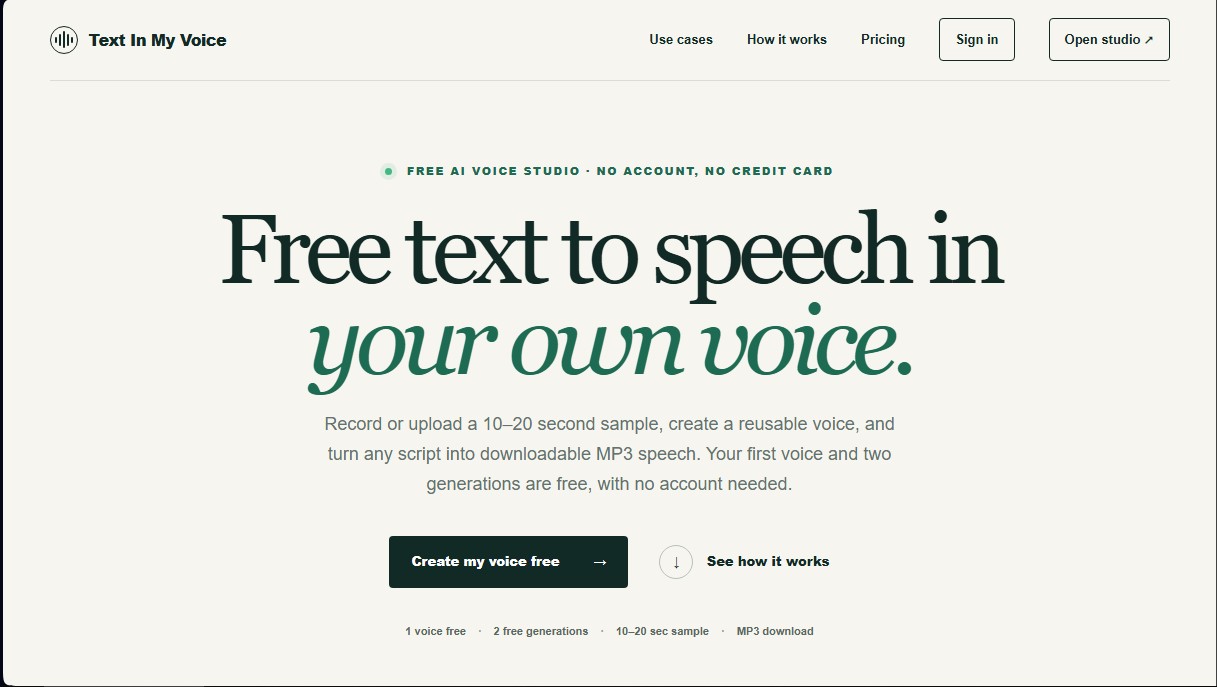
Clone your voice with a short sample to turn text into natural voiceovers. Generate and download MP3s in your own tone for free, no registration required.
What is TextInMyVoice?
TextInMyVoice is an AI voice cloning tool designed to convert text into audio using the user's specific tone and nuances. This application allows for the generation of high-quality custom voiceovers without the need for professional recording equipment or lengthy recording sessions, making it easier to create audio content that consistently maintains the author's vocal identity. It is a solution geared toward content creators, marketing professionals, and users looking to automate audio production for videos or presentations.
The operation of TextInMyVoice is based on a simplified three-step process that prioritizes speed. First, the user must provide a clean 10-to-20-second audio sample, either by recording directly from their computer or by uploading an existing file in MP3, WAV, or M4A format. Once this sample is processed, the system creates a reusable voice that can be applied to any future text. Finally, simply enter the script into the editor, and the AI will generate a downloadable MP3 file with natural-sounding speech.
This platform utilizes advanced text-to-speech (TTS) technology and voice cloning algorithms to capture a speaker's essence from minimal samples. For optimal results, the system requires a natural vocal delivery and an environment free of background noise. One of TextInMyVoice's competitive advantages is its focus on accessibility, allowing users to test the full workflow and perform their first free voice generations without needing to register or enter credit card information.
Key capabilities of this AI audio tool include:
- Fast voice cloning: Create an accurate vocal profile in just a few seconds from short audio clips.
- Natural text-to-speech conversion: Transform scripts of up to 1,000 characters per request into fluent human speech.
- Reusable voice management: The ability to save different vocal profiles and use them across various projects without repeating the upload process.
- Security and privacy: Temporary audio files are deleted from servers after cloning, and the system requires voice ownership confirmation to prevent unauthorized use.
- Multi-platform compatibility: As a cloud-based studio, it works seamlessly across any web browser on mobile or desktop devices.
In practical terms, TextInMyVoice is especially effective for producing YouTube voiceovers, narrating personalized messages, or generating educational content. By allowing voice cloning from MP3s, users can leverage previous recordings to maintain audio consistency across their digital channels, optimizing production times and eliminating the need to re-record content when last-minute script changes occur.
TextInMyVoice features and use cases
How to use TextInMyVoice
TextInMyVoice FAQ
Is TextInMyVoice free?
Yes, you can create your first voice and generate two audio clips for free without needing to sign up.
How much audio do I need to clone my voice on TextInMyVoice?
You only need a clean audio sample between ten and twenty seconds long to create a reusable voice.
Do I need to create an account to use the tool?
It isn't necessary to get started, although signing in with Google gives you access to five thousand free characters every month.
What happens to the privacy of my audio files?
Temporary samples are deleted from our storage once the voice cloning process is complete.
Can I clone someone else's voice on TextInMyVoice?
No, you must be the owner of the voice or have explicit permission and confirm consent before creation.
What format are the generated audio files downloaded in?
The tool generates ready-to-use natural voice files that can be downloaded directly in MP3 format.
What paid plans does TextInMyVoice offer for commercial use?
We offer Creator and Pro plans that provide higher character limits and allow for the commercial use of the audio files.
TextInMyVoice pricing and plans
Free Plan: 0 $
Try it out without an account or credit card (1 voice and 2 free generations).
With free registration: 1 saved voice.
3 voice generations per month.
5,000 characters per month (approx. 5 minutes of audio).
1,000-character limit per request.
Standard rendering queue.
For personal projects only.
Creator Plan: 9 $ per month (4.50 $ for the first month)
10 saved voices.
30 voice generations per month.
100,000 characters per month (approx. 1.7 hours of audio).
1,000-character limit per request.
Standard rendering queue.
Commercial use included.
Pro Plan: 29 $ per month
50 saved voices.
150 voice generations per month.
400,000 characters per month (approx. 6.7 hours of audio).
1,000-character limit per request.
Priority rendering queue.
Commercial use included.
Starter Pack: 12 $ (one-time payment, currently discounted to 8 $)
100,000 additional characters added to your account.
Valid for 12 months.
Used once your active plan's monthly allowance is exhausted.
Compatible with the Free plan.
TextInMyVoice Screenshots
TextInMyVoice alternatives

Vidverse AI
Vidverse AI brings several AI video, image and voice models into one web and mobile app, so you can turn text or photos into clips, images and voiceovers.

FineVoice Aunio
AI agent for end-to-end audio production. Generate professional voiceovers, music, and effects. Clone voices, edit sound, and create high-quality podcasts.