

Share
AI-powered transcription, translation, and dubbing in 80+ languages. Clone voices and sync audio with precision in one seamless professional workflow.
What is EasilyAI?
EasilyAI is a comprehensive platform designed to centralize the entire global content workflow into a single interface. This artificial intelligence tool allows content creators and post-production teams to manage audio transcription, translation, and AI dubbing without the need to switch between multiple applications. Its primary function is to transform localization processes that typically take weeks into tasks that take just a few days, facilitating the expansion of video and audio content into more than 80 languages with professional technical precision.
The operation of EasilyAI is based on a triple engine that integrates transcription, translation, and voice generation onto a single timeline. It utilizes context-aware translation technology to maintain the original tone and intent, avoiding flat or robotic results. Regarding audio, the platform offers a library of over 1,200 AI voices categorized into standard and high-quality tiers, while also supporting voice cloning. Thanks to this technology, it is possible to replicate the speaker's original voice in different languages using an audio sample, maintaining their vocal identity across international markets.
Key functional capabilities and practical benefits include:
- Frame-accurate AI dubbing that ensures perfect synchronization with the visuals.
- Automatic speaker identification and a professional editing system with timecode control.
- Automatic LUFS mastering adapted to the loudness standards of platforms such as YouTube, Netflix, Disney+, or Apple TV+.
- Support for M&E (Music & Effects) tracks, allowing ambient tracks to be uploaded separately so the final mix is professional and ready for publication.
- A collaborative review and approval system via shareable links where reviewers can leave notes linked to specific timestamps.
- Access to the EasilyAI Atlas, a detailed guide to regional accents for selecting the most appropriate voice based on the target market.
This AI dubbing solution stands out for its focus on operational efficiency. By keeping timecodes locked throughout all stages, EasilyAI eliminates the need to re-export files or manually adjust offsets on the computer. Users can export their projects in versatile formats such as SRT, MP4, WAV, MP3, or XML, facilitating seamless integration with any video editing workflow. It is a tool designed for those seeking scalable multilingual content production while maintaining total control over script quality and audio fidelity.
EasilyAI features and use cases
How to use EasilyAI
EasilyAI FAQ
What services does EasilyAI offer for content creators?
EasilyAI lets you manage the entire global production process—including AI-powered transcription, translation, and dubbing—all from a single interface.
How does the EasilyAI credit system work?
Credits are flexible and can be used across any of the platform’s services, whether you need to transcribe content today or dub a video next week.
How many languages can I localize my videos into using this tool?
The platform supports over 80 languages and features a library of more than 1,200 voices with various styles and accents.
Can I save credits if I already have a transcript for my video?
Yes. By uploading your own text files or translations, the credit cost for generating the dubbing is reduced by up to 65 percent.
What voice cloning options does EasilyAI offer?
You can upload a one-minute audio sample to clone a specific voice and use it consistently across any of the available languages.
What advantages does the EasilyAI professional editor have over other tools?
The editor allows you to adjust timecodes, assign characters, and preview translation and audio changes directly in your browser before exporting.
How does EasilyAI ensure the audio is suitable for platforms like Netflix or YouTube?
The system automatically performs mixing and mastering adjusted to the specific LUFS standards required by each target platform.
Can multiple collaborators work on the same EasilyAI project?
Yes, our plans allow for up to 15 collaborators per account, enabling your team to review and edit content simultaneously with no additional per-seat costs.
What happens if a generated audio line doesn't sound exactly how I want it to?
Every minute of generated audio includes one free minute of regeneration, allowing you to make any necessary adjustments to the tone or pronunciation.
What file formats can I export once the project is finished?
You can download documents in SRT, DOC, or CSV formats, as well as MP4 video files and individual character audio tracks in WAV or MP3.
EasilyAI pricing and plans
Light (50 $/month):
1,135 monthly credits (renew every 30 days, non-rollover).
Access to AI transcription, translation, and dubbing services.
Document export in SRT, DOC, PDF, and CSV formats.
Video (MP4, XML) and audio export (WAV, MP3, per-character tracks).
Speaker identification and support for over 80 languages.
Standard (150 $/month):
3,570 monthly credits (renew every 30 days, non-rollover).
Includes all AI transcription, translation, and dubbing features.
Comprehensive text, video, and audio file export.
Speaker identification and access to the catalog of 80+ languages.
Studio (450 $/month):
11,540 monthly credits (renew every 30 days, non-rollover).
Full platform access for transcription, translation, and dubbing.
Professional multi-format export tools.
Speaker management and global language support.
Prime (850 $/month):
22,970 monthly credits (renew every 30 days, non-rollover).
Full platform capabilities for high-volume workflows.
Document, per-character audio, and video file export.
Speaker identification and access to the complete language library.
Deluxe (1,250 $/month):
35,715 monthly credits (renew every 30 days, non-rollover).
Premium access to all transcription, translation, and dubbing tools.
Maximum credit capacity for large-scale production.
Includes all export options and voice identification.
Custom (Contact for pricing):
Custom credit allocation based on release schedules.
Onboarding and dedicated support.
Billing options and Service Level Agreements (SLAs).
Access to voice cloning and advanced add-ons.
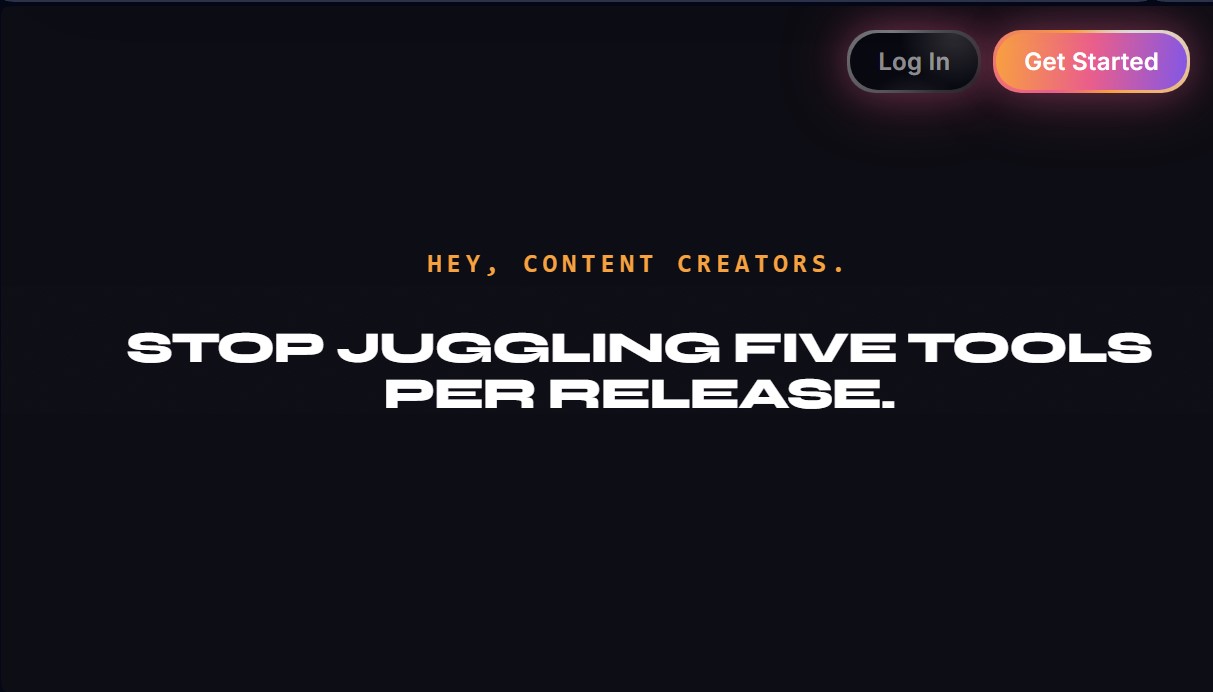
EasilyAI Screenshots
EasilyAI alternatives

MicMonster
Generate natural voiceovers from text with 800+ voices in 140 languages. Adjust intonation and pace to create professional videos, podcasts, and audiobooks.

Choicer Voicer
AI tool for voice cloning, video translation, and voiceovers. Design unique sounds and dub games, animations, or social media content.
Palabra.ai
Real-time AI voice translator for events, video calls, and streaming. Offers simultaneous translation with voice cloning, low latency, subtitles, and API integration.