
Share
Convert images, invoices, and bank statements into Excel tables. Extract handwritten text with AI precision to automate manual data entry.
What is ImageToTable.ai?
ImageToTable.ai is an advanced data entry automation platform that uses artificial intelligence to convert images, screenshots, and PDF documents into structured Excel, CSV, or Markdown tables. Unlike traditional OCR tools that are limited to character recognition, this solution employs an LLM-based (Large Language Models) engine. This technology allows the tool to understand the context of the information, identify complex structures, and offer human-level accuracy without the need to configure rigid templates.
The operation of ImageToTable.ai is primarily divided into two workflows adaptable to user needs. On one hand, the specific data extraction mode allows you to define rules in natural language to obtain specific fields, such as invoice numbers, dates, or total amounts. On the other hand, the Page OCR mode is designed to digitize entire documents, such as bank statements, while faithfully maintaining the original layout of rows and columns. Its handwriting recognition capability is one of its core strengths, allowing it to process handwritten notes, medical forms, or historical files with a high accuracy rate.
The functional capabilities of ImageToTable.ai cover a wide variety of professional use cases:
- Financial Management: Allows you to convert bank statements to Excel or CSV instantly, facilitating account reconciliation, loan analysis, and fraud detection.
- Invoice and Receipt Processing: Automates the accounts payable workflow by extracting vendor data, taxes, and totals, with the option to export to JSON for integration into ERP systems.
- Human Resources: Its CV parsing feature allows for the extraction of work history and skills from PDF or image resumes to standardize candidate databases.
- Form Digitization: Processes documents with checkboxes, signatures, and handwritten data, transforming them into editable digital records.
This tool is ideal for accountants, data analysts, and administrative staff who need to eliminate the manual workload on their computers. ImageToTable.ai supports batch processing, allowing you to upload hundreds of files simultaneously and merge the information into a single document. Additionally, its contextual correction system automatically identifies and fixes potential typos in the original documents, ensuring that exported data is clean and standardized. It is a versatile solution that supports modern formats like WebP and AVIF, in addition to the standard JPG, PNG, and PDF, optimizing productivity in any sector that handles physical or digital unstructured documentation.
ImageToTable.ai features and use cases
How to use ImageToTable.ai
ImageToTable.ai FAQ
What is ImageToTable.ai, and what is this tool used for?
It is an AI-powered platform designed to automatically convert images, screenshots, and PDF documents into editable Excel, CSV, or Markdown tables.
Can ImageToTable.ai process handwritten documents?
Yes, the tool features advanced handwriting recognition technology that allows you to digitize notes, forms, and medical prescriptions with high precision.
What file formats can I upload to the platform?
The system supports the most commonly used formats, such as PDF, JPG, and PNG, and is also optimized for modern web formats like WebP and AVIF.
Is it possible to convert bank statements to Excel with ImageToTable.ai?
Exactly. The tool allows you to transform bank statements and invoices into structured spreadsheets while keeping the original row and column layout intact.
Do I need to set up templates to extract specific data?
There is no need to configure complicated templates, as the extraction engine understands natural language rules to identify fields such as dates, amounts, or invoice numbers.
Does ImageToTable.ai offer a free option for users?
There is a free plan available that lets you test the tool's capabilities through daily points awarded whenever you log in to the platform.
How does batch processing work in this tool?
The platform allows you to upload hundreds of documents simultaneously to process them in bulk and consolidate all extracted information into a single final file.
What makes ImageToTable.ai different from traditional OCR systems?
Unlike conventional OCR, this tool uses language models that understand context, automatically correct typos, and detect visual elements like checkboxes.
Can I use the tool to digitize resumes?
Yes, the system can extract relevant information from resumes, such as skills or work history, to standardize the data into a structured format.
Is processing financial data on the platform secure?
The tool guarantees security and privacy when converting sensitive documents, such as bank statements and legal contracts, through secure automated processes.
ImageToTable.ai pricing and plans
Free Plan - 0 $
- Basic features.
- Earn 5 daily login points.
- Process 1 image at a time.
- Limited Deep Recognition.
- Low queue priority.
- Community support.
Monthly Plan - 29 $
- Advanced features.
- Earn 50 daily login points.
- Process up to 3 images simultaneously.
- Premium Deep Recognition.
- High queue priority.
- Support for recognition issues.
Annual Plan - 299 $
- Exclusive Premium features.
- Earn 80 daily login points.
- Process up to 3 images simultaneously.
- Premium Deep Recognition.
- High queue priority.
- Dedicated technical support.
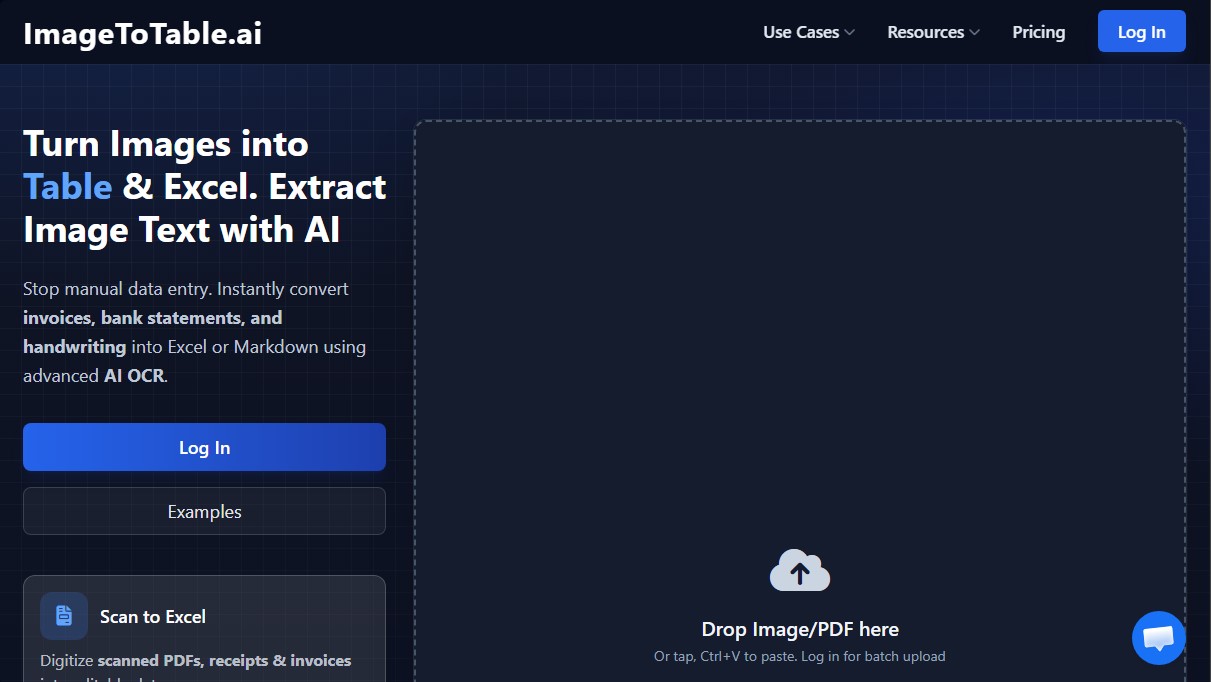
ImageToTable.ai Screenshots
ImageToTable.ai user reviews
Write a review
Checking your session...
ImageToTable.ai Reviews
Loading reviews...
ImageToTable.ai alternatives

Rock Identify
Identify rocks, crystals, and minerals using photos. Analyze features like texture and grain to suggest types, explain properties, and answer geological questions.

ImageToSTL.org
Convert JPG and PNG images into STL files for 3D printing using AI. Generate detailed 3D models ready for instant download.



image2slides
Convert screenshots and photos into editable PowerPoint slides. Extract text and graphics to modify and export them in PPTX format.

The Face Analysis
Analyze facial symmetry, proportions, and features with AI. Works privately in-browser with no uploads or registration to identify eye and nose shapes.