InfographicAI
Share
InfographicAI
Instantly turn text, data, and PDFs into professional infographics. Customize designs with your brand identity and export high-quality results.
General Information about InfographicAI
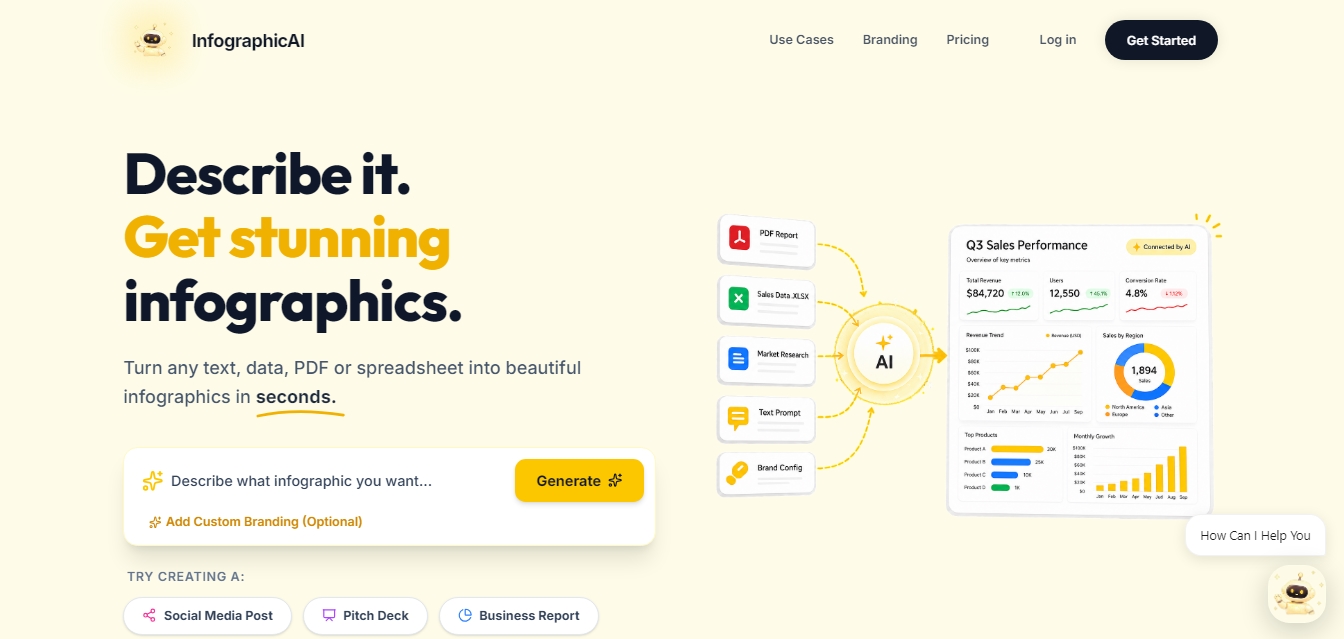
InfographicAI is an advanced artificial intelligence platform designed to automatically transform text, raw data, PDFs, and spreadsheets into professional infographics. This tool allows non-designers to convert complex information into clear and aesthetically pleasing visual representations in just seconds. Its primary function is to simplify visual content creation through natural language processing and intelligent data analysis, making it a key resource for developing business reports, strategic presentations, and educational materials.
The workflow of InfographicAI is based on a simple four-step process. Users enter a description of what they want to visualize or upload files in Excel, CSV, or Google Sheets formats. The AI technology analyzes the content, extracts the most relevant data, and automatically generates a coherent visual structure. Afterward, the system provides customization options to adjust colors, fonts, and chart styles. Finally, users can export the high-quality result, ready for use on any computer or digital platform.
The core capabilities of this AI tool include:
Multi-source processing: The ability to convert PDF documents and databases directly into visual graphics without manual intervention.
Custom branding: Integration of a brand kit that allows users to apply logos, corporate colors, and specific fonts to every design to ensure visual consistency.
Smart editing: The editor allows for resizing content to fit social media formats or pitch deck presentations.
Multi-format export: Files can be downloaded in PNG, JPG, PDF, SVG, and PowerPoint, facilitating their use across different platforms.
Automated data visualization: Generation of trend charts, comparisons, and revenue breakdowns from unstructured figures.
This solution is ideal for marketing departments, business analysts, and sectors such as healthcare or e-commerce, where data clarity is essential. InfographicAI optimizes production time by eliminating manual layout work, allowing users to focus on the value of the information. By automating the creation of graphic elements, it ensures that any user can produce high-impact visual content—whether for a quarterly sales report or a project roadmap—while maintaining a professional and scannable finish. It is perfect for both one-time use and recurring workflows that require efficient and fast AI data visualization from a mobile device or desktop.
Features and Use Cases of InfographicAI
How InfographicAI Works
Frequently Asked Questions about InfographicAI
What is InfographicAI, and how does it work?
It is an artificial intelligence platform designed to transform text, data, PDF files, or Excel documents into professional infographics in seconds.
Can I use my own branding with InfographicAI?
Yes, the tool allows you to upload your logo and set your brand colors and fonts so they are automatically applied to all your designs.
What types of documents can I upload to generate an infographic?
You can import PDF files, Excel or CSV spreadsheets, or simply copy and paste data directly into the platform.
In what formats can I download my InfographicAI creations?
Designs can be exported in high quality as PNG, JPG, PDF, and SVG files, or even as PowerPoint presentations.
Does InfographicAI offer a free plan to try the tool?
Yes, there is a free plan that includes initial credits for standard generations and exports without requiring a credit card.
Can I use the infographics for commercial purposes?
Yes, all paid subscription plans include a commercial license to use the graphics for business projects, marketing, or client work.
What customization options does the InfographicAI editor offer?
Once the infographic is generated, you can modify the colors, fonts, chart styles, and layout to fit your specific needs.
Do I need design experience to use the platform?
No, design skills are not required, as the AI automatically structures the information and creates clear, professional visualizations.
Which industries can benefit from using InfographicAI?
It is an ideal solution for marketing, education, business reporting, healthcare, and e-commerce sectors that need to communicate data visually.
InfographicAI Pricing
Free Plan
Price: 0 $
10 credits (one-time use).
Approximately 1 generation.
Standard exports.
Community support.
Starter Plan
Price: 20 $ per month
2,500 credits per month.
Approximately 250 generations.
High-quality exports.
AI Editor.
API access.
Pro Plan
Price: 50 $ per month
2,500 credits per month.
Approximately 250 generations.
High-quality exports.
AI Editor.
API access.
Business Plan
Price: 100 $ per month
6,000 credits per month.
Approximately 600 generations.
High-quality exports.
AI Editor.
API access.
InfographicAI Screenshots