

Share
Transform your voice into optimized AI prompts. Dictate ideas naturally and generate structured text instantly in any app without typing.
What is Lemon?
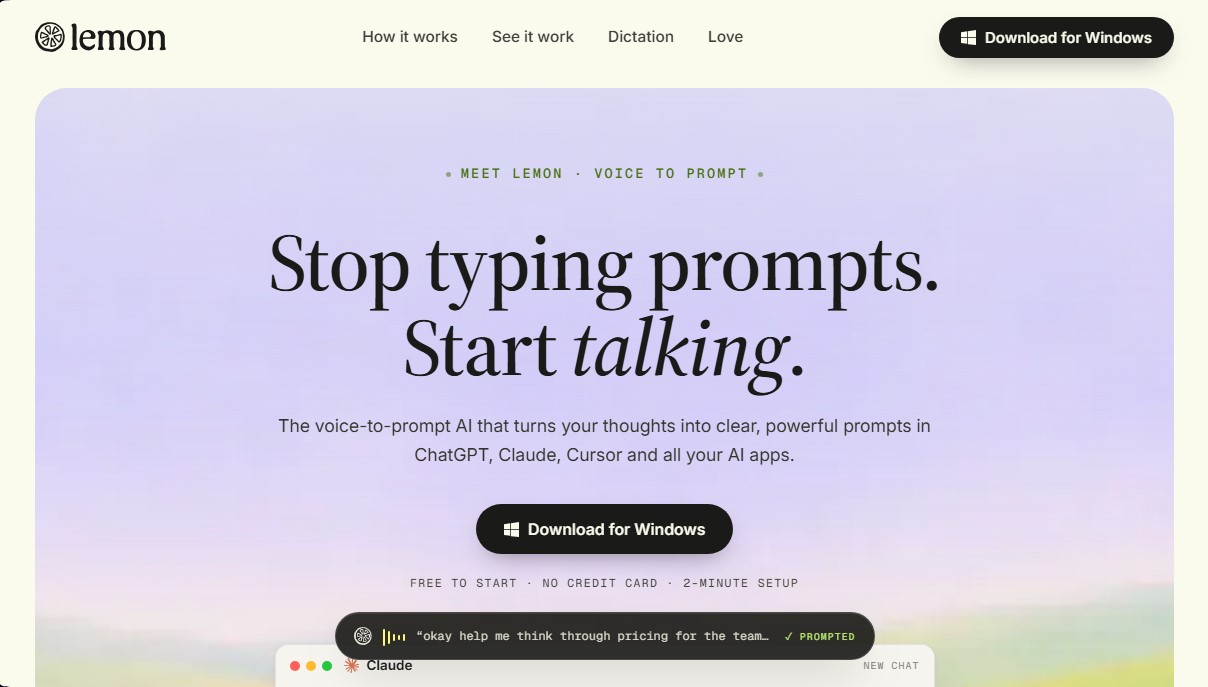
Lemon is an AI tool specializing in voice-to-prompt conversion that allows users to interact with language models and productivity applications verbally. Its primary function is to capture spoken thoughts—often unstructured or spontaneous—and instantly transform them into professional prompts and polished text directly at the computer cursor. This solution is designed for professionals, developers, and writers looking to optimize their workflow and reduce the time spent on manual typing in platforms like ChatGPT, Claude, Cursor, or corporate communication tools.
The operation of Lemon stands out for its simplicity and technical efficiency. By activating a global keyboard shortcut, the application begins listening; the user can speak naturally, including hesitations, changes of heart, or on-the-fly corrections. The underlying AI technology filters out filler words, organizes the logical structure, and generates an output that includes clear objectives, context, and constraints. Unlike conventional dictation systems, Lemon doesn't just transcribe words; it acts as a real-time prompt engineer that understands the user's intent.
Key capabilities and practical benefits include:
- Structured Prompt Generation: Transforms vague ideas into precise instructions with specific formats, such as comparison tables, recommendation lists, or detailed analyses.
- High-Speed Intelligent Dictation: Allows content drafting up to five times faster than typing, reaching about 200 words per minute while performing automatic cleanup of pauses and speech errors.
- Universal Integration Without Plugins: Running natively on the operating system, it works in any text field, whether in the browser, code terminals, Slack, Gmail, Notion, or Jira.
- Channel-Specific Formatting: The ability to structure output based on the destination, creating everything from team status updates with checkboxes to formal emails.
This AI productivity tool is especially useful for knowledge workers who manage a high volume of information and analytical tasks. By eliminating the need to memorize complex templates or frameworks, Lemon facilitates a more fluid and natural interaction with technology. Its practical approach allows any user to achieve professional-level results in their favorite AI applications simply by talking to their computer, keeping the focus on the primary task without the distractions of constant tab-switching or manual editing of long texts.
Lemon features and use cases
How to use Lemon
Lemon FAQ
What exactly is Lemon and what is it used for?
Lemon is an AI-powered voice tool that transforms your spoken thoughts into clear, structured instructions for applications like ChatGPT, Claude, or Cursor.
How do I activate Lemon while working on my computer?
Just hold down the Control and Shift keys to start speaking, and the tool will transcribe your ideas directly wherever your cursor is located.
Which applications are compatible with Lemon?
You can use it in any Windows text field, including web browsers, email clients like Gmail, messaging apps like Slack, or code editors.
What happens if I stumble or hesitate while speaking to Lemon?
It doesn't matter if you make mistakes or ramble; the system automatically removes filler words and organizes your thoughts into a professional, coherent message.
Do I need to pay or provide a credit card to try Lemon?
You can download the tool for free and start using it immediately without having to provide any payment information.
Is Lemon actually faster than typing?
Yes, this tool allows you to dictate five times faster than conventional typing, reaching an average of two hundred words per minute.
How long does it take to set up Lemon on Windows?
The installation and setup process is very simple and takes barely two minutes to get the tool up and running on your system.
Do I need to learn specific commands for Lemon to generate high-quality prompts?
There’s no need to memorize complicated structures or templates. Simply think out loud, and the AI will take care of professionally formatting your request.
Lemon pricing and plans
Free Plan
Price: Free (no credit card required to get started).
Convert voice into structured, professional prompts.
Dictation feature five times faster than typing.
Automatic cleanup of filler words and speech errors.
Universal access in any application or text field via keyboard shortcut (Ctrl + Shift).
Direct integration with tools like ChatGPT, Claude, Cursor, Slack, Gmail, and Notion.
Other Plans
For information on team plans or additional pricing, please visit the official website, as detailed pricing for higher tiers is not specified in the available information.
Lemon Screenshots
Lemon alternatives

Blaze de IA
Chrome extension for AI on any site. Summarize content, draft, and refine text using dynamic snippets and shortcuts to optimize academic performance.


Aqua Voice
Convert voice to accurate text in real-time to write emails, code, or create documents. Works in any app and is five times faster than typing.

PromptBase IA
Marketplace to buy and sell AI prompts. Get optimized instructions for ChatGPT or Midjourney to boost your results quickly and effectively.

Prompt Storm
Chrome extension with specialized prompts for ChatGPT, Gemini, and Claude. Optimize writing, marketing, and coding to boost your productivity with AI.

PromptBase
Marketplace for buying and selling AI prompts. Buy and sell prompts to generate images and text with ChatGPT, Midjourney, and more.