

Share
Apple Search Ads extension that adds revenue data to your reports. Visualize campaign and keyword profitability directly to optimize your spend.
What is Lily Revenue?
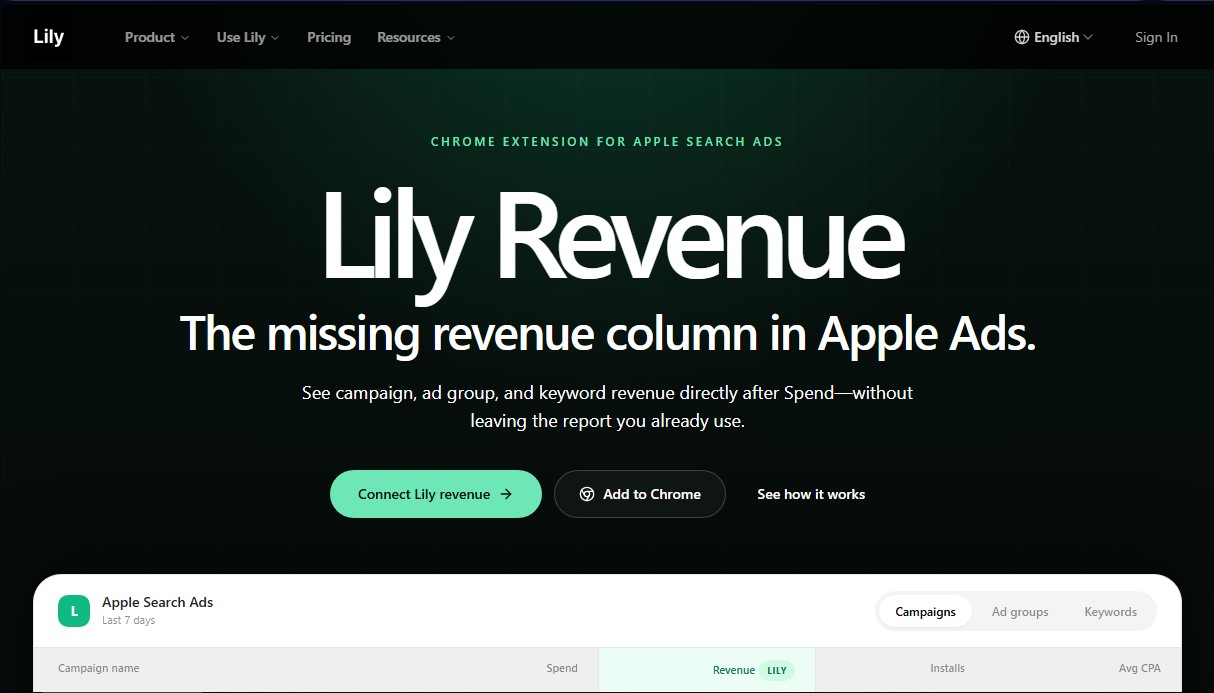
Lily Revenue is a Chrome extension specifically designed to optimize Apple Search Ads management. Its primary function is to integrate a revenue column directly into the Apple Ads dashboard, allowing account managers to visualize the financial return of their campaigns without leaving the official interface. This app revenue analysis tool solves the lack of real-time financial data within Apple’s ad manager, providing a comprehensive view of advertising performance by showing what happens after the spend occurs.
The functionality of Lily Revenue is based on syncing attribution and monetization data. The tool uses matching logic from platforms like RevenueCat or AppsFlyer to attribute revenue to each specific campaign, ad group, or keyword within the selected date range. By installing the plugin on a computer via the browser, the user can automatically see a revenue column next to the spend column, allowing for immediate and accurate profitability calculations.
This AI tool for app marketing focuses on three operational levels to improve strategic decision-making:
- Campaigns: Allows for budget reallocation toward campaigns that generate actual revenue rather than just a high volume of installs.
- Ad Groups: Identifies which segmentation structures and targeting approaches attract the highest-value users for the business.
- Keywords: Helps maintain profitable searches and discard those that consume the budget without generating a direct return on investment.
From a technical standpoint, Lily Revenue acts as a data enrichment layer and maintains read-only access. This means the extension does not make automatic changes to bids, budgets, or keywords, ensuring that operational control always remains in the user's hands. Information security is managed by sending campaign IDs and date ranges via HTTPS to chatlily.ai servers, while access tokens are securely stored in Chrome's local storage.
It is a functional solution for growth teams, app developers, and user acquisition specialists looking for an efficient Apple Ads analysis tool. By eliminating the need to toggle between different external dashboards, it streamlines the workflow and improves accuracy in mobile advertising ROI optimization, allowing results to scale based on actual revenue data and not just download metrics.
Lily Revenue features and use cases
How to use Lily Revenue
Lily Revenue FAQ
What is Lily Revenue?
It’s a Chrome extension that adds a revenue column directly to the Apple Search Ads dashboard, allowing you to analyze the profitability of your campaigns.
Does Lily Revenue modify my Apple Search Ads campaigns or bids?
No. The tool is read-only; it enriches your reports without making any changes to your budgets, bids, or keywords.
How does Lily Revenue sync revenue data?
It uses matching logic from platforms like RevenueCat or AppsFlyer to display generated revenue based on your selected date range.
Is there a free version of the extension?
Yes, there is a free version available that allows you to view revenue by campaign and ad group directly in your browser without a subscription.
Is my data secure with Lily Revenue?
Yes. The extension sends the necessary identifiers via HTTPS to perform data matching and does not collect any information from your browsing history.
What level of detail does the Lily Revenue report provide?
You can view revenue broken down by campaign, ad group, and even specific keywords to identify which search terms are profitable.
What subscription plans are available?
We offer Starter, Plus, and Pro plans with various limits on managed spend, the number of apps, and access to AI-powered recommendations.
Lily Revenue pricing and plans
Free ($0/mo)
- Chrome extension for Apple Ads with no subscription required.
- View revenue by campaign directly within the Apple Ads interface.
- View revenue by ad group directly in Apple Ads.
Lily Starter ($9.9/mo)
- Apple Ads revenue analytics.
- Revenue breakdown by campaign, keyword, and market.
- Limit of 50 Lily calls per month.
- Restricted to a maximum Apple Ads spend of $3,000/mo.
- Manage 1 app.
Lily Plus ($49/mo)
- Includes all Starter plan features.
- 3-day free trial.
- Limit of 150 Lily calls per month.
- Recommendations to reduce wasted spend and scale winning campaigns.
- Unlimited Apple Ads spend.
- Manage up to 5 apps.
Lily Pro ($99/mo)
- Includes all Plus plan features.
- Limit of 600 Lily calls per month.
- Unlimited Apple Ads spend.
- Manage up to 30 apps.
- Growth diagnostics for multiple apps.
- Priority support.
Lily Revenue Screenshots
Lily Revenue alternatives



Amplify AI
Automatically generate and post daily TikTok and Instagram videos with AI creators. Create viral content for your brand and manage multiple accounts without filming.



Kairosy AI
Audit and improve your brand reputation in AI search engines. Monitor mentions on ChatGPT or Claude, analyze sentiment, and optimize visibility to attract more customers.