
Listing Trailer
Share
Transform real estate photos into professional videos with AI. Automate editing, music, and camera movement to make property listings stand out.
What is Listing Trailer?
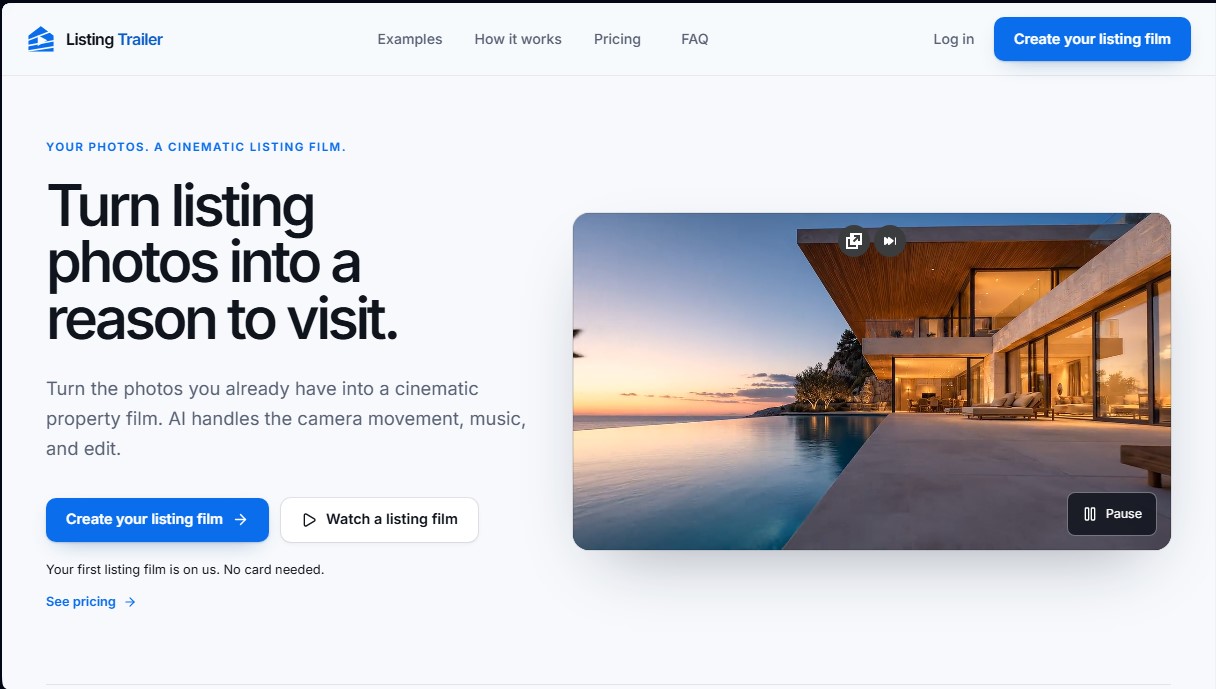
Listing Trailer is an advanced AI video automation platform designed specifically for the real estate industry. Its primary function is to transform static property photos into high-quality cinematic films, allowing real estate agents to offer an immersive visual experience without needing technical editing skills. By using AI algorithms, the tool analyzes images to generate fluid camera movements, professional transitions, and a visual narrative that invites potential buyers to visit the home in person.
The operation of Listing Trailer is straightforward and efficient, optimized for the fast-paced workflow of a real estate agent. Users simply need to upload up to 30 property photos, enter the address, and select a soundtrack that fits the property's style. From there, the artificial intelligence handles the creative decisions, processing the material to deliver a first cut in an estimated 5 to 10 minutes. The system allows for customization of the final result by adjusting scene order, shot duration, and movement direction, ensuring the home’s strengths are highlighted.
This AI real estate marketing tool offers key functional capabilities for promotion across multiple digital channels:
- Video generation in three different formats: horizontal (16:9) for real estate portals, vertical (9:16) for social media and mobile devices, and square (1:1) for general posts.
- Output resolutions in 720p and 1080p, ensuring a crisp image on both computers and large-format screens.
- A soundtrack library to set the right atmosphere based on the type of property.
- An intuitive editing dashboard to refine scenes, change music, and download versions ready for immediate sharing.
Using Listing Trailer is particularly useful for professionals looking to differentiate their listings in a competitive market. By turning a simple photo file into a cinematic property video, it better captures client attention and conveys feelings that still images cannot, such as the spaciousness of the rooms or the connection with the surroundings. It is a practical AI-generated content solution that optimizes workflow, allowing agencies to consistently and quickly produce high-quality material.
Listing Trailer features and use cases
How to use Listing Trailer
Listing Trailer FAQ
What is Listing Trailer and how does it help me sell my properties?
It is an artificial intelligence platform that transforms your static photos into cinematic videos designed to grab buyers' attention and encourage in-person tours.
How many images can I include in a Listing Trailer video?
You can upload up to thirty photos per listing, allowing the tool to generate a complete visual story of the property.
Do I need a paid subscription to try Listing Trailer?
No, it isn't necessary. Your first video is free, and no credit card is required to start the process.
What video formats can I get for my social media?
The tool generates horizontal, vertical, and square versions to fit perfectly on Instagram, TikTok, YouTube, or real estate listing sites.
Can I edit the final result if I want to change a detail?
Yes, you have complete freedom to reorder scenes, adjust the duration of each shot, change the music, or modify the AI prompts.
Do I need video editing skills to use Listing Trailer professionally?
No prior experience is necessary because the system automates all creative decisions, camera movements, and the final assembly.
What video resolution do the subscription plans offer?
Videos are generated in High Definition (720p) by default, while premium plans allow you to export content in 1080p.
What happens if I run out of monthly credits on my plan?
You can purchase additional credit packs that never expire or set up an automatic recharge to keep creating content without interruption.
How long does it take for the tool to generate a first draft?
The system typically takes five to ten minutes to process the images and deliver an initial version of the video for your review.
Where can I use the finished videos?
You can use your videos on listing pages, sales presentations, and social media posts, or send them directly to interested buyers.
Listing Trailer pricing and plans
Free Trial
Price: 0 $ (60 welcome credits).
Includes your first 30-second property video.
720p video quality.
No credit card required.
Starter
Price: 60 $ per month (or 54 $/mo with 648 $ annual billing).
180 credits per month (approximately 4 videos).
Formats: horizontal (16:9), vertical (9:16), and square (1:1).
720p video quality.
Videos up to 30 seconds and up to 30 photos per property.
For a single agent.
Growth
Price: 140 $ per month (or 126 $/mo with 1,512 $ annual billing).
420 credits per month (approximately 10 videos).
Formats: horizontal (16:9), vertical (9:16), and square (1:1).
720p and 1080p video quality.
Videos up to 30 seconds and up to 30 photos per property.
Access for the user and up to 3 team members.
Studio
Price: 400 $ per month (or 360 $/mo with 4,320 $ annual billing).
1,200 credits per month (approximately 30 videos).
Formats: horizontal (16:9), vertical (9:16), and square (1:1).
720p and 1080p video quality.
Videos up to 30 seconds and up to 30 photos per property.
Access for the user and up to 8 team members.
Additional Information: Credits from monthly plans expire at the end of the billing cycle. You can purchase 100 additional credits for 30 $, which do not expire. Prices shown do not include VAT.
Listing Trailer Screenshots
Listing Trailer alternatives


Kairosy AI
Audit and improve your brand reputation in AI search engines. Monitor mentions on ChatGPT or Claude, analyze sentiment, and optimize visibility to attract more customers.



Brandfetch Gen AI
Offers a structured brand data API to customize AI experiences. Generates content and populates profiles with logos and corporate identity.