Share
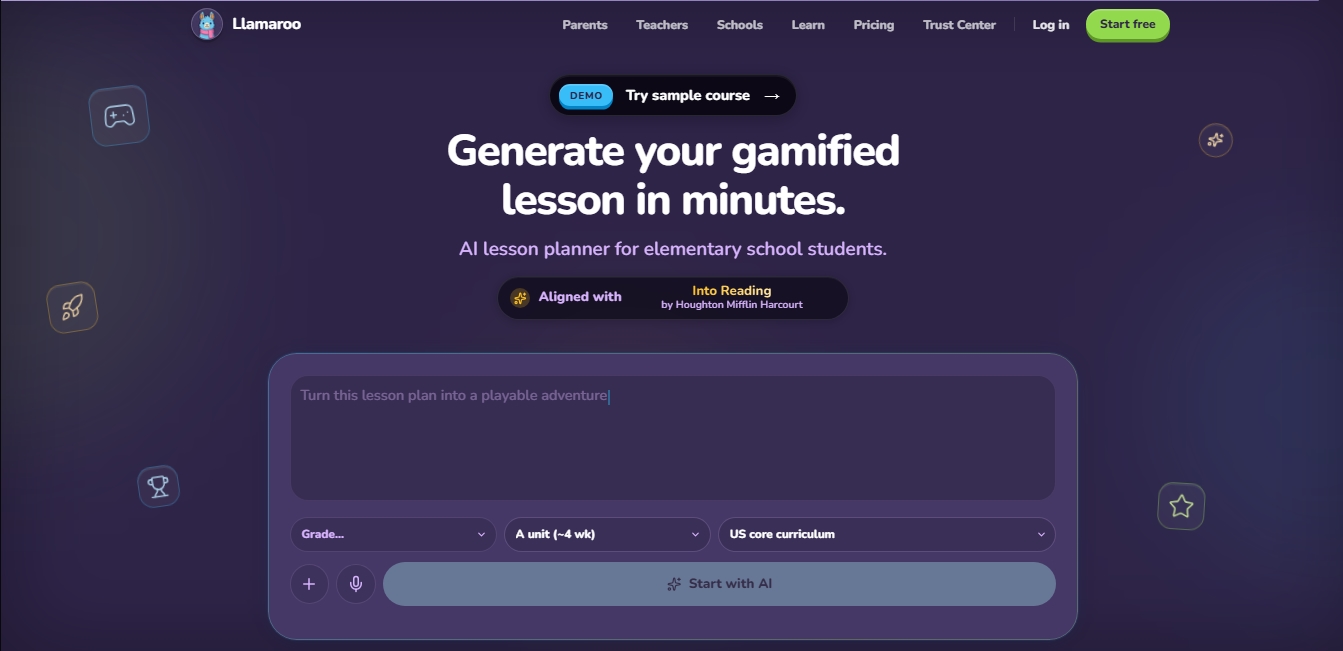
AI platform for creating gamified elementary lessons. Quickly and easily generate curriculum-aligned lesson plans, games, and interactive activities.
What is Llamaroo?
Llamaroo is an artificial intelligence platform specifically designed for elementary education. Its primary purpose is to help teachers and schools create gamified lessons and complete curricula in just minutes. This tool functions as an AI lesson planner that transforms text descriptions into structured courses, allowing teachers to optimize their prep time while generating interactive and engaging educational materials.
The platform operates on an assisted content generation system. Users enter a description of the topic they wish to teach, and the AI proposes a course outline organized by modules. Once the outline is approved, the tool generates detailed content for each lesson, including activities and game dynamics. It utilizes advanced language model technology and allows professional plan users to integrate their own Gemini API key for unlimited generation. All content is fully editable through a visual timeline editor, where elements can be dragged and dropped without requiring any technical expertise.
Among its core capabilities, Llamaroo stands out for its alignment with prestigious educational curricula, such as Eureka Math, Wonders, Amplify Science, i-Ready, and Go Math!. Lessons are pedagogically structured using:
Contextual stories to introduce topics.
Quizzes and sorting activities to check for understanding.
Interactive dialogues that foster critical thinking.
Educational games that serve as reinforcement and rewards upon completing learning objectives.
For students, the experience is simple and secure. Access is provided via a class code and a personal PIN, eliminating the need for emails or user accounts for minors. The platform is entirely web-based, ensuring it works on any browser across computers, mobile devices, iPads, and Chromebooks.
From a management standpoint, the tool includes progress tracking features, allowing teachers to visualize which students have completed their assignments and who may require additional support. In terms of privacy, Llamaroo guarantees that student data is never shared with the artificial intelligence, as the use of this technology is strictly limited to the creation of materials by the teacher. It is a comprehensive solution for digitizing the classroom in a controlled, safe, and highly efficient way.
Llamaroo features and use cases
How to use Llamaroo
Llamaroo FAQ
Can I try Llamaroo for free?
Yes, the free plan allows you to manage one classroom with up to thirty students and create unlimited courses without needing to enter a credit card.
How do students access Llamaroo lessons?
Students join via a class link by entering a short code and a personal PIN assigned by the teacher, with no registration required.
Do my students need to use an email account?
No, the platform does not require student email addresses or personal data, ensuring their privacy and making access easier for younger children.
Can I modify the content generated by Llamaroo's AI?
Yes, all lessons and activities created by the AI are fully editable, allowing teachers to adjust every word and exercise to fit their specific needs.
Do I need to install any special software on school devices?
No, the tool is entirely cloud-based and works through any modern web browser on computers, tablets, or Chromebooks.
What are AI credits and how do they work?
Credits are used to generate new courses using artificial intelligence. Each plan includes a specific number of credits that renew on a monthly basis.
Are the lessons aligned with official curriculum standards?
Yes, the tool allows you to create content that follows recognized standards such as Eureka Math or McGraw Hill, among many others.
Is the learning environment safe for minors?
Yes, the platform is a closed environment with no ads or access to the external web, where students only interact with content created by their teacher.
What happens if I need to manage more than one classroom?
You can upgrade your account to the Teacher Pro plan, which allows you to manage up to three classrooms, or the School Pro plan for a school-wide rollout.
Does Llamaroo offer technical support for schools?
Yes, all plans include access to support for any questions, while higher-tier plans feature priority assistance and personalized training.
Llamaroo pricing and plans
Free Plan
Free
1 classroom.
30 students per class.
Unlimited courses.
500 lifetime AI credits.
Community library preview.
Includes "Powered by Llamaroo" branding.
Teacher Pro
19 $ per month (billed annually at 229 $/year)
Everything included in the Free plan.
3 classrooms.
Up to 3 staff members.
Up to 90 students.
1,500 AI credits per month.
Ability to connect your own AI API key.
Copy any template.
No Llamaroo branding.
School Pro
208 $ per month (billed annually at 2,499 $/year)
Everything included in the Teacher Pro plan.
24 classrooms.
Up to 20 staff members.
Up to 720 students.
10,000 AI credits per month.
Brand Kit.
Domain and security policies.
Roster provisioning.
Enterprise
Contact us for pricing
Everything included in the School Pro plan.
Custom number of classrooms and team size.
Custom shared AI credits.
SLA and dedicated support.
Custom procurement and onboarding processes.
Llamaroo Screenshots
Llamaroo user reviews
Write a review
Checking your session...
Llamaroo Reviews
Loading reviews...
Llamaroo alternatives

SayLingo.ai
Practice 30 languages with AI tutors. Improve your pronunciation and grammar through real conversations, guided lessons, and official exam preparation.
JapanesePal
Practice Japanese conversation with an AI tutor. Improve your fluency and pronunciation for travel, work, or culture with instant corrections.

KnowLens.ai
KnowLens.ai uses AI to create infographics, visual summaries, posters, carousels and short explainer videos from a topic, notes or plain text.

PortuguesePal
Practice Brazilian or European Portuguese with an AI tutor. Improve your fluency and pronunciation with real conversations and instant corrections.

Conversations by ForeverLearning AI
Practice realistic AI conversations in simulated environments. Choose scenarios, interact in groups, and get insights to improve your communication skills.