Share
Manage multi-platform ad accounts with AI agents. Optimize campaigns, generate reports, and update ads directly through chat.
What is MCP Ads?
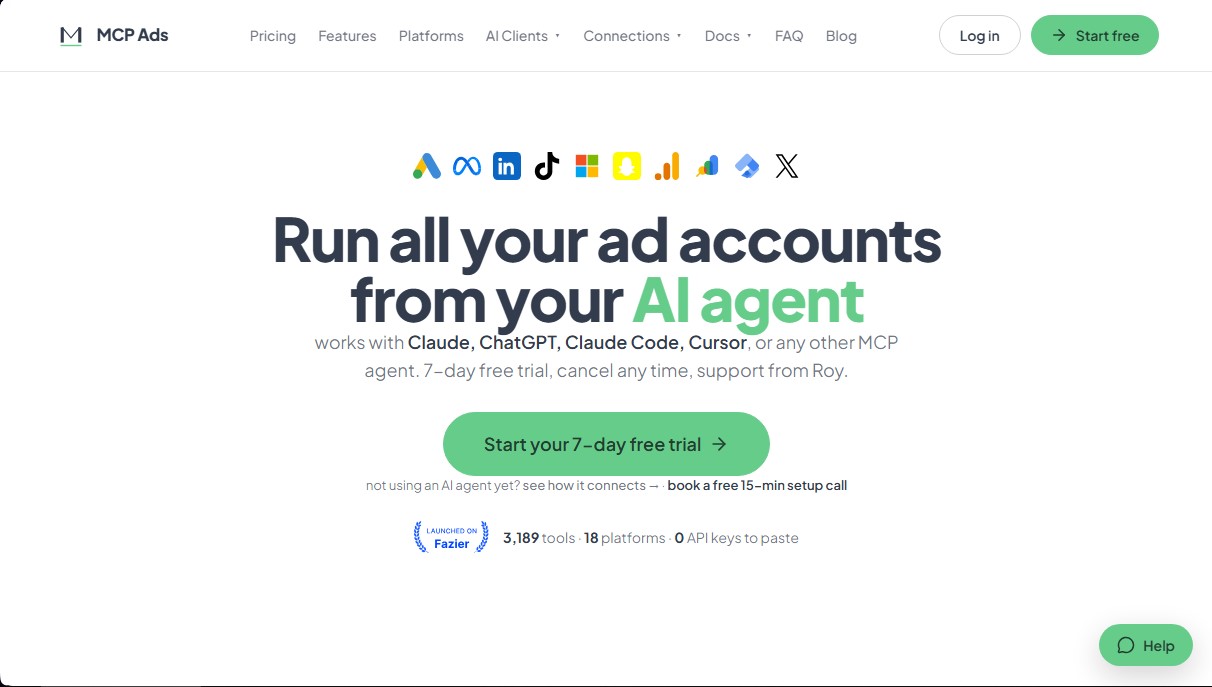
MCP Ads is an advanced technical solution that acts as a bridge between major digital advertising platforms and the most widely used AI agents, such as Claude, ChatGPT, Claude Code, Cursor, and Grok. This tool allows marketing professionals, agencies, and account managers to manage their advertising ecosystem directly from their AI chat interface, eliminating the friction of navigating between multiple dashboards and spreadsheets.
The operation of MCP Ads is based on the Model Context Protocol (MCP), a technology that enables the AI assistant to read real-time data and execute specific actions within connected accounts. Unlike other integrations, it does not require the user to manually configure complex API keys; the connection is established securely through the browser, allowing the AI agent to access the information needed to answer questions about campaign performance or make immediate technical adjustments.
Key capabilities and practical benefits include:
- Unified and Cross-Platform Reporting: It provides detailed summaries that integrate data from Google Ads, Meta Ads, GA4, and Search Console into a single, coherent response. This makes it easy to compare metrics from different sources without needing to export files.
- Wasted Spend Detection: The tool can identify wasted spend by analyzing search terms that consume budget without generating conversions or by detecting creative fatigue in Meta ads, suggesting corrective actions instantly.
- Natural Language Campaign Creation: Users can describe a new strategy or campaign structure, and MCP Ads handles the setup of the budget, ad groups, keywords, and creatives, leaving them in a paused state for a final review before activation.
- Competitor Analysis: It facilitates access to Google and Meta's public ad libraries to see which creatives competitors are using directly from the desktop chat.
This application is ideal for those looking to optimize their daily digital marketing workflow. A fundamental rule of its architecture is security and human control: the system always requests explicit confirmation before making any real changes to advertising accounts, ensuring the user maintains total oversight of the budget.
MCP Ads offers compatibility with a wide range of platforms, including LinkedIn Ads, TikTok Ads, Microsoft Ads, Snapchat Ads, X Ads, Pinterest, and even SEO and analytics tools like Google Tag Manager and Bing Webmaster. Its functional approach allows any MCP-compatible AI agent to become an expert ad manager capable of performing complex tasks through simple text commands.
MCP Ads features and use cases
How to use MCP Ads
MCP Ads FAQ
What exactly is MCP Ads?
It’s a service that connects your advertising accounts with AI assistants, enabling you to manage your campaigns by typing instead of navigating through complex menus.
Which advertising platforms is MCP Ads compatible with?
The tool works with eighteen platforms, including Google Ads, Meta Ads, LinkedIn, TikTok, Microsoft Ads, and Amazon.
Can the AI make changes to my ads without my prior authorization?
No, the system is designed to always request your explicit approval before executing any modifications or spending on your advertising accounts.
How does MCP Ads connect to the Claude assistant?
The connection is instant via a direct link button that configures the server in your Claude interface after you log in with your Google account.
What is the price of the MCP Ads service after the free trial?
Once the seven-day free trial ends, the cost is forty-nine dollars per month for unlimited use of all tools.
Do I need programming knowledge to use this tool?
No technical skills are required, as the setup is visual and ad management is done using natural language.
Can I see what my competitors are doing through MCP Ads?
Yes, the tool allows you to access the public ad libraries of Google and Meta to analyze the creatives your competitors are currently using.
What happens if I want to cancel my MCP Ads subscription?
You can cancel your subscription at any time from your user dashboard without any penalties or minimum commitment periods.
MCP Ads pricing and plans
Free Trial
Price: 0 $ for 7 days.
Full access to all tool features for connecting advertising accounts with AI agents.
Cancel anytime before your first billing cycle.
Unlimited Plan
Price: 49 $ per month.
Unlimited tool calls across all platforms.
Campaign creation and optimization (requires user approval for every change).
Multi-platform reporting consolidated into a single response.
Access to performance dashboards.
Human-led email support.
Team Plan
Price: Check the official website (contact us for a custom quote).
Includes a minimum of 2 user seats.
Unlimited calls for each team member.
Independent workspaces per client.
User role management (viewer, editor, and admin).
Shared team dashboards and reports.
Detailed audit logs for every call made.
Priority support and personalized onboarding assistance.
MCP Ads Screenshots
MCP Ads user reviews
Write a review
Checking your session...
MCP Ads Reviews
Loading reviews...
MCP Ads alternatives

PaidSync.ai
Manage Google, Meta, and TikTok campaigns via chat. Audit accounts, adjust budgets, and automatically improve ROAS with AI.