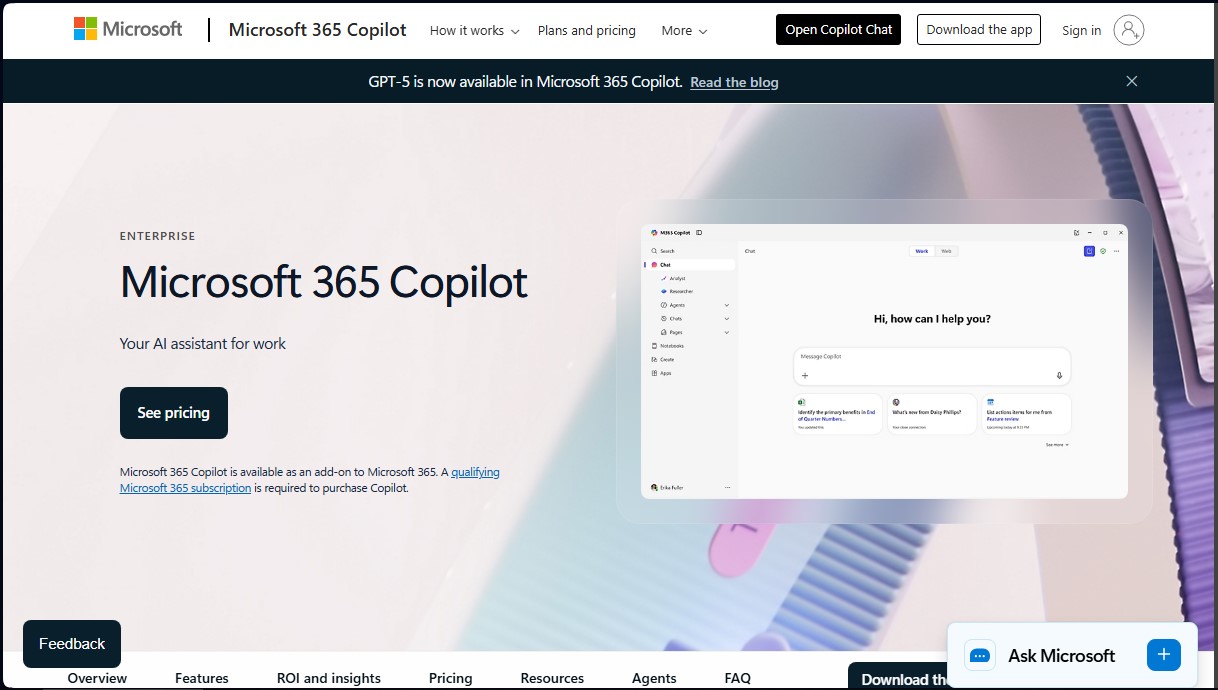
Microsoft 365 Copilot
Share
Microsoft 365 Copilot
AI assistant integrated into office apps to draft documents, analyze data, summarize meetings, and automate tasks, optimizing workplace productivity.
General Information about Microsoft 365 Copilot
Microsoft 365 Copilot is an advanced AI assistant designed to seamlessly integrate into Microsoft’s ecosystem of productivity applications. This enterprise AI tool works by combining large language models (LLMs) with an organization’s specific data stored in Microsoft Graph, which includes emails, calendars, chats, documents, and meetings. Its primary goal is to transform the work experience by facilitating task automation and decision-making based on precise contextual data.
The technology behind Microsoft 365 Copilot ensures that information is processed securely, adhering to the privacy, identity, and compliance policies already established in the corporate environment. By utilizing the company’s "tenant" context, the AI provides highly personalized responses that a generic AI could not achieve. Furthermore, it enables the creation and management of AI agents through Copilot Studio, helping businesses tailor artificial intelligence to specific business processes and even connecting to third-party data sources and line-of-business applications.
Among its most notable functional capabilities, the tool optimizes the use of common applications on computers or mobile devices:
- Copilot in Word: Generates automatic drafts, summarizes lengthy documents, and performs iterative edits to improve content quality.
- Copilot in Excel: Simplifies complex data analysis, trend identification, and the creation of professional visualizations using natural language.
- Copilot in PowerPoint: Instantly transforms ideas or text documents into structured and visually appealing presentations.
- Copilot in Outlook: Helps manage the inbox by summarizing long email threads and drafting suggested replies to save time.
- Copilot in OneDrive: Optimizes information retrieval by allowing users to compare files and get quick summaries of stored documents.
- Copilot Chat: Acts as a search and critical thinking assistant that combines web data with work data to solve complex problems.
This solution is especially beneficial for marketing, sales, and human resources departments, as it streamlines market research, campaign content creation, and employee onboarding. By integrating generative artificial intelligence directly into the daily workflow, organizations can significantly reduce the time spent on repetitive tasks, allowing employees to focus on higher-value strategic work. The platform also includes analytics tools and a dashboard to measure adoption and the real impact of AI on operational productivity.
Features and Use Cases of Microsoft 365 Copilot
How Microsoft 365 Copilot Works
Frequently Asked Questions about Microsoft 365 Copilot
What is Microsoft 365 Copilot?
It is an AI assistant designed for the workplace that combines advanced language models with your organization's data in Microsoft Graph and the web.
What are the requirements to purchase Microsoft 365 Copilot?
You must have a compatible Microsoft 365 subscription to purchase this tool as an add-on for your business.
Which apps does Microsoft 365 Copilot integrate with?
This solution works seamlessly with applications such as Word, Excel, PowerPoint, Outlook, OneDrive, SharePoint, Teams, and Microsoft Loop.
How much does a Microsoft 365 Copilot license cost?
The cost is $30 per user per month with an annual commitment, or $31.50 if you prefer monthly billing.
Is there a free trial available for Microsoft 365 Copilot?
There is no trial version available for the full product, though users with Microsoft Entra accounts can use basic chat features at no additional cost.
How does Microsoft 365 Copilot ensure data security?
The tool leverages the security, privacy, and compliance policies already established in your Microsoft 365 subscription to protect enterprise-level data.
What features does Microsoft 365 Copilot offer in Outlook?
It helps you save time by summarizing long email threads, extracting key insights, and managing your inbox more efficiently.
What are agents and how are they used in Microsoft 365 Copilot?
Agents are AI assistants that you can create or customize using Copilot Studio to automate specific business processes and add new capabilities to the tool.
How does Microsoft 365 Copilot help with data management in Excel?
It allows you to analyze, understand, and visualize complex datasets easily using natural language text or voice commands.
Can Microsoft 365 Copilot be used to create visual content?
Yes, the tool can generate images, posters, and videos aligned with your organization's visual identity to enhance internal and external communication.
Microsoft 365 Copilot Pricing
Microsoft 365 Copilot Chat
Price: Included at no additional cost for users with a Microsoft Entra account and a qualifying Microsoft 365 subscription.
- AI-powered chat based on the latest language models and real-time web information.
- Ability to upload files (limits apply) to obtain insights and analysis.
- Access to Copilot Pages and IT controls.
- Enterprise-grade data privacy and security.
- Available in select productivity apps and on the web.
Microsoft 365 Copilot
Price: $30.00 per user/month (billed annually) or $31.50 per user/month (with an annual commitment).
- Requires a qualifying Microsoft 365 plan license for purchase.
- AI chat connected to work data (Microsoft Graph) and web data.
- Direct integration into Microsoft 365 apps: Word, Excel, PowerPoint, Outlook, OneDrive, Teams, Loop, and SharePoint.
- AI-powered search across all work data, including third-party apps via 100+ connectors.
- Create images, videos, and promotional materials aligned with the organization’s visual identity.
- Access to AI agents, including advanced reasoning and custom agents based on work data.
- Includes the use of Copilot Studio to create agents within the Microsoft 365 environment.
- Analytics tools (Copilot Analytics) and advanced SharePoint management to measure adoption and ROI.
Microsoft Copilot Studio (Standalone version)
Price: Visit the official website (features its own licensing options; usage is billed based on the number of messages processed).
- Build, deploy, and manage agents for use outside of Microsoft 365, such as websites or external applications.
- Use custom connectors to integrate AI into specific business processes.
Microsoft 365 Copilot Screenshots