
Share
What is Sim?
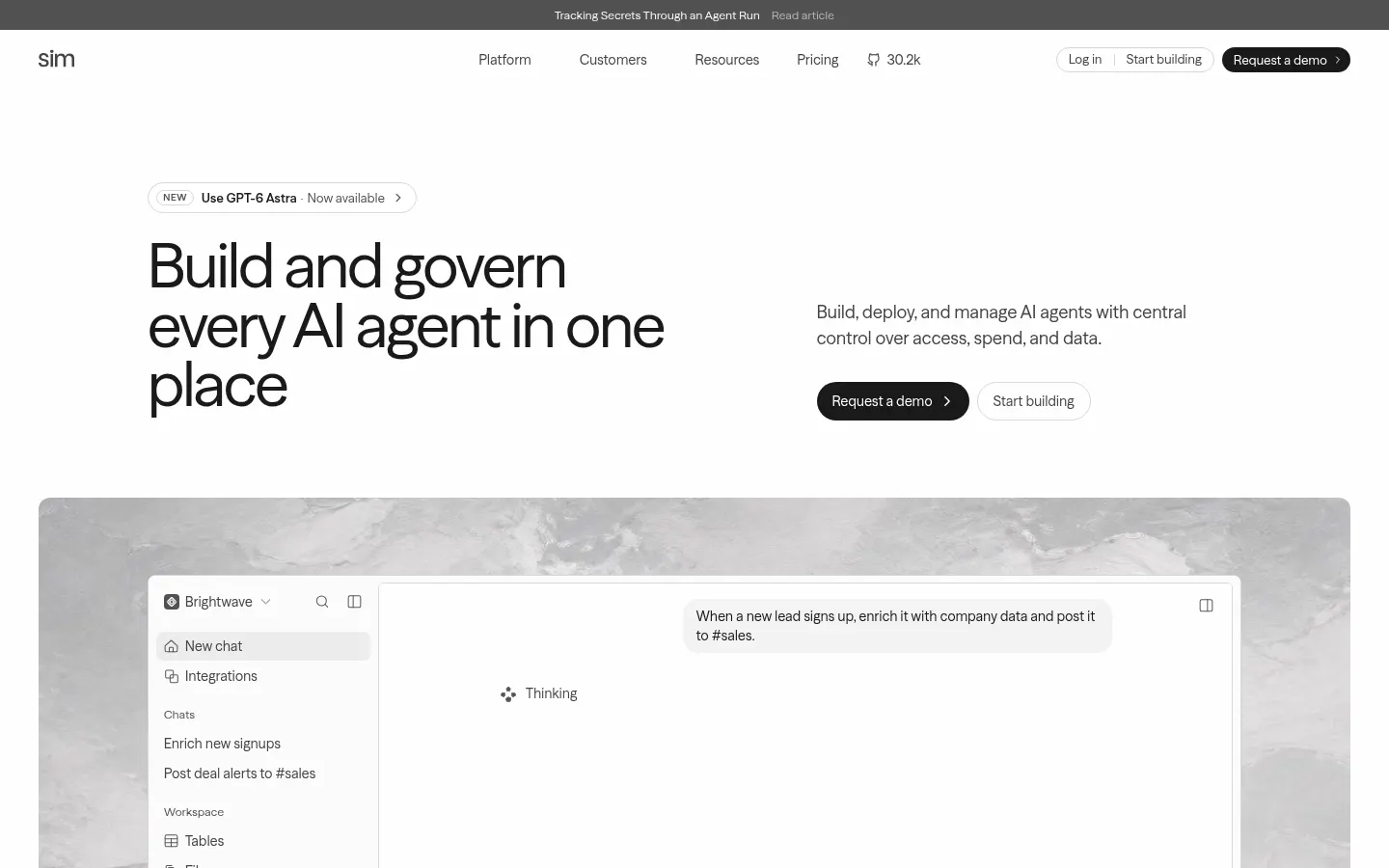
Sim is an open-source AI tool that serves as a workspace to build, deploy and govern AI agents across an organization. It is aimed at operations, support, sales and engineering teams that want to automate work with agents while keeping control over who uses which model, with what data and at what spend.
How do you build an AI agent with Sim?
You can describe the agent in chat, assemble it on a visual canvas by linking blocks (model, function, condition, integration) or work in code and with its CLI from Claude Code or the terminal. It connects 280+ integrations such as Gmail, Slack, Salesforce, Jira, Notion or Supabase, and models from OpenAI, Anthropic, Google, DeepSeek or xAI. Workflows run via API, webhook, schedule or chat.
What does it include beyond workflows?
- A knowledge base synced from Notion, Google Drive, Confluence or SharePoint.
- Shared tables and files that agents read and update.
- Logs that trace every run block by block.
Can you self-host Sim?
Yes. Sim is open source under Apache 2.0 (30k+ GitHub stars) and runs in your own cloud with Docker Compose or Kubernetes. Enterprise features such as SSO, SCIM, permission groups, spend limits, audit records and data retention need a license; the platform lists SOC 2 Type II, ISO 27001 and GDPR.
Sim pros and cons
Pros: it blends a visual builder, chat and code, supports bring-your-own provider keys, and offers centralized governance that is rare in automation tools. Cons: the range of options brings a learning curve, credit usage on the cloud version needs watching, and the interface is English-only.
Sim features and use cases
How to use Sim
Sim FAQ
What is Sim?
It is an open-source AI workspace to build, deploy and govern AI agents with integrations and models from many providers.
Is Sim free?
It has a free tier with starter credits and can be self-hosted for free; paid tiers are covered in the pricing section.
Is Sim open source?
Yes, it is released under Apache 2.0 on GitHub and runs with Docker Compose or Kubernetes.
Which AI models does it support?
Models from OpenAI, Anthropic, Google, DeepSeek, xAI and others, plus your own API keys.
Does it have an API?
Yes, every workflow can be deployed as an API endpoint, and there is also a CLI, webhooks and an MCP server.
Do I need to code?
No, you can build agents through chat or the visual canvas, though code is supported for advanced cases.
Does it work in Spanish?
The interface is in English, but agents can work in Spanish depending on the model and instructions you use.
What enterprise controls does it offer?
SSO, SCIM, permission groups, spend limits, audit records, data retention and self-hosting.
Which certifications does it hold?
According to its website, SOC 2 Type II, ISO 27001 and GDPR compliance, detailed in its Trust Center.
What are Sim alternatives?
Our directory lists n8n, Gumloop and Dify, which also automate AI workflows and agents.
Sim pricing and plans
Reference price: 25 USD / month. Source · Verified: November 20, 2026
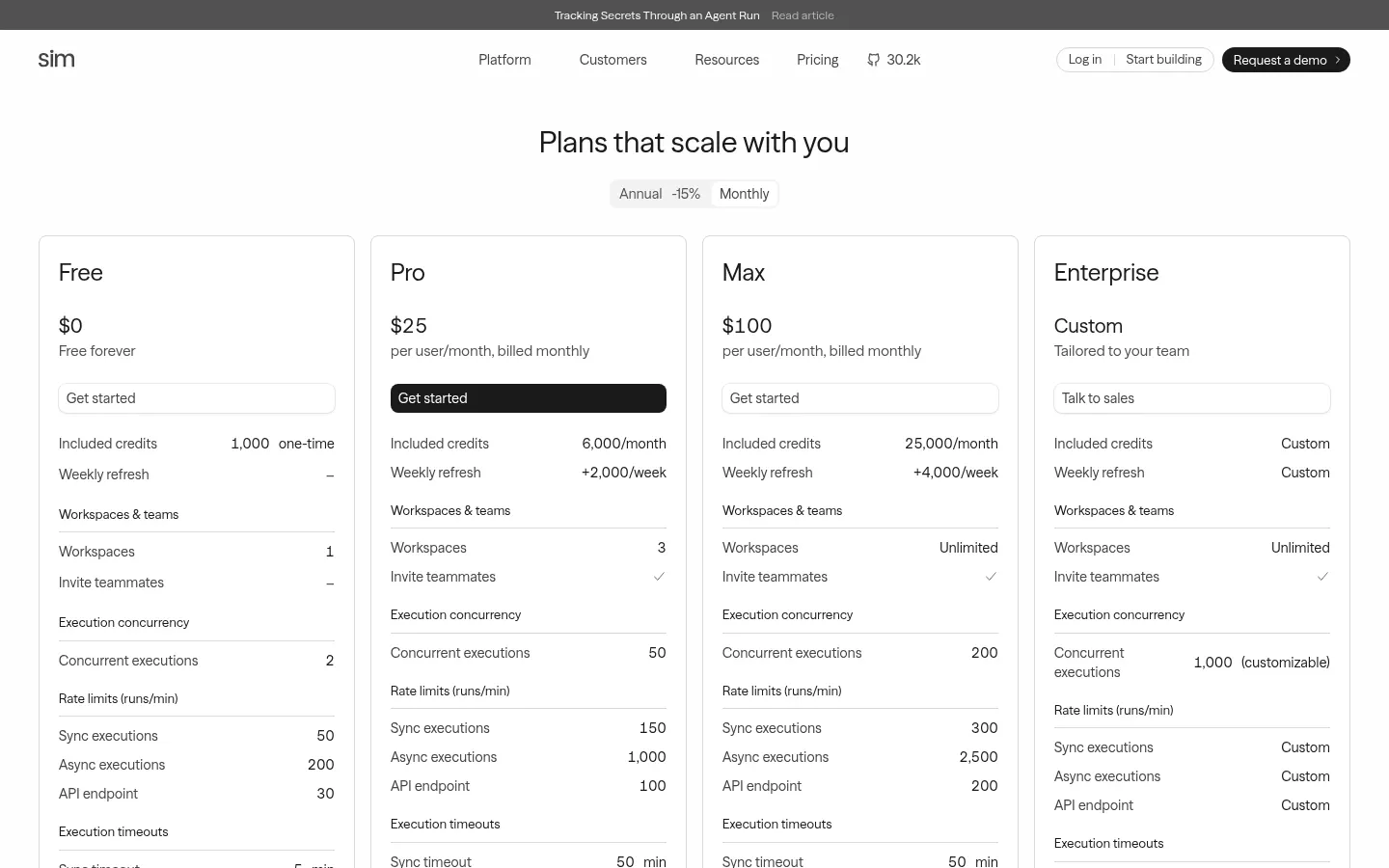
Prices in US dollars (USD) from the official website. Checked on: 20/11/2026. On Sim Cloud one credit is worth $0.005; annual billing is 15% cheaper.
Free: $0, 1,000 one-time credits, one workspace, all integrations, 5 GB storage and 30-day logs. No card.
Pro: $25 per user per month. 6,000 credits a month plus 2,000 weekly, 50 GB and unlimited workspaces.
Max: $100 per user per month. 25,000 credits a month plus 4,000 weekly and 500 GB.
Enterprise: custom pricing, with SSO, access control and dedicated support.
Self-hosting the open-source code is free; self-hosted enterprise features need a license. With your own keys you pay the provider and Sim only charges a 1-credit base fee per run.
Sim Screenshots
Sim user reviews
Write a review
Checking your session...
Sim Reviews
Loading reviews...