
Share
What is Morph Studio?
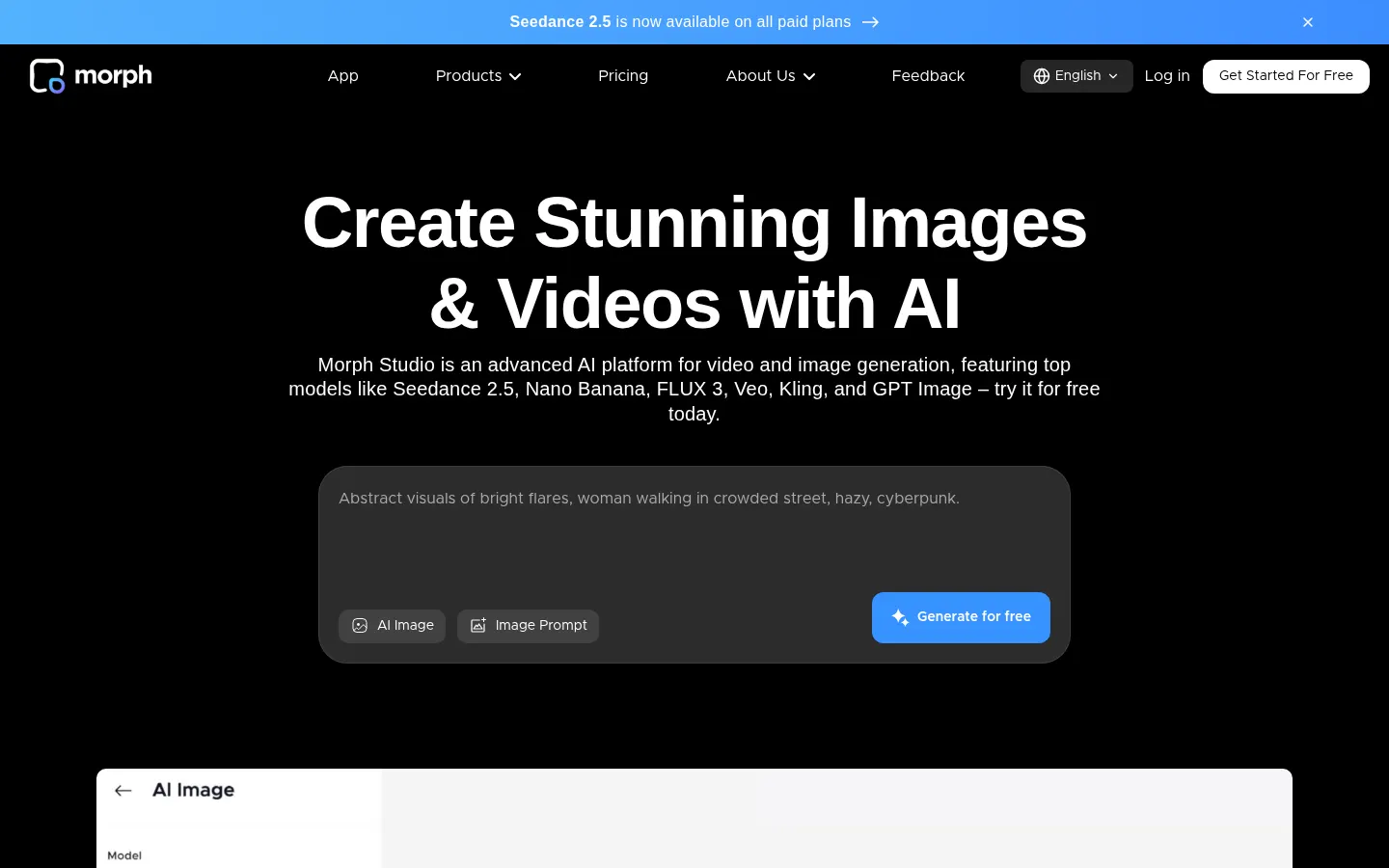
Morph Studio is an AI tool for video and image creation that brings third-party models such as Veo 3.1, Kling, Seedance, FLUX, Wan, Hailuo and GPT Image together with its own model, built for creators, agencies and content teams who want to go from an idea to a finished visual without switching apps.
What is Morph Studio used for?
It generates clips from text or an image, creates and retouches photos, animates portraits and chains scenes into a story. Instead of comparing models on separate sites, you pick the engine that suits each shot and try it from the same interface, with results saved to your library.
How does its storytelling canvas work?
There are two ways to work. Immersive Space is built for typing a prompt and generating fast. Open Canvas is a borderless board where you place, edit and connect your creations like a storyboard, so you see the whole sequence and regenerate only the scene that needs it.
- Video style transfer with up to eight styles on an existing clip.
- Text to video, image to video, text to image and image to image.
- One-click utilities: hairstyle or background swap, object, text and watermark removal, upscaling and AI headshots.
- Lip sync, AI voiceover, generated music and video effects.
Morph Studio pros and cons
Pros: access to many leading models from a single account, a canvas that helps organize multi-scene pieces, and failed generations do not use credits. The interface is available in English, Spanish and nine other languages. Cons: it relies on credits that run out quickly with the heaviest video models, quality varies a lot depending on the engine, and there is no public API announced for plugging it into your own pipelines. It works best as a creative studio rather than a traditional video editor.
Morph Studio features and use cases
How to use Morph Studio
Morph Studio FAQ
What is Morph Studio?
It is an AI platform that combines several video and image models with a canvas for arranging the scenes of a story.
Is Morph Studio free?
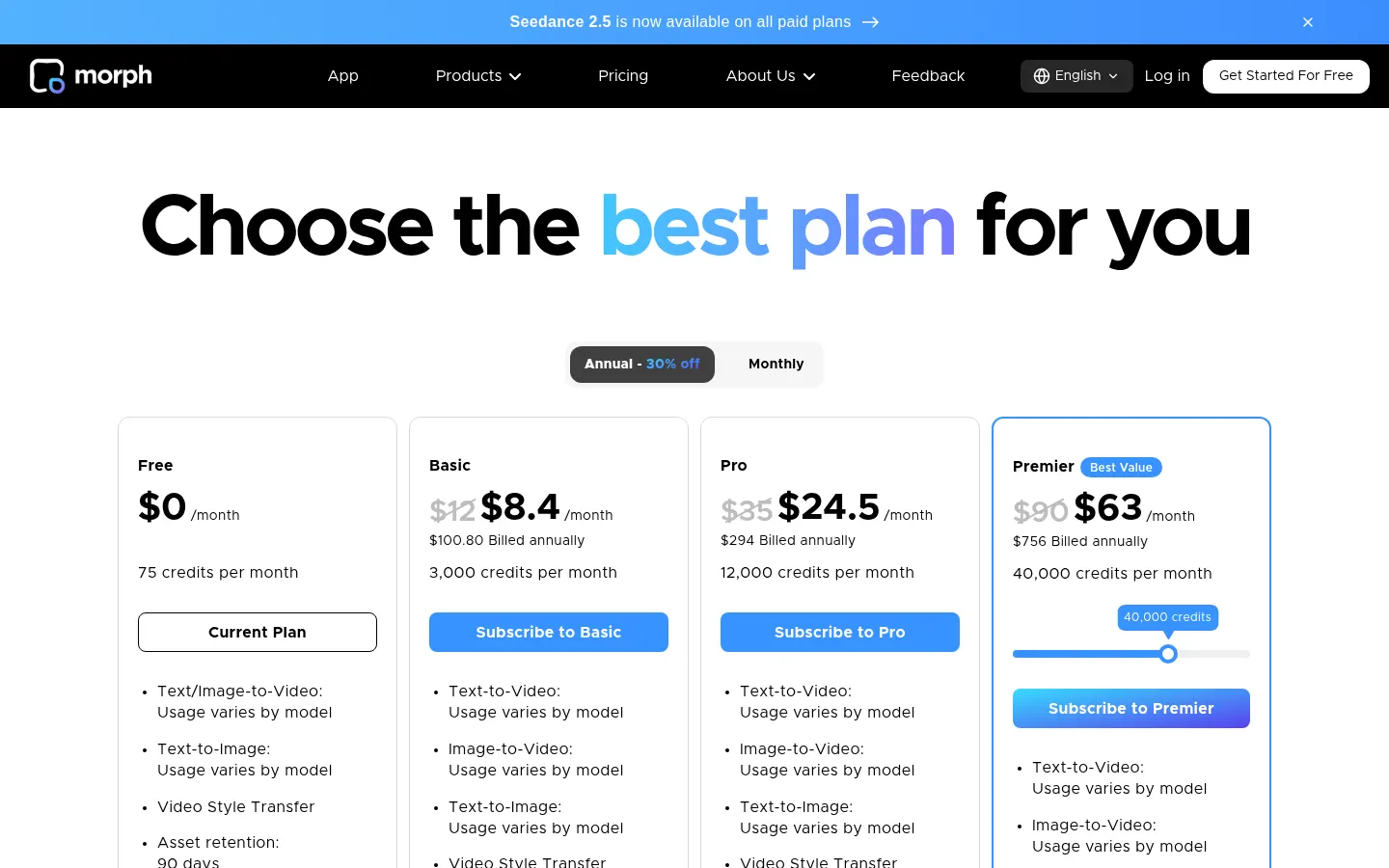
It has a free tier with 75 credits per month and paid tiers with more credits. See the pricing section.
Which AI models can I use in Morph Studio?
It includes Veo 3.1, Kling, Seedance, FLUX, Wan, Hailuo, MiniMax, GPT Image, Runway, Luma and its own Morph model.
What is Open Canvas?
It is a borderless board where you place and connect your clips and images like a storyboard to see the full sequence.
Does it work in Spanish?
Yes, the interface is translated into Spanish and other languages, and you can write prompts in Spanish too.
Can I use the videos commercially?
According to the site, commercial use is included with paid tiers; check the terms if you are on the free tier.
Do failed generations use credits?
No, Morph Studio states that failed generations are not deducted from your credit balance.
Does it have an API?
The site does not announce a public API; you use the service from its web app with your account.
What are the best Morph Studio alternatives?
On GptZone you can compare Runway, Kling IA and Pika for generating and editing AI video.
Morph Studio pricing and plans
Reference price: 12 USD / month. Source · Verified: November 5, 2026
Information from the official site (Checked on: 05/11/2026). Currency: USD. Annual billing saves 30%.
- Free: 0 USD; 75 credits per month and assets kept for 90 days.
- Basic: 12 USD per month (8.40 USD/month billed yearly, 100.80 USD per year); 3,000 credits, commercial use and unlimited storage.
- Pro: 35 USD per month (24.50 USD/month yearly, 294 USD per year); 12,000 credits.
- Premier: 90 USD per month (63 USD/month yearly, 756 USD per year); 40,000 credits.
Failed generations do not use credits.
Morph Studio Screenshots
Morph Studio user reviews
Write a review
Checking your session...
Morph Studio Reviews
Loading reviews...
Morph Studio alternatives



Longformly
Longformly is a long-form AI video generator: paste a script or topic and get a finished video of up to one hour with narration, scenes and sound for YouTube.