
Share
What is Ankon AI?
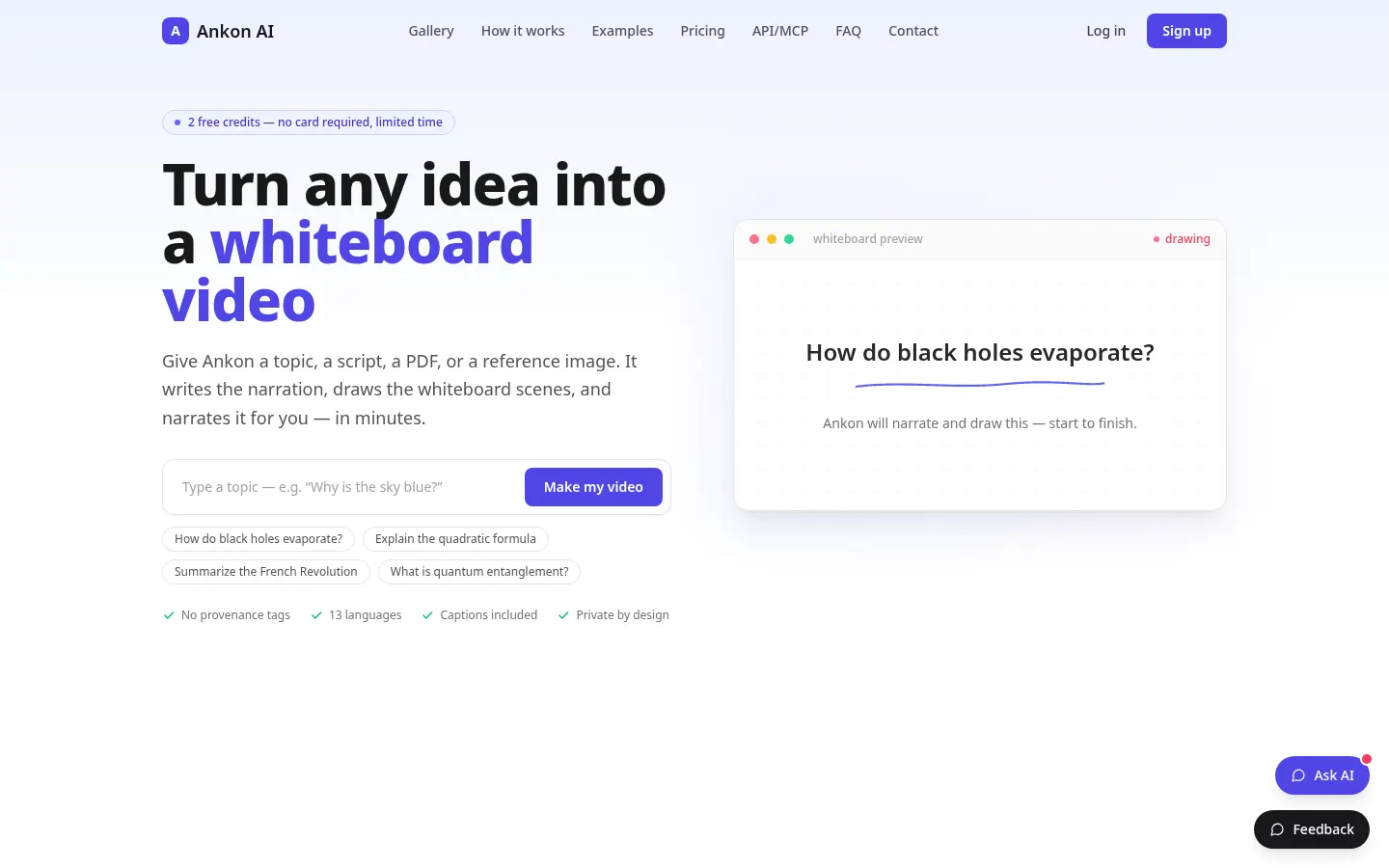
Ankon AI is an AI whiteboard video generator that turns a topic, script, PDF or reference image into a narrated explainer: it writes the voiceover, draws each scene on a whiteboard in time with the narration and adds captions. It lets you explain ideas without editing software or animation skills.
How does Ankon AI work?
You give it a question (“how do black holes evaporate?”), paste a script or upload a document, and Ankon drafts the narration from that source so the video stays faithful to it. It then draws every scene line by line, synced to the voice, with no clip art or fade-ins. A one-minute Short takes 1 to 3 minutes to render and a ten-minute video 5 to 15. You can clone your voice from a 10-second recording so it narrates in every language.
What do you get with each video?
A vertical or landscape MP4 with burned-in captions, an SRT file, a thumbnail, and a title, description and chapters ready for YouTube. There is a fact-checking mode for scripts, an enhance mode, custom logos and collections. It supports 13 languages, including English, Spanish, French, German, Hindi, Japanese, Chinese and Arabic. It also offers a REST API and an MCP server so you can generate videos from Claude, Cursor, Codex or Gemini CLI.
Who is Ankon AI for?
- Newsletter writers and bloggers who want their posts on video.
- Founders who need a “how it works” video for their landing page.
- Online course instructors turning notes into narrated modules.
- Teams automating explainer videos through the API.
Ankon AI pros and cons
Pros: the whiteboard style is clear, failed renders refund their credits and teams share one pool with roles. Cons: it only produces this whiteboard format, it does not edit your own footage, and advanced tools such as fact-checking use slightly more credits.
Ankon AI features and use cases
How to use Ankon AI
Ankon AI FAQ
What is Ankon AI?
Ankon AI is an AI whiteboard video generator that writes the narration, draws the scenes and adds captions from your topic or document.
Is Ankon AI free?
It isn’t free, but new accounts get 2 credits to try it with no card for a limited time. See the pricing section.
How long does a video take?
A one-minute Short takes 1 to 3 minutes and a ten-minute video 5 to 15 minutes; you get an email when it’s done.
Can I use my own voice?
Yes. A 10-second recording clones your voice, which then narrates in every language; you can delete it anytime.
Do videos include captions?
Yes. Word-by-word captions are burned in, and you also get an SRT file to upload separately.
Does Ankon AI have an API?
Yes. It offers a key-based REST API and an MCP server to generate videos from Claude, Cursor, Codex or Gemini CLI.
Does Ankon AI work in Spanish?
Yes. Spanish is one of its 13 narration languages, alongside English, French, German, Japanese, Chinese and Arabic.
What if a video fails?
Failed renders refund their credits automatically, so you only pay for videos that are delivered.
What are the alternatives to Ankon AI?
On GptZone you can compare it with Whiteboard Video Maker, Pictory or Synthesia, which also create explainer videos with AI.
Ankon AI pricing and plans
Reference price: 23 USD / month. Source · Verified: November 16, 2026
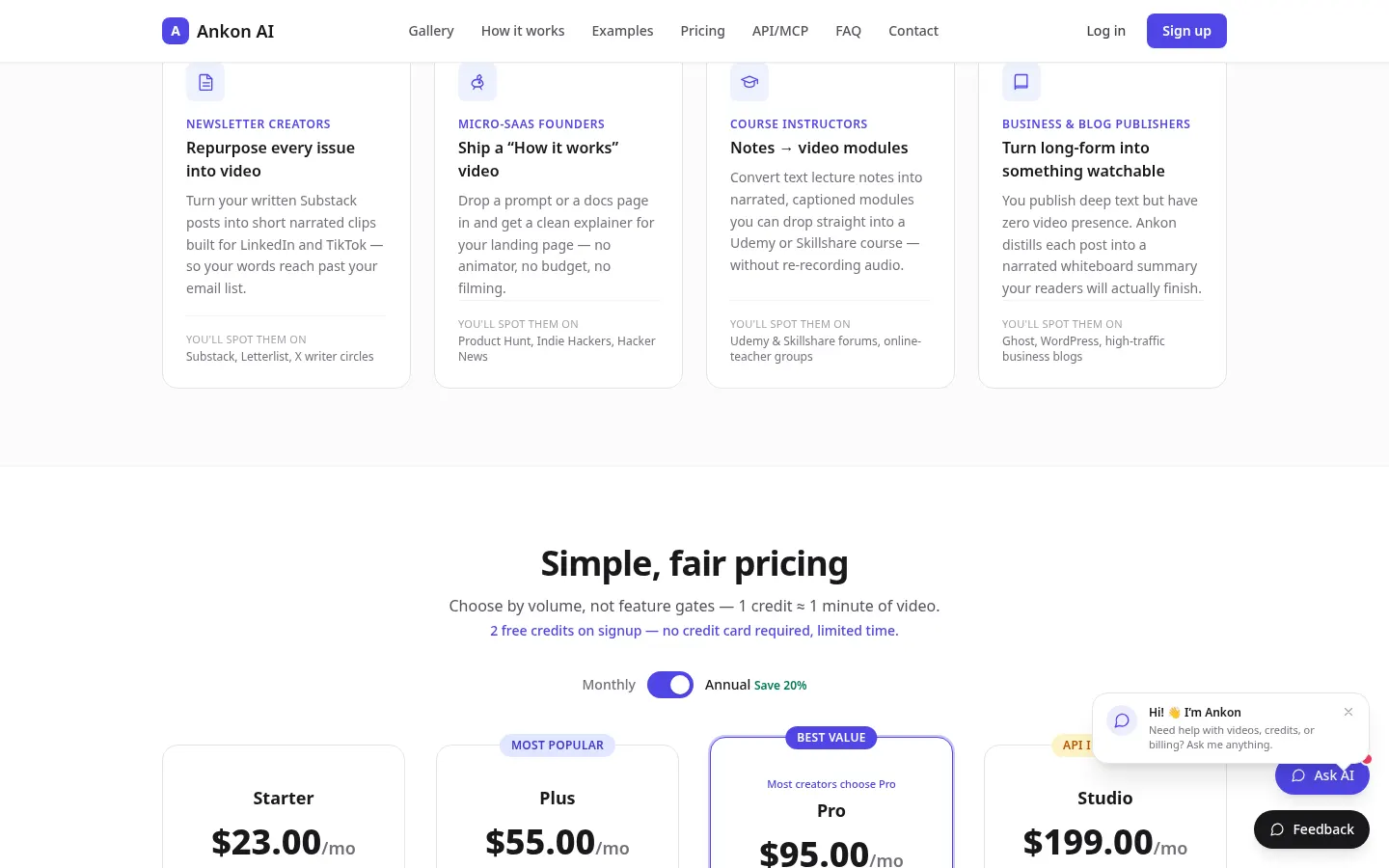
Prices in US dollars (USD), excluding taxes, per the official site. Checked on: 16/11/2026. 2 free credits on signup, no card (limited time). 1 credit ≈ 1 minute of video; annual billing saves 20%.
Starter: $23/month, 15 credits/month ($276/year).
Plus: $55/month, 40 credits/month ($660/year).
Pro: $95/month, 75 credits/month, voice cloning and API ($1,140/year).
Studio: $199/month, 160 credits/month, REST API, MCP and 5 team workspaces of 50 members ($2,388/year).
Top-ups: $2 per credit, $10 minimum; they never expire.
Ankon AI Screenshots
Ankon AI user reviews
Write a review
Checking your session...
Ankon AI Reviews
Loading reviews...
Ankon AI alternatives

Text to GIF
Text to GIF is an AI GIF generator that creates looping animations from a written description, with frame and timing control, plus sticker packs and SVG files.

GifGenerator
GifGenerator is an AI GIF generator that turns a prompt, photo, sketch or logo into a looping GIF, with a built-in editor for speed, frames and captions.

Animate Image AI
Animate Image AI is an AI photo animator: upload an image, describe the motion and get a 2- to 15-second video you can download as an MP4.