Share
What is Animate Image AI?
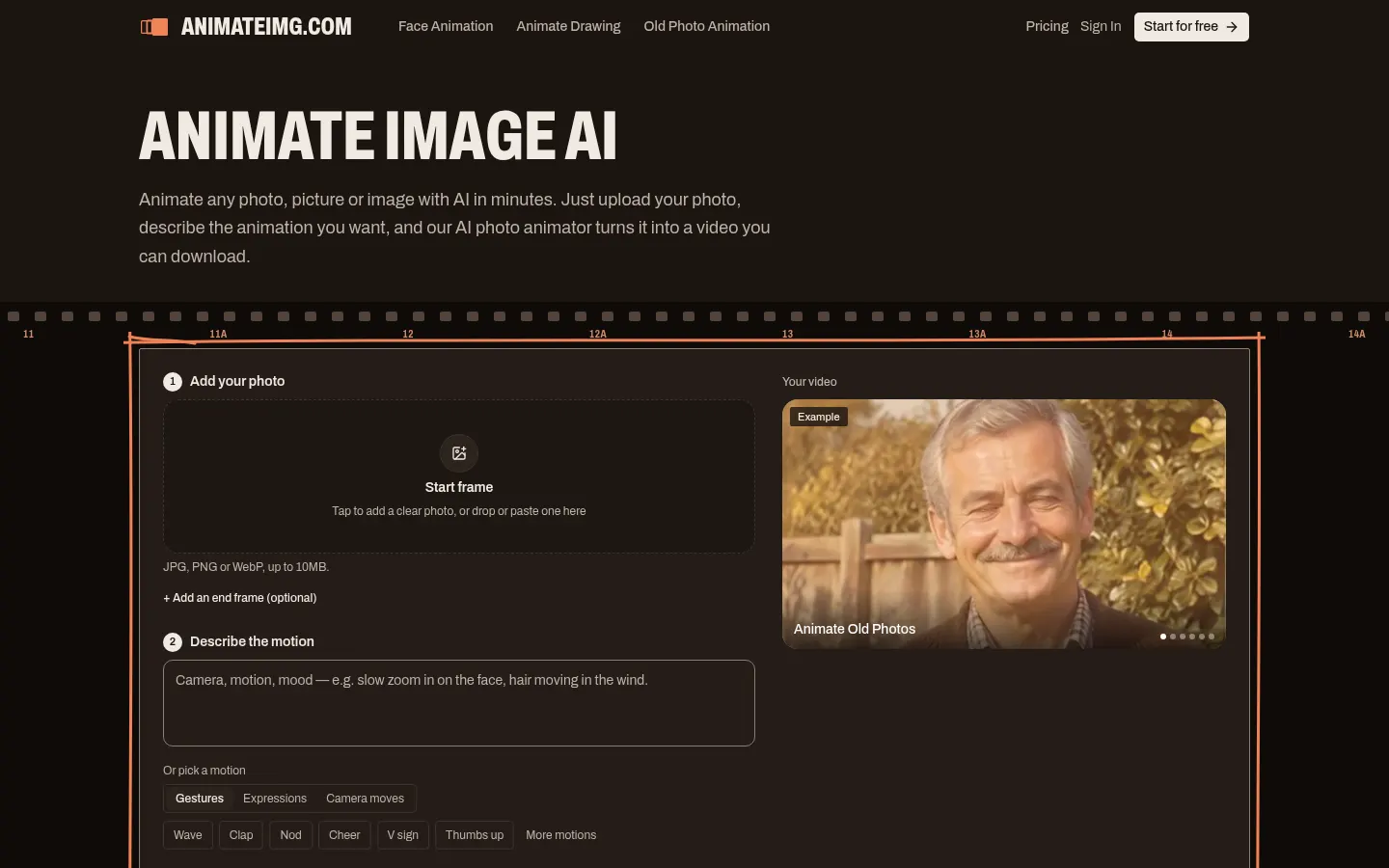
Animate Image AI is an AI photo animator that turns a still image (a portrait, a pet, an old photo, a drawing or a landscape) into a short video: you upload the picture, describe the motion and download an MP4. It is built for bringing memories to life or making product clips without any animation skills.
How do you animate an image?
You upload a JPG, PNG or WebP of up to 10 MB and, if you want, an end frame to steer where the motion should finish. You describe what should happen (“make the water flow”, “slow camera push-in”) or pick a preset gesture: a wave, a clap, a nod, a thumbs-up, facial expressions or camera moves. You then choose length (2 to 15 seconds) and resolution (480p or 768p). Most videos are ready in about 2 minutes.
Which kinds of image work best?
Portraits and selfies with smiles, eye movement or head turns; dog and cat photos with twitching ears or wagging tails; old and black-and-white prints in which someone looks toward the camera again; sketches, anime art and mascots; landscapes with rivers, clouds or trees; and product shots with slow turns or light sweeps. The site says motion follows real-world physics (water flows, hair moves in the wind).
Who is Animate Image AI for?
- Families who want to animate a portrait or an old photo.
- Pet owners turning a still into a short clip.
- Illustrators giving motion to a drawing or an anime character.
- Shops animating product photos for an ad or a listing.
Animate Image AI pros and cons
Pros: it is simple, needs no animation skill and pack credits never expire; failed generations are refunded. Cons: clips are short (up to 15 seconds), the top resolution is 768p and it does not edit existing video, only stills.
Animate Image AI features and use cases
How to use Animate Image AI
Animate Image AI FAQ
What is Animate Image AI?
Animate Image AI is an AI photo animator that turns a still image into a short video from a description of the motion.
Is Animate Image AI free?
New accounts get starter credits to try it; regular use is paid with packs or subscriptions. See the pricing section.
Which image formats does it accept?
JPG, PNG or WebP up to 10 MB. Portraits, drawings, old photos, landscapes and product shots all work.
How long does a video take?
Most are ready in about 2 minutes and download as an MP4.
Can I steer how the motion ends?
Yes. Besides the start frame you can add an end frame to guide the clip.
Does Animate Image AI have an API?
The official site does not mention a public API; it is used in the browser.
Does Animate Image AI work in Spanish?
The site is in English, but you can type the motion description in Spanish and it is worth trying.
What if a generation fails?
Credits for failed generations are refunded automatically.
What are the alternatives to Animate Image AI?
On GptZone you can compare it with Luma Dream Machine, Pika or Kling IA, which also animate stills or generate video from a photo.
Animate Image AI pricing and plans
Reference price: 9.99 USD · one-time payment. Source · Verified: November 16, 2026
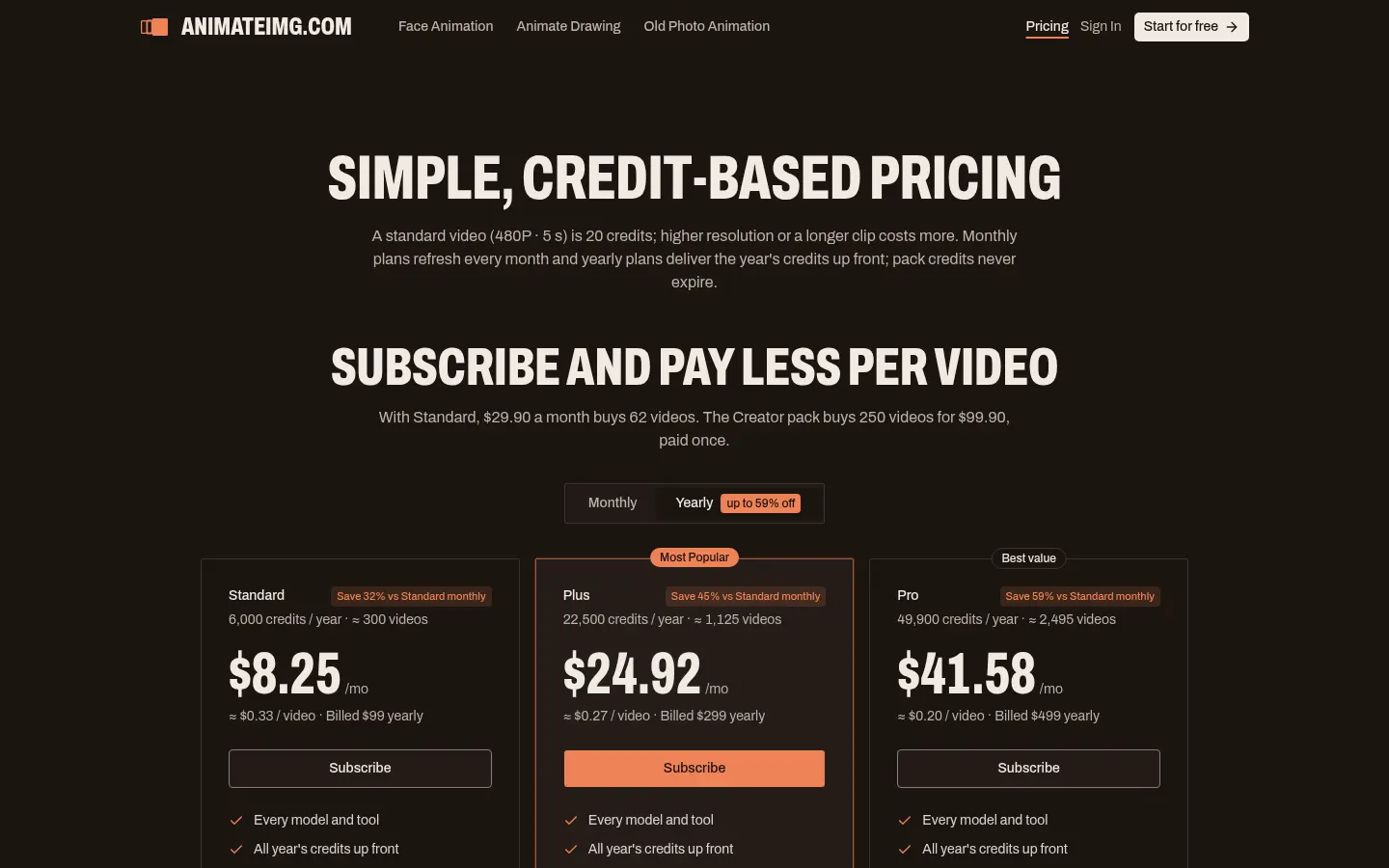
Prices in US dollars (USD), excluding VAT and local taxes. Checked on: 16/11/2026. A standard video (480p, 5 s) costs 20 credits; new accounts get starter credits. Subscriptions renew until cancelled; packs never expire.
Yearly subscriptions: Standard $8.25/month ($99/year, 6,000 credits); Plus $24.92/month ($299/year, 22,500); Pro $41.58/month ($499/year, 49,900).
One-time packs: Single $9.99 (320 credits); Starter $29.90 (1,000); Basic $59.90 (2,500); Creator $99.90 (5,000); Studio $199.90 (12,000); Max $499.90 (35,000).
Animate Image AI Screenshots
Animate Image AI user reviews
Write a review
Checking your session...
Animate Image AI Reviews
Loading reviews...
Animate Image AI alternatives


Text to GIF
Text to GIF is an AI GIF generator that creates looping animations from a written description, with frame and timing control, plus sticker packs and SVG files.

GifGenerator
GifGenerator is an AI GIF generator that turns a prompt, photo, sketch or logo into a looping GIF, with a built-in editor for speed, frames and captions.