
Share
What is CastTake?
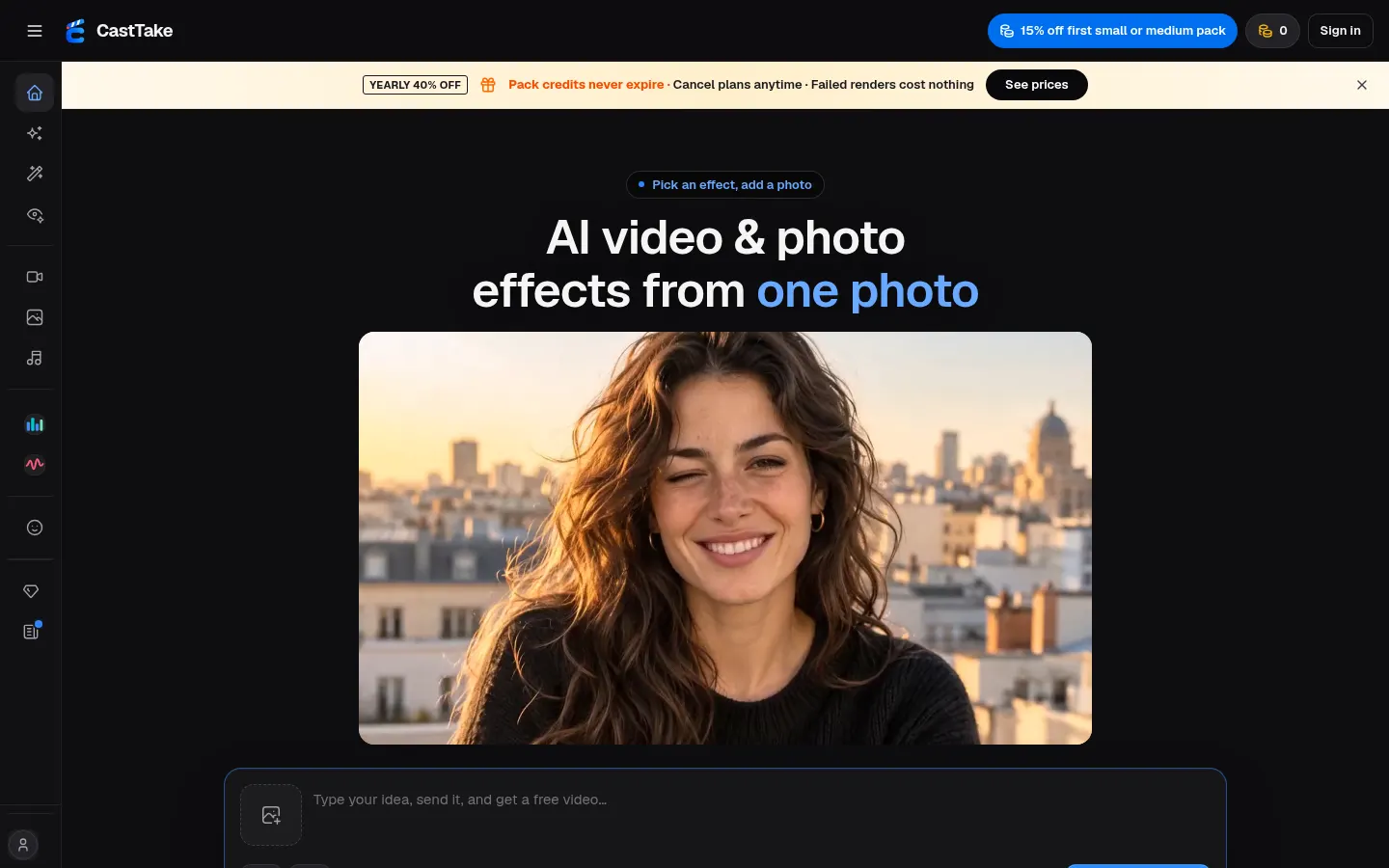
CastTake is an AI tool that turns a single photo into a short video or image with viral effects, ad templates and motion transfer, built for creators, online stores and brands posting to TikTok, Reels, Shorts or RedNote without filming.
What is CastTake used for?
Use it to star in trending social formats with your own face, such as a 3D dress-up game, a three-look try-on or a skincare routine, or to produce UGC ads and product videos. It bundles models including MiniMax H3, Seedance 2.5, Kling 3.0, Veo 3.1 Fast and Grok Imagine for video, Nano Banana for images and Suno for songs, and every card shows how many credits it will use before you generate.
How does CastTake motion transfer work?
With Recast you upload a dance clip and one photo: the output keeps the same moves and shots but with a new person and setting, and you can even swap an object for your product. If you have never written a prompt, a skill library (fashion lookbook, early-2000s home video, travel montage, high-speed car sequence) handles direction; the agent asks a few quick questions, you tap answers and it shows a preview before you pay.
Who is CastTake for?
- Creators who want to jump on viral trends with their own face.
- E-commerce shops that need product videos and UGC ads.
- Marketing teams tracking which clips are growing on its TikTok trend board.
CastTake pros and cons
On the plus side, failed generations refund their credits, paid videos come without a visible watermark and with a commercial licence, and every template credits its original creator. On the downside, everything runs on credits that vary by model, resolution and length, welcome credits depend on your country, and using other people's faces requires confirming they agreed. The site is English-only.
CastTake features and use cases
How to use CastTake
CastTake FAQ
What is CastTake?
CastTake is an AI tool that creates short videos and images from one photo using viral effects, ad templates and motion transfer.
Is CastTake free?
It gives welcome credits when you sign in with Google in some countries; after that it runs on credit packs or plans. See the pricing section.
What is Recast in CastTake?
It is the motion transfer feature: upload a clip and a photo, and the video keeps the moves while changing the person and setting.
Can I use the videos in ads?
Yes. Paid videos download without a visible watermark and include a commercial licence for ads or social posts.
What if a video comes out wrong?
If a render fails, the credits return automatically, and if the result is not what you asked for you can claim within 10 days.
Can I use someone else's photo?
Only if it is yours or an adult who has agreed; the tool asks you to confirm consent before generating.
Does CastTake have an API?
The official site does not mention a public API; it runs in the web studio.
Does CastTake work in Spanish?
The interface is in English, but you can write prompts in Spanish and the videos themselves are language-independent.
What are the alternatives to CastTake?
On GptZone you can compare it with Viggle, Pika or PixVerse, also used for short AI videos and effects.
CastTake pricing and plans
Reference price: 9.9 USD / month. Source · Verified: November 15, 2026
Prices in US dollars (USD) as listed on the official site. Checked on: 15/11/2026.
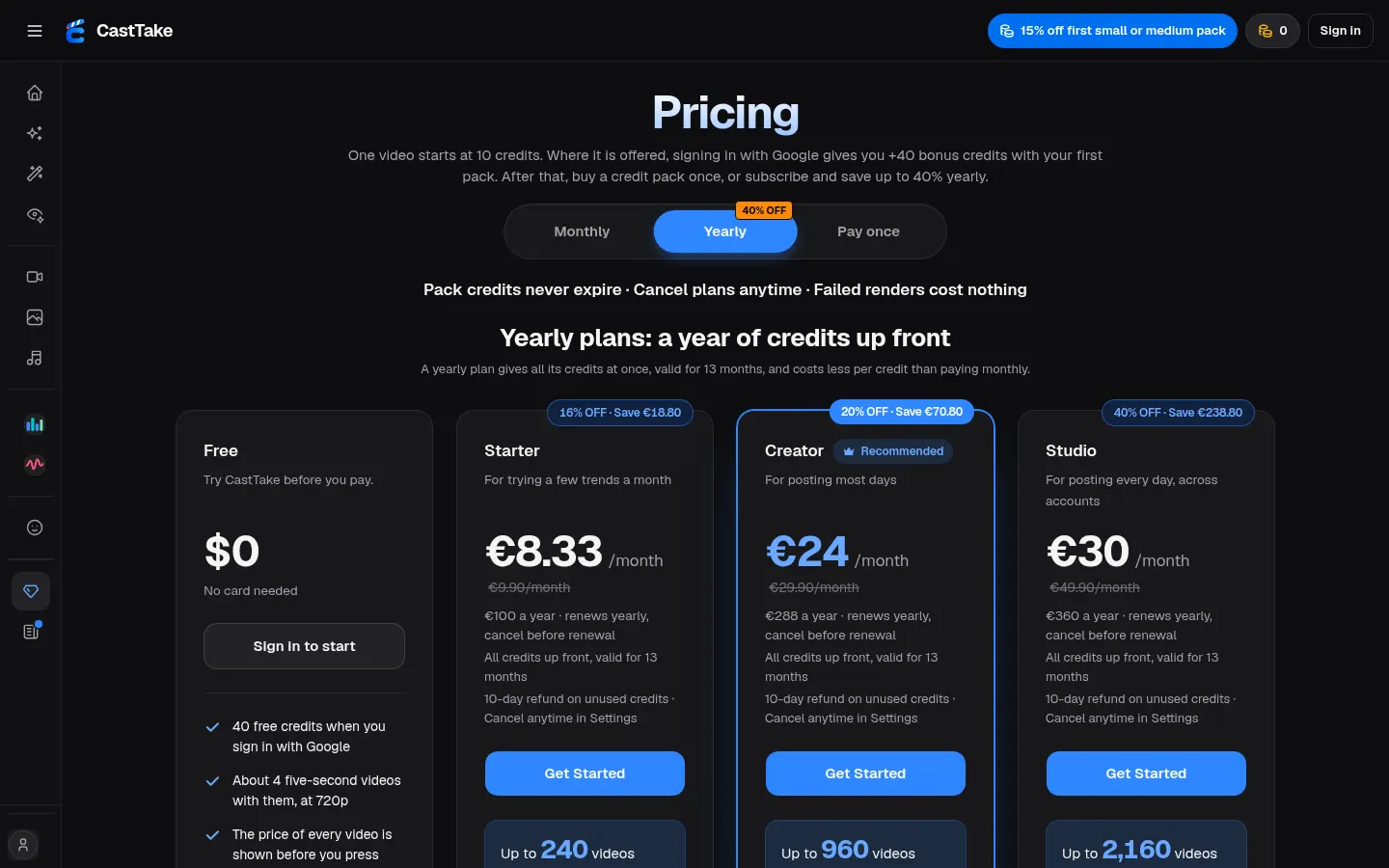
Free: 40 credits when you sign in with Google (about 4 five-second videos at 720p), depending on your country, no card needed.
Credit packs (one-time, never expire): 230 credits for $9.90; 470 for $19.90; 940 for $39.90. Your first small or medium pack is 15% off.
Starter: $9.90/month ($100/year). 2,400 credits a year on the annual plan, 3 generations at once.
Creator: $29.90/month ($288/year). 9,600 credits a year on the annual plan, 8 generations at once, TikTok trend board, up to 1080p.
Studio: $49.90/month ($360/year). 21,600 credits a year on the annual plan, 12 generations at once.
- A video starts at 10 credits; the exact cost is shown before you generate. Failed renders are not charged.
- Unused credits refundable within 10 days. Commercial licence on everything paid.
CastTake Screenshots
CastTake user reviews
Write a review
Checking your session...
CastTake Reviews
Loading reviews...
CastTake alternatives

AutoEditor
AutoEditor is an AI video editor that cuts raw footage for retention: it removes dead air and tangents, opens with your best hook and exports vertical clips.





Clip-Short
Clip-Short is an AI short video generator: it turns an idea into a narrated, captioned video and pulls the best clips from long videos.