
Share
What is AutoEditor?
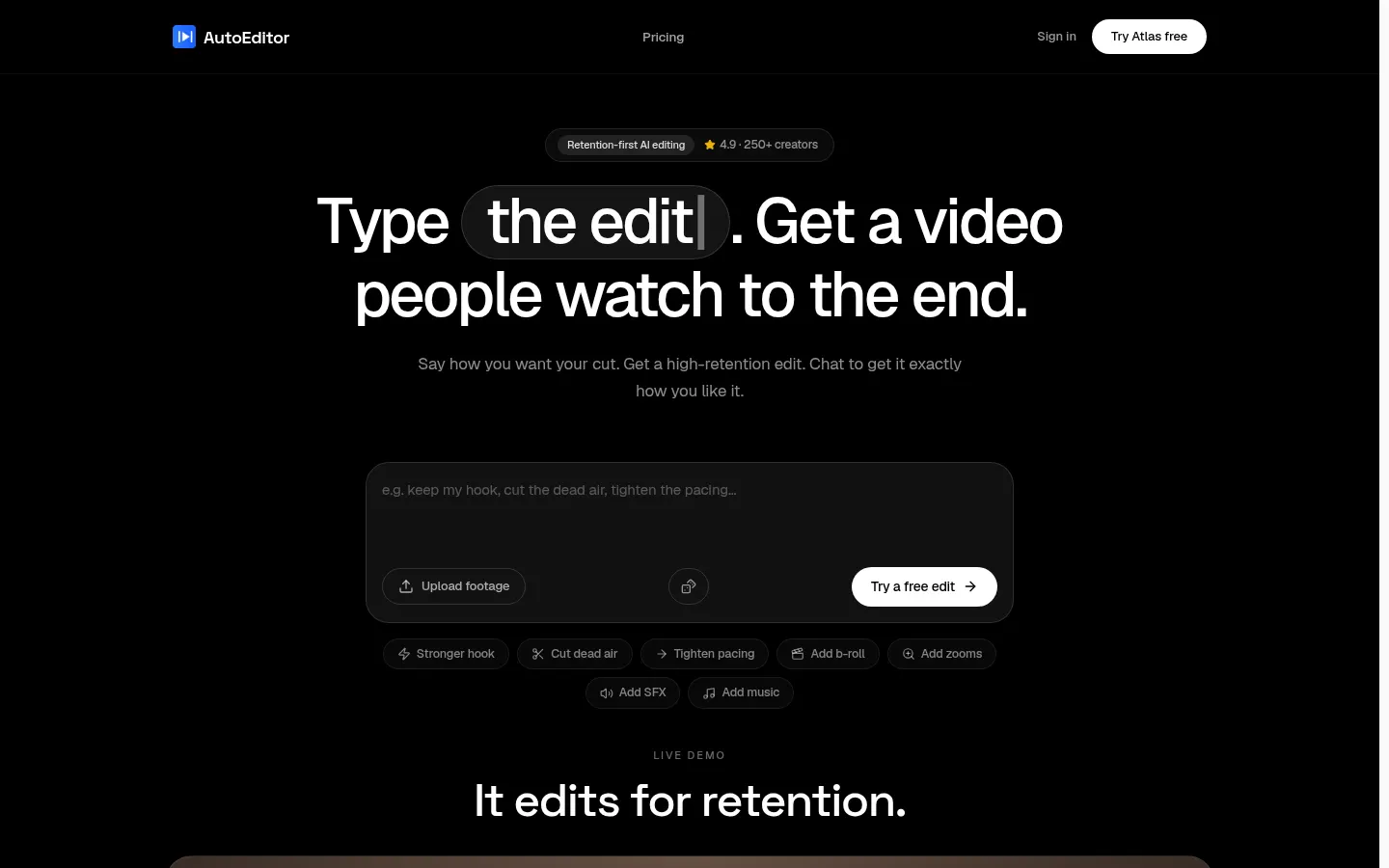
AutoEditor is an AI video editor built around audience retention for YouTube, TikTok and podcast creators. You upload raw footage, type how you want the cut ("high retention", "more energy") and its editing engine, Atlas, returns a tight rough cut that opens with your strongest moment and drops the dead air.
What is AutoEditor used for?
It replaces hours on a timeline with reviewing a finished first pass. Beyond silence removal, it cuts tangents, repeated points and weak retakes, and a second AI pass checks every proposed cut so explanations and key moments survive. It also adds zooms in several styles, b-roll and meme cutaways, a music bed that ducks under your voice and sound effects on the punches.
How does AutoEditor work?
Uploads can be MP4, MOV or WebM up to 2 GB. A typical first pass is back in about three minutes, while long sources such as two-hour streams take proportionally longer. Instead of a timeline you get a plain-language changelog of every cut, moved hook and pattern break, and you can veto any decision before the final render. One pass gives you the 16:9 long-form edit plus 9:16 vertical clips with speaker-tracked reframing.
Who is AutoEditor for?
- Talking-head YouTubers who want to upload more often.
- Podcasters turning long episodes into videos and Shorts.
- Tutorial makers and streamers with lots of footage to trim.
- Editors who want a fast rough cut to finish in Premiere Pro.
AutoEditor pros and cons
Its strength is editing toward one goal, getting viewers to the end, and you can connect YouTube to compare watch time on your edits with your channel average. It exports XML/EDL, has a Premiere Pro extension and offers MCP and API access. On the downside, it targets spoken content (talking head, podcast, tutorial, stream) rather than complex narrative editing, and the output is a rough cut you should still review. Your footage is not used for model training.
AutoEditor features and use cases
How to use AutoEditor
AutoEditor FAQ
What is AutoEditor?
AutoEditor is an AI video editor that turns raw footage into a first cut designed to keep viewers watching until the end.
Is AutoEditor free?
Your first edit is free with a watermark; watermark-free exports and more minutes require a paid tier, listed in the pricing section.
How is it different from a silence remover?
Besides silences, it cuts tangents, repeated points and weak retakes, and a second AI pass reviews cuts so key explanations are kept.
How long does an edit take?
A first pass is usually ready in about three minutes, while very long streams or podcasts take proportionally longer.
Which formats does AutoEditor accept?
It takes MP4, MOV and WebM files up to 2 GB and outputs a 16:9 edit plus 9:16 vertical clips for Shorts, Reels and TikTok.
Can I review what it cut?
Yes, you get a plain-language changelog of every cut and hook move, and you can veto any decision before the final render.
Does AutoEditor have an API?
Yes, it offers MCP and API access for assistants, along with XML/EDL export and a Premiere Pro extension.
Does AutoEditor work in Spanish?
The interface and site are in English; the site does not say which spoken languages it analyzes, so test it with your own footage first.
Is my footage used to train AI?
No, according to the site your footage is processed only for your edit and is never used for training or shared.
What are the alternatives to AutoEditor?
In our directory you can compare Gling for talking-head videos, Descript for transcript-based editing and Opus Clip for short clips.
AutoEditor pricing and plans
Reference price: 10 USD / month. Source · Verified: November 17, 2026
Prices in US dollars (USD) from the official site, monthly billing. Checked on: 17/11/2026.
Free: $0. First edit free, watermarked preview.
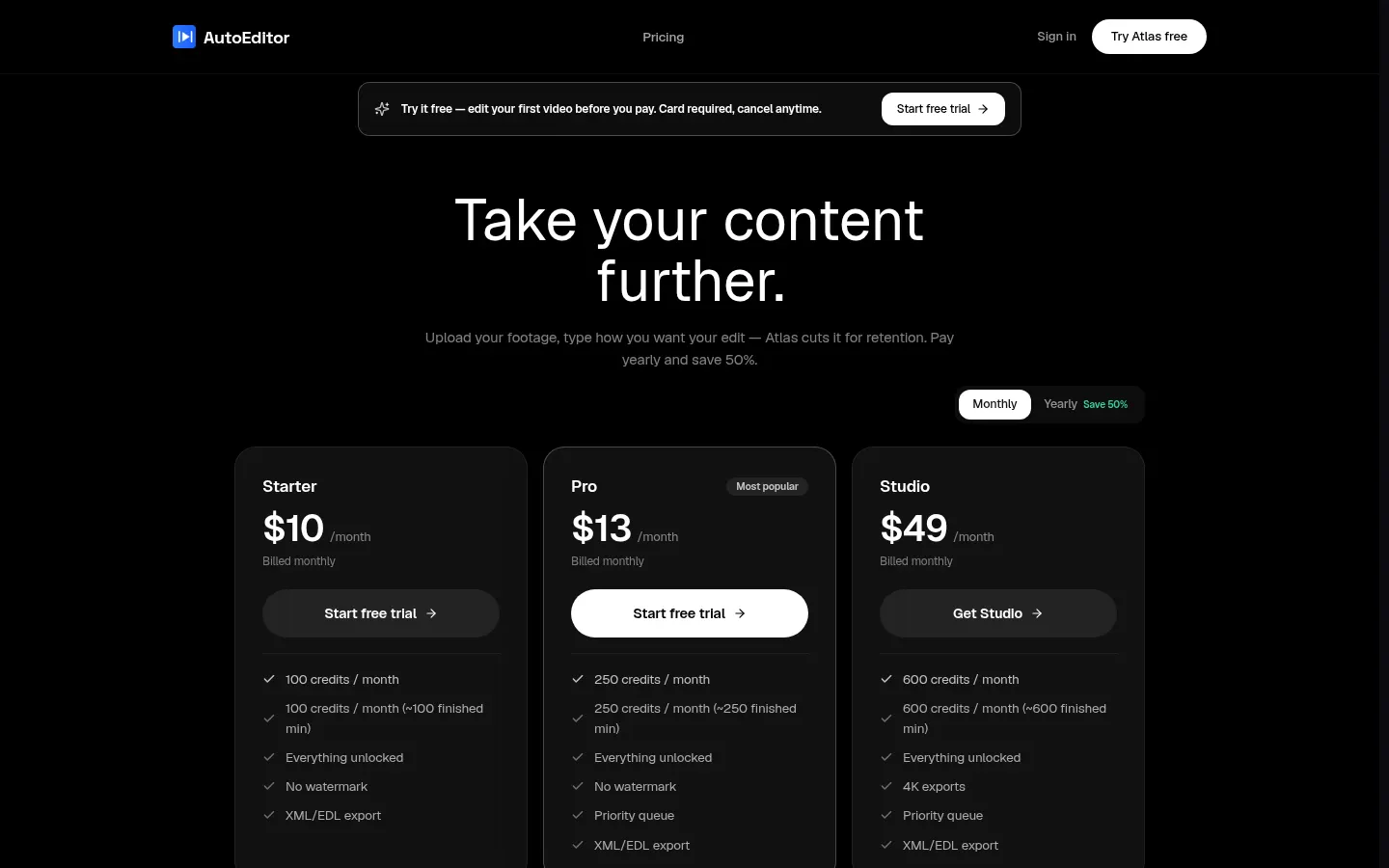
Starter: $10/month. 100 credits a month (about 100 finished minutes), 300 footage minutes, 1080p export, no watermark, XML/EDL.
Pro: $13/month. 250 credits (about 250 finished minutes), 1,000 footage minutes, 4K and priority queue.
Studio: $49/month. 600 credits (about 600 finished minutes), unlimited footage, 4K and priority queue.
- Yearly billing saves 50%. Free trial requires a card and can be cancelled.
- 7-day money-back guarantee.
AutoEditor Screenshots
AutoEditor user reviews
Write a review
Checking your session...
AutoEditor Reviews
Loading reviews...