
Share
What is Recapo?
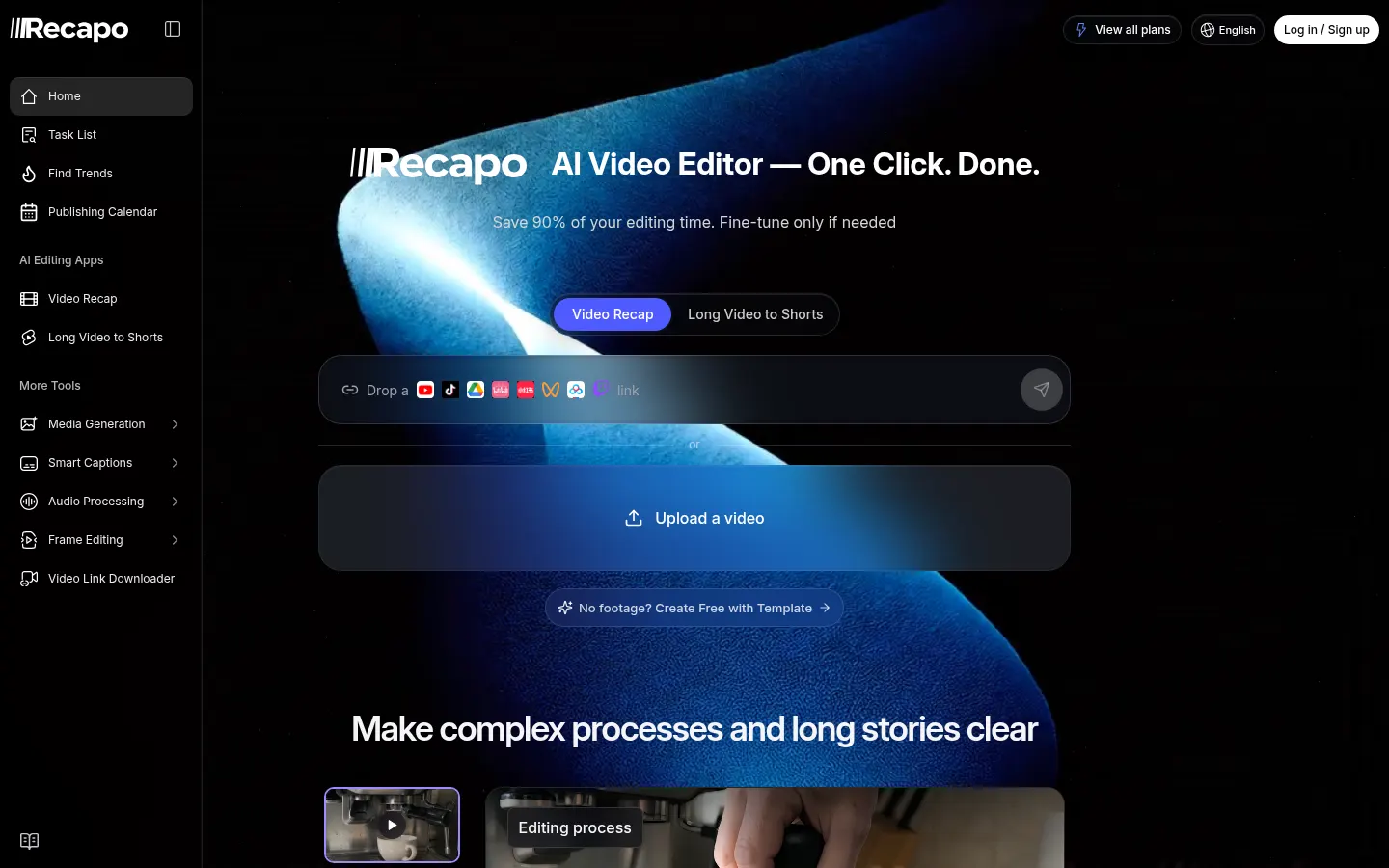
Recapo is an AI tool for commentary-style video editing that takes an uploaded video or a link and produces the narration script, voiceover, subtitles and final cut. It's built for creators making movie and TV recaps, voiceover explainers, highlight reels and social clips, and aims to remove most of the editing time.
How does editing with Recapo work?
There are four steps: upload footage or paste a YouTube, TikTok, Google Drive, Twitch or Bilibili link; the AI analyzes the video and selects the best moments; it assembles a rough cut with synced narration; and you fine-tune it by trimming clips or adding B-roll. Finally, you can schedule automatic publishing to YouTube from its calendar.
Which tools does it include besides recaps?
It offers editing apps such as Video Recap and long video to Shorts, smart captions, audio processing, frame editing and a video link downloader. It also integrates media generation with video models like Kling and image models like Nano Banana and Seedream, a script-writing workspace and an infinite canvas. A trends section helps you find topics that perform.
Who is Recapo for?
- Movie and TV recap channels.
- Creators of how-tos, sports, nature or documentary videos.
- Anyone turning long videos into short clips.
Recapo pros and cons
It stands out for automating the commentary script and narration, the slowest part of making a recap video. On the downside, maximum resolution and film volume depend on the tier, and anyone recapping other people's work must respect each platform's copyright rules.
Recapo features and use cases
How to use Recapo
Recapo FAQ
What is Recapo?
Recapo is an AI video editor that turns footage or links into narrated recaps with script, voiceover, subtitles and a finished cut.
Is Recapo free?
You can try templates, but regular editing needs a monthly or yearly paid tier, as shown in the pricing section.
Can I use Recapo in Spanish?
The interface is in English and the site shows examples in several languages; test Spanish narration before publishing.
Does Recapo have an API?
The site doesn't advertise a public API; you use it through its web studio.
Which platforms can Recapo import from?
YouTube, TikTok, Google Drive, Twitch, Bilibili, Xiaohongshu, WeChat Channels and Baidu Netdisk, plus direct upload.
Can Recapo publish straight to YouTube?
Yes. It has a calendar and scheduled automatic publishing to YouTube.
What is Recapo's maximum resolution?
From 720p on Starter up to 4K on Ultimate.
Is it legal to make movie recaps with Recapo?
It depends on how you use the material and each platform's rules; Recapo is a tool and copyright responsibility stays with the creator.
Does Recapo also generate images and videos?
Yes. It integrates video models like Kling and image models like Nano Banana and Seedream.
What are the best Recapo alternatives?
In the directory you can compare Opus Clip, Vizard and Clip-Short for AI video editing and clipping.
Recapo pricing and plans
Reference price: 19 USD / month. Source · Verified: November 13, 2026
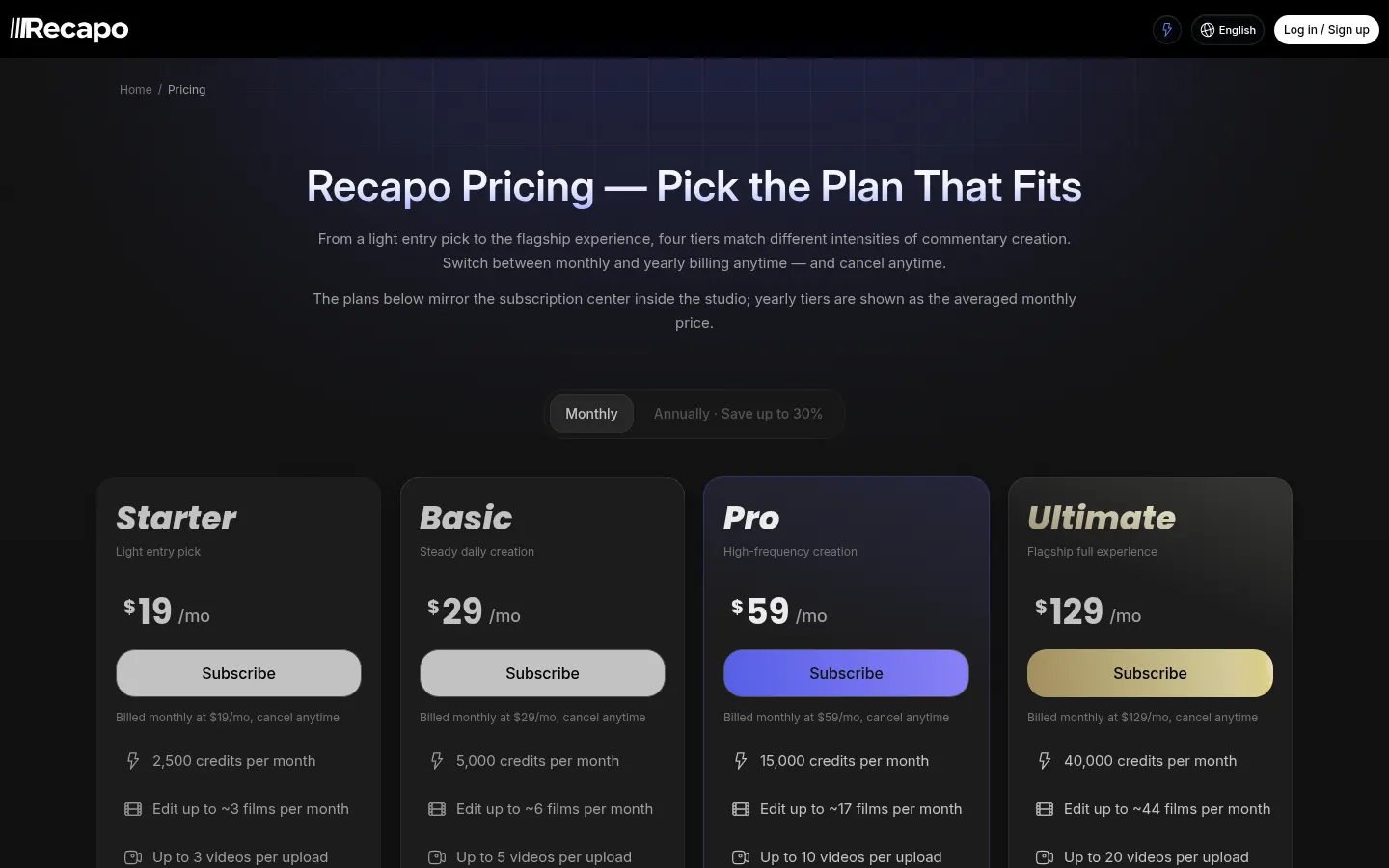
Recapo pricing in US dollars, USD (Checked on: 13/11/2026). Prices shown are billed monthly; yearly billing saves up to 30%. Cancel anytime.
- Starter: $19 a month. 2,500 credits a month (about 3 films), up to 3 videos per upload, 2 tasks at once and up to 720p output.
- Basic: $29 a month. 5,000 credits (about 6 films), up to 5 videos per upload and custom narration voice.
- Pro: $59 a month. 15,000 credits (about 17 films), up to 10 videos per upload, 4 tasks at once and 1080p output.
- Ultimate: $129 a month. 40,000 credits (about 44 films), up to 20 videos per upload, 8 tasks at once, 4K output and dedicated support.
All include the premium voice library, priority processing, video and image models, a script workspace and an infinite canvas.
Recapo Screenshots
Recapo user reviews
Write a review
Checking your session...
Recapo Reviews
Loading reviews...
Recapo alternatives

AutoEditor
AutoEditor is an AI video editor that cuts raw footage for retention: it removes dead air and tangents, opens with your best hook and exports vertical clips.