
Share
What is Raylight?
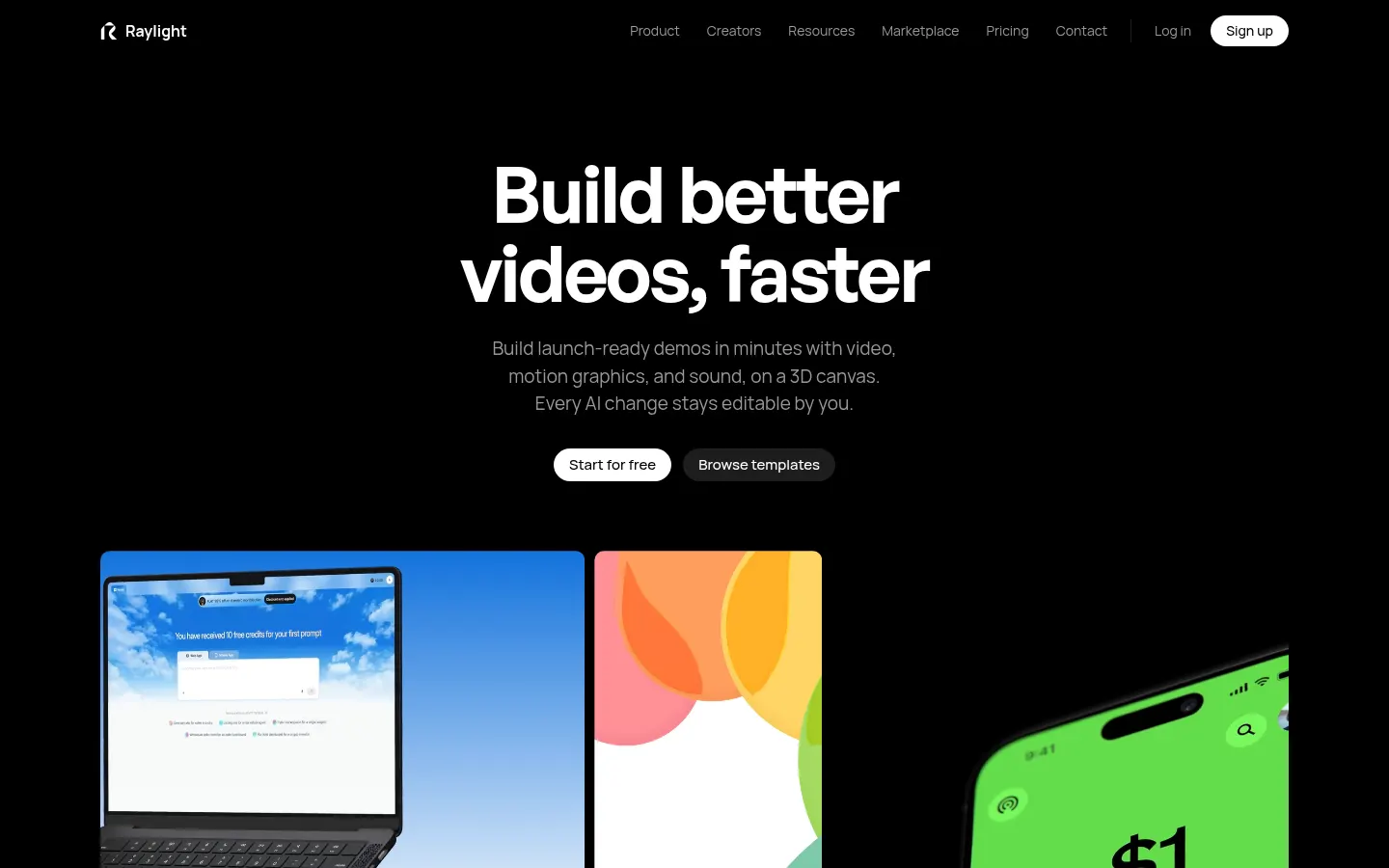
Raylight is an AI tool by Frames of Motion Inc. that provides a 3D motion design canvas for designers, marketers and startups who need launch videos, product demos or feature announcements. It pairs Figma-like layout precision with an animation timeline, and lets an AI assistant work on the same project while every change stays under your control.
What is Raylight used for?
Use it to build product videos shot by shot with screenshots, text and shapes, and drop them into 3D device mockups of an iPhone, iPad or MacBook with adjustable tilt and lighting. Scene effects include depth of field, bloom, color grading, motion blur and film grain, plus smooth camera moves between two framings. There are templates to start from a finished video and a screen capture app for Mac.
How does Raylight work?
Instead of keyframe graphs, you drag animation blocks onto the timeline and stretch their edges to set timing. The sound tools generate effects from a prompt, music scored for your video and voiceover in several voices, all mixed on a multitrack timeline. Through the MCP server you can ask Claude, Codex, Cursor or Antigravity for changes and watch them land on the canvas; with the Raylight API, a GitHub workflow or your code sends a brief and Raylight pitches the video before producing it. Everything the AI does remains editable.
Who is Raylight for?
- SaaS product teams shipping feature announcements every week.
- Designers who want to animate without learning After Effects.
- Developers automating changelog videos from their repository.
- Agencies and startups producing videos for websites and social.
Raylight pros and cons
It stands out for combining design, animation, sound and AI in one place, with live review through a shared link and 1080p 60fps exports. Agent integration is rare among video editors. On the downside, the Figma plugin is still marked as coming soon, sound generation and AI features use credits, and it targets product videos rather than editing recorded footage.
Raylight features and use cases
How to use Raylight
Raylight FAQ
What is Raylight?
Raylight is a 3D motion design canvas with an AI agent and generated sound for making product and launch videos.
Is Raylight free?
There is a free plan with the full editor and badged 1080p exports; paid plans are listed in the pricing section.
Does Raylight have an API?
Yes, the Raylight API lets you request videos from code, GitHub workflows or a Claude chat, with its own documentation.
Can I use Raylight from Claude or Cursor?
Yes, its MCP server works with Claude, Codex, Cursor and Antigravity to apply edits on the canvas.
Is it an After Effects alternative?
It covers product videos and motion graphics with a gentler learning curve, but it is not meant for editing recorded footage.
Can I put my screenshots inside an iPhone or MacBook?
Yes, 3D mockups place your screens on an iPhone, iPad or MacBook with adjustable tilt and lighting.
Does it generate music and voice?
Yes, it creates sound effects from a prompt, music scored for the video and voiceover in several voices.
Can I import Figma designs?
A Figma plugin is announced as coming soon and will send frames in as editable layers.
Does Raylight work in Spanish?
The interface and site are in English; on-screen text in your video can be in any language.
What are the alternatives to Raylight?
On GptZone you can compare it with Screen Studio, Canva AI or Keyframes Studio for product videos and animation.
Raylight pricing and plans
Reference price: 15 USD / month. Source · Verified: November 14, 2026
Prices in US dollars (USD) as listed on the official site. Checked on: 14/11/2026.
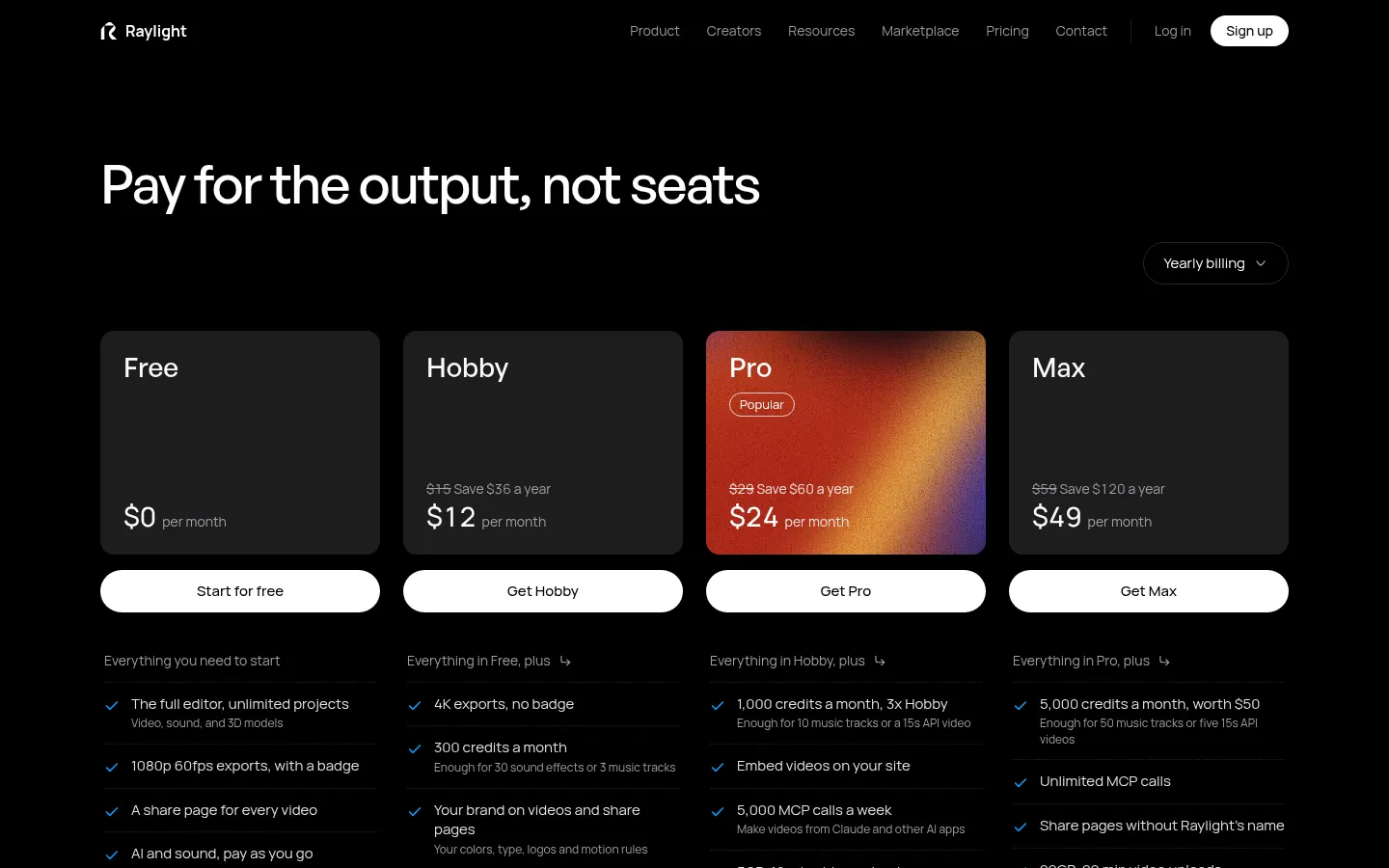
Free: $0. Full editor, unlimited projects, video, sound and 3D models, 1080p 60fps exports with a badge; AI and sound with pay-as-you-go credits.
Hobby: $15/month ($12/month billed yearly). 4K exports without badge, 300 credits a month, your own branding, 500MB and 3-minute uploads.
Pro: $29/month ($24/month yearly). 1,000 credits a month, video embeds, 5,000 MCP calls a week, 5GB and 10-minute uploads.
Max: $59/month ($49/month yearly). 5,000 credits a month and more capacity for AI agents.
- Team and Business plans for marketing teams, businesses and agencies, with free unlimited viewers.
Raylight Screenshots
Raylight user reviews
Write a review
Checking your session...
Raylight Reviews
Loading reviews...