
Share
What is Glass?
Glass is an AI tool that works as a screen recorder for Mac that edits while you talk. Record without worrying about slip-ups, hit Stop, and seconds later you have a polished demo with the link already copied. It is built for founders and for product, sales and support teams who record demos and walkthroughs often.
What is Glass used for?
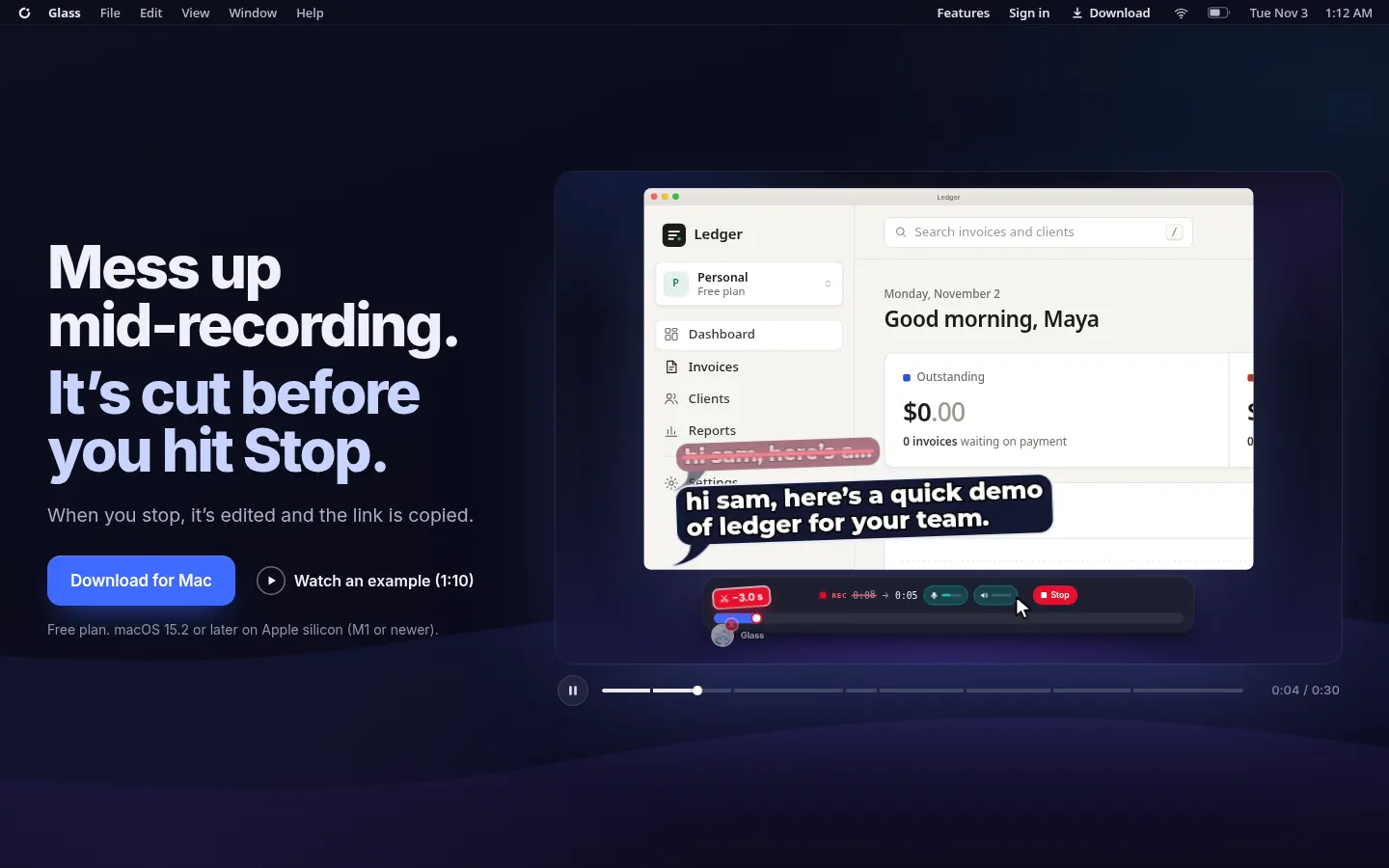
It lets you record product demos, tutorials or customer replies without opening a video editor afterwards. While you record, the AI spots false starts, half-finished sentences and detours (such as opening the wrong account) and cuts them as you keep talking. It also adds automatic zooms on clicks and tells you what it removed when you finish.
How does Glass work?
Download the Mac app for Apple silicon (M1 or newer, macOS 15.2 or later), record and stop. Glass hands you the edited video and copies a share link. You can then edit by chat in plain language, add an AI voiceover, enhance your voice and automatically hide private information on screen. Share links show who is watching live, support email invites and, on the top tier, passwords and expiry dates. It even records offline.
Who is Glass for?
- Sales teams sending personalized demos.
- Product managers explaining new features.
- Support teams replying with video.
- Founders preparing investor demos.
Glass pros and cons
Its big advantage is removing the editing step: the video is ready when you stop recording, with sensitive data redaction and links with analytics. On the downside, it only runs on Apple silicon Macs, AI editing comes with a quota of recording minutes, and it is not meant for long or complex video productions.
Glass features and use cases
How to use Glass
Glass FAQ
What is Glass?
Glass is a Mac screen recorder that uses AI to edit your video while you record and hands you a share link when you stop.
Is Glass free?
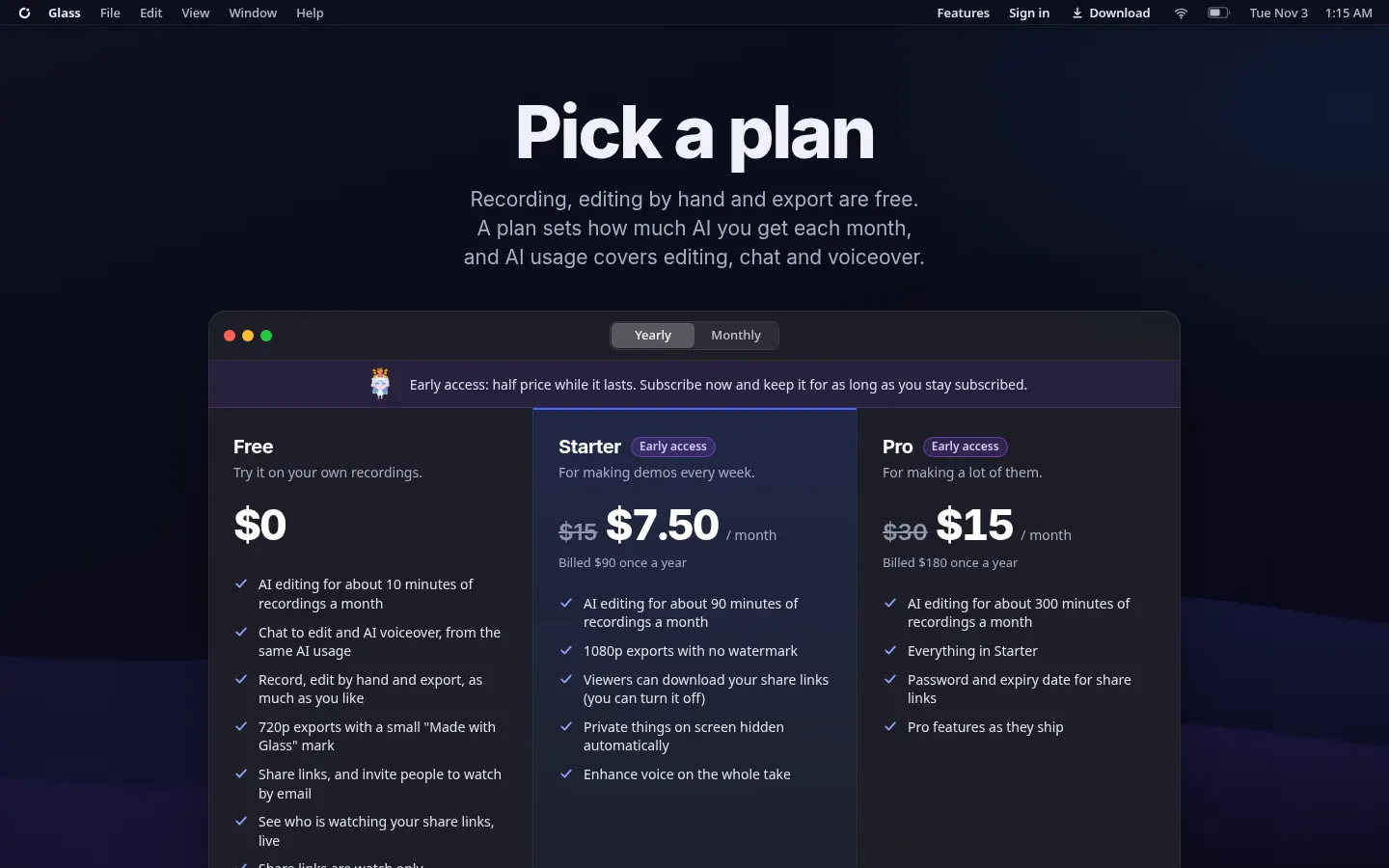
Yes, there is a free plan with about 10 minutes of AI editing a month; Starter and Pro are listed in the pricing section.
Does it work on Windows?
No, it is only available for Apple silicon Macs (M1 or newer) running macOS 15.2 or later.
What does the Glass AI cut?
False starts, half-finished sentences, pauses and detours such as opening the wrong account, while you keep talking.
Can it hide private data?
Yes, on paid plans it automatically hides private information that appears on screen.
Does Glass have an API?
The official site does not offer a public API; it is used through its Mac app.
Does Glass work in Spanish?
The app and site are in English; test the automatic editing with Spanish recordings before relying on it daily.
Can I password-protect a link?
Yes, the Pro tier lets you add a password and an expiry date to share links.
What are the alternatives to Glass?
On GptZone you can compare it with Tella, Screen Studio or Descript.
Glass pricing and plans
Reference price: 90 USD / year. Source · Verified: November 14, 2026
Prices in US dollars (USD) as listed on the official site, annual billing with early-access discount. Checked on: 14/11/2026.
Free: $0. AI editing for about 10 minutes of recordings a month, unlimited recording and manual editing, 720p exports with a "Made with Glass" mark.
Starter: $90/year ($7.50/month; regular $15/month). About 90 minutes of AI editing a month, 1080p with no watermark, automatic hiding of private data and full voice enhancement.
Pro: $180/year ($15/month; regular $30/month). About 300 minutes a month, passwords and expiry dates on links.
- The early-access discount stays while you remain subscribed. AI usage resets monthly; cancel from your account.
Glass Screenshots
Glass user reviews
Write a review
Checking your session...
Glass Reviews
Loading reviews...
Glass alternatives
VibrantSnap
Turn screen recordings into professional videos with AI auto-editing. Add dynamic zoom, captions, and action buttons to create high-converting demos.