Arcade

    Arcade

    No reviews
    Category:Video & Animation
    Pricing:Freemium
    Added:
    Updated:
    Website:
    VISIT NOW

    Share

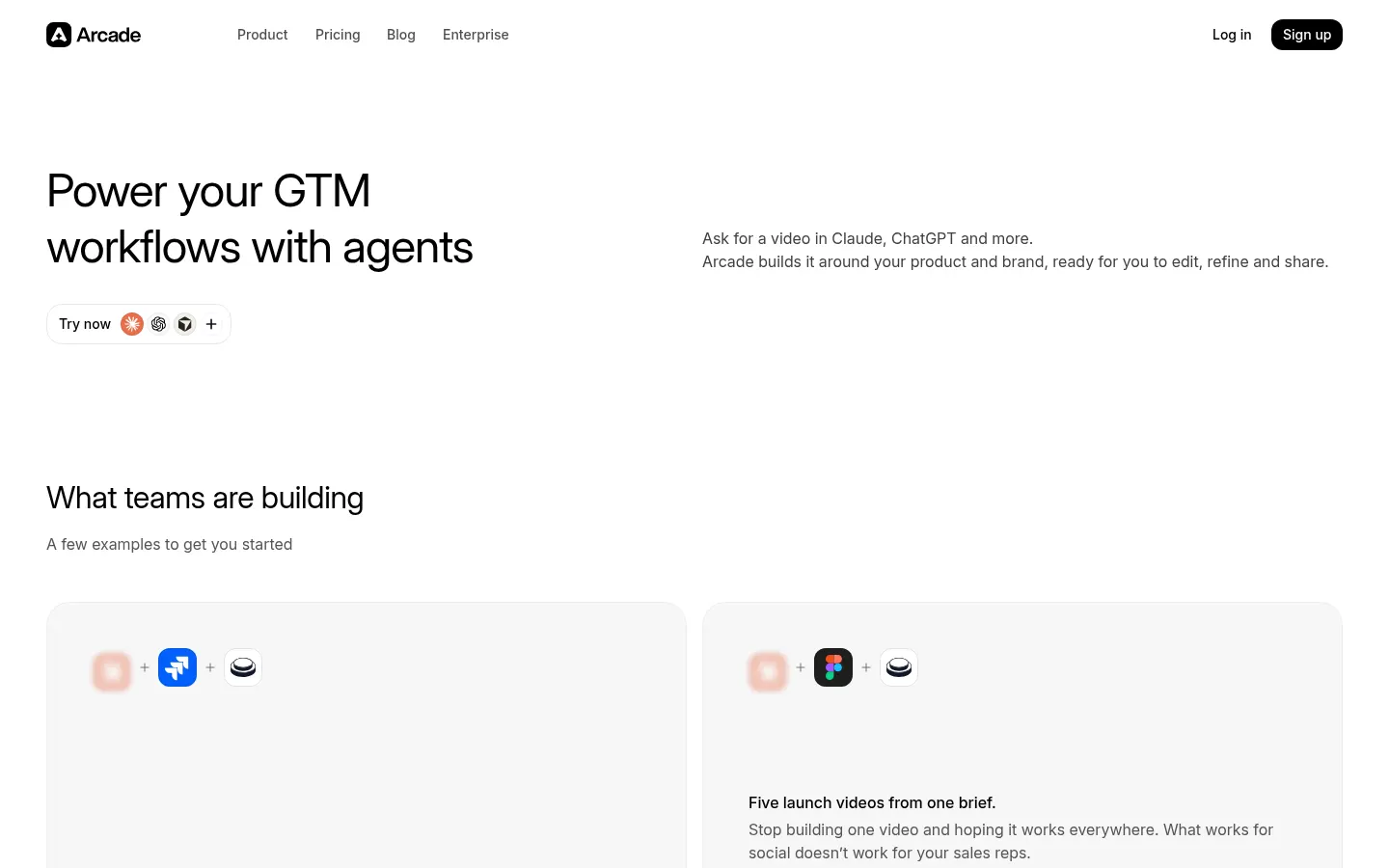
    Arcade is an AI video platform for marketing teams that turns your product and brand into editable videos, plus interactive product demos.

    What is Arcade?

    Arcade is an AI video platform for marketing teams that generates product videos with motion-design quality and keeps them editable and on-brand, instead of producing generic clips that are hard to tweak.

    What is Arcade used for?

    It is used to create launch videos, how-to tutorials, talking-head videos and article-to-video pieces. You describe what you want, Arcade builds a first cut in minutes and you shape it: you can change any scene, line or sound by asking the AI or by editing it yourself.

    How does Arcade keep videos on-brand?

    It starts from your real product and your brand kit, and it remembers your tone, product and choices, so each new video starts closer to done. You can also begin from a template or a reference video you like.

    What do the Arcade extension and MCP do?

    The Chrome extension captures screen and camera with smart zooms and cursor movements that guide the story. The MCP server lets you request a video from Claude, ChatGPT and other assistants. Arcade also keeps its interactive product demos.

    Who is Arcade for?

    Product marketing, content and community teams at software companies that need to ship many videos without relying on an agency.

    Arcade pros and cons

    • Pro: output stays editable scene by scene.
    • Pro: it learns your brand and product.
    • Pro: you can create videos from AI assistants.
    • Con: AI generation uses credits shared by the whole team.
    • Con: the interface and docs are in English.

    Arcade features and use cases

    •Product video generation from a description
    •Formats: launch, tutorial, talking head and article to video
    •Scene, line and sound edits by asking the AI
    •Manual editing of any element
    •Brand kit and memory of tone and product
    •Start from templates or reference videos
    •Chrome extension to capture screen and camera
    •Automatic smart zooms and cursor movement
    •MCP server for Claude, ChatGPT and other assistants
    •Exports up to 4K
    •Interactive product demos
    •Use case: a product team ships a video for every changelog update
    •Use case: marketing turns a blog article into a short social video

    How to use Arcade

    1Sign up at arcade.software.
    2Set up your brand kit and add product information.
    3Install the Chrome extension if you want to capture your product.
    4Describe the video or pick a template or reference video.
    5Review the first cut Arcade generates.
    6Adjust scenes, lines and sound with AI or by hand.
    7Export or share the finished video.

    Arcade FAQ

    What is Arcade?

    It is an AI video platform for marketing teams that creates editable, on-brand product videos.

    Is Arcade free?

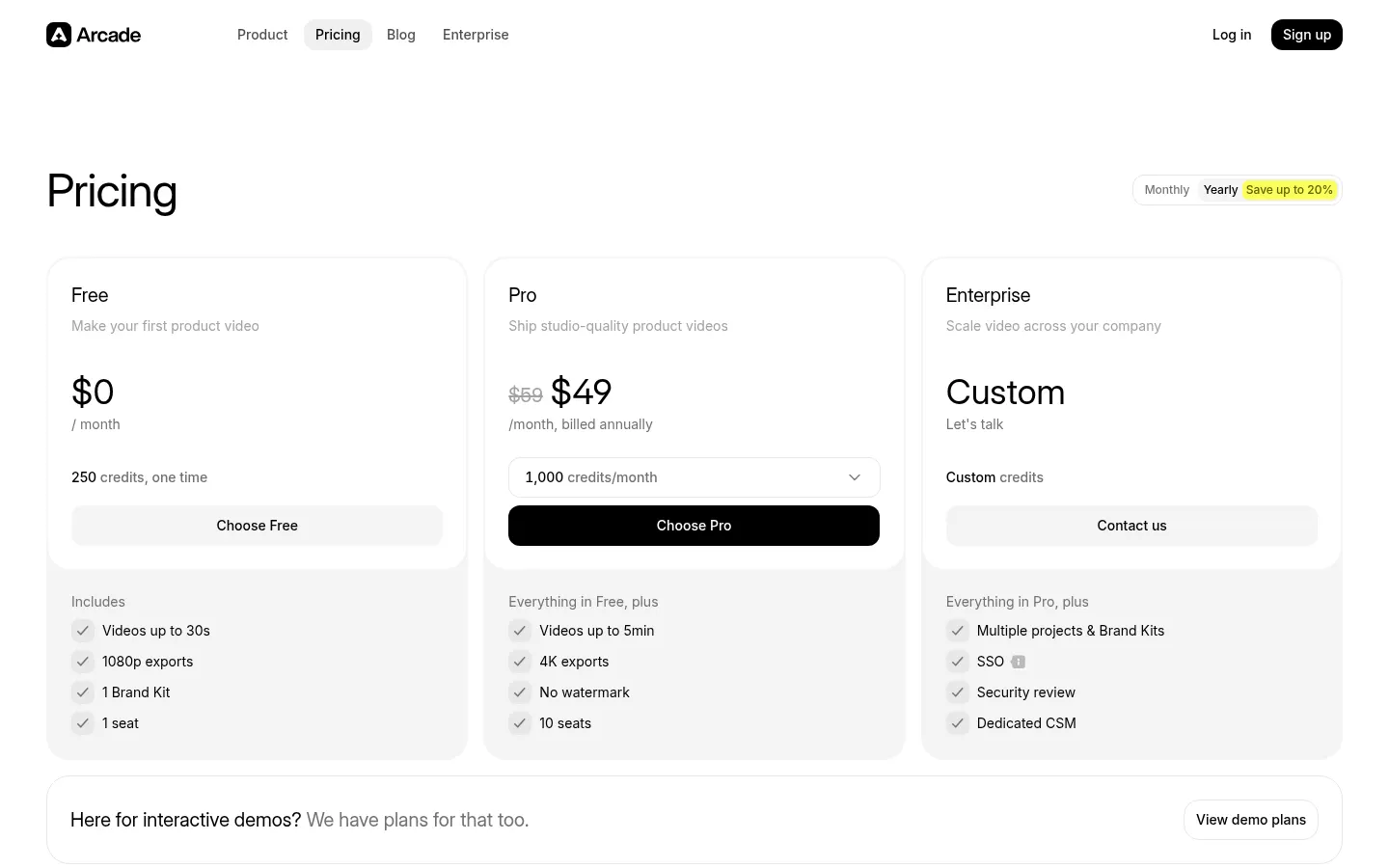
    There is a Free plan with 250 one-time credits and videos up to 30 seconds; Pro starts at 49 USD/month billed yearly.

    Does Arcade have an API?

    It offers an MCP server to create videos from Claude, ChatGPT and other assistants; its site does not advertise a general public video API.

    Does Arcade work in Spanish?

    The interface is in English and the site does not detail Spanish support in generated videos, so test it on the Free plan.

    How do Arcade credits work?

    Credits are used whenever the AI generates a video or applies a change, and the whole workspace shares one balance.

    Can I edit the video the AI generates?

    Yes, any scene, line or sound can be changed by asking the AI or by editing it yourself.

    Does Arcade still offer interactive demos?

    Yes, interactive product demos are still available on their own separate plans.

    What resolution does Arcade export?

    1080p on the Free plan and up to 4K on the Pro plan, which also removes the watermark.

    What are the best Arcade alternatives?

    On GptZone you can compare Supademo, Synthesia and Screen Studio for product videos and demos.

    Arcade pricing and plans

    Reference price: 49 USD / month. Source · Verified: November 3, 2026

    Free: 0 USD, 250 one-time credits, videos up to 30 s, 1080p exports, 1 brand kit and 1 seat. Pro: 49 USD/month billed yearly (59 USD monthly) with 1,000 credits/month; scalable to 1,500 (73 USD), 2,500 (119 USD), 5,000 (239 USD) or 10,000 credits (469 USD); videos up to 5 min, 4K, no watermark and 10 seats. Enterprise: custom pricing with SSO and a dedicated CSM. Interactive demos have separate plans. Checked on: 03/11/2026.

    Arcade Screenshots

    Arcade screenshot 1
    Arcade screenshot 2

    Arcade user reviews

    Write a review

    Checking your session...

    Arcade Reviews

    Loading reviews...

    Arcade alternatives

    Tella
    Subscription

    Tella

    Tella is a tool to record your screen and camera and edit the video with AI, built for product demos, tutorials, courses and team updates.

    –
    24
    Video & Animation
    Supademo
    Freemium

    Supademo

    AI interactive demo platform: capture your software flows and turn them into clickable guides, videos and agents that walk each visitor through the product.

    –
    51
    Video & AnimationOffice & ProductivityMarketing & Advertising
    Clueso
    Freemium

    Clueso

    AI platform to create and edit training, demo, and marketing videos. Generates scripts, voiceovers, and step-by-step guides with translation into over 150 languages.

    –
    60
    Video & AnimationOffice & Productivity
    Kommodo
    Freemium

    Kommodo

    AI-powered screen and meeting recorder that generates step-by-step guides and process documentation. Includes transcription, video editing, and team management.

    –
    102
    Video & AnimationOffice & Productivity
    VibrantSnap
    Paid

    VibrantSnap

    Turn screen recordings into professional videos with AI auto-editing. Add dynamic zoom, captions, and action buttons to create high-converting demos.

    –
    27
    Video & AnimationMarketing & Advertising
    Guideless
    Freemium

    Guideless

    Turn clicks into AI-narrated video guides. Generate professional tutorials in minutes without manual editing, customize the style, and share instantly.

    –
    39
    Video & AnimationOffice & Productivity

    Arcade Analytics

    Views
    Real data
    Website Clicks
    Real data
    CTR
    Real data

    Views Trend (30 days)

    Analytics data is updated in real-time and is 100% real