Tella

    Tella

    No reviews
    Category:Video & Animation
    Pricing:Subscription
    Added:
    Updated:
    Website:
    VISIT NOW

    Share

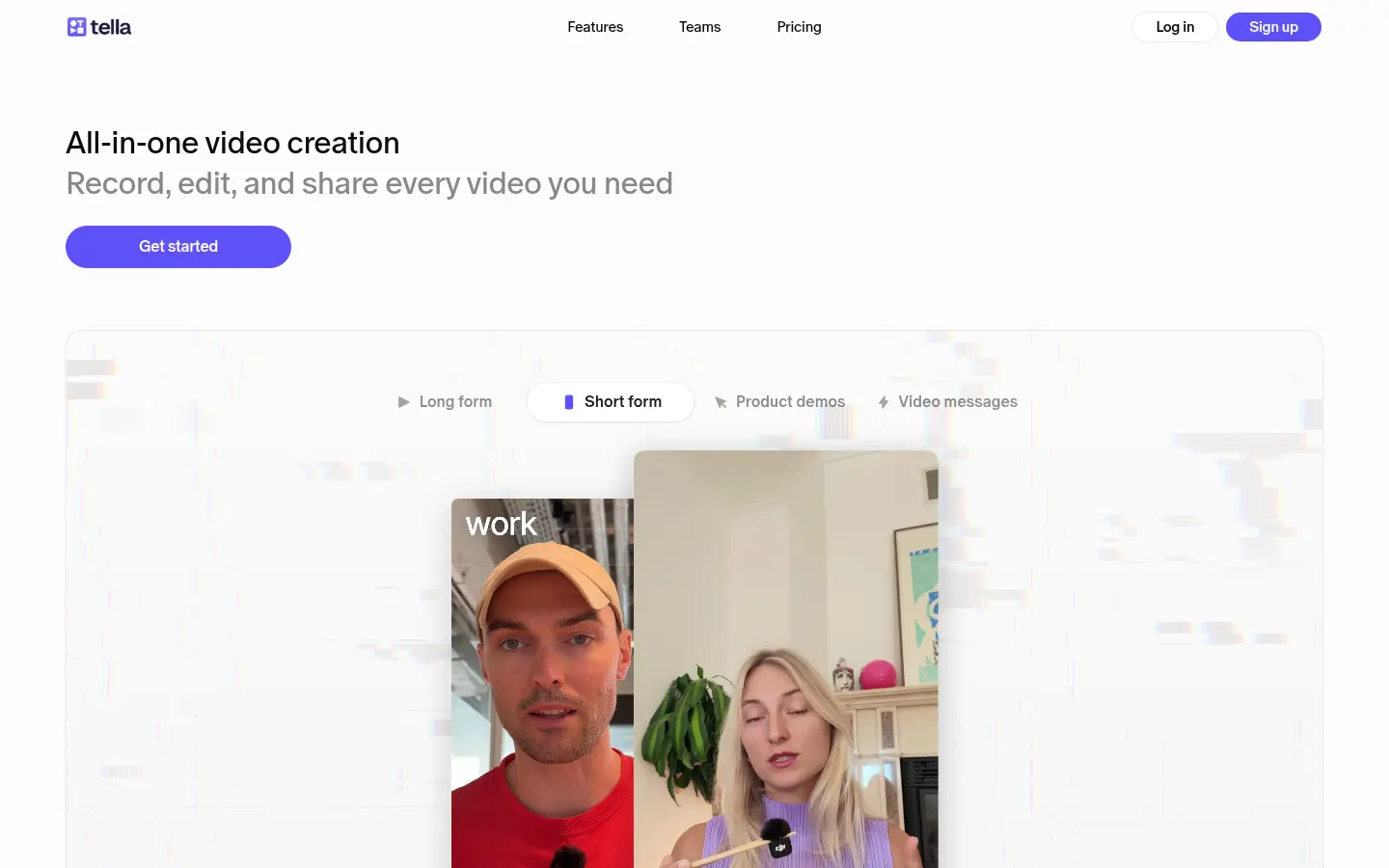
    Tella is a tool to record your screen and camera and edit the video with AI, built for product demos, tutorials, courses and team updates.

    What is Tella?

    Tella is a screen recording app with AI video editing that captures your screen, camera, microphone and system audio, then gives you a full editor to polish the result and share it by link or export it in up to 4K at 60 FPS.

    What is Tella used for?

    It is for making product demos, tutorials, courses, help articles and team updates that look professional with little effort. Screen and camera are recorded as separate tracks, so afterwards you can change the layout, move or resize the camera, or hide either source.

    What does the Tella AI agent do?

    The Tella Agent is an AI editor in the sidebar that makes edits from a chat: trimming, clipping or getting a video ready to publish. Auto Capture, in beta, lets an agent record a web page for you with an animated cursor. AI also writes editable titles, descriptions and chapters and turns videos into documents.

    Which editing and sharing options does Tella offer?

    It includes a timeline, a transcript editor, a layout picker, zooms, captions and sound cleanup. Each clip can run up to 6 hours and videos never expire. You can share by link, embed, password protect and check viewer analytics to see where attention drops.

    Who is Tella for?

    YouTube creators, course makers, and product and marketing teams that publish video often. It runs in the browser, as native Mac and Windows apps and as a Chrome extension, with shared team workspaces for editing, review and publishing.

    Tella pros and cons

    • Pro: recording and full editing in a single tool.
    • Pro: separate tracks mean fewer retakes.
    • Pro: SOC 2 Type II compliant.
    • Con: the AI agent uses monthly credits.
    • Con: Auto Capture is still in beta.

    Tella features and use cases

    •Screen, camera, microphone and system audio recording
    •Screen and camera on separate tracks
    •Tella Agent: chat-based AI video editing
    •Auto Capture: an agent records web pages (beta)
    •Transcript editor and timeline
    •Layouts, zooms, captions and sound cleanup
    •AI-generated titles, descriptions and chapters
    •Export up to 4K at 60 FPS
    •Links, embeds, password protection and viewer analytics
    •Shared team workspaces
    •Use case: a SaaS team records a product demo and embeds it on its site
    •Use case: a course creator turns recordings into lessons with chapters and docs

    How to use Tella

    1Sign up at tella.com.
    2Record from the browser, the Mac or Windows app or the Chrome extension.
    3Choose what to capture: screen, camera, microphone and system audio.
    4Edit on the timeline or by deleting transcript text.
    5Ask the Tella Agent for changes in chat.
    6Adjust layout, zooms and captions.
    7Share with a link or export in up to 4K.

    Tella FAQ

    What is Tella?

    It is a tool to record your screen and camera and edit the video with AI before sharing or exporting it.

    Is Tella free?

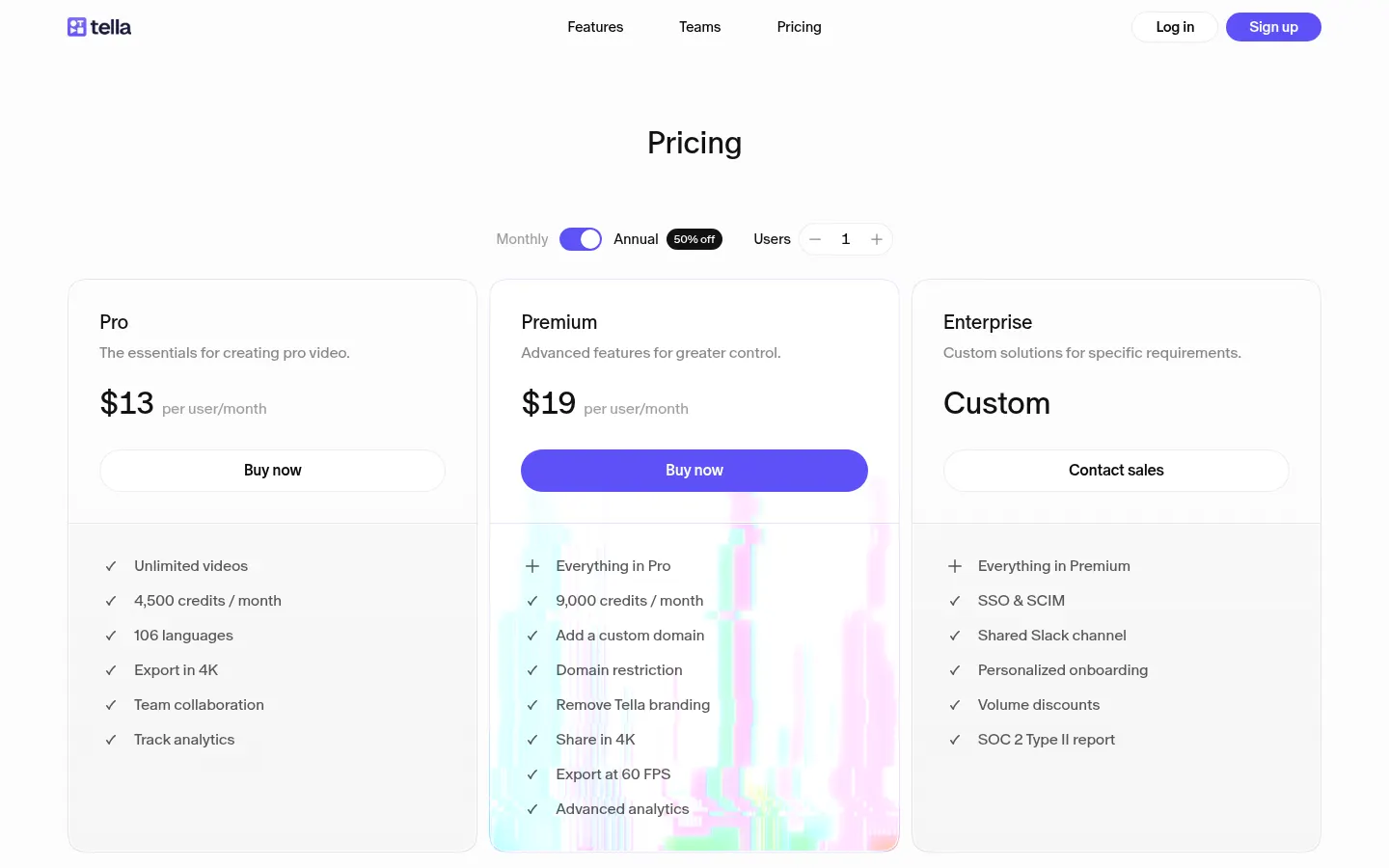
    There is no permanent free plan, but there is a 7-day Pro trial with no card; after that it starts at 13 USD per user/month.

    Does Tella have an API?

    It does not advertise a public API; the Tella Agent can be started from AI apps connected to Tella.

    Does Tella work in Spanish?

    You can record in Spanish; Tella's interface and website are in English.

    Do I need to install anything?

    No, the web recorder runs in your browser, and there are also Mac and Windows apps plus a Chrome extension.

    Is there a recording time limit?

    Each clip can be up to 6 hours long and you can combine as many clips as you need.

    What export quality does Tella offer?

    Up to 4K at 60 FPS, or you can share the video with a link.

    Is Tella secure for businesses?

    Yes, it is SOC 2 Type II compliant and offers SSO and SCIM as add-ons.

    What are the best Tella alternatives?

    On GptZone you can compare Screen Studio, Descript and Synthesia for creating videos with AI.

    Tella pricing and plans

    Reference price: 13 USD / month. Source · Verified: November 3, 2026

    7-day free trial of Pro with no card. Pro: 13 USD per user/month billed annually, with 4,500 credits/month. Premium: 19 USD per user/month billed annually, with 9,000 credits/month, white-label and 4K playback. Enterprise is custom. Credit top-ups from 25 USD. Checked on: 03/11/2026.

    Tella Screenshots

    Tella screenshot 1
    Tella screenshot 2

    Tella user reviews

    Write a review

    Checking your session...

    Tella Reviews

    Loading reviews...

    Tella alternatives
    Arcade
    Freemium

    Arcade

    Arcade is an AI video platform for marketing teams that turns your product and brand into editable videos, plus interactive product demos.

    –
    36
    Video & AnimationMarketing & Advertising
    Supademo
    Freemium

    Supademo

    AI interactive demo platform: capture your software flows and turn them into clickable guides, videos and agents that walk each visitor through the product.

    –
    51
    Video & AnimationOffice & ProductivityMarketing & Advertising
    Clueso
    Freemium

    Clueso

    AI platform to create and edit training, demo, and marketing videos. Generates scripts, voiceovers, and step-by-step guides with translation into over 150 languages.

    –
    60
    Video & AnimationOffice & Productivity
    Kommodo
    Freemium

    Kommodo

    AI-powered screen and meeting recorder that generates step-by-step guides and process documentation. Includes transcription, video editing, and team management.

    –
    102
    Video & AnimationOffice & Productivity
    VibrantSnap
    Paid

    VibrantSnap

    Turn screen recordings into professional videos with AI auto-editing. Add dynamic zoom, captions, and action buttons to create high-converting demos.

    –
    27
    Video & AnimationMarketing & Advertising
    Guideless
    Freemium

    Guideless

    Turn clicks into AI-narrated video guides. Generate professional tutorials in minutes without manual editing, customize the style, and share instantly.

    –
    39
    Video & AnimationOffice & Productivity

    Tella Analytics

    Views
    Real data
    Website Clicks
    Real data
    CTR
    Real data

    Views Trend (30 days)

    Analytics data is updated in real-time and is 100% real