Share
What is Klipa AI?
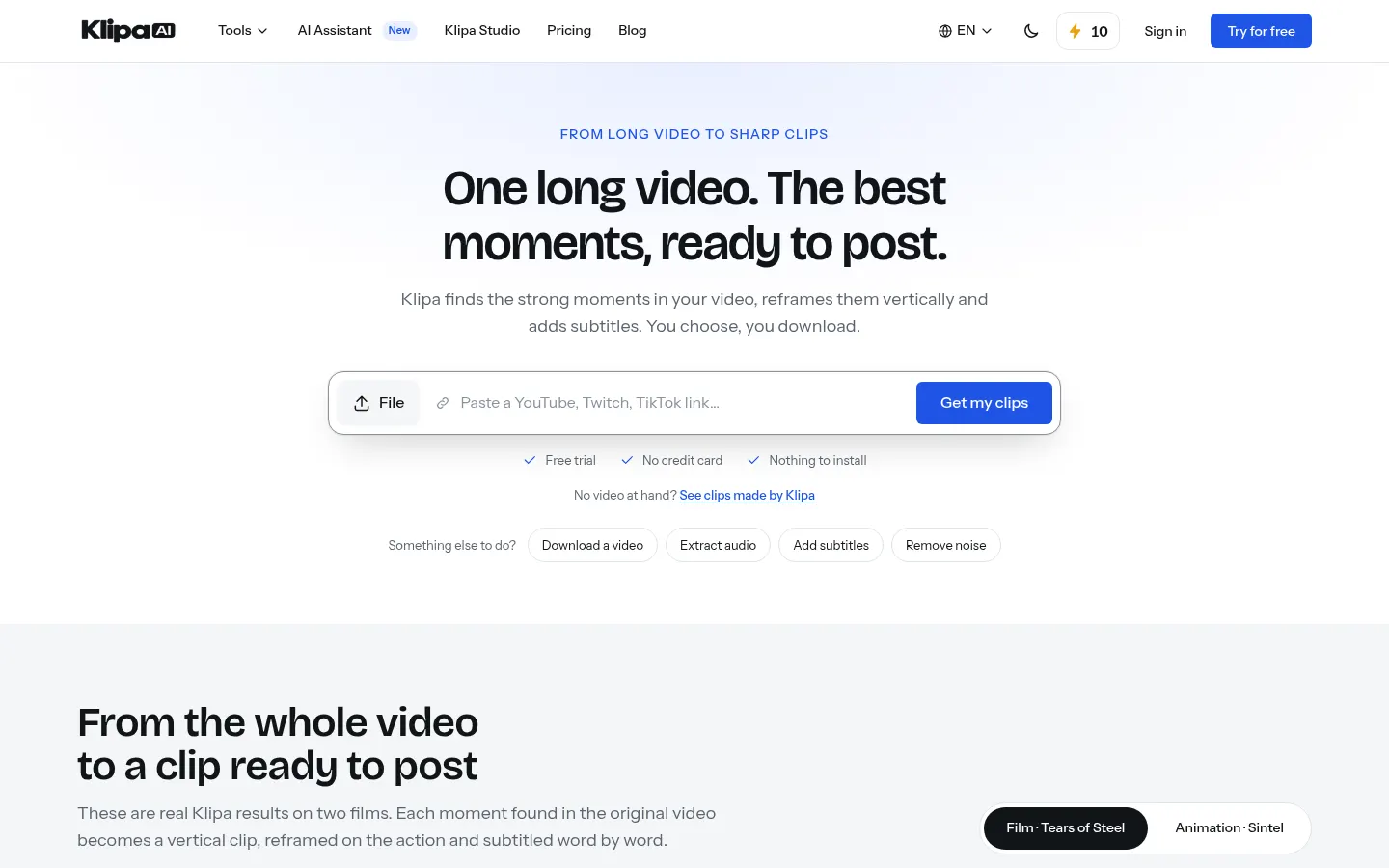
Klipa AI is an AI tool for video creators that turns long videos into vertical clips ready for TikTok, Instagram Reels and YouTube Shorts. It listens to the video, finds the moments with the most potential, scores them, reframes them on the action and subtitles them word by word. It also bundles a toolbox of video, audio and subtitle utilities on the same site.
What is Klipa AI used for?
It pulls short-form content from podcasts, livestreams, interviews, lessons or vlogs without manual editing. Its AI clips feature extracts up to ten segments per video with a viral potential score, while AI montage sums up an entire video as a best-of. On top of that come silence and filler-word removal, noise reduction, vertical reframing and transcription.
How does Klipa AI work?
Upload a file or paste a link to an online video. Klipa analyzes it, suggests clips and lets you choose which to download. In Klipa Studio you edit, caption and export in one place, with 51 animated subtitle styles. Video translation works as dubbing with a voice close to the original or as an interpreter in 32 languages, and translated subtitles cover 30+ languages.
Who is Klipa AI for?
- Podcasters and streamers repurposing long content into short form.
- Creators posting several times a week on social media.
- Educators who want lessons subtitled or translated.
- Small brands without an editing team.
Klipa AI pros and cons
It stands out for combining clips, subtitles, translation and basic utilities (compression, conversion, GIFs, watermarks) in an interface available in 16 languages. On the downside, advanced features use credits, maximum video length is capped, and the automatic moment picks should be reviewed before posting.
Klipa AI features and use cases
How to use Klipa AI
Klipa AI FAQ
What is Klipa AI?
Klipa AI is an AI tool that turns long videos into captioned vertical clips for TikTok, Reels and Shorts.
Is Klipa AI free?
You can start with a free account and 20 credits, no card; the Pro and Studio plans are listed in the pricing section.
How many clips does it make per video?
The AI clips feature extracts up to 10 moments per video, each with a potential score.
Can I use a link instead of uploading?
Yes, it accepts links to online videos from supported platforms.
Does it translate videos?
Yes, it translates via dubbing or interpreter mode into 32 languages and creates translated subtitles in 30+.
Does it remove silences and filler words?
Yes, it has tools to remove silences, filler words and background noise.
Does Klipa AI have an API?
The official site does not offer a public API; it runs in the browser.
Does Klipa AI work in Spanish?
Yes, the interface is available in Spanish and it subtitles and translates Spanish videos.
What are the alternatives to Klipa AI?
On GptZone you can compare it with Opus Clip, Vizard or Burncaps.
Klipa AI pricing and plans
Reference price: 14.99 EUR / month. Source · Verified: November 14, 2026
Prices in euros (EUR) as listed on the official site. Checked on: 14/11/2026.
Free account: 20 credits to try every tool, no card; basic utilities not marked Pro remain available.
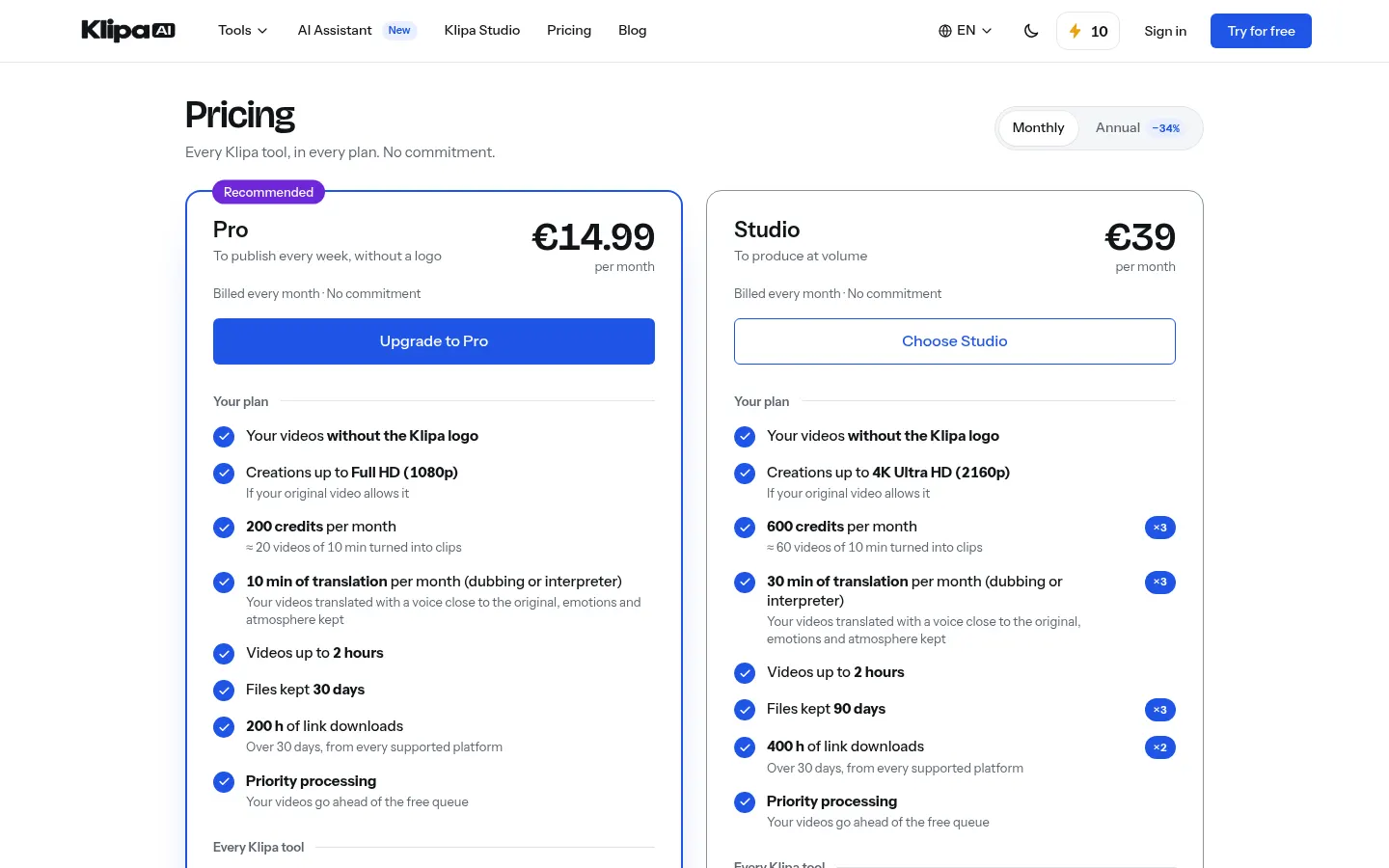
Pro: €14.99/month, or €9.90/month billed €118.80 yearly. 200 credits a month (about 20 ten-minute videos turned into clips), no Klipa logo, up to 1080p, 10 minutes of translation a month, videos up to 2 hours and priority processing.
Studio: €39/month. 600 credits a month, up to 4K, 30 minutes of translation a month and files kept 90 days.
- No commitment; annual billing is 34% cheaper.
Klipa AI Screenshots
Klipa AI user reviews
Write a review
Checking your session...
Klipa AI Reviews
Loading reviews...
Klipa AI alternatives

AutoEditor
AutoEditor is an AI video editor that cuts raw footage for retention: it removes dead air and tangents, opens with your best hook and exports vertical clips.


Nova Clipper
Nova Clipper generates AI shorts from a script or cuts long videos, with voice, captions and facecam framing, and the first short is free.