Share
What is Nova Clipper?
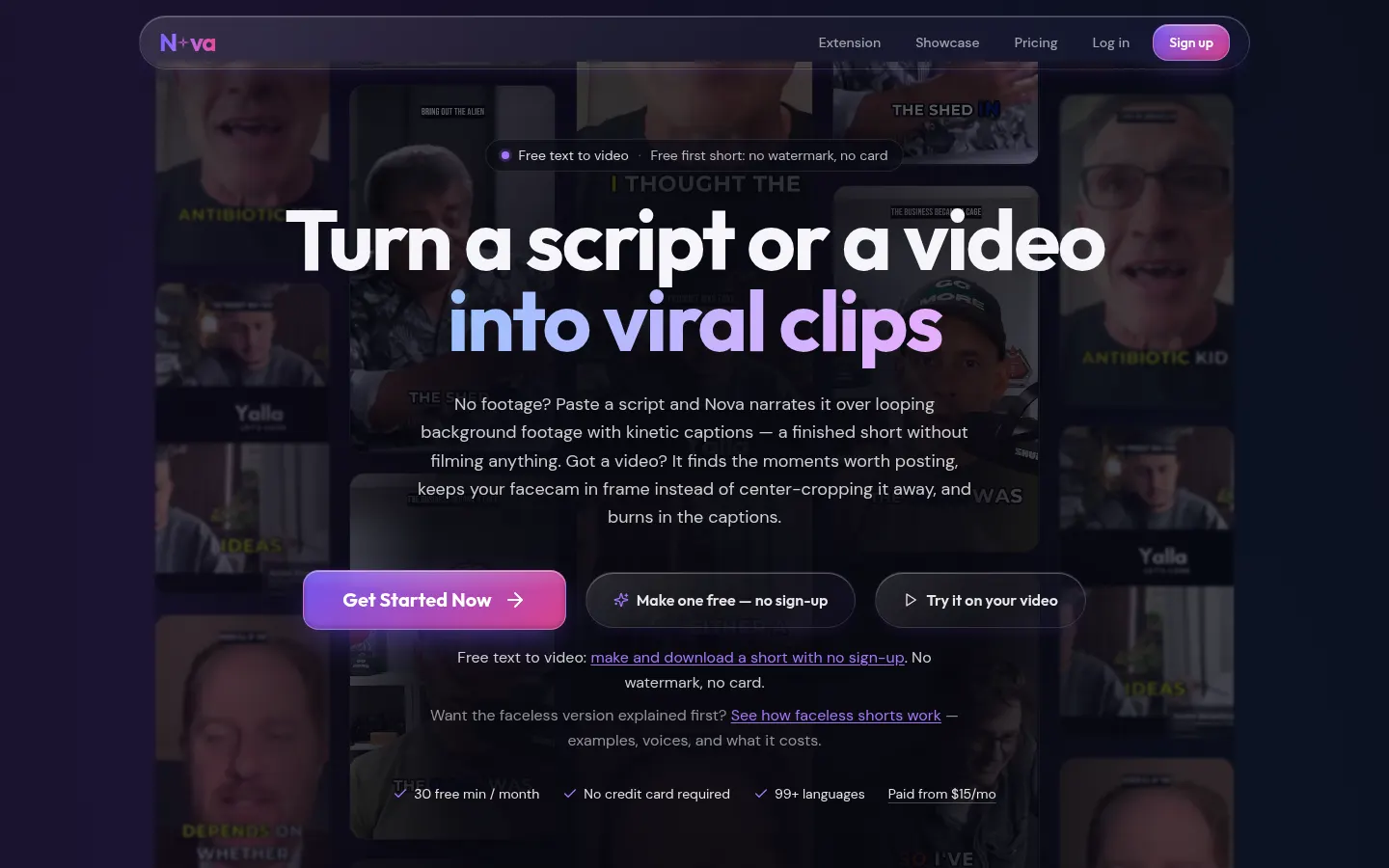
Nova Clipper is an AI video tool that does two different jobs: it turns a script into a short with voice, background footage and captions, or it splits a long video (a podcast, a stream, a class) into vertical clips ready to post. The first short can be made and downloaded with no sign-up and, according to the site, with no watermark and no card.
What is Nova Clipper used for?
It is used to post shorts often without cutting each clip by hand. If you have no footage, you paste a script and Nova narrates it over looping background video, with kinetic captions. The company presents this for faceless channels and lists voices, templates and translation into many languages. If you already have a long video, it looks for moments worth clipping.
How does Nova Clipper work?
When cutting a long video, the tool keeps the facecam in frame (instead of a centre crop) and burns in the captions. The site lists uses for YouTube, podcasts, Twitch, courses and games. You can also upload your own videos. Paid options are called Starter, Pro and Premium and raise the number of shorts and clips, remove the watermark and add watched channels; higher tiers add hook variants or export to other tools.
Who is Nova Clipper for?
- Creators of faceless channels who start from a script and have no footage of their own.
- Podcasters, streamers or teachers who want vertical clips from a long video.
- Agencies that post shorts often and need a higher allowance or watched channels.
Nova Clipper pros and cons
It stands out for combining two flows (script-to-short and long-video clipping) and for letting you make the first short with no account. On the downside, the unpaid option limits the number of shorts and of source minutes. At the 10/11/2026 check, clipping from a link was paused; the rest of the clipping features were still available. Amounts appear later in this entry.
Nova Clipper features and use cases
How to use Nova Clipper
Nova Clipper FAQ
What is Nova Clipper?
It is a tool that creates AI shorts from a script or cuts a long video into vertical clips, with voice, captions and facecam framing.
Is Nova Clipper free?
Yes. There is a permanent free plan with limits, and the first short can be made without signing up. Paid plans are listed in the pricing section.
Do I need to film myself?
No. You can paste a script and get a narrated short over background footage, or upload your own video and have it clipped.
Does it keep the face in frame?
On long-video clips, the site says it keeps the facecam in frame instead of centre-cropping the picture.
Which languages can it generate or translate?
The company advertises translation and captions in more than 90 languages. The live list should be checked on its site.
Does the free short have a watermark?
The homepage says the first short downloads with no watermark and no card. On paid plans, Starter already includes no watermark on an ongoing basis.
Can I clip from a YouTube link?
At the time of the pricing check, the page said uploads of your own videos were available and that clipping from a link was paused.
How do Starter, Pro and Premium differ?
Mainly by the number of shorts and clips per month, source minutes, watched channels and extras such as hook variants or priority processing.
Is yearly billing available?
Yes. On Pro and Premium the page shows a yearly price that includes two months. Starter appeared as monthly-only in that check.
Is there an API?
Yes. The site has a developers section and a Chrome extension, as well as the web app.
Nova Clipper pricing and plans
Reference price: 15 USD / month. Source · Verified: November 10, 2026
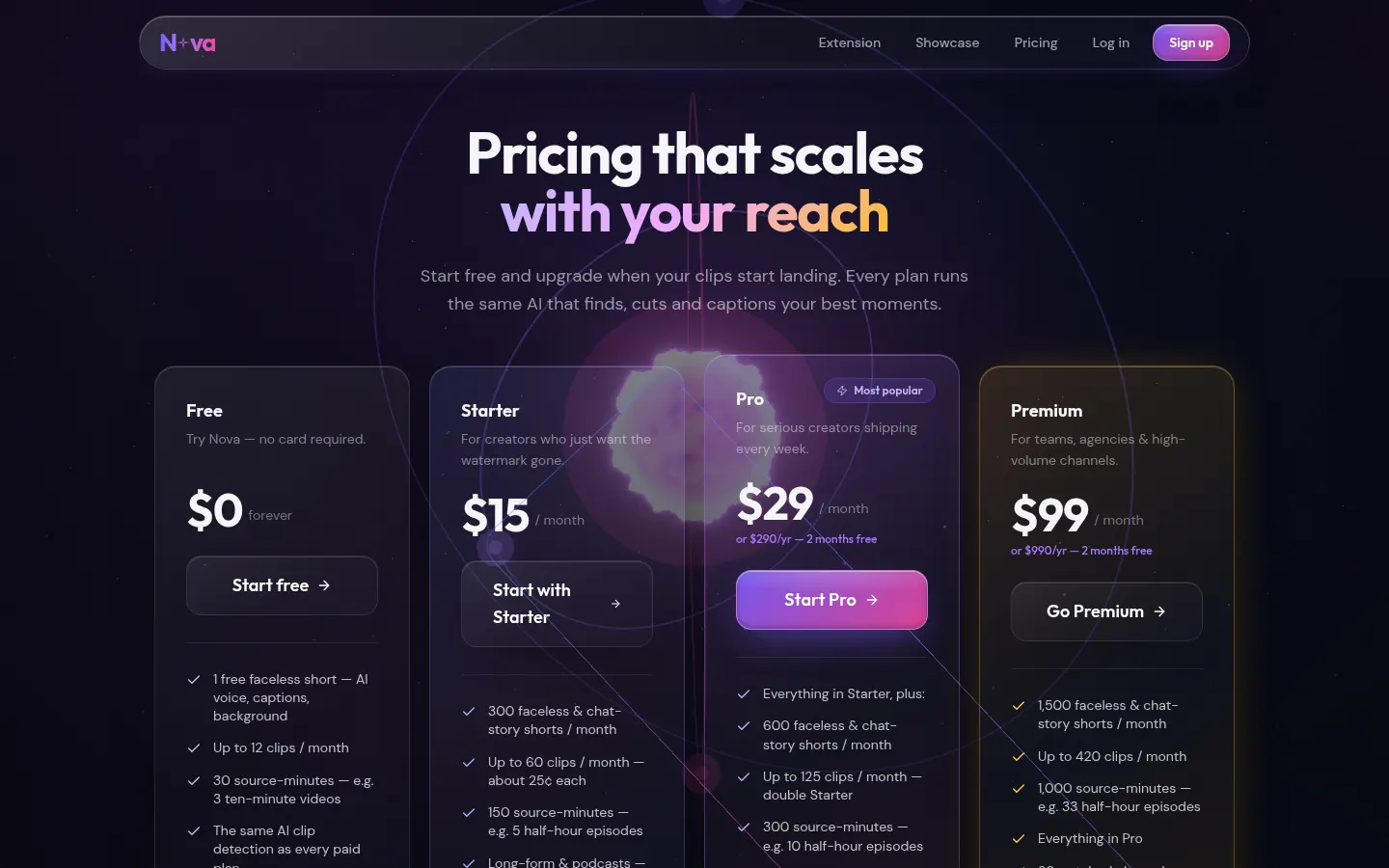
Checked on: 10/11/2026, at novaclipper.com/pricing. Free (0 USD, forever): 1 faceless short to start, up to 12 clips a month, 30 source minutes (for example three 10-minute videos), the same clipping and captions, self-serve uploads and extra tools; clipping from a link was paused at the time of the check. Starter 15 USD/month: 300 shorts a month, up to 60 clips, no watermark, 10 caption styles and 2 watched channels. Pro 29 USD/month or 290 USD/year (2 months included): 600 shorts, 125 clips, 300 source minutes, hook variants and priority, 5 channels. Premium 99 USD/month or 990 USD/year: 1,500 shorts, 420 clips, 1,000 source minutes and 20 channels. There are also one-off packs from 0.99 USD and a lifetime plan, described on the same page.
Nova Clipper Screenshots
Nova Clipper user reviews
Write a review
Checking your session...
Nova Clipper Reviews
Loading reviews...
Nova Clipper alternatives

Shortodella
Shortodella is an AI image and video generator that combines creation, editing, photo animation and batch review on one chat-driven canvas.

EverGen AI
EverGen AI is an AI video generator that turns a prompt or product photo into vertical Shorts, UGC-style ads or clips with sound, using 14 video models.

SocialFaktory
SocialFaktory is an AI social media tool that makes videos with AI actors, posts and images in your brand voice, then schedules them to TikTok, Instagram, YouTube, X and more.

PassiveShorts
PassiveShorts is an AI faceless video generator that writes, voices, captions and publishes YouTube Shorts and TikTok videos automatically on a set schedule.