

Share
What is Burncaps?
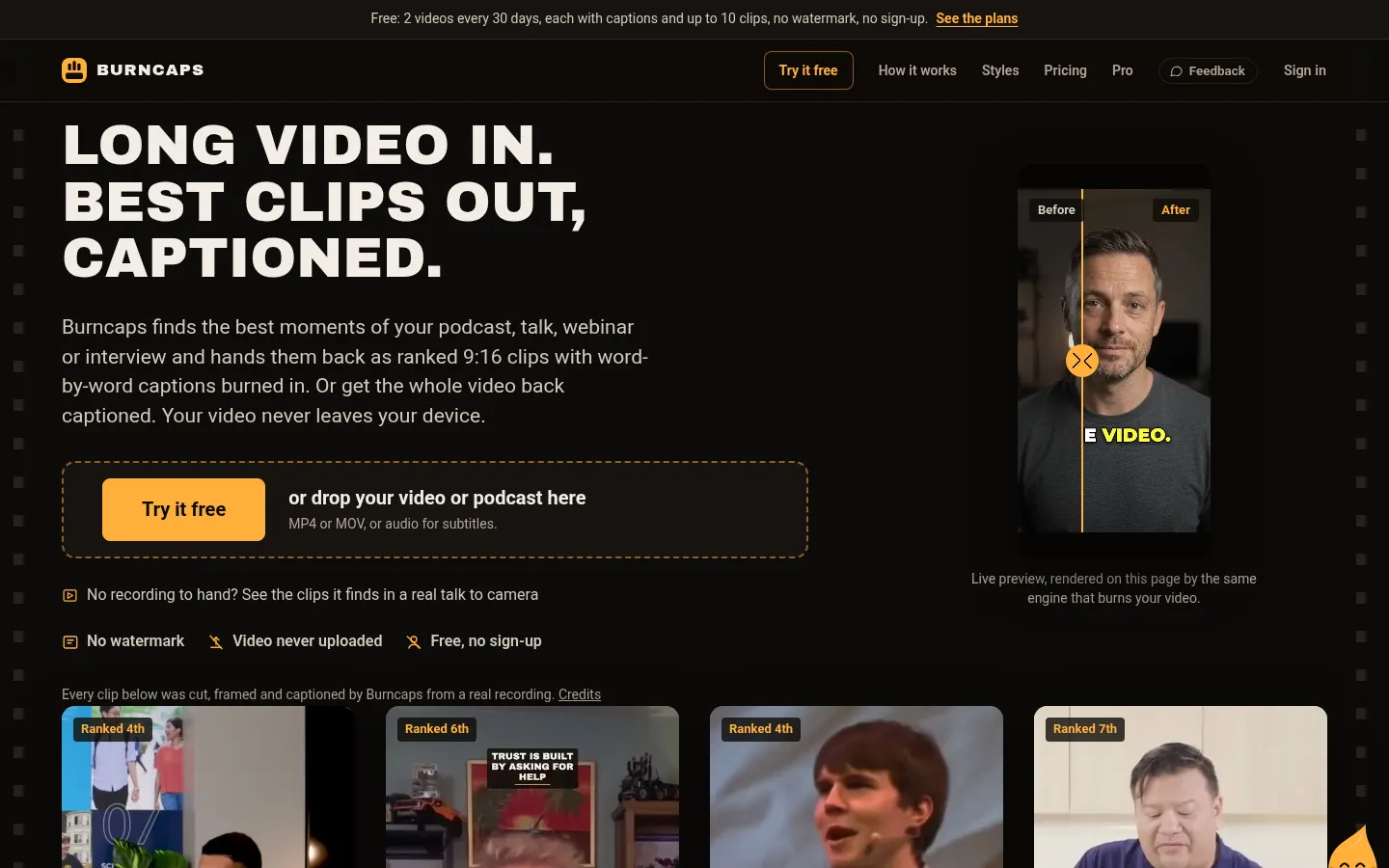
Burncaps is an AI tool by Jordan Labs Ltd. (UK) that works as a caption and short clip generator: drop in a podcast, talk, webinar or interview and get its best moments back as ranked 9:16 clips with captions burned in, or the whole video captioned word by word. It is built for podcasters, creators, educators and clippers posting to TikTok, Reels and Shorts.
What is Burncaps used for?
It has two modes. Clips from a long video analyzes recordings up to three hours long, finds the moments worth posting, ranks them (with an "our pick" to post first), trims them and frames them vertically. Captions on the whole video burns in animated word-by-word captions in around sixty styles, and a Clean up button removes ums, repeats and long pauses.
How does Burncaps work?
Everything runs in the browser: your video is never uploaded. Transcription uses open-source speech models running on your device (OpenAI Whisper, plus AI4Bharat IndicConformer for twelve Indian languages) or, if you choose, Microsoft speech recognition, which only receives the audio. It handles 59+ languages and can translate. The editor lets you adjust each clip's start and end, add zooms, sound effects, B-roll and an opening title, and saves every video as a project you can return to.
Who is Burncaps for?
- Podcasters pulling several clips from every episode.
- Talking-head creators who need animated captions.
- Clippers working campaigns on Whop or Content Rewards.
- Educators and agencies handling client videos with their own logo.
Burncaps pros and cons
Privacy is its strongest point, along with exports with no watermark and the option to try it without signing up. It works on phones as well as computers. On the downside, local processing depends on your device's power, some broader modes are still opening, and it is not a full multitrack video editor.
Burncaps features and use cases
How to use Burncaps
Burncaps FAQ
What is Burncaps?
Burncaps is an AI caption and clip generator that turns long videos into captioned vertical clips and captions full videos word by word.
Is Burncaps free?
Yes, there is a free plan with 2 videos every 30 days and no watermark; paid plans are listed in the pricing section.
Does Burncaps upload my videos?
No. Video is processed in the browser; if you choose the speech service, only the audio is sent for transcription.
How many languages does it caption?
More than 59, including Spanish, and it can translate captions.
How long can videos be?
Clips can come from recordings up to three hours long; on the free plan, full-video captions cover videos up to 10 minutes.
Can it remove filler words and silences?
Yes, Clean up removes ums, repeats and long pauses on your device.
Does it work on mobile?
Yes, it runs on phones as well as computers.
Does Burncaps have an API?
The official site does not offer a public API; it runs in the browser.
Does Burncaps work in Spanish?
Yes, it transcribes and captions Spanish videos, though the interface is in English.
What are the alternatives to Burncaps?
On GptZone you can compare it with Opus Clip, Submagic or Vizard, also used for AI clips and captions.
Burncaps pricing and plans
Reference price: 11.98 USD / month. Source · Verified: November 14, 2026
Prices in US dollars (USD) as listed on the official site. Checked on: 14/11/2026.
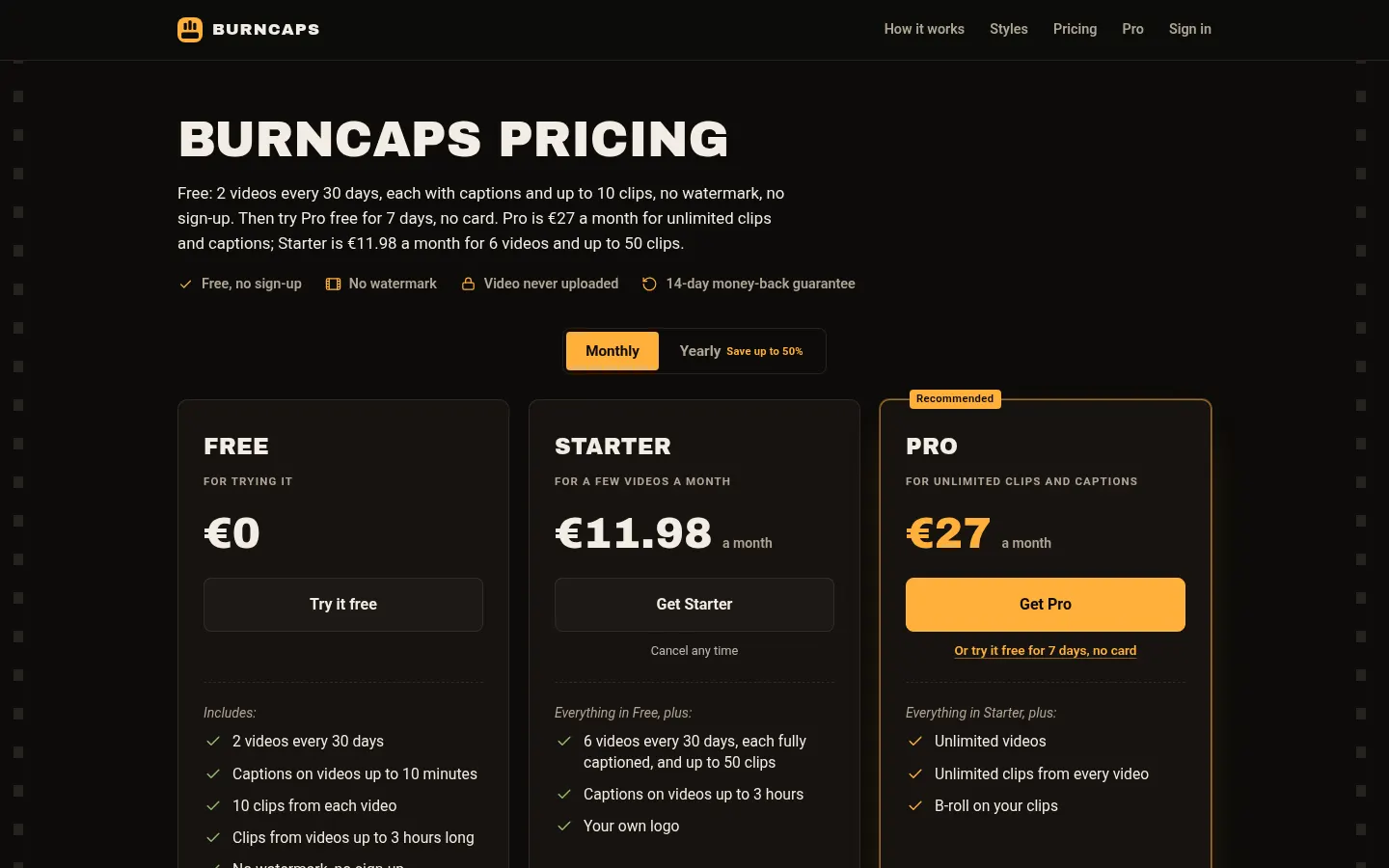
Free: $0. 2 videos every 30 days, captions on videos up to 10 minutes, 10 clips per video, no watermark or sign-up.
Starter: $11.98/month ($9.98/month billed $119.76 yearly). 6 videos every 30 days, captions on videos up to 3 hours, up to 50 clips and your own logo.
Pro: $29/month ($14.50/month billed $174 yearly). Unlimited videos and clips plus B-roll. 7-day trial with no card; the site says Pro opens soon.
- 14-day money-back guarantee. Cancel online anytime.
Burncaps Screenshots
Burncaps user reviews
Write a review
Checking your session...
Burncaps Reviews
Loading reviews...
Burncaps alternatives

AutoEditor
AutoEditor is an AI video editor that cuts raw footage for retention: it removes dead air and tangents, opens with your best hook and exports vertical clips.




Clip-Short
Clip-Short is an AI short video generator: it turns an idea into a narrated, captioned video and pulls the best clips from long videos.