
Share
What is Clip-Short?
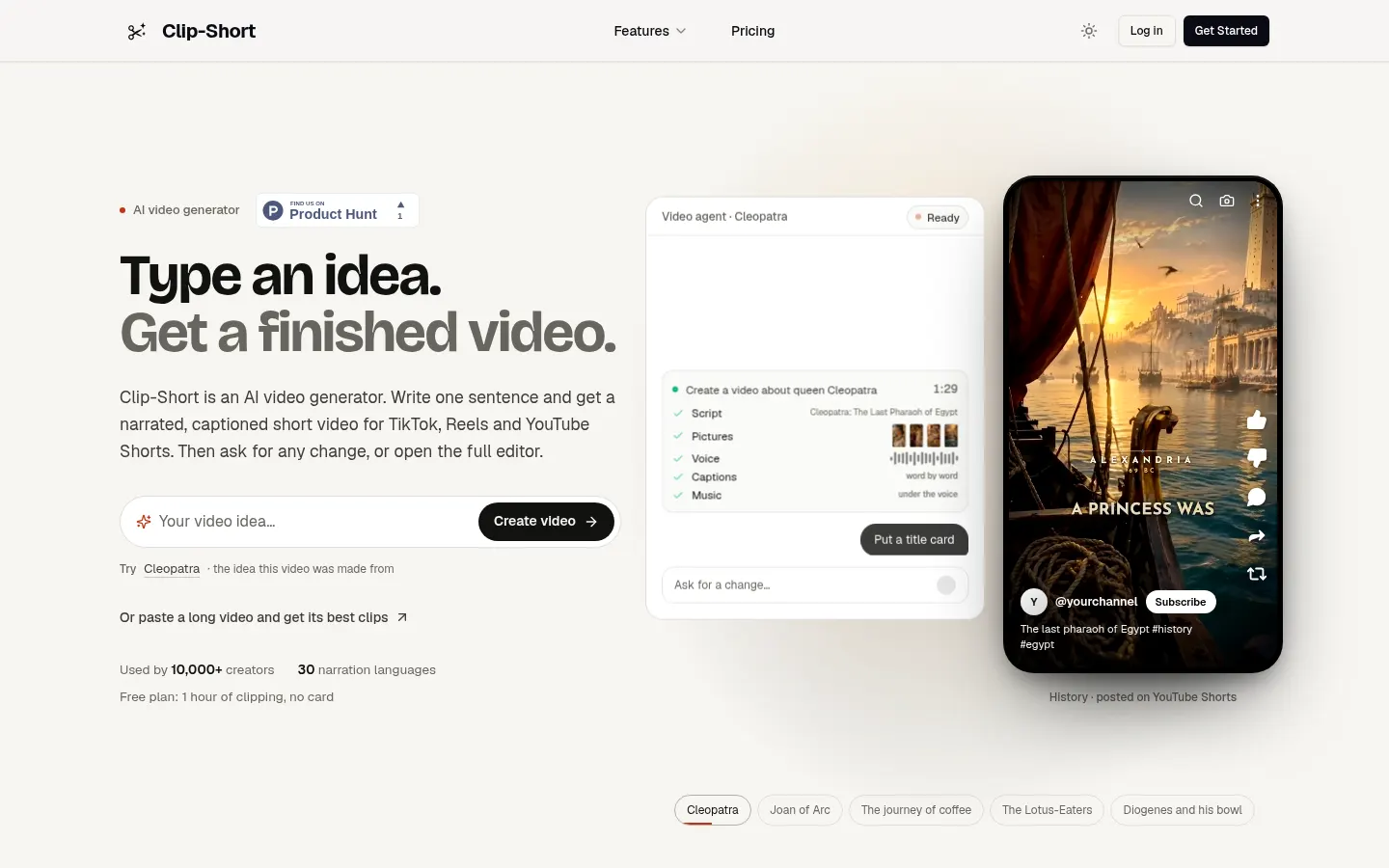
Clip-Short is an AI tool that makes short videos for TikTok, Reels and YouTube Shorts in two ways: from a single sentence describing your idea, or by cutting the best moments out of a long video. It's used by more than 10,000 creators and narrates in 30 languages.
How does Clip-Short make a video from an idea?
You type one sentence and its AI Agent writes the script, makes the pictures, records the voice and adds captions and music in a few minutes; you can close the page and it emails you when the video is ready. Then you ask for changes in plain language or open the full editor to animate, edit or redraw pictures and change the voice. With series you schedule episodes on the days you pick, with the same cast and memory of earlier episodes, from a short drama to a nightly bedtime story.
How does AI Clipping work?
Paste a YouTube link or upload a podcast, stream or interview. AI Clipping watches and listens to the whole video, picks moments that stand on their own and scores each out of 100. Every clip is reframed to keep the speaker in frame and captioned word by word, in 9:16, 1:1, 4:5 or 16:9.
Who is Clip-Short for?
- Creators running faceless channels on history, trivia or stories.
- Podcasters and streamers who want clips from their shows.
- Creators publishing in several languages.
Clip-Short pros and cons
It stands out for combining from-scratch generation and long-video clipping in one tool, and a failed video or clip never uses up your allowance. On the downside, idea-based videos top out at 10 minutes and the look relies on AI-generated pictures that are worth reviewing.
Clip-Short features and use cases
How to use Clip-Short
Clip-Short FAQ
What is Clip-Short?
Clip-Short is an AI short video generator that makes narrated videos from an idea and pulls clips from long videos for TikTok, Reels and Shorts.
Is Clip-Short free?
There's a free option with 1 hour of AI Clipping a month; idea-based videos need Pro or a single-video purchase, as shown in the pricing section.
Can I use Clip-Short in Spanish?
Yes. It narrates in 30 languages, including Spanish, and the site shows Spanish examples.
Does Clip-Short have an API?
The site doesn't advertise a public API; you use it through the web app.
How long can a Clip-Short video be?
Up to 10 minutes on Pro; the single-video purchase covers up to 3 minutes.
What is Clip-Short AI Clipping?
The feature that analyzes a long video, picks the best moments, scores them out of 100 and reframes them with captions.
Does Clip-Short add a watermark?
Pro and the single-video purchase have no watermark.
What if a Clip-Short video fails?
A failed video, clip or render costs nothing, and redoing a picture or voice never counts as another video.
Can I make series with Clip-Short?
Yes. You schedule episodes on chosen days with the same cast and continuity.
What are the best Clip-Short alternatives?
In the directory you can compare Opus Clip, Vizard and Submagic for AI clips and short videos.
Clip-Short pricing and plans
Reference price: 19 USD / month. Source · Verified: November 13, 2026
Clip-Short pricing in US dollars, USD (Checked on: 13/11/2026). Local prices apply in some countries (for example, €15 in the euro area).
- Free: $0. 1 hour of AI Clipping a month with captions and reframing, no card.
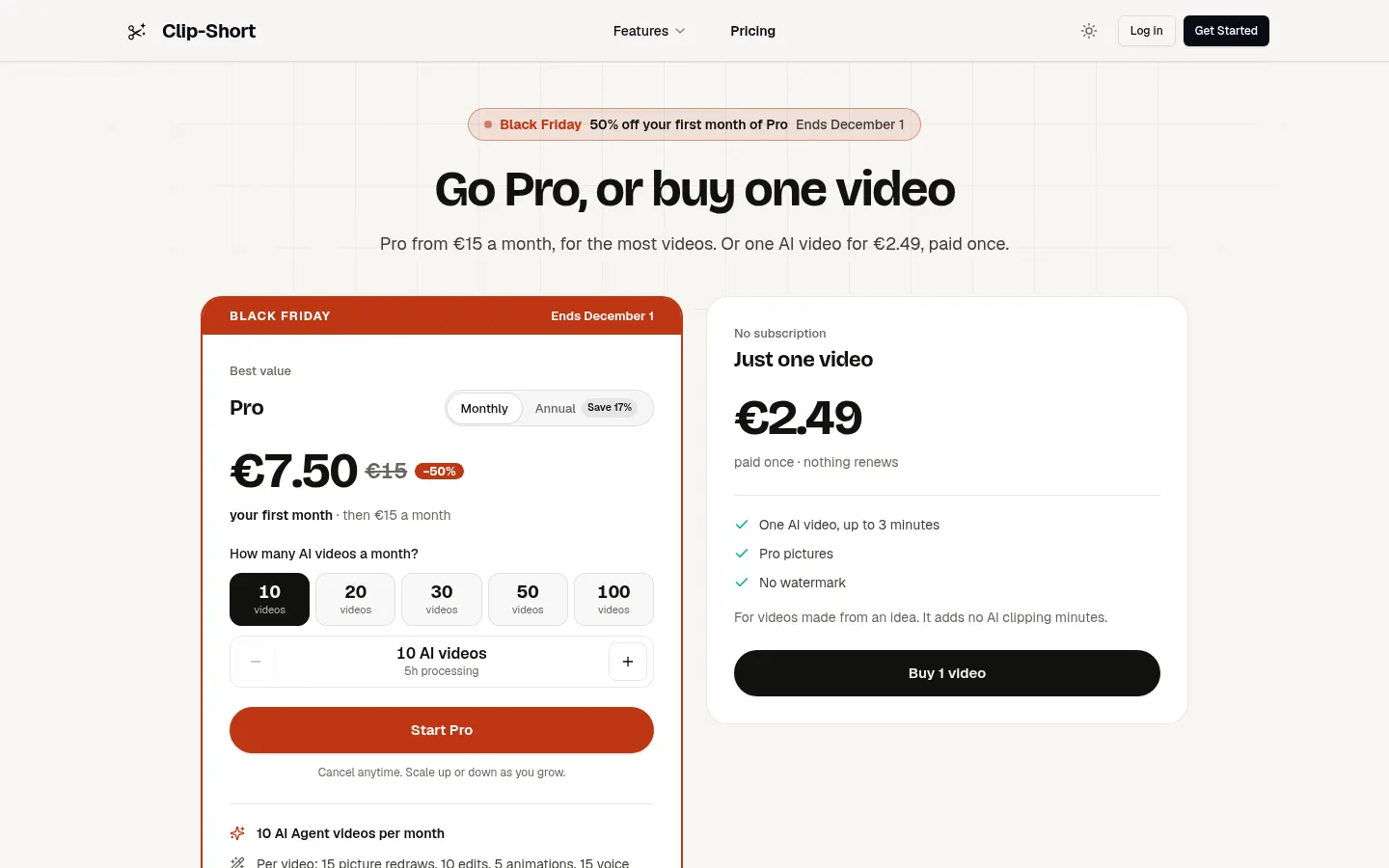
- Pro: from $19 a month or $190 a year. 10 AI videos a month (scalable to 100) and 5 hours of processing (up to 50), no watermark, editor and priority support. Per video: 15 picture redraws, 10 edits, 5 animations and 15 voice redos. Unused minutes and videos roll over on monthly billing.
- One video: $2.49 paid once for one AI video up to 3 minutes, no watermark.
Clip-Short Screenshots
Clip-Short user reviews
Write a review
Checking your session...
Clip-Short Reviews
Loading reviews...
Clip-Short alternatives

AutoEditor
AutoEditor is an AI video editor that cuts raw footage for retention: it removes dead air and tangents, opens with your best hook and exports vertical clips.