Share
What is Choppity?
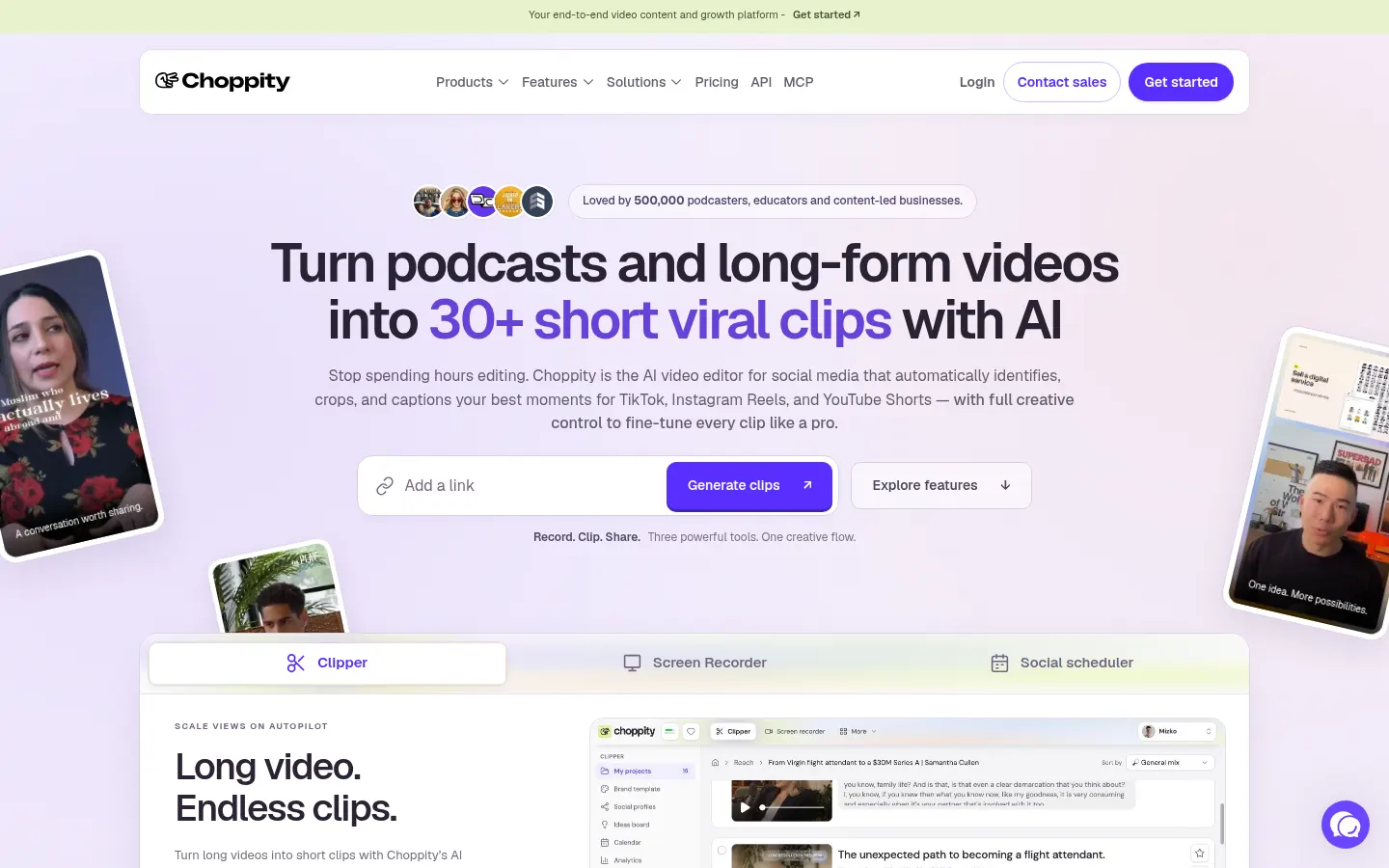
Choppity is an AI video clipping tool that turns podcasts, tutorials and long-form videos into short, social-ready clips for podcasters, educators and content-led businesses. You upload a file or paste a YouTube link, the AI finds the strongest moments and builds captioned vertical clips that you can still fine-tune by hand.
What is Choppity used for?
It helps you pull 30+ short clips out of a single episode for TikTok, Instagram Reels and YouTube Shorts without hours in a traditional editor. The AI spots key moments, reframes to vertical by following whoever is speaking and adds captions in custom styles. You can edit the video by editing its transcript, search for any line in your footage, add zooms and automatically bleep swear words.
How does Choppity work from recording to posting?
It bundles three tools you can use alone or chain together. A screen, camera and mic recorder with layouts and backgrounds for tutorials and courses. The AI clip editor, where you refine every cut with full creative control. And a content calendar to organize, publish or schedule posts across your social accounts, whether the video came from Choppity or not. Higher tiers add saved brand assets, bulk uploads and API access.
Who is Choppity for?
- Podcasters giving every episode more reach with several clips.
- Educators and course creators recording screen-based lessons.
- Agencies delivering short-form content to multiple clients.
- Coaches, churches and service businesses repurposing their sessions.
Choppity pros and cons
Pros: recording, clipping and posting live in one place, every clip stays editable instead of being a black-box output, and speaker tracking handles multi-person conversations. Cons: usage is capped by hours of analyzed video and storage per cycle, so channels with lots of footage need to watch that limit. The site does not list which caption languages are supported, and the interface is English-only.
Choppity features and use cases
How to use Choppity
Choppity FAQ
What is Choppity?
Choppity is an AI video editor that turns podcasts and long videos into captioned short clips and lets you post them to social media.
Is Choppity free?
There is a free tier with one hour of analysis per month plus paid tiers with more usage. See the pricing section.
Does Choppity have an API?
Yes, API access comes with the higher tiers for teams that want to build clip generation into their own workflows.
What languages does Choppity support?
The interface is in English and the site does not list caption languages, so test it with your own footage first.
Can I edit the clips the AI creates?
Yes, every clip opens in the editor where you can change cuts, captions, framing, zooms and the transcript.
Does it follow the speaker in multi-guest podcasts?
Yes, it detects who is talking and shifts the vertical frame to that person.
Can I post straight to TikTok or Instagram?
Yes, the content calendar publishes or schedules posts to your social accounts, including videos made outside Choppity.
Can I record tutorials with it?
Yes, it includes a screen, camera and mic recorder with layouts, backgrounds and zooms for lessons.
When does monthly usage reset?
Usage resets to zero on the first day of every calendar month.
What are the best Choppity alternatives?
On GptZone you can compare Opus Clip, Vizard and Munch Studio, which also turn long videos into short clips.
Choppity pricing and plans
Reference price: 24 USD / month. Source · Verified: November 7, 2026
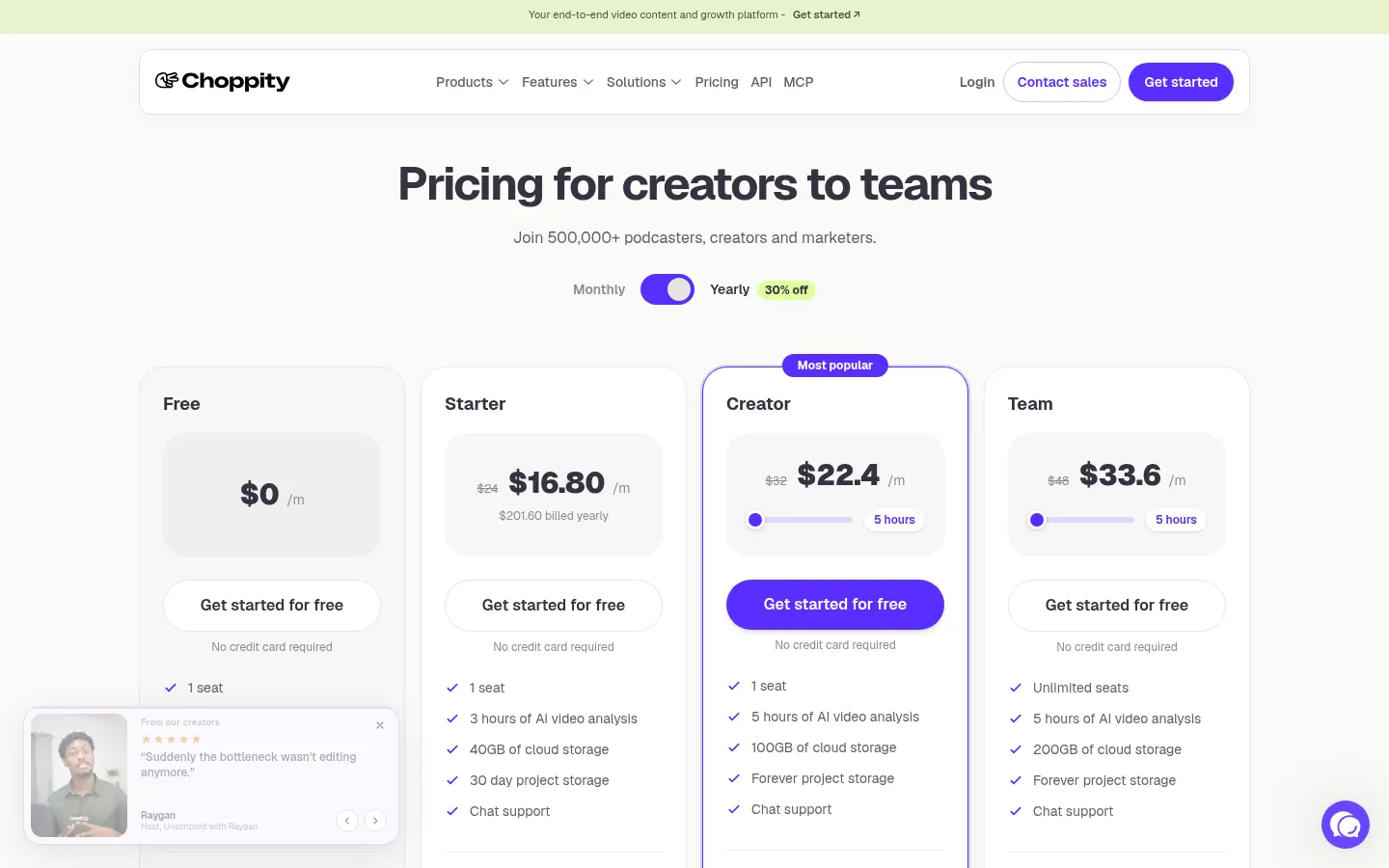
Official pricing in USD (Checked on: 07/11/2026). Monthly or yearly billing (30% off yearly). Refunds available within 14 days of payment.
- Free: $0 — 1 hour of AI video analysis, limited features, no card.
- Starter: $24/month ($16.80/month yearly, $201.60/year) — 3 hours of analysis, 1080p and 4K exports.
- Creator: $32/month ($22.40/month yearly) — 5 hours of analysis, bulk uploads (up to 10), 1 social account.
- Team: $48/month per seat ($33.60 yearly), from 3 seats — 3 hours of video and 60 GB per seat, brand templates and API.
- Enterprise: custom (security, procurement, white-label).
Choppity Screenshots
Choppity user reviews
Write a review
Checking your session...
Choppity Reviews
Loading reviews...
Choppity alternatives

AutoShorts.ai
AutoShorts.ai generates series of faceless short videos with AI and auto-posts them to TikTok, YouTube and Instagram at the frequency you choose.


Neural Frames
Neural Frames is a Berlin-based AI music video platform that creates audio-reactive clips with lipsync, lyric videos and a frame-by-frame editor.