
Share
What is TimeBolt?
TimeBolt is an AI tool that helps you remove silence and filler words from long videos and podcasts, delivered as a desktop app for Mac and Windows. It is built for YouTubers, teachers recording lessons, podcasters, gaming creators and editors who spend hours making jump cuts by hand. The team says it has had paying customers since 2019.
What is TimeBolt used for?
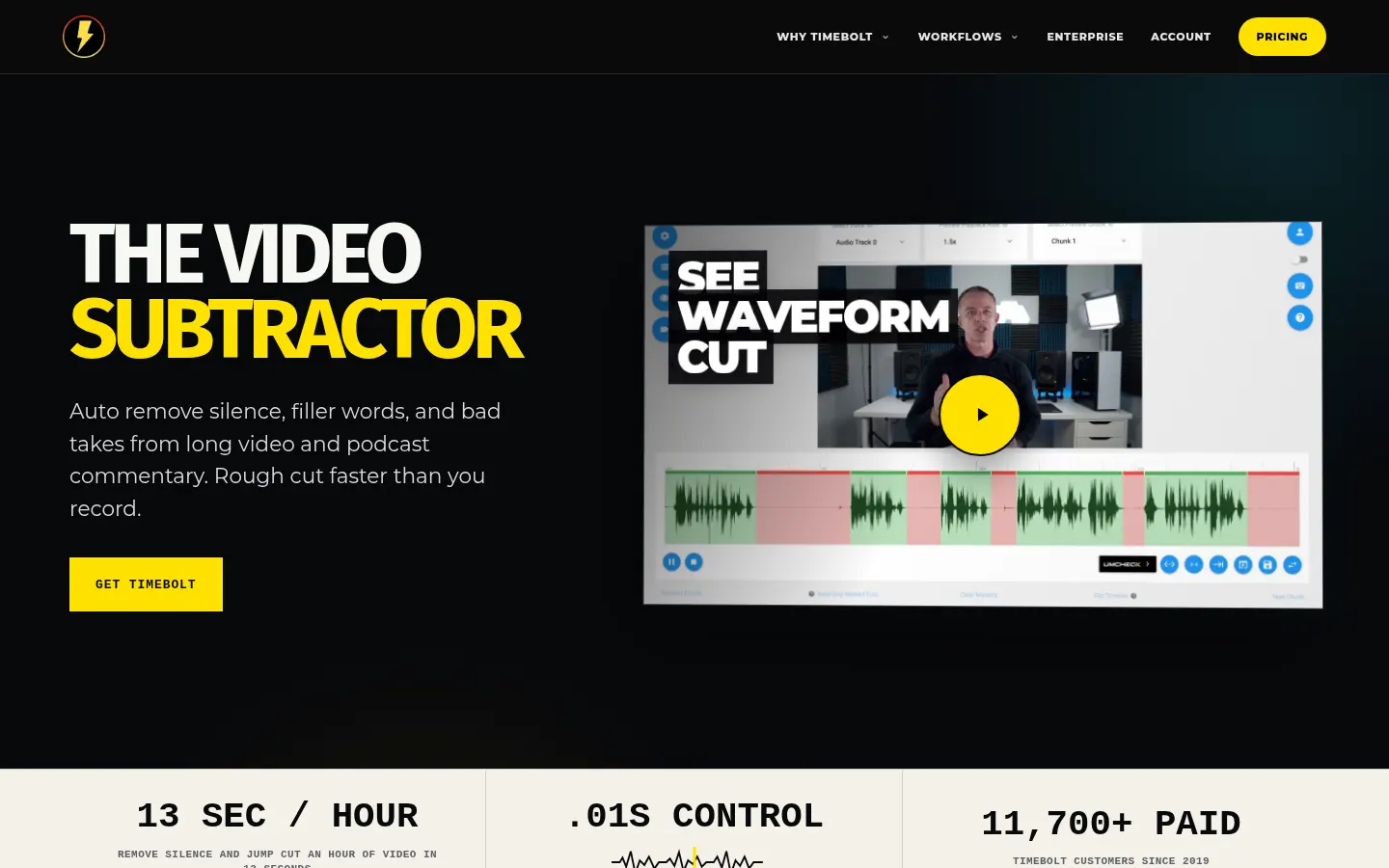
It gives you a rough cut in seconds: the company says it removes silence and jump cuts an hour of video in about 13 seconds. It works on the waveform, so you can review and adjust every cut precisely before exporting. Everything runs locally, with no cloud upload. UMCHECK, its AI transcription-based detection, finds "um," "uh," "you know," "like" and 25+ filler words and cuts them with millisecond precision; it also helps with false starts and repeated takes.
What else can TimeBolt do?
You can edit without stopping playback using keyboard shortcuts, speed up speech slightly without the chipmunk effect, fly through slow stretches with FastForward, punch in on the part of the frame that matters, split one recording into chapter clips, or stitch your best moments into one video. It generates SRT captions that follow your final cut, syncs multiple sources by active speaker, and exports XML for Premiere Pro, Final Cut Pro and DaVinci Resolve. It also includes a 4K screen and camera recorder with no watermark and Banger for sharing a cut as an unlisted link. You can plug in your own AI model if you prefer.
Who is TimeBolt for?
- YouTubers and teachers with long talking-head videos.
- Podcasters cleaning up silence and filler words.
- Gaming creators speeding through the slow parts.
- Regulated industries that cannot upload video to the cloud.
TimeBolt pros and cons
Pros: very fast, keeps files on your machine and plugs into professional editors. Cons: filler word detection is an extra charge per processed minute, the basic version exports with a watermark and no XML, and it is a cutting tool rather than a full editor with effects, so finishing happens elsewhere.
TimeBolt features and use cases
How to use TimeBolt
TimeBolt FAQ
What is TimeBolt?
TimeBolt is a Mac and Windows desktop editor that removes silence, filler words and bad takes from video and podcasts in seconds.
Is TimeBolt free?
There is a free version with watermarked exports and limited features; unrestricted exports need a paid option. See the pricing section.
Does TimeBolt have an API?
There is no public API; it runs as a desktop app and lets you connect your own AI model.
Which languages does UMCHECK support?
UMCHECK is documented with English filler words, so test it on your footage before relying on it for other languages. Silence removal works with any language.
Does TimeBolt upload my videos?
No, everything is processed on your computer; only the Banger sharing feature uses cloud services.
Does TimeBolt work with Premiere Pro?
Yes, it exports XML for Premiere Pro, Final Cut Pro and DaVinci Resolve.
How fast is TimeBolt?
The company says about 13 seconds to remove silence from an hour of video.
Can I use TimeBolt on several computers?
Yes, one license works on up to two machines at the same time.
Does TimeBolt generate captions?
Yes, it creates SRT captions timed to your final cut.
What are the best TimeBolt alternatives?
On GptZone you can compare Descript and AutoPod.
TimeBolt pricing and plans
Reference price: 97 USD / year. Source · Verified: November 7, 2026
Official pricing in USD (Checked on: 07/11/2026). 30-day money-back guarantee. One license works on up to 2 machines.
- Free: $0 — video only, silence removal, watermarked exports, no XML or project saving.
- Pro monthly: $17/month — video and audio of any length, XML and plugin export, Banger (12 min).
- Pro annual: $97/year (52% savings).
- Lifetime: $347 one-time — all future updates, Banger limited to 4 min with watermark.
- Enterprise: multi-seat licenses and on-prem deployment, custom.
UMCHECK filler word removal: $0.03 per minute of video on any paid option.
TimeBolt Screenshots

TimeBolt user reviews
Write a review
Checking your session...
TimeBolt Reviews
Loading reviews...