Share
What is Text to GIF?
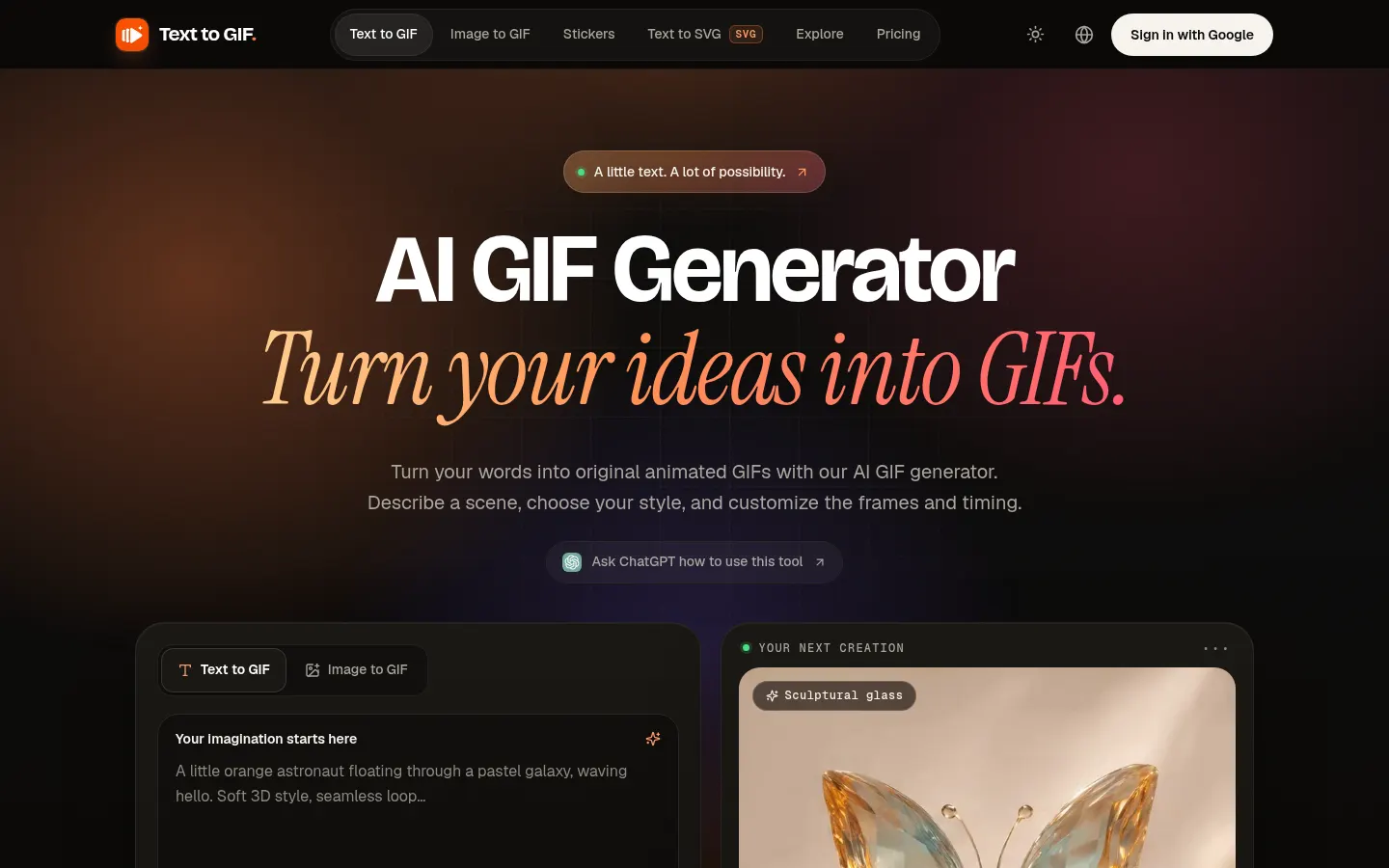
Text to GIF is an AI GIF generator that creates original animations from a written description: you set the subject, style and motion and get a looping GIF ready to download. The same account also includes image to GIF, a sticker studio and an SVG vector generator.
How do you make a GIF with Text to GIF?
You write the idea (up to 4,000 characters) and choose the output format (GIF, SVG, PNG, WebP or JPG), one of 15 aspect ratios, 1K to 4K resolution and one of five quality levels. For GIFs you set 2 to 16 frames and a frame duration of 20 to 2,000 milliseconds. The exact credit amount is shown before you generate, and credits come back automatically if a generation fails.
What other tools does it include?
- Image to GIF: upload a picture and describe how it should move.
- Sticker Studio: turn one character into a sticker pack for WhatsApp, Telegram, LINE or WeChat.
- Text to SVG: vector icons, logos and flat illustrations from one sentence.
Who is Text to GIF for?
For people making reaction GIFs, animated stickers or motion posters, designers who need quick SVG icons, and social teams who want original pieces without drawing every frame. It works on phone, tablet and desktop, in light or dark mode, and the interface comes in English, Traditional Chinese and Japanese.
Text to GIF pros and cons
Pros: lots of format, resolution and timing controls, true vector output and credits that never expire. Cons: you need to buy credits before your first download, the frames of a GIF share one total size budget, and the site asks you to check trademarks, rights and the AI provider’s terms before commercial use.
Text to GIF features and use cases
How to use Text to GIF
Text to GIF FAQ
What is Text to GIF?
Text to GIF is an AI tool that generates original animated GIFs from written descriptions, along with images, stickers and SVG files.
Is Text to GIF free?
There is no free plan: you need to buy one-time credits to download results. See the pricing section.
Do credits expire?
No. According to the official site, credits never expire and are refunded if a generation fails.
Can I control the animation?
Yes: you choose 2 to 16 frames and 20 to 2,000 milliseconds per frame, and you can ask for a clean loop in the prompt.
Can I animate my own image?
Yes, with the Image to GIF tool: upload the picture and describe how it should move.
Can I use the results commercially?
The site asks you to review the AI provider’s terms, trademarks and likeness rights before commercial use.
Does Text to GIF have an API?
The official site does not mention a public API; it is used in the browser.
Is Text to GIF available in Spanish?
No. The interface is in English, Traditional Chinese and Japanese, though you can write prompts in other languages.
What are the alternatives to Text to GIF?
On GptZone you can compare it with GifGenerator, which has free use and a GIF editor, or with Pika for animated videos.
Text to GIF pricing and plans
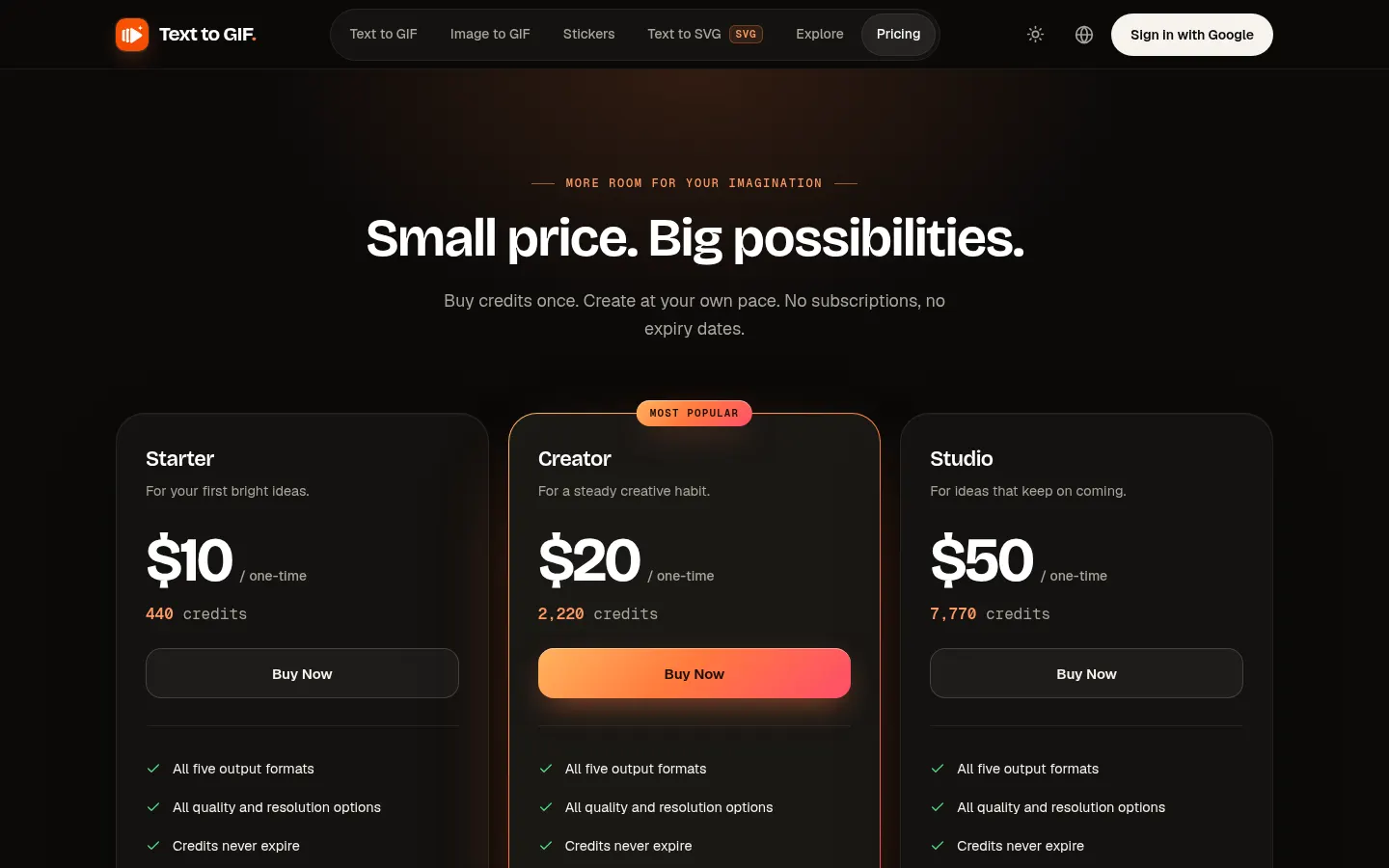
Reference price: 10 USD · one-time payment. Source · Verified: November 14, 2026
Prices in US dollars (USD) per the official site. Checked on: 16/11/2026. It runs on one-time credit packs, with no subscription and no expiry.
Starter: $10, 440 credits.
Creator: $20, 2,220 credits.
Studio: $50, 7,770 credits.
Usage depends on settings: a draft 1K still starts at 10 credits and a balanced 1K GIF with 9 frames uses 30. Payment via Stripe.
Text to GIF Screenshots
Text to GIF user reviews
Write a review
Checking your session...
Text to GIF Reviews
Loading reviews...
Text to GIF alternatives

GifGenerator
GifGenerator is an AI GIF generator that turns a prompt, photo, sketch or logo into a looping GIF, with a built-in editor for speed, frames and captions.


Background Remover Video
Automatically remove backgrounds from any video without a green screen. Export in 4K with transparent or solid colors while preserving original audio.