Share
Generate animations and sprite sheets for games from an image. Create movement and combat cycles ready for integration into development engines.
What is Spritix?
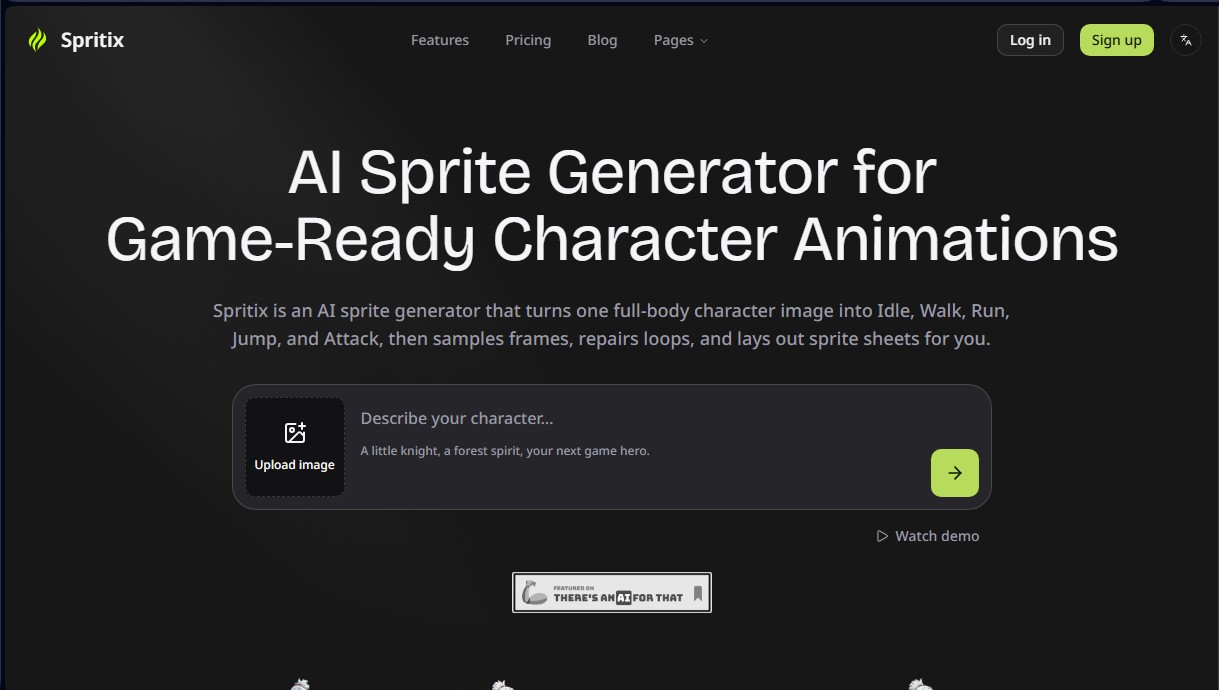
Spritix is an advanced AI sprite generator designed to transform a single static character image into full animations ready for video game integration. This tool drastically optimizes the workflow for developers and 2D artists by automating the creation of complex movement sequences, eliminating the need to manually illustrate every frame. Starting from a full-body image in PNG, JPG, or WebP formats, the system generates essential actions such as walking, running, jumping, attacking, or the idle state, ensuring the character maintains its visual identity at all times.
The operation of Spritix is based on a technical standardization process. When an image is uploaded, the AI creates a normalized character reference that serves as an anchor for all animations. This technological approach ensures that proportions, color palettes, and design details remain stable across different frames. Additionally, the platform allows for the generation of 8-direction sprites, a key feature for projects with isometric or top-down perspectives, automatically managing directional references and asset mirroring.
The core capabilities of this tool include:
- Automated action generation: Creates fluid movement cycles for Idle, Walk, Run, Jump, and Attack independently.
- In-browser loop editing: Allows users to adjust speed, trim excess frames, and apply the Perfect Loop function for clean transitions without consuming additional generation credits.
- Version management: Maintains an immutable history of every attempt (from v1 to vN), making it easy to compare results and recover previous versions.
- Export customization: Users can define frame count, frame size, and scaling smoothness before the final download.
Regarding file delivery, Spritix generates standard assets that do not require a proprietary runtime engine. Each export includes a PNG sprite sheet organized by rows and columns, an animated GIF for previewing, an Atlas JSON file with timing coordinates, and a ZIP file containing the individual frames. This ensures full compatibility with the industry's most popular game engines, such as Unity, Godot, GameMaker, Phaser, and Cocos Creator, as well as professional editing tools like Aseprite.
This solution is ideal for indie studios and designers looking to accelerate the production of character animations for video games without sacrificing aesthetic consistency. By centralizing preparation, generation, and post-processing into a single interface, the tool allows users to go from a conceptual design to a functional action library in just a few minutes, facilitating both rapid prototyping and the creation of high-quality final assets.
Spritix features and use cases
How to use Spritix
Spritix FAQ
What is Spritix and what is this tool used for?
Spritix is an AI-powered sprite generator that converts a single character image into idle, walk, run, jump, and attack animations.
What files do I get when I export my animations from Spritix?
Each generation allows you to download a PNG sprite sheet, an animated GIF, a JSON file for the atlas, and a ZIP file containing all individual frames.
Can I use Spritix assets in engines like Unity or Godot?
Yes, the PNG sprite sheets are industry-standard and can be imported directly into Unity, Godot, GameMaker, Phaser, and other development tools.
What kind of source image works best on the platform?
Ideally, you should upload a full-body image with a clear silhouette and a simple background in PNG, JPG, or WebP formats up to 10 MB.
Is it possible to edit animation loops without using additional credits?
Yes, speed adjustments and loop corrections are done directly in the browser and do not require spending any generation credits.
What does the Spritix free plan offer to new users?
The free plan includes 20 monthly credits to create characters and actions, and also allows for two full generation downloads each month.
How does Spritix ensure character consistency across different actions?
The tool first generates a normalized reference of the character, which is then reused for each animation to keep proportions and visual style consistent.
What should I do if an animation generation fails?
In the event of a technical error during the animation process, the system automatically refunds the credits used.
Spritix pricing and plans
Free Plan: $0 per month
20 credits per month (valid for 30 days).
Standard exports.
Limit of 2 Mirror, 2 Smooth, and 2 Perfect Loop per month.
Limit of 2 downloads per month.
Starter Plan: $12 per month ($9.60/mo billed annually)
500 credits per month (valid for 30 days).
Advanced exports.
Unlimited Mirror, Smooth, and Perfect Loop.
Automatic Perfect Loop feature.
Unlimited downloads.
Pro Plan: $29 per month ($23.20/mo billed annually)
1,500 credits per month (valid for 60 days).
Advanced exports.
Unlimited Mirror, Smooth, and Perfect Loop.
Automatic Perfect Loop feature.
Unlimited downloads.
Access to all Credit Packs.
Max Plan: $69 per month ($55.20/mo billed annually)
4,500 credits per month (valid for 60 days).
Advanced exports.
Unlimited Mirror, Smooth, and Perfect Loop.
Automatic Perfect Loop feature.
Unlimited downloads.
Access to all Credit Packs.
Spritix Screenshots
Spritix user reviews
Write a review
Checking your session...
Spritix Reviews
Loading reviews...