

Share
What is Viberot?
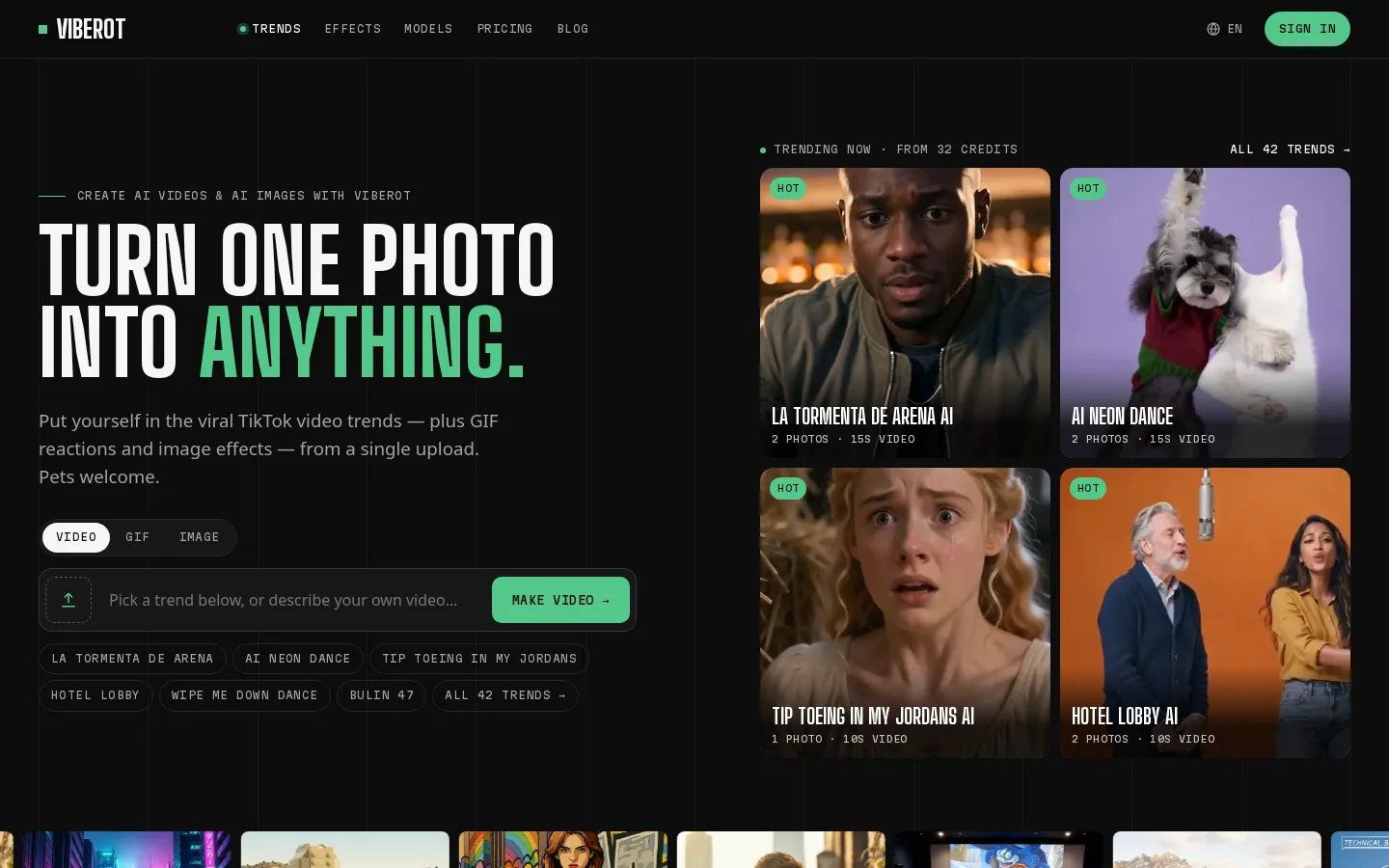
Viberot is a web app that turns a single photo into a short clip copying a viral TikTok trend, a reaction GIF or a stylised image. It works with your own face, a friend's, or your pet's.
Templates built from real trends
Each template recreates an actual viral clip, down to the dance moves, camera work and timing. There are around 42 trend templates plus more than 89 GIF and image effects, from hugs and waves to GTA-style art, LEGO, Minecraft and polaroid looks. Some trends take two photos so two people can appear together.
Which models it runs on
Every effect is a tuned preset sitting on top of well-known video and image models such as Veo 3.1, Seedance and Kling, along with Wan, Nano Banana and GPT Image, so there's no prompt writing involved. If you want more control, separate image and video generators accept a text prompt or a starting picture.
- Clips of 5 to 15 seconds at 480p or 720p, and up to 1080p on some tiers.
- Vertical 9:16 for TikTok, Reels and Shorts, or landscape 16:9.
- The exact credit cost appears before you hit generate.
- Automatic refunds when a render fails or a model's safety filter blocks it.
Who it suits and what it costs
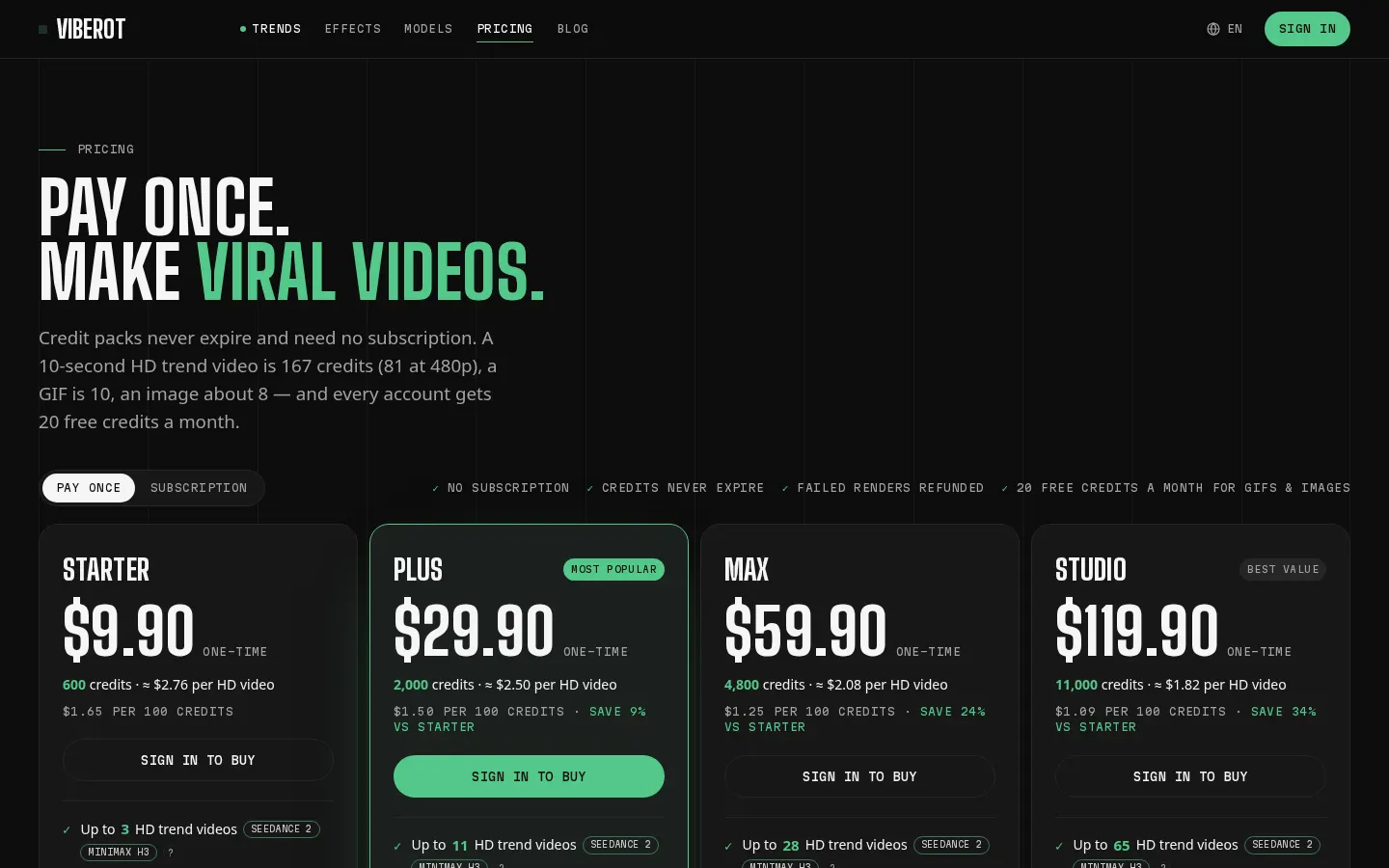
It's aimed at social media creators and anyone who wants in on a trend without filming anything. Everything runs on credits: each account gets 20 free credits a month, which covers GIFs and images, and one-time packs start at $9.90 with credits that never expire. Pro and Ultra subscriptions exist for people posting every week.
A few things worth knowing: creations on unpaid accounts may be public, intimate effects reject photos of minors and public figures, and the trend audio included in a clip is not a music licence for commercial use.
Viberot features and use cases
How to use Viberot
Viberot FAQ
Is there a free version of Viberot?
Yes. Every account gets 20 free credits a month with no card required, enough for several GIFs or images but not for an HD trend video.
Do I need a subscription to make trend videos?
No. One-time credit packs work fine and their credits never expire.
Does it work with pet photos?
It does, and plenty of templates and GIFs are built specifically for dogs, cats and other pets.
Are my creations private?
Once you've bought any pack or plan, yes. On free accounts your results may show up in the public gallery.
What if a render goes wrong?
When a generation fails or gets blocked by a model's safety filter, the credits are returned to your balance automatically.
Can I use the videos commercially?
Viberot says paid plans allow commercial use, but the trend audio doesn't come with a music licence, so check those rights before running ads.
Is there an API?
No, Viberot is a browser-based app with no public API or SDK.
Can I use a photo of a celebrity?
Not with intimate effects like kisses or cuddles, which reject photos of public figures and minors.
What languages is the site available in?
English, Spanish and Korean.
Viberot pricing and plans
Reference price: 9.9 USD · one-time payment. Source · Verified: October 21, 2026
Prices in US dollars (USD) as listed on the official site. Checked on: 21/10/2026.
Free: 20 credits every month, no card needed (meant for GIFs and images).
One-time packs (credits never expire and switch on private generation):
- Starter: $9.90 for 600 credits (about 3 HD 10-second videos)
- Plus: $29.90 for 2,000 credits
- Max: $59.90 for 4,800 credits
- Studio: $119.90 for 11,000 credits
Subscriptions: Pro at $19.90/month or $192/year (1,200 credits a month); Ultra at $49.90/month or $480/year (4,000 credits a month). Both add watermark-free downloads and a faster queue.
Typical costs: a 10-second trend video is 167 credits at 720p (81 at 480p), a GIF is 10 and an image around 8.
Viberot Screenshots
Viberot alternatives
Background Remover Video
Automatically remove backgrounds from any video without a green screen. Export in 4K with transparent or solid colors while preserving original audio.
SpriteFlow
Generate AI animations and sprite sheets for video games. Create consistent assets ready to export to engines like Unity or Godot.
AdWorker.ai
Remove backgrounds from animated GIFs online for free. Get smooth transparency for stickers, memes, and streaming alerts with professional results in seconds.
Screen Studio
macOS screen recorder that automates editing with smart zoom and cursor smoothing. Create professional demos, courses, and social media videos in minutes.

VideoWeb Video Generator
Generate professional AI videos from text or images. Features realistic avatars, automated scripts, and optimized formats for marketing and social media.