
Share
Remove backgrounds from animated GIFs online for free. Get smooth transparency for stickers, memes, and streaming alerts with professional results in seconds.
What is AdWorker.ai?
AdWorker.ai is a platform specialized in artificial intelligence tools for visual design, highlighting its ability to remove backgrounds from GIF files automatically and for free. This web application allows users to transform animations with solid or complex backgrounds into files with true transparency, making them easy to integrate into various digital environments without the need to install heavy software on your computer. Its primary function is to isolate the moving subject while maintaining the fluidity of the original animation, which is ideal for quickly and efficiently optimizing visual assets.
The tool operates based on frame-by-frame processing using artificial intelligence algorithms. Unlike background removers for static images, the AdWorker.ai system analyzes the entire sequence to ensure the cutout remains consistent over time, reducing visual flickering and maintaining smooth edges. The workflow is entirely online: the user uploads a file (with a maximum size of 10MB), the AI identifies the main subject, and generates a transparent GIF output ready to download in just a few seconds.
Its technical capabilities and practical benefits include the following:
White and Solid Background Removal: Optimized for cleaning up white boxes around animations, which is essential for dark mode interface design or creating custom stickers.
Temporal Consistency: AI technology minimizes edge distractions between frames, achieving a more professional and natural look in the motion.
Output Compatibility: The generated files are suitable for immediate use in messaging apps, web browsers, and video production tools.
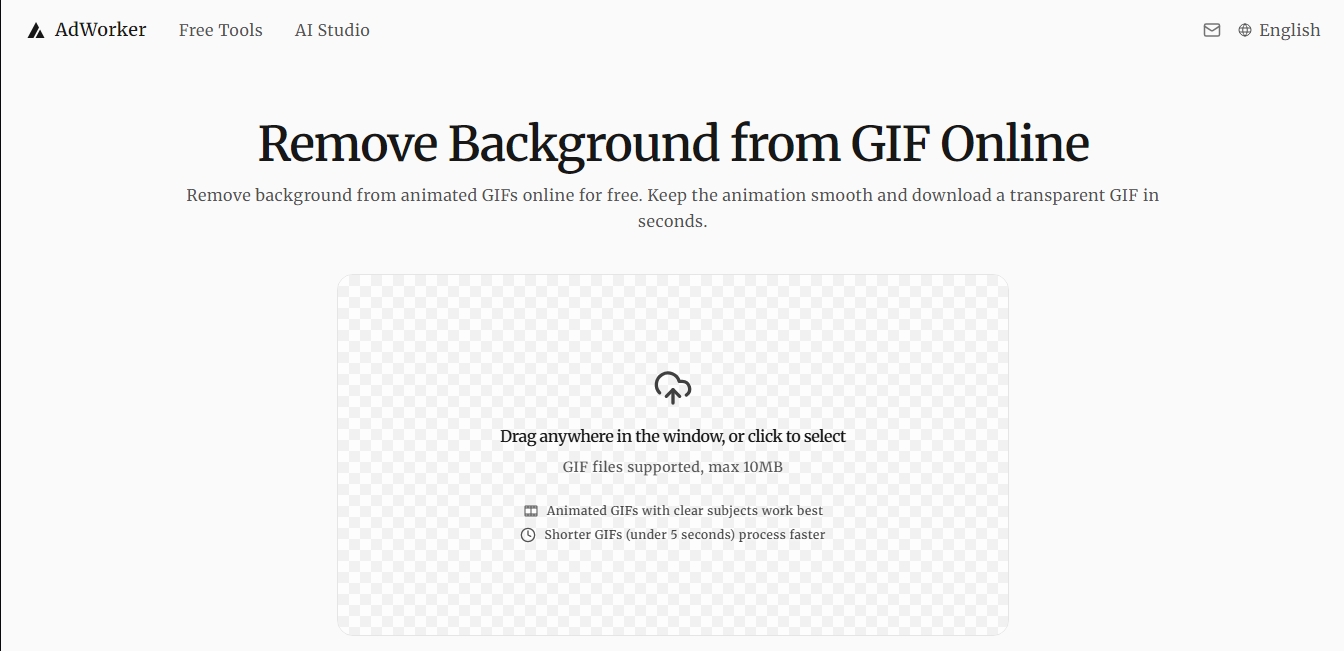
Intuitive Interface: Users can drag and drop files directly into the browser window, streamlining the process for those without technical experience.
The benefits of AdWorker.ai extend to various professional roles. Content creators can generate memes and animated reactions with clean finishes for social media. In the field of web development and user interface (UI) design, it is an effective solution for creating animated icons, loaders, and navigation elements that need to be overlaid on dynamic backgrounds. Similarly, streamers use this tool to set up streaming alerts and visual elements for live broadcasts that don't obstruct the screen with opaque boxes.
For optimal results, the tool works best with GIFs featuring clearly defined subjects and short durations, preferably under 5 seconds. In addition to its specialization in animations, the AdWorker.ai ecosystem offers support for static image management, allowing users to switch between the GIF background remover and image optimization tools for e-commerce, establishing itself as a versatile solution for managing AI-powered digital assets.
AdWorker.ai features and use cases
How to use AdWorker.ai
AdWorker.ai FAQ
What is AdWorker.ai and what does it do?
It is a free online tool designed to remove the background from animated GIFs while maintaining the transparency and smoothness of the original movement.
How do I remove the background from a GIF using AdWorker.ai?
Simply drag your GIF file into the main window or click to select it, and the AI will automatically process every frame.
Is there a file size limit on AdWorker.ai?
The platform currently supports animated GIF files with a maximum size of ten megabytes.
What types of animations yield the best results?
The best results are achieved with files that have well-defined subjects and a duration of less than five seconds to ensure faster processing.
Can I remove white backgrounds to create stickers?
Yes, the tool's technology allows you to precisely clean white or light backgrounds so the subject stands out perfectly in any design or dark mode.
Is there a fee to use the AdWorker.ai background remover?
No, this service is completely free and works directly in your browser without the need to install software or deal with additional configurations.
Will the final result be a GIF with a transparent background?
Exactly. After processing, you will receive a transparent GIF file ready to be used in streaming alerts, app interfaces, or social media.
How does AdWorker.ai ensure the animation looks smooth?
The AI analyzes the file frame by frame to maintain subject consistency and reduce edge flickering after the background is removed.
AdWorker.ai pricing and plans
Free Plan: 0 €
Free background removal for animated GIFs directly in your browser.
Download output files in transparent GIF format.
Frame-by-frame animation processing to maintain smoothness and reduce flickering.
Optimized tool for removing white and solid backgrounds from stickers or memes.
File size limit of up to 10 MB.
Time restriction: GIFs under 5 seconds are processed faster.
Other plans:
Please check the official website for detailed pricing information on advanced "AI Studio" tools (such as AI Product Photo or Scene Generator), as additional rates are not specified in the provided details.
AdWorker.ai Screenshots
AdWorker.ai alternatives


utilz Background Remover
Remove image backgrounds for free with total privacy in your browser. Create transparent or colored backgrounds without uploading files while maintaining original resolution.



AlreadyRan
AlreadyRan brings dozens of AI image, video and audio models into one web studio with a single credit balance and the cost shown before every generation.