

Share
Generate professional YouTube thumbnails from your video links. Create automated designs that boost clicks and maintain your brand identity in seconds.
What is SnapThumb?
SnapThumb is an AI-powered tool specializing in creating YouTube thumbnails designed to maximize CTR (Click-Through Rate). Its primary function is to transform a video link or description into a high-impact visual, specifically engineered to grab the viewer's attention and boost channel performance. This solution is aimed at content creators seeking professional results without needing to master complex graphic design software or spend hours on manual work for every upload.
Unlike generic image generators, SnapThumb’s technology has been trained on a dataset of over 50,000 viral thumbnails, allowing it to apply design principles proven by YouTube strategy experts. The system doesn't just generate an image; it analyzes the video's context to suggest coherent titles and visual elements. Furthermore, it ensures brand consistency by accurately integrating the creator's face and brand colors into every design, avoiding the common distortions found in other generalist AI models.
The platform’s operation is intuitive and structured around three key steps:
- Visual Identity Setup: The user uploads a photo of their face and selects their color palette so the AI can replicate them consistently.
- Content Processing: By entering a YouTube video link, the tool analyzes the topic to build an optimized visual proposal.
- Natural Language Customization: Once the thumbnail is generated, changes can be made simply by typing the desired instructions, eliminating the need to manually edit layers on a desktop or mobile device.
Among its functional capabilities, the simultaneous generation of titles and thumbnails that complement each other stands out—a vital feature for the recommendation algorithm. The tool saves an average of two hours per video, delivering ready-to-use results in less than 60 seconds. It is compatible with various niches, from programming tutorials and personal finance to gaming content and travel vlogs, even allowing for the use of avatars or virtual characters for VTuber-style creators.
Using SnapThumb facilitates channel growth by analyzing visual patterns that encourage clicks. Practical benefits include access to a branding dashboard, an optimized title generator, and an integrated editing tool for quick touch-ups. As a cloud-based application, it allows users to manage their workflow efficiently and professionally, ensuring every video has the chance to reach a larger audience through expert, automated design.
SnapThumb features and use cases
How to use SnapThumb
SnapThumb FAQ
What is SnapThumb and how can it help improve my channel?
SnapThumb is an AI-powered tool that creates professional YouTube thumbnails in sixty seconds, allowing you to significantly boost your videos' click-through rate.
How does the creation process work on SnapThumb?
Simply upload a photo of your face to maintain your personal brand and paste your YouTube video link; the system will then automatically design the perfect thumbnail for you.
How is SnapThumb different from using Canva or ChatGPT?
Unlike generic tools, this platform is specifically trained on over fifty thousand viral thumbnails and ensures your face looks consistent across every design.
Can I try SnapThumb for free?
Yes, all new users receive a free trial with twenty credits, which allows you to generate approximately six thumbnails without having to enter any credit card information.
What are credits and how are they used on the platform?
Credits are used to generate and edit images. A new thumbnail costs between three and six credits, while each subsequent modification costs only one credit.
What happens to my unused SnapThumb credits at the end of the month?
On paid plans, unused credits roll over to the following month, allowing you to bank up to double your monthly credit allowance.
Do I legally own the thumbnails I design?
You have full ownership of every thumbnail you generate and the right to use them on your channel forever, even if you choose to cancel your subscription later.
Is it possible to edit the result if I want to change a specific detail?
You can easily make changes by typing what you want to modify, and the tool will immediately adjust the design based on your text instructions.
What guarantee does SnapThumb offer if my results don't improve?
The platform offers a money-back guarantee if your click-through rate doesn't increase after using the designs, and you can cancel any plan at any time with no commitment.
Does SnapThumb work for gaming channels or VTubers?
Yes, the system allows you to upload any type of avatar or virtual character to seamlessly integrate it into your thumbnails while maintaining your brand aesthetic.
SnapThumb pricing and plans
Free Trial
Free.
- 20 one-time credits.
- Allows for approximately 6 thumbnails.
- No credit card required.
Create Plan
$15 per month (or $12 per month billed annually). Early access promotional price; regular price will be $25/month.
- 80 credits per month (approx. 26 thumbnails).
- Brand dashboard and title generator.
- Integrated editing tool.
- A/B testing functionality.
- Unused credit rollover (up to 2x the monthly limit).
- 24-hour email support.
Elevate Plan
$39 per month (or $31 per month billed annually). Early access promotional price; regular price will be $59/month.
- 300 credits per month (approx. 100 thumbnails).
- Includes all Create plan features.
- Premium quality thumbnails.
- Custom subject spotlight.
- 12-hour priority support.
- Unused credit rollover (up to 2x the monthly limit).
Scale Plan
$99 per month (or $79 per month billed annually). Early access promotional price; regular price will be $149/month.
- 1,000 credits per month (approx. 333 thumbnails).
- Includes all Elevate plan features.
- Maximum 8-hour priority support.
- Unused credit rollover (up to 2x the monthly limit).
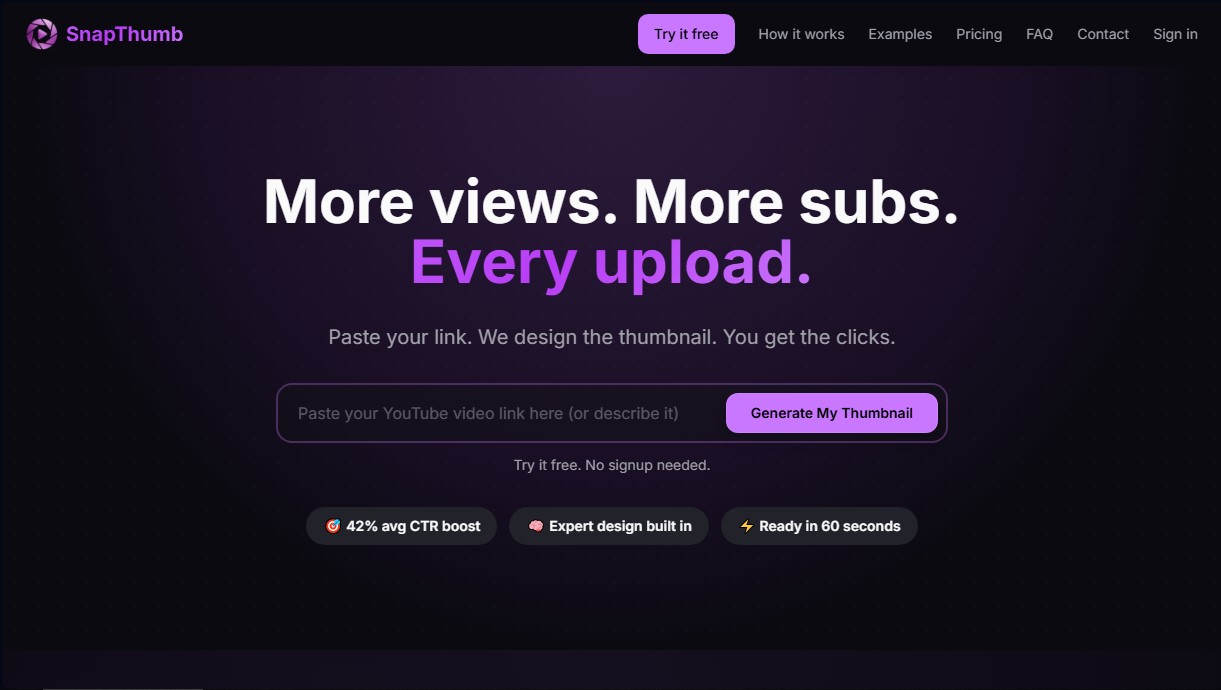
SnapThumb Screenshots
SnapThumb alternatives


NeotypeLab
NeotypeLab uses AI to plan paint schemes for Gunpla, mecha girls and Zoids, with real hobby paint codes, a spraying sequence, a shopping list and an HD preview.

AlreadyRan
AlreadyRan brings dozens of AI image, video and audio models into one web studio with a single credit balance and the cost shown before every generation.


Vidverse AI
Vidverse AI brings several AI video, image and voice models into one web and mobile app, so you can turn text or photos into clips, images and voiceovers.

Comik AI-Anime Character Creator
Design anime characters using text or images. Generate multi-view design sheets to ensure visual consistency across comics, manga, and animated videos.