utilz Background Remover
Share
Remove image backgrounds for free with total privacy in your browser. Create transparent or colored backgrounds without uploading files while maintaining original resolution.
What is utilz Background Remover?
utilz Background Remover is a specialized technical tool for AI background removal that stands out by processing images directly on the user's computer or mobile device. Unlike other cloud-based services, this application runs AI models locally in the browser, meaning photos are never uploaded to an external server, ensuring total privacy and allowing for offline work after the initial load.
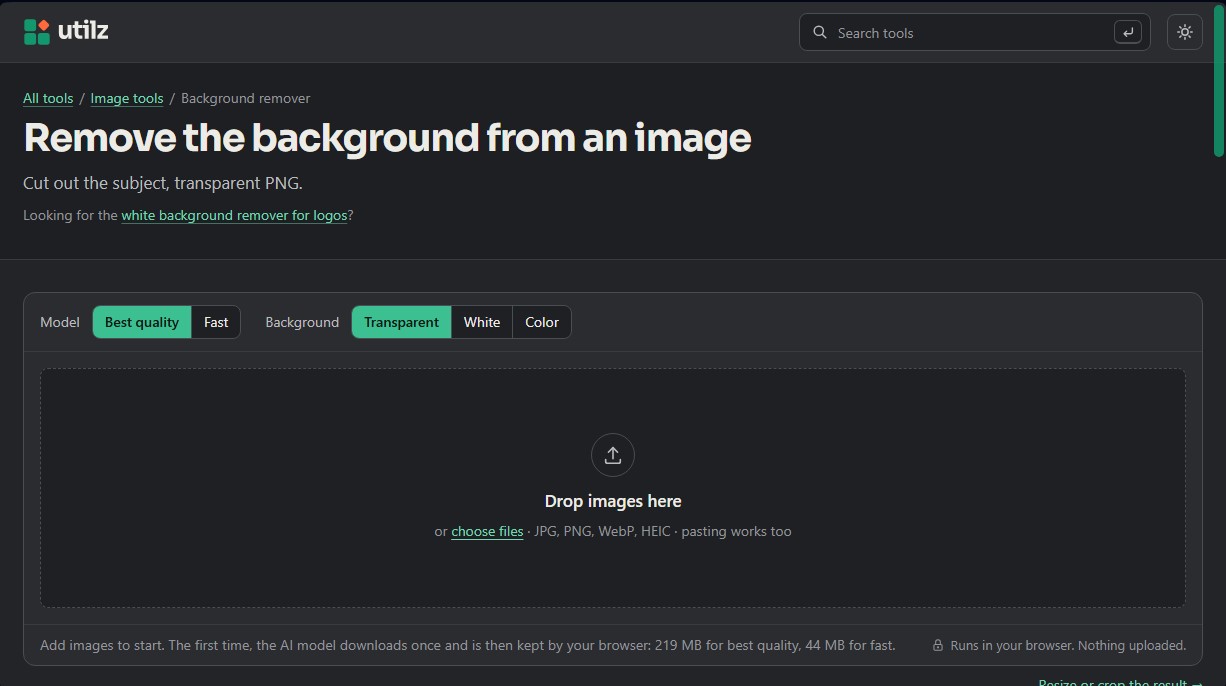
The tool offers two different technological approaches depending on the desired performance. Best quality mode uses the BEN2 (Background Erase Network) model, an open-source system that leverages graphics card power via WebGPU. This model can precisely separate the subject even when its colors are very similar to the background. Meanwhile, the Fast option uses ORMBG, a lighter model based on IS-Net, optimized for detecting human silhouettes and high-contrast objects, running smoothly on any type of device.
Key capabilities and practical benefits include:
- High-resolution processing: Unlike other alternatives, utilz Background Remover preserves every pixel of the original image, exporting the result at full size without any loss of quality.
- Manual editing with Touch up: Includes erase and restore brushes to perfect edges in complex areas like hair or shadows, allowing for total control over the final mask.
- Batch processing: Users can drag multiple files simultaneously to process them in sequence and download them individually or grouped in a .zip file.
- Format and background versatility: Supports JPG, PNG, WebP, and HEIC files. It allows for exporting with a transparent background, in pure white (#FFFFFF) for e-commerce catalogs, or in any custom solid color.
This tool is a highly efficient alternative to remove.bg for professionals who require a fast workflow without credit-based costs. It is especially useful for marketplace sellers who need to adapt product photos to Amazon standards, as well as for graphic designers looking for a clean cutout subject for creative compositions. Since it is a solution based on models with MIT and Apache 2.0 licenses, the generated content can be used for commercial purposes without restrictions or watermarks. The system also includes a comparison slider and zoom tools to verify the cleanliness of the edges before the final download.
utilz Background Remover features and use cases
How to use utilz Background Remover
utilz Background Remover FAQ
Does utilz Background Remover upload my photos to a server?
No. The AI model runs directly in your browser, so your images never leave your device, ensuring your privacy is guaranteed.
What is the difference between the quality options in utilz Background Remover?
The "best quality" option uses a more advanced model for greater edge precision, while the "fast" option is more lightweight and works on any device with optimal results.
Can I touch up the result if the cutout isn't perfect?
Yes. You have access to a touch-up feature that allows you to manually erase leftover background or restore parts of the original subject using a brush tool.
What types of backgrounds can I apply to my processed images?
You can choose a transparent background for PNG cutouts, a pure white background for e-commerce products, or any other solid color of your choice.
Is utilz Background Remover free for commercial use?
The tool is completely free, requires no registration, and does not add watermarks. The AI models used allow for the commercial use of all processed images.
Do I need an internet connection every time I want to process an image?
You only need a connection the first time to download the AI model to your browser. After that, you can process photos even while offline.
Does utilz Background Remover maintain the original resolution of my photos?
Yes. Unlike similar services, this tool processes images at full size, ensuring the final result retains all the pixels and quality of the original photo.
utilz Background Remover pricing and plans
Free Plan: 0 $
No registration, accounts, or subscriptions required.
Local browser-based processing: images are never uploaded to a server, ensuring maximum privacy.
Commercial use allowed and results are watermark-free.
Includes two AI models: "Best Quality" (BEN2) and "Fast" (ORMBG).
Manual touch-up tool with brushes to erase or restore parts of the image.
Supports simultaneous processing of multiple photos (batch processing).
Download in original high resolution (no preview size limits).
Transparent (PNG), white, or solid color (JPG) background options.
Limitations: Requires an initial model data download (between 44 MB and 219 MB), and high-quality mode requires a WebGPU-compatible browser.
utilz Background Remover Screenshots
utilz Background Remover alternatives




AlreadyRan
AlreadyRan brings dozens of AI image, video and audio models into one web studio with a single credit balance and the cost shown before every generation.