Share
What is Kumoo?
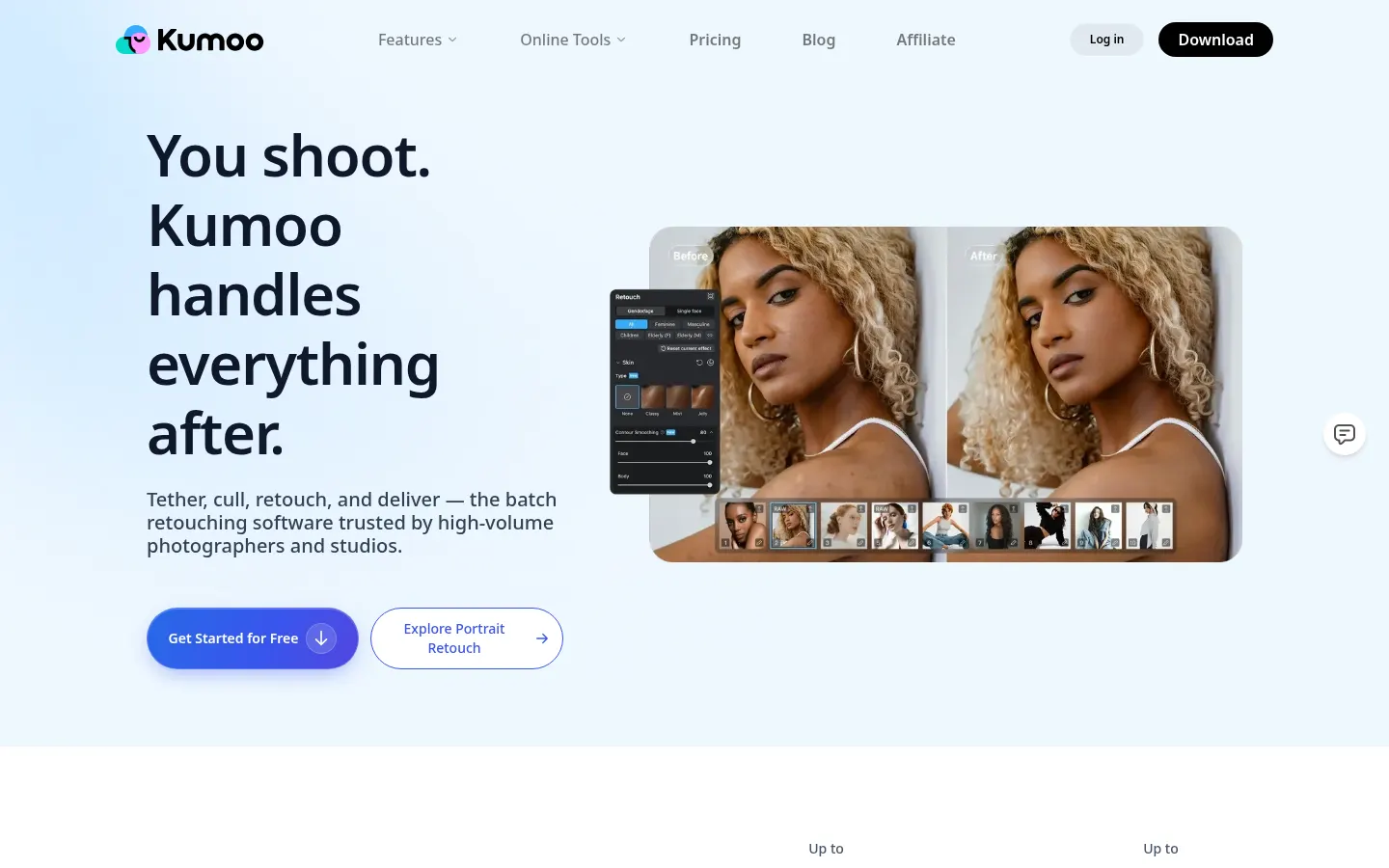
Kumoo is AI batch photo retouching software from Meitu, built for photographers, retouchers and studios that deliver hundreds of images per shoot. It launched in 2022 as Meitu Yunxiu and is now sold under the Kumoo name.
Where it fits in a workflow
The goal is to strip out the repetitive work without sanding every face into the same look. You fix one photo, save it as a preset and sync it across the set, so the whole gallery stays consistent. Manual control is always there when you need it.
- Portrait retouching: skin blemishes, flyaway hairs, glasses glare, teeth and subtle body shaping.
- Colour: RAW workflow, AI grading, curves and smart exposure.
- Backgrounds: cutouts, clean-up, frame expansion and sky replacement.
- Clothing: wrinkle removal that keeps fabric texture, plus garment recolouring.
- Tethered shooting with a look applied live, and AI-assisted culling.
- Photo Agent: describe the edit in words and it picks a matching preset.
Formats and platforms
It handles JPEG, PNG and RAW files from 1,000+ cameras with 16-bit processing. There's a desktop app for macOS and Windows and an iPad version, plus a set of online tools you can try in the browser without an account.
Who it's for and pricing
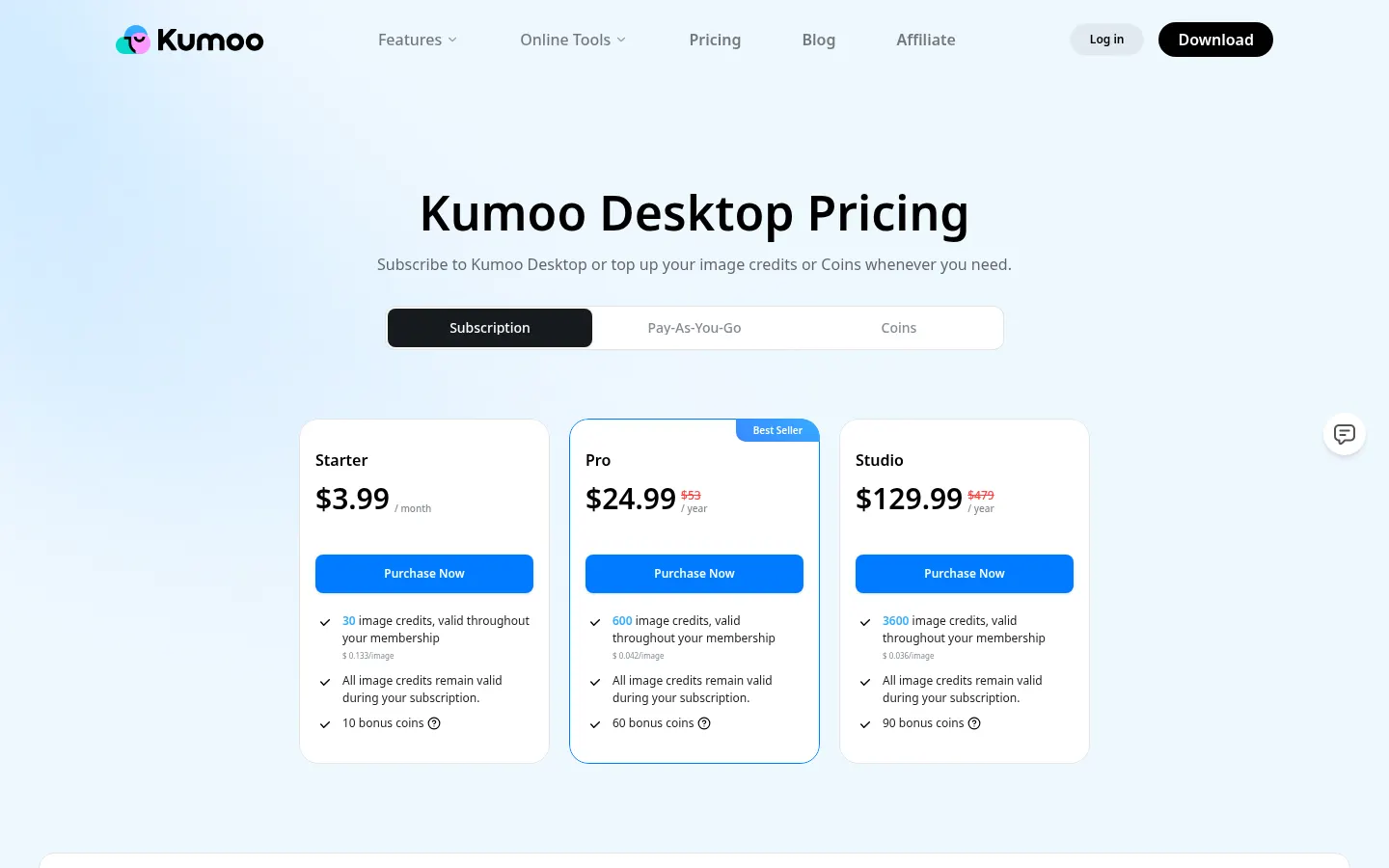
Typical jobs are weddings, portraits, ID photos and product or fashion images for online stores. You can try it before buying, but downloading edited photos needs a plan; the cheapest is $3.99 a month with 30 image credits. Teams editing more than 20,000 photos can ask for custom pricing.
Kumoo features and use cases
How to use Kumoo
Kumoo FAQ
Who makes Kumoo?
Meitu, the Chinese imaging company. The product started in 2022 as Meitu Yunxiu.
Can I edit lots of photos at once?
Yes. You can import, edit, sync and export hundreds of images in one go.
Which file formats are supported?
JPEG, PNG and RAW from over 1,000 camera models, processed at 16 bits.
Does it run on Mac and Windows?
It does, on macOS 13+ and Windows 10+, and there's also an iPad app.
Do I need retouching experience?
Not really. Presets and AI tools get you a quick result, and every setting stays adjustable by hand.
Can I try it before paying?
Yes, there's a trial and several online tools that need no account, but downloading edited photos requires a plan.
What happens to unused credits?
Kumoo says plans are valid for 18 months, and any included images expire along with the plan.
Is it suitable for commercial work?
Yes, it's built for client deliveries, product images and marketing material.
Is there an affiliate programme?
Yes, Kumoo runs affiliate and reseller programmes, with applications on its affiliate page.
Kumoo pricing and plans
Reference price: 3.99 USD / month. Source · Verified: October 21, 2026
Prices in US dollars (USD) from the official Kumoo Desktop pricing page. Checked on: 21/10/2026.
Starter: $3.99/month
- 30 image credits ($0.133 per photo)
- 10 bonus coins
Pro: $24.99/year (crossed-out reference price $53)
- 600 image credits ($0.042 per photo)
- 60 bonus coins
Studio: $129.99/year (reference price $479)
- 3,600 image credits ($0.036 per photo)
- 90 bonus coins and dedicated support
Pay-as-you-go credits and coins are also sold. You can try the tools for free, but downloading edited photos requires a plan. Volumes above 20,000 photos get custom pricing with an enterprise account and no seat limits.
Kumoo Screenshots
Kumoo alternatives




BeautyPlus
BeautyPlus is an AI photo editor for web and mobile that retouches portraits, sharpens photos, removes backgrounds and objects, tries on hairstyles and makes images.