PixRemove
Share
What is PixRemove?
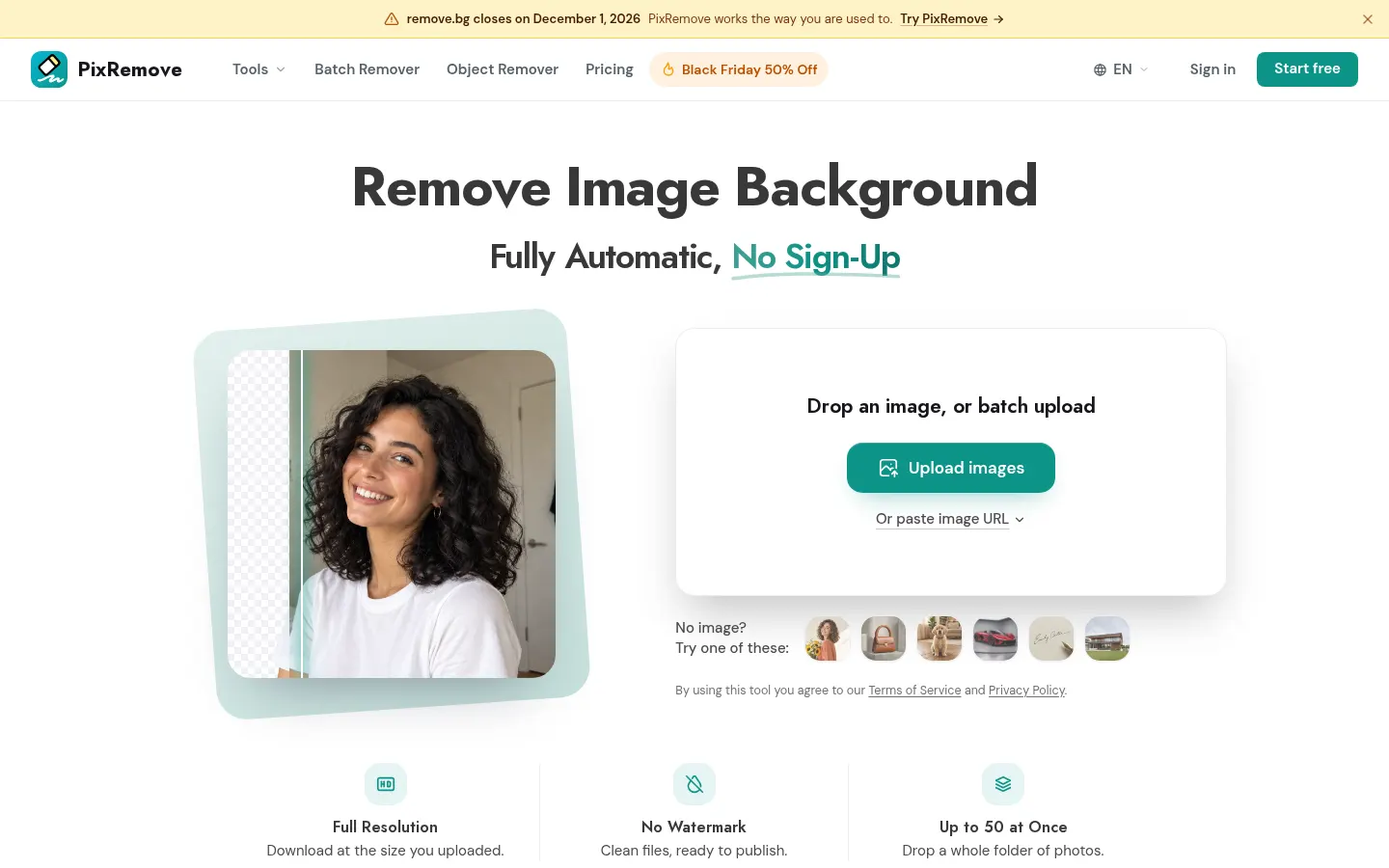
PixRemove is an AI background remover that lifts the subject out of a photo and gives you a transparent PNG at the original resolution, with no watermark. You can try it without signing up, and a free account adds welcome credits for full-size downloads.
Cutouts that handle the tricky bits
The site leans on the cases these tools usually get wrong: flyaway hair, hollow mug or bag handles, wheel spokes, tinted glass and signatures on dark paper. On top of automatic removal there's a prompt-guided mode ("keep only…") to keep, add or drop specific objects, plus a Magic Brush for fixing edges.
Editor and batch processing
- Up to 50 images at once, downloaded as one ZIP.
- White, solid colour, blurred, your own photo or an AI-generated scene matched to the lighting.
- Drop shadow, sticker outline, text behind the subject, 27 filters and preset sizes.
- Object remover for people, text or logos.
- Free desktop app for Mac (Windows coming) that works through entire folders.
Who gets the most out of it
It suits online sellers who need white-background shots for Amazon, eBay or Shopify, photographers who want to keep hair detail in portraits, and marketing teams, estate agents or car dealers handling lots of images. It takes JPG, PNG and WebP files up to 30 MB, and the company says originals are deleted after 24 hours and never used for AI training.
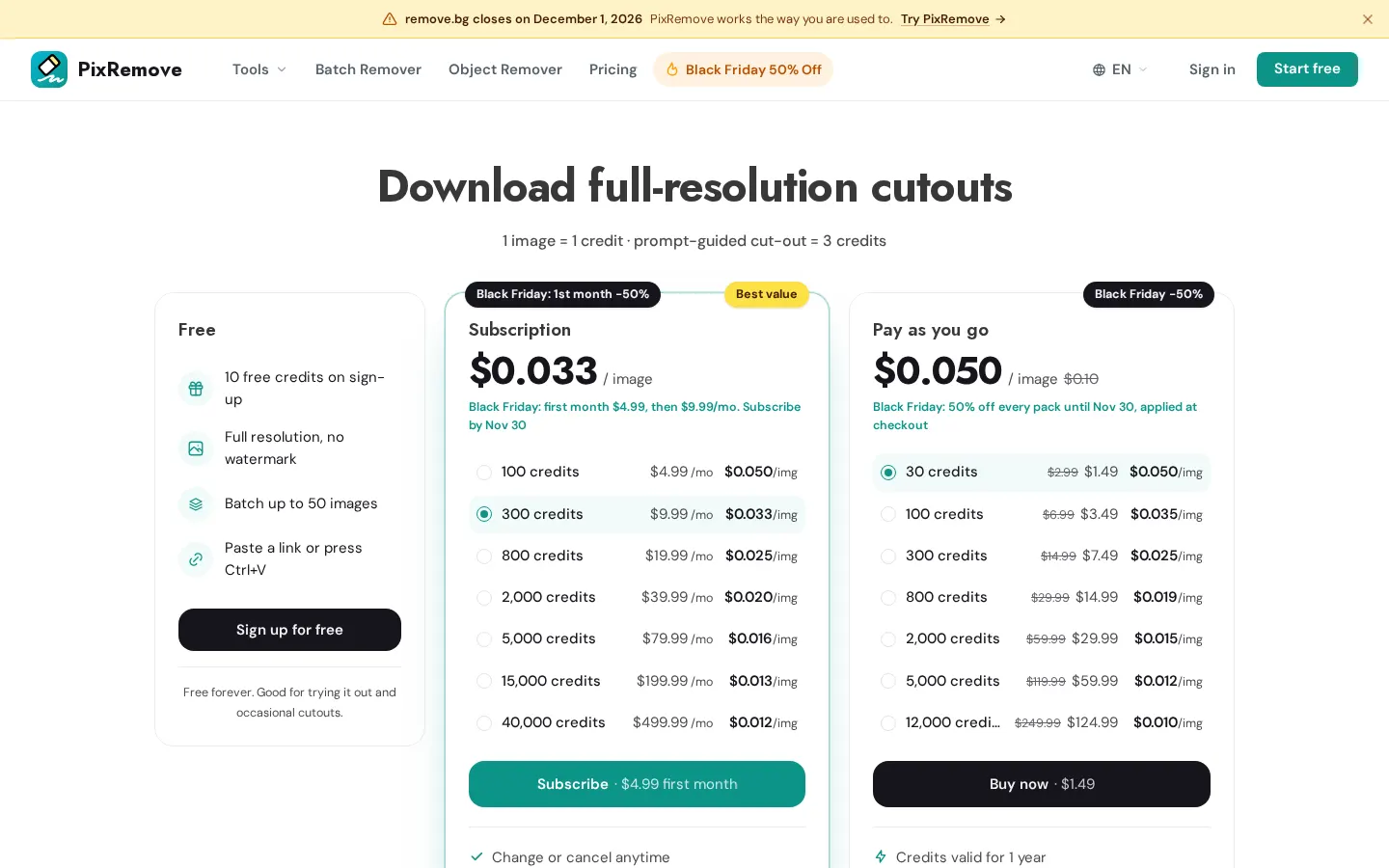
Billing works on credits: 1 credit per image (3 for a prompt-guided cutout). Subscriptions start at $4.99 a month, one-time packs are available too, and failed jobs get their credits back.
PixRemove features and use cases
How to use PixRemove
PixRemove FAQ
Is PixRemove free?
You get two cutouts without an account and 10 credits when you create a free one. For more volume there are subscriptions and credit packs.
Are free downloads watermarked or low-res?
No. Even with free credits, downloads keep the original resolution and carry no watermark.
Can I use the cutouts in my store or ads?
Yes. PixRemove says you keep full commercial rights to every image you download.
Which formats and file sizes are supported?
JPG, PNG and WebP images up to 30 MB and 30 megapixels each.
What happens to my photos?
The company says they're only used for processing, never sold or used for AI training, and originals are deleted after 24 hours.
Do I lose credits if a job fails?
No. If a task fails or times out, the held credits are refunded automatically.
Do credits expire?
One-time pack credits last 365 days. Subscriptions add fresh credits every month, and the two can be combined.
Is there a desktop app?
Yes, a free Mac app processes whole folders using the same account; the Windows version isn't out yet.
Can it remove objects as well as backgrounds?
Yes. There's an object remover for people, text, logos and other clutter.
Is there an API?
Yes, the site links to an API for adding background removal to other apps.
PixRemove pricing and plans
Reference price: 4.99 USD / month. Source · Verified: October 20, 2026
Prices in US dollars (USD) from the official website. Checked on: 20/10/2026.
Free: 2 cutouts without an account and 10 credits on sign-up, full resolution and no watermark.
Monthly subscription: from $4.99/month for 100 credits
- 300 credits for $9.99, 800 for $19.99, 2,000 for $39.99
- Larger tiers up to 40,000 credits for $499.99/month
- Change or cancel anytime
Pay as you go: one-time packs from $2.99 (30 credits) to $249.99 (12,000 credits), valid for a year.
1 credit = 1 image; a prompt-guided cutout costs 3. When checked, a promotion running until 30 November halved pack prices and the first subscription month. First purchases are refundable within 14 days if no more than 20% of the credits were used.
PixRemove Screenshots
PixRemove alternatives


AlreadyRan
AlreadyRan brings dozens of AI image, video and audio models into one web studio with a single credit balance and the cost shown before every generation.