

Share
Automatically remove backgrounds from any video without a green screen. Export in 4K with transparent or solid colors while preserving original audio.
What is Background Remover Video?
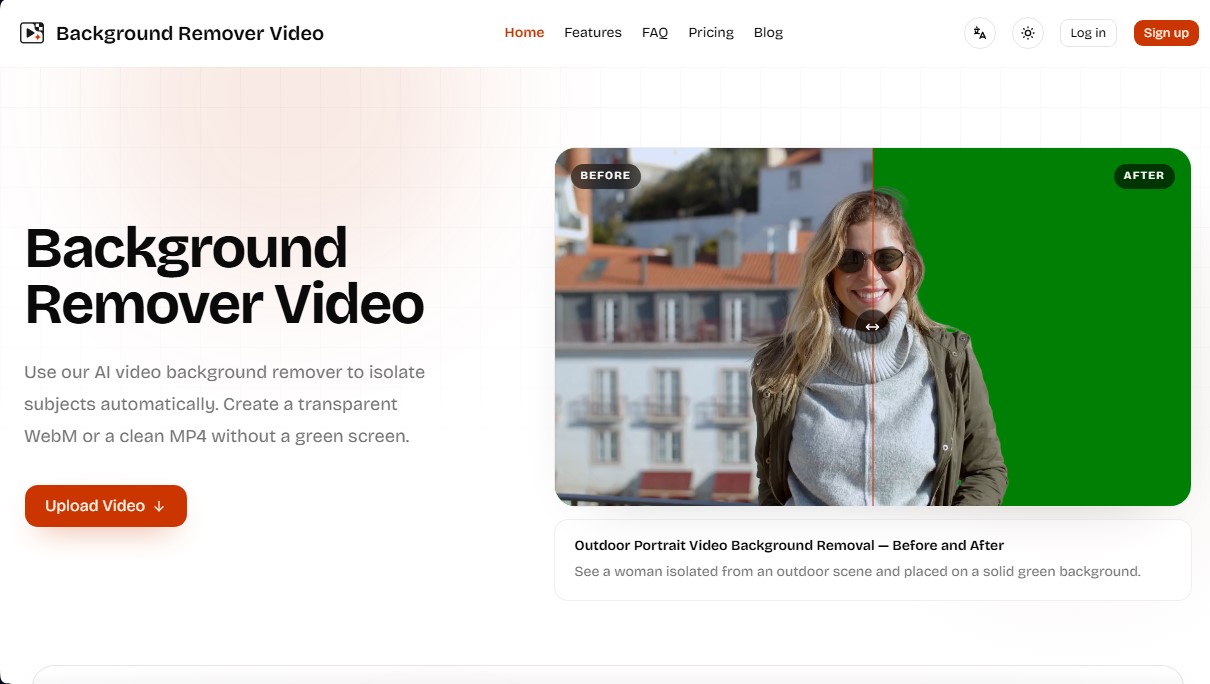
Background Remover Video is an advanced artificial intelligence tool designed to remove video backgrounds automatically and accurately. Its primary function is to isolate subjects from their environment without the need for a chroma key (green screen) or manual frame-by-frame editing. This web application allows users to achieve professional results, whether by generating a transparent background in WebM format or replacing it with solid colors in MP4 files.
The technology behind Background Remover Video is based on subject detection algorithms that accurately identify people, complex details like hair, and fast movements. Thanks to this AI video processing approach, the tool ensures clean edges and consistent separation throughout the entire sequence, even in outdoor recordings or everyday environments where professional lighting equipment is unavailable.
This platform is especially useful for a wide variety of professional profiles:
- Content creators: to clean up clips for social media and remove distracting elements from their recordings.
- Video editors: who need to export files with transparency for compositing and post-production tasks.
- Educators and tutors: to focus attention on the speaker in tutorials, webinars, and online courses.
- Marketing teams: who need to adapt the same clip for different creatives, ads, and landing pages.
- Online sellers: to showcase products with clean, neutral backgrounds.
Using Background Remover Video is intuitive and efficient. Users simply upload files in common formats such as MP4, MOV, WebM, M4V, or GIF. Once the material is uploaded, the system allows you to choose between a transparent background or a selection of 10 solid colors. Key configuration options include the ability to keep the original audio, automatic subject-centered framing (auto crop), and support for resolutions up to 4K.
One of the tool's competitive advantages is its ability to handle long-form videos, such as full courses or presentations. Unlike other editors that require you to split content into fragments, Background Remover Video processes extensive footage asynchronously. This allows users to upload the file from their computer, close the tab if they wish, and return later to download the final result without watermarks. Processed files remain available for download for a period of seven days.
Regarding export options, the tool offers great versatility with nine output formats, including MKV, MOV, and GIF, ensuring compatibility with various editing software. It is a practical and functional solution for anyone looking to remove a video background online with high fidelity and no complex technical configurations.
Background Remover Video features and use cases
How to use Background Remover Video
Background Remover Video FAQ
What file formats does Background Remover Video support?
The platform supports MP4, MOV, WebM, M4V, and GIF file formats.
Do I need to use a green screen to use Background Remover Video?
No, it isn't necessary. Our AI detects the subject and removes the background from any standard recording without the need for a green screen or chroma key.
Can I export a video with a transparent background?
Yes, you can export your video with a transparent background in WebM format or choose from ten different solid colors.
Does Background Remover Video keep the original audio from my files?
The tool keeps the original audio track by default, though you have the option to remove it if you prefer.
How does the tool's credit system work?
One credit is used for every second of video processed, and purchased credit packs never expire.
What happens if a video fails to process?
If the system fails to process a file correctly, the credits used will be automatically refunded to your account.
How long will my downloads be available?
Your files are securely stored in your processing history for seven days before being automatically deleted.
What does the Background Remover Video auto-crop feature do?
This feature allows the AI to automatically center the frame on the main person or object detected in the video.
Can I process 4K resolution videos?
Yes, the tool allows you to upload and process footage in resolutions up to 4K while maintaining the original quality.
Can I process long videos without trimming them first?
Yes, you can upload long-form videos, and the system will process them asynchronously so you can download them later.
Background Remover Video pricing and plans
Quick Try
Precio: 5,99 $ (Pay-as-you-go)
240 credits (process up to 4 minutes of video; 1 credit equals 1 second).
Up to 4K resolution processing with no watermarks.
11 background options (transparent and 10 solid colors).
9 export formats, including MP4, MOV, WebM, MKV, and GIF.
Original audio retention and auto-reframing option.
Credits never expire and results are stored for 7 days.
Starter
Precio: 9,99 $ (Pay-as-you-go)
480 credits (process up to 8 minutes of video; 1 credit equals 1 second).
Up to 4K resolution processing with no watermarks.
11 background options (transparent and 10 solid colors).
9 export formats, including MP4, MOV, WebM, MKV, and GIF.
Original audio retention and auto-reframing option.
Credits never expire and results are stored for 7 days.
Creator
Precio: 29,99 $ (Pay-as-you-go)
1,800 credits (process up to 30 minutes of video; 1 credit equals 1 second).
Up to 4K resolution processing with no watermarks.
11 background options (transparent and 10 solid colors).
9 export formats, including MP4, MOV, WebM, MKV, and GIF.
Original audio retention and auto-reframing option.
Credits never expire and results are stored for 7 days.
Studio
Precio: 99,99 $ (Pay-as-you-go)
6,600 credits (process up to 110 minutes of video; 1 credit equals 1 second).
Up to 4K resolution processing with no watermarks.
11 background options (transparent and 10 solid colors).
9 export formats, including MP4, MOV, WebM, MKV, and GIF.
Original audio retention and auto-reframing option.
Credits never expire and results are stored for 7 days.
Background Remover Video Screenshots
Background Remover Video alternatives

AI Video Text Remover
Use AI to remove subtitles, logos, and watermarks from your videos. Automatically reconstruct backgrounds for a clean, blur-free result.


KineMaster
Professional AI mobile video editor with auto captions, background removal, and object tracking. Features thousands of templates and 4K export.

Map Animation
Generate AI-powered animated route and map videos from text. Customize cinematic camera movements and export in high resolution and various formats.

Kapwing Hinglish Subtitles Generator
Generate automatic Hinglish captions for videos in 100+ languages. Includes AI-powered editing and dubbing tools to reach bilingual audiences.

Auto Captioner
Generate automatic AI captions for videos. Customize design with templates, edit text, and translate into multiple languages to boost your visual content's impact.