Kapwing Hinglish Subtitles Generator
Share
Generate automatic Hinglish captions for videos in 100+ languages. Includes AI-powered editing and dubbing tools to reach bilingual audiences.
What is Kapwing Hinglish Subtitles Generator?
Kapwing Hinglish Subtitles Generator is an advanced cloud-based tool designed to automate the creation of subtitles in Hinglish, the linguistic blend of Hindi and English. This utility allows content creators, educators, and businesses to efficiently localize videos, breaking down language barriers in markets that use this hybrid dialect. The platform supports file uploads in over 100 languages, transforming original audio into accurate subtitles with a functional and professional approach.
The tool's operation is powered by artificial intelligence models for speech recognition and machine translation. The process is straightforward: the user uploads a video in MP4 format or pastes a link from an external platform and selects "Hinglish" as the target language. Kapwing's technology generates transcriptions with 99% accuracy, allowing the text to be automatically synced with the audio. Additionally, it offers the ability to hardcode subtitles directly into the video for export or download them in standard formats such as SRT, VTT, and TXT.
Key capabilities and practical benefits include:
- Brand Glossary: Allows you to set custom translation rules and specific terms to maintain consistency across brand names or industry technicalities.
- Integrated Subtitle Editor: Facilitates manual adjustment of transcriptions to add cultural nuances, correct idioms, or adapt visual pacing.
- AI Dubbing: The ability to generate Hinglish voiceovers with realistic voices that maintain natural intonation, complementing the generated subtitles.
- Real-Time Collaboration: Teams can work simultaneously on the same project through shared workspaces and unique URLs.
- Additional Editing Tools: Includes features to resize videos for social media, clean up background noise, and add visual elements from any computer.
This video localization solution is especially useful for optimizing social media campaigns, e-learning materials, and technical support videos. By integrating automatic Hinglish subtitles, brand managers and creators can double their publishing speed without relying on external translators. It is ideal for corporate training videos, product demos, and vlogs aiming to authentically increase reach within bilingual communities. As a completely online tool, it allows for project management directly from the browser without the need for complex installations, ensuring that content remains accessible and culturally relevant to the target audience.
Kapwing Hinglish Subtitles Generator features and use cases
How to use Kapwing Hinglish Subtitles Generator
Kapwing Hinglish Subtitles Generator FAQ
What is the Kapwing Hinglish Subtitles Generator and what is it used for?
It is an AI-powered tool that automatically generates Hinglish subtitles for videos recorded in over one hundred different languages with 99% accuracy.
How can I add Hinglish subtitles to my videos with Kapwing?
Simply upload your video file or paste a social media link, select the original language, and choose Hinglish as the target language for the system to perform the automatic translation.
Is it possible to edit the subtitles generated by the Kapwing Hinglish Subtitles Generator?
Yes, the platform features a built-in subtitle editor that allows you to manually correct text, adjust timing, and customize the visual style to match your brand.
Does Kapwing allow you to download subtitles in external file formats?
You can download your translated subtitles in standard formats such as SRT, VTT, or TXT to use them on other platforms or to streamline the workflow for external editing teams.
Can I try the Kapwing Hinglish Subtitles Generator for free?
The tool offers a free plan that lets you start creating content immediately, although exports made under this plan include a platform watermark.
Does the tool offer dubbing options in addition to subtitles?
Kapwing allows you to add AI-generated voices that sync with the Hinglish subtitles to provide a complete localization experience with natural-sounding pronunciation.
How does Kapwing help maintain brand consistency across different projects?
The system includes a brand glossary where you can define specific translation rules to ensure that product names and technical terms remain consistent across all your videos.
Can you work as a team within the platform?
Kapwing facilitates collaboration through shared workspaces and unique project links, allowing remote teams to edit and review subtitles in real time.
Kapwing Hinglish Subtitles Generator pricing and plans
Free ($0). Ideal for those who want to start creating and repurposing content at a basic level.
10 credits included.
Unlimited exports with watermark.
Videos up to 4 minutes long.
720p video quality.
5 GB cloud storage.
Credit limits: up to 10 minutes of auto-captioning or 1 minute of text-to-speech.
Pro ($16/mo billed annually or $24 billed monthly). Designed for individuals and small groups looking for speed.
1,000 credits per month.
No watermark on creations.
File uploads up to 6 GB.
4K resolution content exports.
Unlimited project creation and editing.
Export projects up to 2 hours long.
Brand kit and custom fonts.
Shared collaborative workspace.
200 GB cloud storage.
Credit limits: up to 1,000 minutes of auto-captioning or 50 minutes of dubbing per month.
Business ($50/mo billed annually or $64 billed monthly). For teams that need to maximize their workflow.
4,000 credits per month.
Includes all Pro plan features.
Custom voice cloning.
Lip sync feature.
Option to purchase additional credits.
800 GB cloud storage.
Credit limits: up to 4,000 minutes of auto-captioning or 200 minutes of dubbing per month.
Enterprise (Custom pricing, contact sales). For large organizations that need advanced control and support.
Custom credit amounts based on your needs.
Includes all Business plan features.
Custom billing and dedicated account manager.
Priority support and team training.
SAML-based Single Sign-On (SSO).
Tailored cloud storage.
Custom credit usage for captioning, dubbing, and generative AI features.
Kapwing Hinglish Subtitles Generator Screenshots
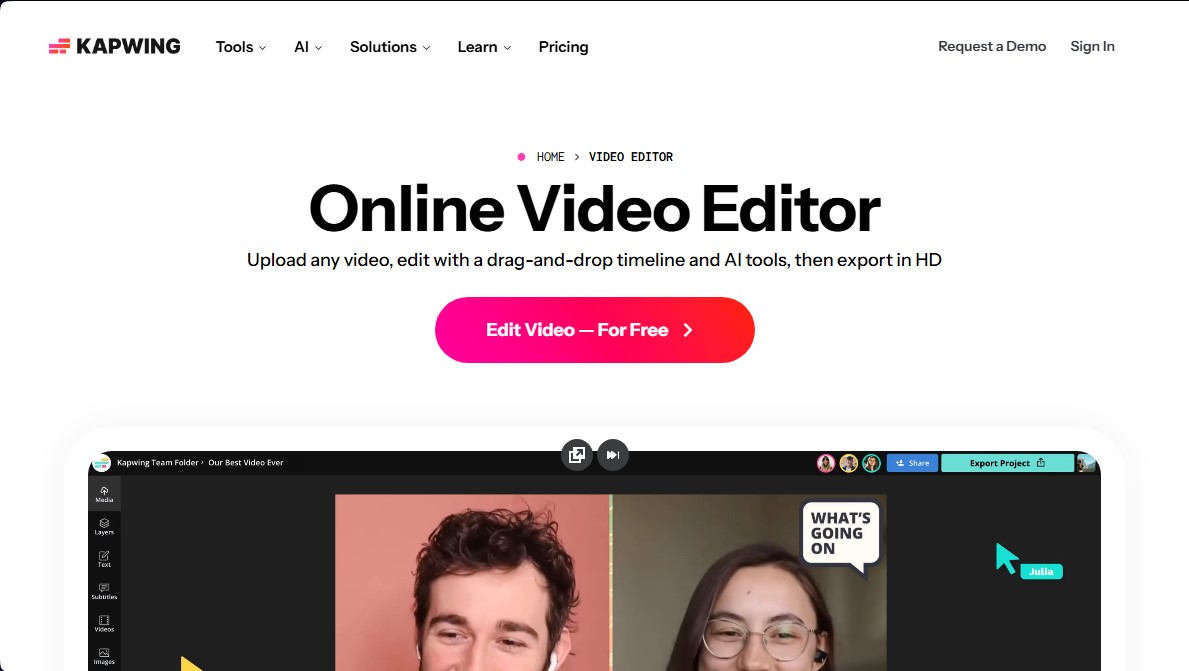
Kapwing Hinglish Subtitles Generator alternatives

AI Video Text Remover
Use AI to remove subtitles, logos, and watermarks from your videos. Automatically reconstruct backgrounds for a clean, blur-free result.

KineMaster
Professional AI mobile video editor with auto captions, background removal, and object tracking. Features thousands of templates and 4K export.
Map Animation
Generate AI-powered animated route and map videos from text. Customize cinematic camera movements and export in high resolution and various formats.

Auto Captioner
Generate automatic AI captions for videos. Customize design with templates, edit text, and translate into multiple languages to boost your visual content's impact.