Share
Transform static logos into professional AI animations. Add cinematic motion and effects without altering the original design. Ideal for social media and videos.
What is MorphLogo?
MorphLogo is an AI-powered tool specializing in professional, automated logo animation. Unlike other image generators that often redesign a brand based on descriptions, this platform uses the user's original file as the absolute foundation, ensuring that shapes, colors, and proportions remain intact throughout the process. Its primary function is to transform a static image into a dynamic video clip in seconds, making it an ideal technical solution for content creators, graphic designers, and businesses looking to boost their visual identity across digital media.
MorphLogo's workflow is based on a three-step system that eliminates the need for complex editing software or manual keyframing. Users upload their logo in PNG, JPG, or WebP format (transparent backgrounds yield the best results). After uploading, the platform allows users to choose from a variety of predefined styles or guide the animation using a descriptive prompt. This customization capability lets users define lighting, reveal types, and desired camera movement, providing precise creative control over the final result.
The application's technology employs advanced video models that interpret the logo's geometry to apply coherent cinematic effects. Its technical capabilities and practical benefits include:
- Diverse Motion Styles: Includes options such as Liquid Morph, 3D Orbit, Glitch Burst, Energy Shockwave, and 360-degree rotations.
- Format Adjustments: Allows for aspect ratio configuration in 1:1, 16:9, and 9:16, facilitating content creation for desktops, Instagram Reels, TikTok, or YouTube intros.
- High-Quality Export: Supports resolutions up to 4K, ensuring sharpness on large-format screens and in professional environments.
- Versatile Formats: Files can be downloaded as MP4, WebM, or animated GIFs, all without watermarks.
- Integrated Audio: Offers the ability to generate sound effects that automatically sync with the visual motion.
MorphLogo stands out for its speed, rendering complete animations in approximately one minute. Functioning as an AI-based logo animation maker, it allows marketing teams and startup founders to generate high-end brand assets without relying on large post-production budgets. The tool ensures the logo is both the first and last frame of the clip, guaranteeing brand integrity in every iteration. It is an efficient solution for those needing to animate logos with AI with a cinematic, clean finish ready for immediate commercial use.
MorphLogo features and use cases
How to use MorphLogo
MorphLogo FAQ
What is MorphLogo and what is it used for?
It’s an AI-powered tool designed to animate static logos in seconds while keeping the original design intact.
Will MorphLogo change my brand’s colors or shape?
No. Unlike other tools, this platform uses your original file as a foundation to ensure the animation stays true to your original shapes and proportions.
What file types can I upload to start animating?
You can upload PNG, JPG, or WebP images with a maximum file size of 24 megabytes.
How long does it take MorphLogo to generate a video?
Most animations render in about a minute, depending on the resolution and the complexity of the selected style.
Can I control how my logo moves?
Yes. You can choose from presets like 3D orbit or 360-degree spin, or use text prompts to describe the specific movement and lighting you want.
What formats and resolutions can I export my projects in?
The tool allows you to download files in MP4, WebM, or GIF formats with resolutions up to 4K and various aspect ratios.
Do MorphLogo animations include watermarks?
No. Your exports are clean, professional files ready for commercial use on social media, websites, or presentations.
Can I use MorphLogo for free?
Yes. When you sign up, you’ll receive free credits to create your first animations and test out the studio’s features at no initial cost.
MorphLogo pricing and plans
Free Version: 0 $
Free credits upon sign-up to animate your first logo—no credit card required.
Lite: 29 $ per month (or 24,17 $ per month billed annually)
1,000 credits per month (approx. 8 HD clips).
Includes Studio Engine and 4K export.
All formats: MP4, GIF, WebP, and WebM.
Unlimited watermark-free downloads.
Commercial use included.
Early access to new features.
Pro: 39 $ per month (or 32,5 $ per month billed annually)
2,400 credits per month (approx. 19 HD clips or 2 4K clips).
Includes Studio Engine and 4K export.
All formats: MP4, GIF, WebP, and WebM.
Unlimited watermark-free downloads.
Commercial use included.
Early access to new features.
Max: 59 $ per month (or 49,17 $ per month billed annually)
5,000 credits per month (approx. 39 HD clips or 4 4K clips).
Includes Studio Engine and 4K export.
All formats: MP4, GIF, WebP, and WebM.
Unlimited watermark-free downloads.
Commercial use included.
Early access to new features.
Single unlock: 5,9 $ (one-time payment)
120 credits valid for 1 year (approx. 3 480p clips).
Unlimited watermark-free downloads.
All formats: MP4, GIF, WebP, and WebM.
Commercial use included.
Starter pack: 9,9 $ (one-time payment)
300 credits valid for 1 year (approx. 5 480p clips or 2 HD clips).
Includes Studio Engine and 4K export.
All formats: MP4, GIF, WebP, and WebM.
Unlimited watermark-free downloads.
Commercial use included.
Standard pack: 29,9 $ (one-time payment)
1,300 credits valid for 1 year (approx. 21 480p clips, 10 HD clips, or 1 4K clip).
Includes Studio Engine and 4K export.
All formats: MP4, GIF, WebP, and WebM.
Unlimited watermark-free downloads.
Commercial use included.
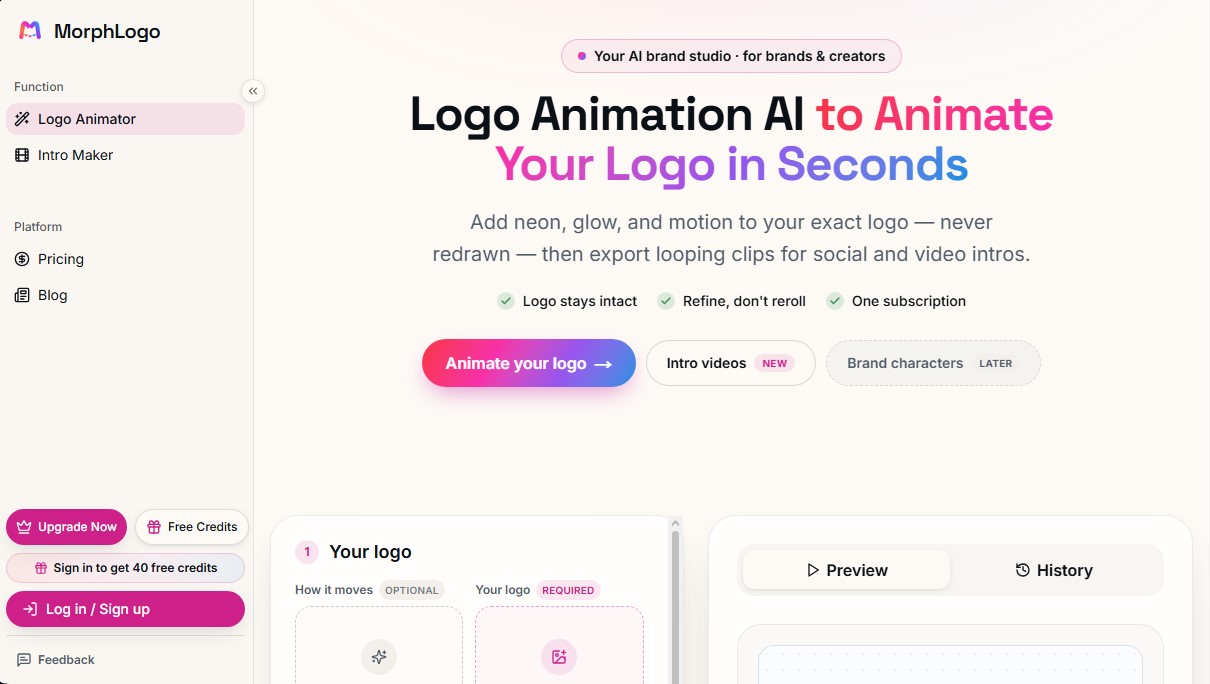
MorphLogo Screenshots
MorphLogo alternatives

Comik AI-Anime Character Creator
Design anime characters using text or images. Generate multi-view design sheets to ensure visual consistency across comics, manga, and animated videos.
ToonBee AI
Generate animated videos from scripts with consistent characters across scenes. Includes AI voiceovers and music. Ideal for marketing, education, and social media.
Logo Animation AI
Create professional logo animations in seconds. Export 4K with transparent backgrounds and sound using templates or by describing motion with natural language.