
Share
What is MOVO AI?
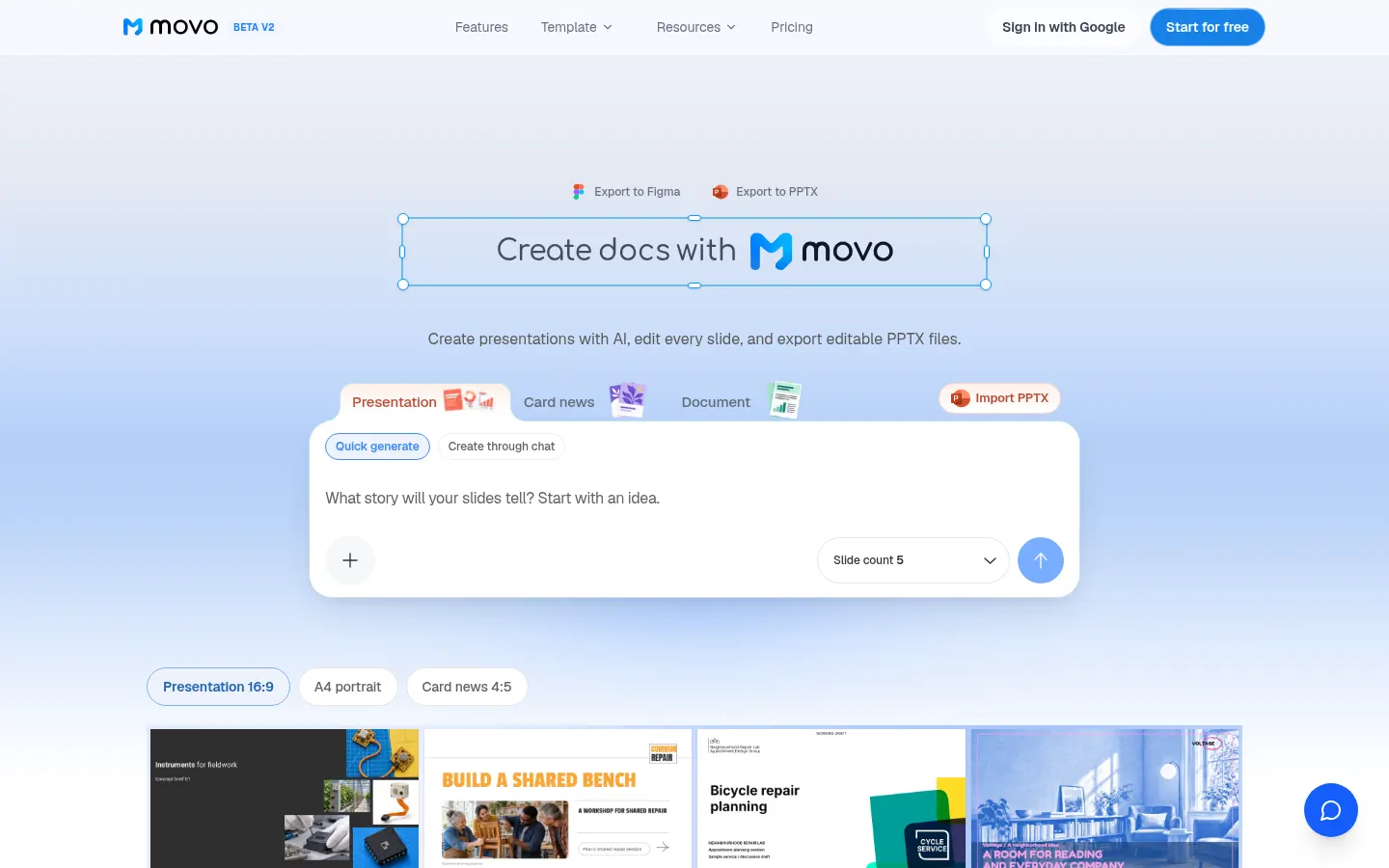
MOVO AI is an AI tool (by Dolphin in Cali, South Korea) that creates presentations from a topic or a document and lets you edit every slide before exporting to editable PPTX, PDF, PNG or Figma. It is built for consultants, marketing teams, trainers and founders who make decks regularly.
What is MOVO AI used for?
It takes you from an idea, report or proposal to a structured deck in minutes: business proposals, investor pitches, lecture slides or results presentations. It accepts PDF, Word, Excel, images, text and CSV as input and merges several files into one storyline. Besides 16:9 slides, it produces A4 portrait documents and 4:5 "card news" posts for social media.
How does MOVO AI work?
Type the topic or upload the document, review the AI-proposed outline, choose a style and color direction and generate the slides. Then tweak text, shapes and images directly on the canvas or ask the conversational editor for changes in plain language, such as turning a line chart into a bar chart. Projects sync to the cloud as you work, and you can import an existing PPTX too.
Who is MOVO AI for?
- Consultants and sales teams who build proposals often.
- Teachers and trainers turning notes into lecture slides.
- Startups building an investor deck from a document.
MOVO AI pros and cons
Its key advantage is that exported PPTX files keep real text and native shapes rather than flattened images, so you can keep editing in PowerPoint or Keynote. It also applies one design system across the whole deck. On the downside, the basic account caps slides per deck and watermarks PDF and PNG exports, PPTX and Figma export require a higher tier, and the product is still in beta.
MOVO AI features and use cases
How to use MOVO AI
MOVO AI FAQ
What is MOVO AI?
MOVO AI is an AI presentation maker that turns a topic or document into an editable deck and exports it to PPTX, PDF, PNG or Figma.
Is MOVO AI free?
There is a free account with monthly credits and watermarked PDF and PNG export; PPTX requires a paid plan. See the pricing section.
Can I edit the exported PPTX in PowerPoint?
Yes. Text is saved as text boxes and shapes as native shapes, so you can edit them in PowerPoint or Keynote.
Which files can I use as input?
It accepts PDF, Word, Excel, images, plain text and CSV, and can merge several files into one deck.
Can the AI change slides after they are generated?
Yes. Describe the change in the editor chat and the AI updates that slide, such as wording, layout or colors.
What kinds of decks does it handle best?
It works best for structured decks such as business plans, investor pitches, lecture slides and report presentations.
Does MOVO AI have an API?
The official site does not mention a public API; it runs in the web editor.
Does MOVO AI work in Spanish?
The interface is in English, but you can enter the topic or upload documents in Spanish and generate the deck in that language.
What are the alternatives to MOVO AI?
On GptZone you can compare it with Decktopus, MagicSlides or Beautiful.ai, which also build presentations with AI.
MOVO AI pricing and plans
Reference price: 19.99 USD / month. Source · Verified: November 15, 2026
Prices in US dollars (USD) as listed on the official site. Checked on: 15/11/2026.
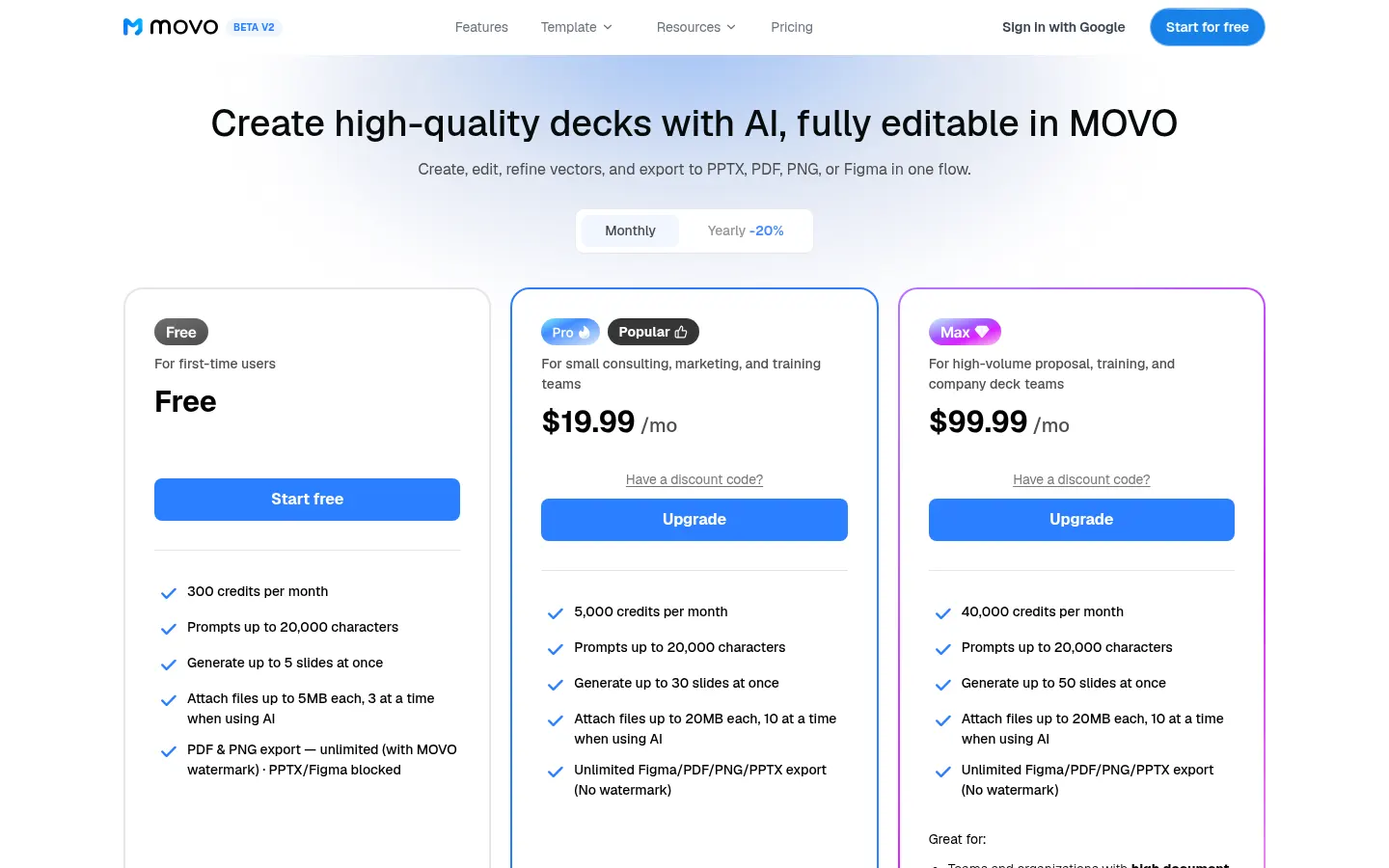
Free: $0. 300 credits per month, up to 5 slides per deck (about 5 projects a month), prompts up to 20,000 characters and unlimited watermarked PDF and PNG export. No PPTX or Figma.
Pro: $19.99/month. Unlimited PPTX, Figma, PDF and PNG export without watermark, about 65 projects a month and extra credit purchases.
Max: $99.99/month. About 600 projects a month for high-volume teams, no watermark.
- Monthly and annual billing available, plus an Enterprise plan on request.
MOVO AI Screenshots
MOVO AI user reviews
Write a review
Checking your session...
MOVO AI Reviews
Loading reviews...