Share
What is SlidesAI?
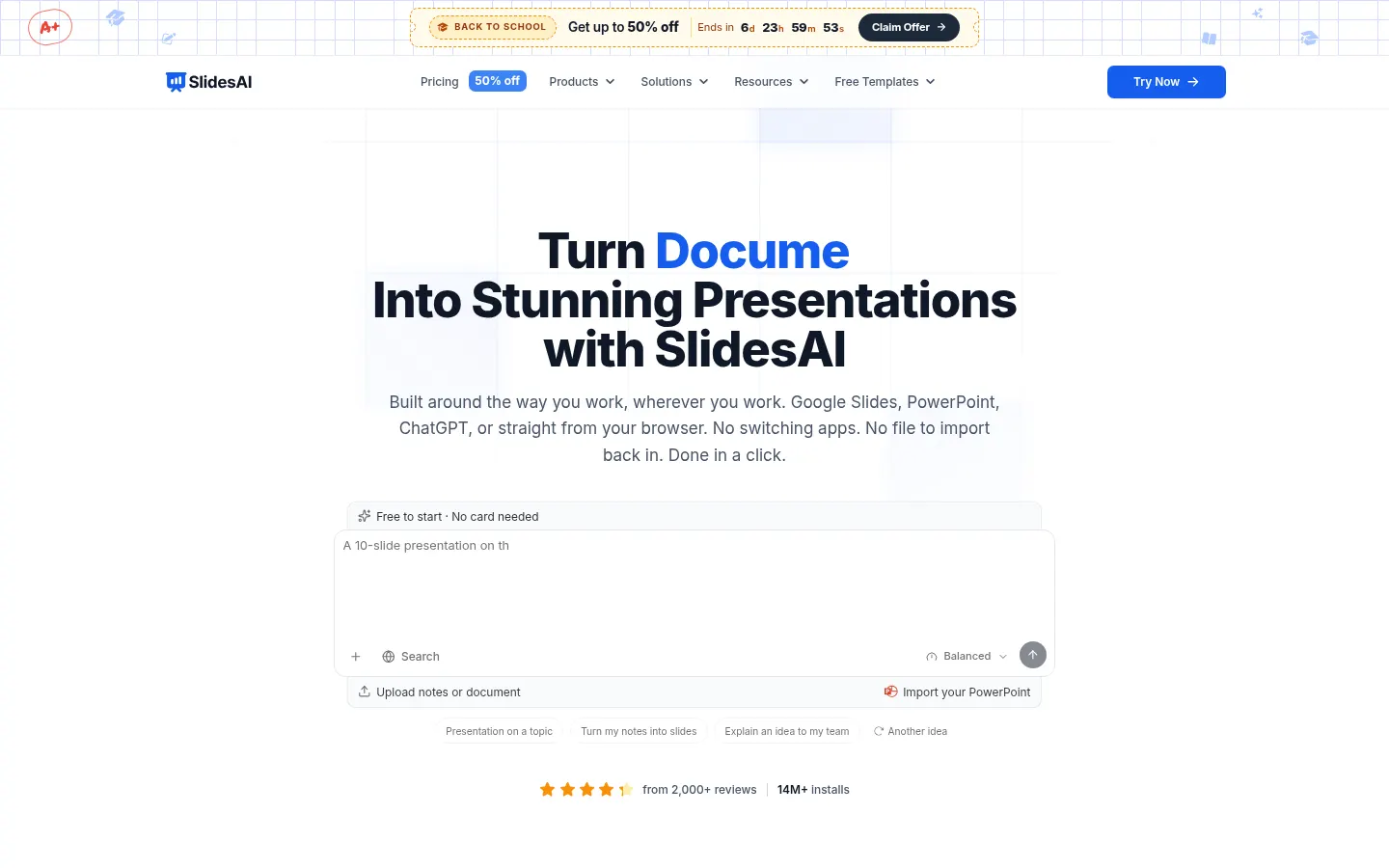
SlidesAI is an AI presentation maker for teachers, students and professionals who need to go from notes, a script or a document to a finished deck in minutes, without switching apps.
How does SlidesAI turn notes into slides?
Type a topic, paste your notes or attach a PDF or Word file and pick a style. When something is unclear, SlidesAI asks a few quick questions and confirms slide count, audience, tone and language before writing. It then opens an editable outline (one line per slide) that you can reorder by dragging, writes the text for every slide and, when you press Create, designs the whole deck in your style.
Where can you use SlidesAI?
- As an add-on inside Google Slides and PowerPoint.
- From ChatGPT, saving the result to Google Slides.
- In its web app on laptop, desktop or mobile.
The Brand Kit imports your PPTX template so every deck comes out in your colors, fonts, logo and layouts. It also builds editable diagrams, flowcharts and timelines, applies animations on generation and exports native PowerPoint and Google Slides files.
SlidesAI pros and cons
Pros: it works inside the tools you already use, lets you review content before design, and AI edits wait for your Accept. Cons: usage is metered in AI credits, the entry tier only takes short text and topics or notes (no document uploads), slides per deck depend on the tier, and we found no public API.
SlidesAI features and use cases
How to use SlidesAI
SlidesAI FAQ
What is SlidesAI?
SlidesAI is an AI presentation maker that builds slides from a topic, notes or documents in Google Slides, PowerPoint, ChatGPT or the web.
Is SlidesAI free?
There is a free Basic tier with 200 credits per month and text limits; paid tiers add credits and features. See the pricing section.
Does SlidesAI have an API?
We found no public API; it is used through the web app, the Google Slides and PowerPoint add-ons and ChatGPT.
Does SlidesAI work in Spanish?
Yes, you set the presentation language before generation and can create slides in Spanish.
Can I upload a PDF to SlidesAI?
Yes, the Pro and Premium tiers let you upload PDF and Word files and turn them into slides.
Can SlidesAI use my company template?
Yes, the Brand Kit imports your PPTX template with colors, fonts, logo and layouts.
Does SlidesAI work with ChatGPT?
Yes, describe the deck in ChatGPT and save it straight to Google Slides.
How many slides can SlidesAI generate?
It depends on the tier: up to 20 per deck on Pro and 50+ on Premium.
Does SlidesAI export to PowerPoint?
Yes, it exports native PowerPoint and Google Slides files you can keep editing.
What are the best SlidesAI alternatives?
On GptZone you can compare Plus AI, Beautiful.ai and Presentations.AI.
SlidesAI pricing and plans
Reference price: 0 USD. Source · Verified: November 4, 2026
Information from the official site (Checked on: 04/11/2026). Individual prices in USD, excluding taxes.
- Basic: 0 USD, 200 credits per month, up to 2,500 characters per deck and 1 Brand Kit.
- Pro: 12 USD/month or 120 USD/year per user; 30,000 credits a year, up to 20 slides, PDF and Word uploads, 3 Brand Kits.
- Premium: 250 USD/year per user (20.83 USD/month); 84,000 credits a year, 50+ slides, every AI model, 6 Brand Kits.
- Separate Team and Institution plans.
SlidesAI Screenshots

SlidesAI user reviews
Write a review
Checking your session...
SlidesAI Reviews
Loading reviews...
SlidesAI alternatives




MagicSlides
MagicSlides generates AI slide decks from a topic, documents, links or videos and exports them to PowerPoint, Google Slides or PDF.