OnePress
Share
Create presentations, narrated videos, and documents from notes or files. Includes research with real sources, original images, and editing via chat.
What is OnePress?
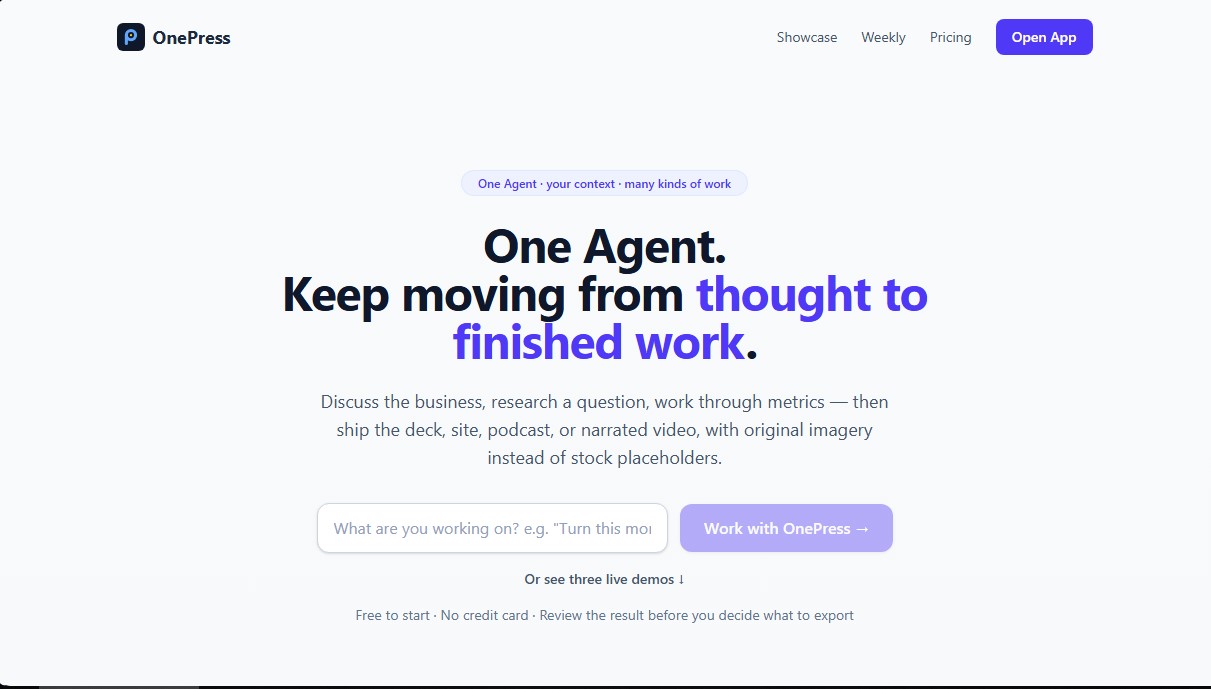
OnePress is an AI agent designed to transform ideas, notes, and raw data into professional final products, such as presentations, narrated videos, or research reports. Unlike conventional content generators, this artificial intelligence tool works as a persistent coworker with context memory, allowing it to manage complex workflows from a computer or any device with internet access. It is a solution tailored for startup founders, solopreneurs, and agile teams who need to produce high-quality materials without spending hours on manual editing.
The operation of OnePress is based on interpreting natural language instructions and processing source files. Users can upload spreadsheets, PDF documents, or Markdown notes, and the agent uses this information as a "source of truth" to ensure that data and metrics remain accurate in the final result. If the project requires external information, the tool conducts real-time research, citing the sources consulted to guarantee the traceability and accuracy of its claims.
Among its core capabilities are:
- Professional presentation generation: Creates structured slides in HTML, PDF, or PPTX formats. It allows for a full design review and specific adjustments via chat, such as changing a line graph to a bar chart or modifying the visual tone.
- Narrated video production: The ability to convert a presentation into an MP4 file with voiceover and synchronized timing, ideal for investor updates or product launches without the need for external video editors.
- Original image creation: Integrates image generation models to include consistent and personalized visuals, avoiding the use of generic stock photos.
- Task automation: Allows for scheduling daily or weekly reports that the agent generates and sends automatically via email or messaging channels.
The versatility of OnePress is reflected in its multi-channel accessibility. In addition to its web interface, users can interact with the agent by forwarding tasks via email or using bots on Telegram and Discord. For technical environments, it offers a REST API and an MCP server, facilitating the integration of its AI productivity features into third-party applications.
In collaborative settings, it allows for the creation of shared workspaces for teams, where the agent maintains data separation between private and group conversations. This structure ensures that a project's sensitive information is only accessible to authorized members, maintaining an organized and secure work environment. With a practical approach, OnePress eliminates the friction between the initial thought and the delivery of the finished work, optimizing the creation of digital assets through the strategic use of generative artificial intelligence.
OnePress features and use cases
How to use OnePress
OnePress FAQ
What are the main features OnePress offers for my daily workflow?
OnePress acts as a comprehensive assistant that generates presentations, researches data, creates metric reports, and produces narrated videos from simple prompts or uploaded files.
Can I use OnePress without a monthly subscription?
Yes, you can start using the tool for free. If you only need a one-off presentation without a watermark, you can purchase an individual Deck Pass through a one-time payment.
How does OnePress ensure data accuracy in its presentations?
The agent uses your own documents and spreadsheets as the source of truth, keeping figures intact and citing references whenever external research is conducted.
Can I edit a specific slide using the OnePress chat?
Yes, you can request specific changes—such as modifying a chart type, adjusting colors, or adding conclusions—directly through the chat without having to use a complex editor.
What file types can I export once the work is done?
The platform allows you to download presentations in HTML, PDF, or PPTX formats. It also offers the option to generate an MP4 video with an automated voiceover.
How do team spaces work?
You can create workgroups and invite collaborators for free to share a common space. The agent only has access to the conversations and files within that specific team.
Can I interact with the OnePress agent outside of the web app?
Yes, you can send tasks via email to your assigned personal address or use the official integrations for Telegram and Discord.
Are my data and files secure on the platform?
Your files and personal conversations are private. The agent only accesses information within the specific group it belongs to, ensuring that data is never mixed between personal and shared spaces.
OnePress pricing and plans
Free
Price: 0 $ per month.
Capacity to complete 2 to 3 full projects per day.
Access to all AI features (research, charts, and chat).
HTML file downloads.
Access to automations (schedule the agent for daily summaries or reminders).
Restriction: Includes a "Made with OnePress" watermark.
Deck Pass
Price: 2,99 $ per presentation (one-time payment).
Removes the watermark from a specific presentation.
Clean HTML file downloads and unbranded shared links.
Covers all subsequent edits made to that same presentation.
No subscription: purchase individually once your work is ready.
Pro
Price: 9 $ al mes.
Includes 60 million monthly credits (equivalent to roughly 120-200 presentations).
Complete watermark removal on all downloads and shared links.
Priority generation speed.
Access to all AI features and longer-duration automations.
Email verification required for subscription.
OnePress Screenshots
OnePress alternatives

rabbit OS3
Agentic OS that automates tasks and manages files, connecting your computers with AI models to run workflows using natural language.



The Drive AI
AI assistant that automatically organizes, renames, and summarizes team files. Answers questions about content and automates your team’s cloud document management.