
Share
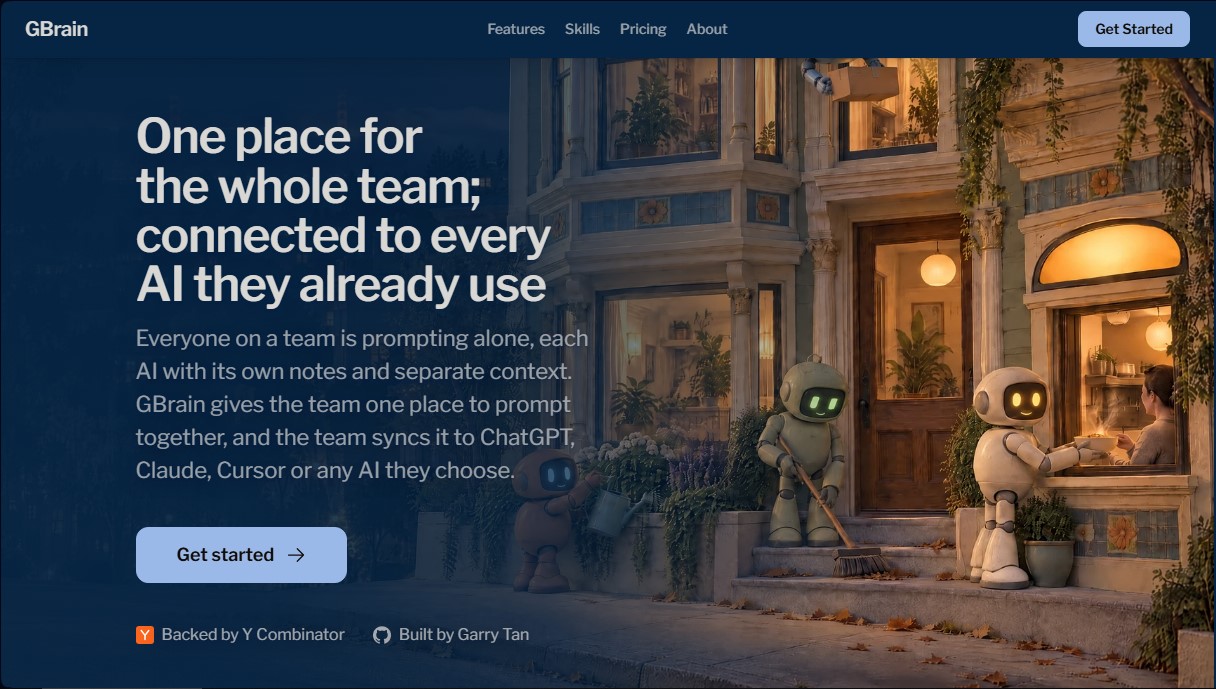
Collaborative workspace that unifies multiple AIs in a team chat. Share context and notes, and automate tasks with Gmail, Slack, or GitHub.
What is GBrain?
GBrain is a collaborative artificial intelligence platform designed to centralize the workflow of technical and product teams within a single operating environment. Unlike individual chat interfaces, this tool allows an entire team to work together in the same conversation, sharing context, notes, and access to various language models such as ChatGPT, Claude, Cursor, or Codex.
GBrain operates by creating a shared memory for the entire organization. Instead of each team member training their own AI separately, the tool uses Markdown files that are accessible and editable by users. This technology ensures that any correction or new instruction is instantly synced across all connected AIs, eliminating information silos and ensuring that responses remain consistent with the company's internal processes.
The technical architecture of GBrain stands out for its integration with the Model Context Protocol (MCP) and its ability to connect to external tools through a single configuration for the entire team. Its core capabilities include:
- Advanced permission management: Allows for the connection of Gmail, Google Calendar, Slack, Stripe, or GitHub accounts, granting specific access levels (read-only or management) for each AI model without sharing passwords.
- Automation through Skills: Includes pre-configured functions that execute recurring tasks autonomously, such as the Team Standup to summarize daily activity or Inbox Cleanup to archive irrelevant emails.
- Activity tracking: All actions performed by the AIs are logged, allowing for audits of which model executed each task and under which permissions.
- Multi-platform synchronization: The context generated in the workspace can be transferred to development environments, such as the computer terminal or specialized code editors.
This tool is especially useful for startups and development teams that need to optimize productivity and maintain control over their data ownership. GBrain facilitates the creation of efficient AI workflows, allowing the artificial intelligence to learn the company’s communication tone and manage tedious administrative tasks, such as converting support chats into support tickets or conducting preliminary research on profiles for meetings.
By centralizing the use of enterprise AI, teams can scale their operations without losing knowledge when a member works in isolation. The user maintains custody of all keys and ownership of the generated memory at all times, with the option to run the platform on private servers for enhanced security.
GBrain features and use cases
How to use GBrain
GBrain FAQ
What exactly is GBrain?
It’s a collaborative workspace where your entire team can interact with various AI models together and in sync.
How does GBrain's team pricing work?
Billing is handled per monthly workspace rather than charging for each individual user who joins the team.
Can I connect GBrain with the AI tools I’m already using?
Yes, it syncs with ChatGPT, Claude, Cursor, and other platforms so your entire team can share the same context and notes.
What about the privacy of my personal accounts?
You can keep your personal account separate by creating a second, independent workspace just for yourself.
How does GBrain manage the team’s shared memory?
It stores information in simple text files that you can edit directly, allowing any AI to learn from those corrections instantly.
What kind of tasks can GBrain’s skills automate?
They allow you to automate tedious tasks like daily team status reports, client follow-ups, or automatic inbox cleanup.
Is it hard to set up for the first time?
The process is lightning fast—you can have a workspace ready in about two minutes by signing in with Google or via an email link.
What control do I have over permissions for connected apps?
You can assign specific permission levels to each AI, allowing them to only read or manage tools like Gmail and Slack without ever needing to share passwords.
GBrain pricing and plans
Tools
$19 / month
Integration with tools like Gmail, Slack, GitHub, and more.
Compatible with Claude, ChatGPT, Claude Code, Codex, Cursor, and terminal.
Log all actions in a single history.
Disable any connected AI with a single click.
Workspace
$199 / month
Includes all features from the Tools plan.
Access to GBrain’s proprietary AI chat.
Skills that run on a schedule in the cloud.
Team-wide access in a single workspace at no extra cost per person.
Includes $100 in AI credits every month.
GBrain Screenshots
GBrain alternatives

The Drive AI
AI assistant that automatically organizes, renames, and summarizes team files. Answers questions about content and automates your team’s cloud document management.

Agentkit: AI Automations
Automate customer support on Instagram, WhatsApp, and the web with AI agents trained on your content to answer questions and capture leads 24/7.