Share
AI assistant that manages meetings, email, and calendar. Summarizes calls without bots, drafts replies, and proactively organizes tasks to save you time.
What is Kai AI?
Kai AI is a proactive executive assistant designed to comprehensively manage meetings, emails, tasks, and calendars from a single interface. Unlike conventional chatbots that require constant instructions, this AI productivity tool works in the background, integrating directly into the user's workflow to capture commitments and act on them even before the workday ends. Its primary goal is to offload the administrative burden from founders, executives, freelancers, and teams managing a high volume of digital communications.
Kai AI's operation is built on deep integration with Google and Microsoft ecosystems, making it compatible with Gmail, Outlook, Google Calendar, Zoom, Microsoft Teams, and Google Meet. The app's technology analyzes communication history to build a personalized memory that recognizes specific people, projects, and preferences. A key differentiator is its ability to monitor meetings without requiring an external bot to join the video call, capturing audio directly from the computer to generate accurate transcripts and summaries.
Key functional capabilities of Kai AI include:
- Intelligent Meeting Management: It creates pre-session briefings, provides live transcriptions, and automatically generates summaries with action items that link directly to the task list.
- Email Automation: It categorizes the inbox based on thread relevance, drafts responses while maintaining the user's tone of voice, and detects pending tasks within received messages.
- Proactive Calendar Planning: It syncs multiple accounts into a single view, identifies scheduling conflicts, and allows users to move events or block focus time using natural language commands.
- Task Consolidation: It groups all commitments extracted from calls and emails into a prioritized list, maintaining the original context so the user knows exactly where each obligation originated.
This AI solution for business stands out for its focus on user control, as no email is sent and no task is scheduled without prior approval. Additionally, it features MCP (Model Context Protocol) integration, allowing Kai AI's memory to connect with other models like Claude or ChatGPT. Available as a web app, a Mac application, and on mobile devices (iOS and Android), it ensures seamless productivity management in any professional environment. It is an ideal tool for professionals with back-to-back meetings or neurodivergent individuals looking to reduce operational fatigue and improve daily organization.
Kai AI features and use cases
How to use Kai AI
Kai AI FAQ
What exactly does Kai AI do for me on a daily basis?
Kai reads your emails, listens to your meetings, and organizes your calendar in the background to draft replies and proactively suggest to-do items.
Will a visible bot show up in my video calls when I use Kai?
No, Kai captures audio from your Zoom, Google Meet, or Microsoft Teams meetings directly from your own device, so no external bot needs to join the session.
Does Kai send emails automatically without my supervision?
Absolutely not. Kai prepares drafts using your tone of voice, but nothing is sent or added to your calendar without your prior review and approval.
Can I try Kai for free before signing up for a paid plan?
Yes, you can start using the tool for free without a credit card to explore all its features before deciding on a monthly subscription plan.
Which email and calendar platforms is Kai compatible with?
It integrates directly with Google and Microsoft accounts, allowing you to manage Gmail, Outlook, and their respective calendars from a single, unified interface.
How is Kai AI different from a conventional AI chatbot?
Unlike traditional chatbots, Kai is an embedded assistant that connects to your tools and works autonomously without waiting for constant commands or instructions.
How does Kai handle tasks that come up during a meeting?
The tool automatically identifies commitments made during the call and turns them into a prioritized to-do list, which includes a direct link to the meeting context.
What happens if Kai makes a mistake in a draft or a task?
You always have full control to edit or reject any of Kai’s suggestions, and the system learns from your corrections to improve its accuracy over time.
Do I need to install an app to use Kai on my phone?
Kai is available via the web and has native apps for Mac, iPhone, and Android, so you can manage your work from anywhere.
Can I connect Kai to other AI tools I already use?
Yes, you can connect Kai to Claude or ChatGPT via the MCP protocol, giving your favorite language models access to up-to-date information about your workday.
Kai AI pricing and plans
Free Trial: 0 $
Access to all Kai features (meetings, email, tasks, and calendar).
No credit card required.
Restriction: One-time usage allowance.
Base: 20 $ per month per user
Access to all Kai features.
Designed to cover part of the work week.
Meeting management (summaries and tasks), email drafting in your tone, unified task list, and smart calendar.
Integration with Gmail, Outlook, Zoom, Teams, and Google Meet.
Usage limit: Standard monthly allowance.
Pro: 50 $ per month per user
Access to all Kai features.
Designed to cover the full work week.
Includes Kai MCP to connect with Claude or ChatGPT.
Usage limit: 5x the capacity of the Base plan.
Ultra: 100 $ per month per user
Access to all Kai features.
Designed for intensive, constant all-day use.
Usage limit: 10x the capacity of the Base plan.
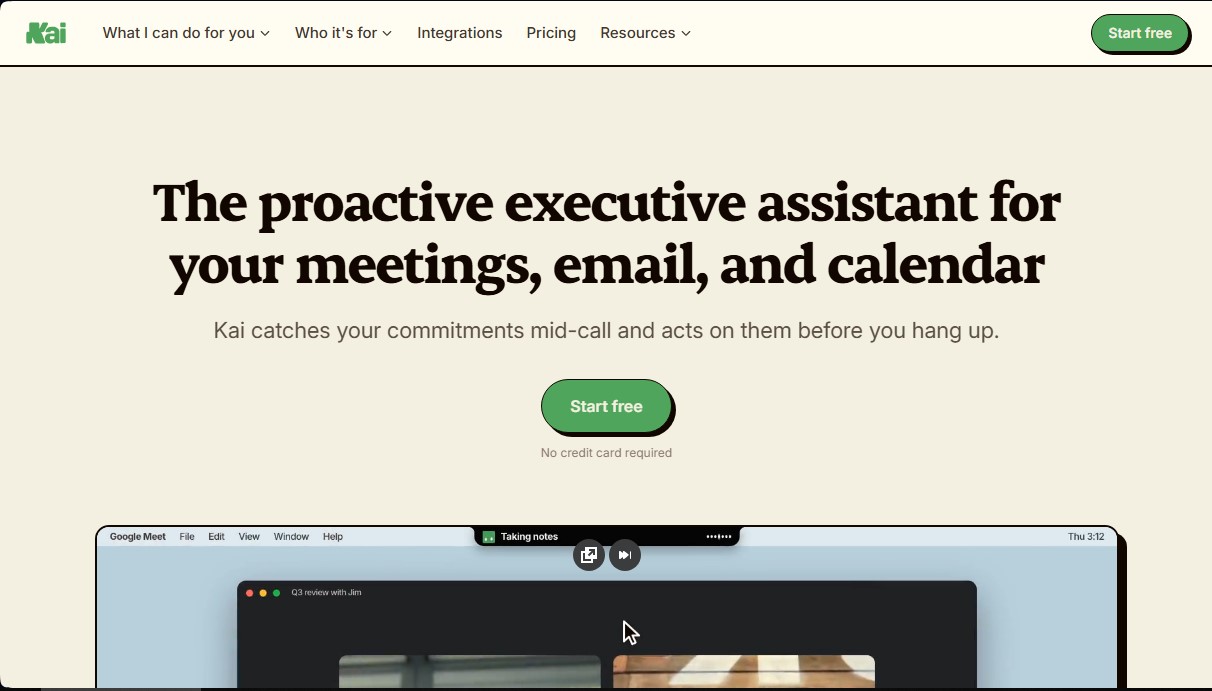
Kai AI Screenshots
Kai AI alternatives

inboxpilot
AI assistant that sorts emails and drafts automated replies in Gmail and Outlook based on your company’s documents and data.

Bolt by Sparcle
Desktop assistant that automates tasks and manages data privately. Connect your tools and use AI models without exposing sensitive information.