
Bolt by Sparcle
Share
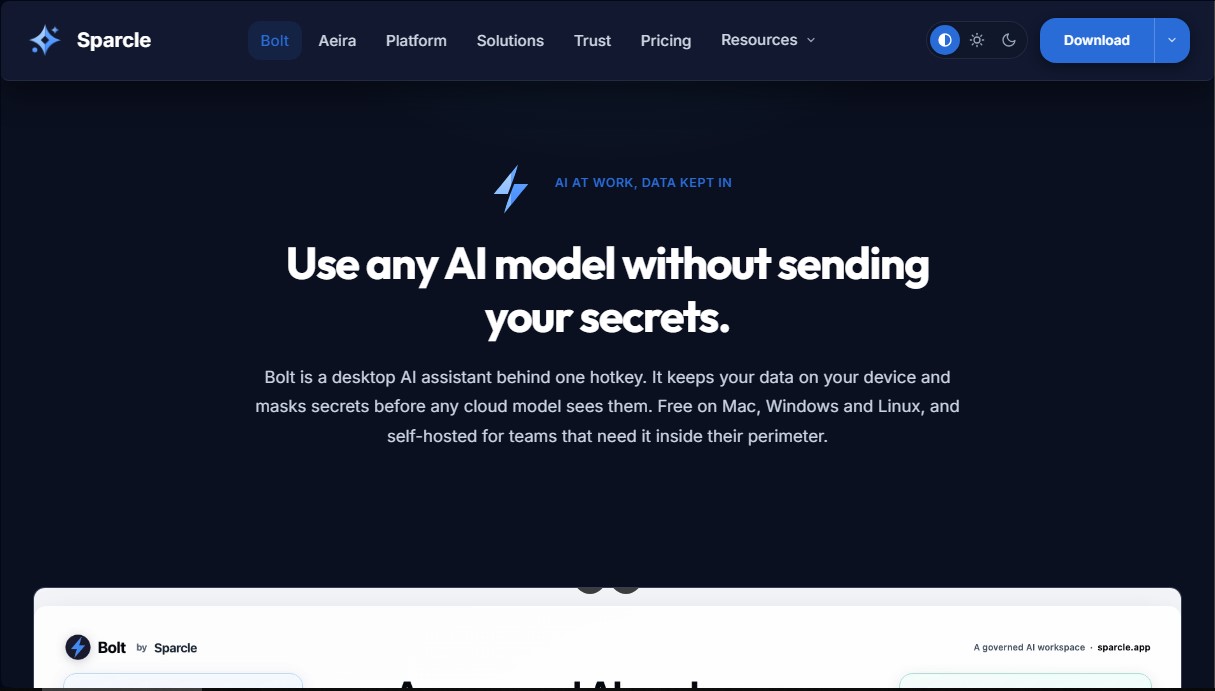
Desktop assistant that automates tasks and manages data privately. Connect your tools and use AI models without exposing sensitive information.
What is Bolt by Sparcle?
Bolt by Sparcle is a desktop AI assistant designed to optimize professional workflows through a hotkey-accessible interface. This tool stands out for its focus on privacy and data sovereignty, allowing users to leverage advanced language models without exposing confidential information. Bolt runs locally on the user's computer, filtering and masking sensitive data before any cloud model can process it. It is compatible with Windows, macOS, and Linux operating systems, offering a versatile solution for both individuals and large organizations requiring a secure execution environment.
The application's architecture is built on the Model Context Protocol (MCP), enabling native integration with over 105 connectors and hundreds of additional apps. Bolt by Sparcle supports a Bring Your Own Model (BYO-LLM) configuration, meaning it can connect with providers like OpenAI, Anthropic, Bedrock, Vertex, or even local and custom models via Ollama or NVIDIA NIM. By offering a self-hosted execution within a company's security perimeter, it ensures compliance with strict regulations such as GDPR or HIPAA.
Unlike conventional conversational assistants, Bolt acts as an agent capable of executing direct actions on the system. Its core capabilities include:
- Communication Management: Draft and reply to emails in Gmail or Outlook by analyzing the context of conversation threads.
- Calendar Organization: Automatically schedule meetings, add attendees, and generate video links.
- Local System Control: Navigate computer files, run terminal commands, and open desktop applications.
- Professional Tool Integration: Manage tasks and records in Jira, Salesforce, GitHub, Notion, or Zendesk without leaving the assistant's interface.
- Secure Remote Access: Connect a mobile device to the desktop via an encrypted tunnel to locate files or execute processes remotely.
The tool's proprietary priority engine helps identify the most critical tasks by examining email, calendars, and messages in real-time. Additionally, Bolt by Sparcle makes it easy to extend its functions via a YAML manifest, allowing system administrators to deploy custom capabilities across the entire organization in a governed manner. Thanks to its multi-machine auto-routing capability, the assistant can locate and manage assets even if the user works on several computers simultaneously, consolidating all operations into a single layer of intelligence.
Bolt by Sparcle features and use cases
How to use Bolt by Sparcle
Bolt by Sparcle FAQ
What is Bolt by Sparcle and how can it help me with my daily work?
Bolt is a desktop AI assistant that lets you run tasks and manage data securely, ensuring that sensitive information never leaves your device or infrastructure.
Where is my data stored when using Bolt?
Your data always stays within your own security perimeter—either on your local computer or your company’s servers—ensuring that no private information is shared with cloud models without your consent.
Which operating systems can I install Bolt on?
The desktop app is available as a free download for Windows, macOS, and Linux.
Can I use my own language model API keys with Bolt by Sparcle?
Yes, the tool allows you to connect your own API keys from providers like OpenAI, Anthropic, or Bedrock, as well as local models, avoiding extra markups on token usage.
What kind of automated tasks can the Bolt agent perform?
The assistant can draft and reply to emails, schedule meetings on your calendar, manage tasks in platforms like Jira or Notion, and even run commands directly in your terminal.
What integrations does Bolt offer with other professional apps?
Thanks to the open MCP protocol, the system connects with hundreds of popular tools—including Salesforce, GitHub, Slack, Google Drive, and Microsoft 365—to streamline your workflow.
Does Bolt offer self-hosting options for businesses?
Organizations can deploy the platform on their own AWS, Azure, or Google Cloud infrastructure, maintaining full control over user identity and security audits.
Is there a free version of Bolt for individuals?
The tool is free for individuals, offering access to all core desktop features and the ability to connect your own models with no time limits.
How does Bolt ensure my information isn't used to train third-party models?
The system uses a security layer that masks sensitive data before any query leaves your network, ensuring your intellectual property never ends up in AI companies' training sets.
Can I control my computer remotely using Bolt?
The platform includes an encrypted bridge feature that allows you to securely access files on your office computer or run processes from your mobile phone.
Bolt by Sparcle pricing and plans
Free for Individuals
Free version with no time limit for personal use; no credit card required.
Self-hosted Bolt for a single user.
Bring Your Own LLM (BYO-LLM) keys.
Community support.
Full desktop suite for macOS, Windows, and Linux.
Bolt Authorize
30 $ per month per user (billed annually) or 36 $ per month per user (billed monthly). 10-user minimum.
Self-hosted on your own infrastructure (Docker Compose or Kubernetes).
SSO integration (SAML / OIDC) with existing identity providers.
Connectivity for email, calendars, tasks, and files (Microsoft 365, Google Workspace, or Zoho).
Unified search and agentic/conversational AI capabilities.
Admin dashboard, policy controls, and AI usage/cost analytics.
MCP integrations to connect external tools.
Bolt Backbone
60 $ per month per user (billed annually) or 72 $ per month per user (billed monthly). 25-user minimum.
Everything included in the Authorize plan.
AI orchestration with smart model routing and caching.
PII (Personally Identifiable Information) masking before sending data to the LLM.
Automation platform with multi-step workflows and scheduled triggers.
Shared team skills library and custom plugins.
Business-hour support with a 4-hour response time.
Bolt Certify
90 $ per month per user (billed annually) or 108 $ per month per user (billed monthly). 50-user minimum.
Everything included in the Backbone plan.
Audit and compliance readiness package (SOC 2, HIPAA).
Technical support for deployments, updates, and air-gapped environments.
Dedicated implementation engineer to work with your IT/SRE team.
24/7 support with Service Level Agreements (SLAs).
Personalized onboarding and training.
Deployment Services (Optional)
One-time fees for initial technical assistance.
Guided Setup (5.000 $): 30-day guided configuration to connect 1 or 2 key systems.
Production Deployment (15.000 $): Full deployment in the customer's VPC with 90-day support.
Founding Customers Program
25% discount off list prices, locked in for 24 months.
Available for the first 50 customers through the end of 2026.
Direct access to the founders and influence over the product roadmap.
Bolt by Sparcle Screenshots
Bolt by Sparcle alternatives

rabbit OS3
Agentic OS that automates tasks and manages files, connecting your computers with AI models to run workflows using natural language.


The Drive AI
AI assistant that automatically organizes, renames, and summarizes team files. Answers questions about content and automates your team’s cloud document management.