Skyelight
Share
Annotate live websites to share feedback with teams or AI agents. Manage bugs and design suggestions directly on any page or prototype.
What is Skyelight?
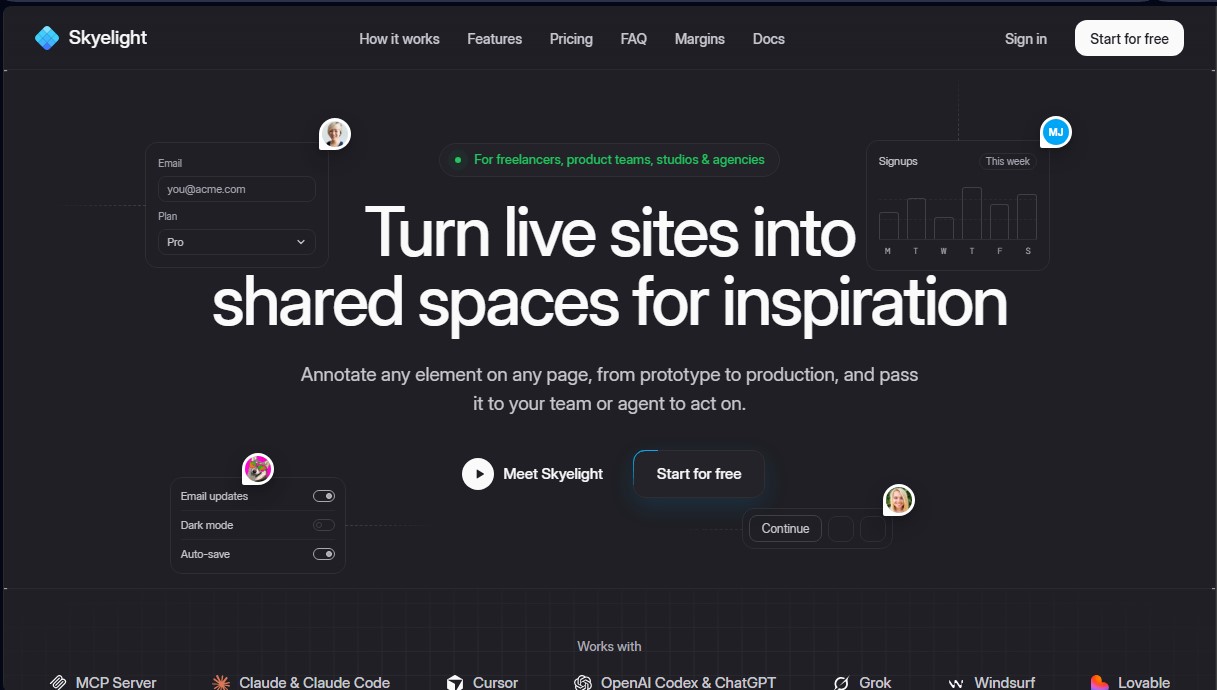
Skyelight is a collaborative platform designed to transform live websites, prototypes, and production environments into shared workspaces. This tool allows product teams, agencies, studios, and freelancers to annotate directly on any element of a webpage to streamline review processes and bug fixing. Its primary function is to centralize visual and technical feedback, enabling both humans and AI agents to act on comments efficiently.
Skyelight operates through a Chrome extension that allows users to pin comments to any URL without needing to modify the source code. The tool’s technology stands out for its integration with the Model Context Protocol (MCP), which facilitates connections with coding agents such as Claude, Cursor, OpenAI Codex, ChatGPT, and Windsurf. Thanks to this architecture, users can delegate debugging tasks or copy changes directly to their AI agent, which accesses the precise context of the error or suggestion to propose solutions or open pull requests automatically.
Among its most notable functional capabilities are:
- Automatic technical capture: Every recorded pin includes browser information, console warnings, network errors, and screenshots, making it easier to reproduce technical glitches.
- Skyelight Build: A plugin that links annotations to the source file, the exact line of code, the commit, and the repository branch for full traceability.
- External feedback management: Allows you to invite clients and external collaborators as reviewers without requiring them to create an account, speeding up design and copy approvals.
- Accessibility audits: Performs automatic checks for contrast, text size, and touch targets on every marked element directly from your computer.
- Workflow synchronization: Integrates natively with management tools like Linear, Slack, and GitHub, allowing you to convert feedback threads into actionable tasks.
The value of Skyelight lies in its ability to eliminate friction between design, development, and the end client. By using this web annotation tool, teams can make copy edits, report visual bugs, or propose UX improvements with complete technical context. The ability to hand off these conversation threads to an AI agent to investigate, plan, or solve the problem drastically reduces cycle times in software development. Furthermore, it ensures privacy through the automatic redaction of sensitive information in screenshots and technical logs. It is a comprehensive solution for optimizing agentic workflows and technical communication in modern digital projects.
Skyelight features and use cases
How to use Skyelight
Skyelight FAQ
What exactly is Skyelight, and what is it used for?
It is a platform that allows you to annotate any element on a live website to provide feedback and instructions directly to your team or coding agents.
Do I have to pay for every client who leaves feedback on Skyelight?
No, reviewers are free on all plans; you only pay for users with owner, admin, or collaborator roles.
Can my clients use Skyelight without having to create an account?
Yes, on Pro and Team plans, you can enable guest access and share a review link so they can collaborate simply by entering their name.
Which coding agents is the Skyelight MCP server compatible with?
It works with any MCP client, which includes popular tools like Claude Code, Cursor, Windsurf, claude.ai, and ChatGPT.
Do I need to add code to my website for it to work?
It’s not required, as the Chrome extension works on any site without making changes; however, installing Skyelight Build allows you to link each comment to the specific file and line of source code.
Does Skyelight use my private data to train AI models?
No, the tool does not use your conversation threads or technical project information to train artificial intelligence models.
Does the tool work in local or private development environments?
Yes, the Chrome extension can capture feedback on any page you open in your browser, including local servers and password-protected sites.
Skyelight pricing and plans
Free Forever
$0/month
1 workspace.
1 project.
Unlimited pins and threads.
Chrome extension and Skyelight Build.
REST API access.
Skyelight MCP limited to 25 agent threads per month.
Screenshots saved for 30 days.
Pro
$29/month ($24/month billed annually)
Includes 1 paid seat (each additional seat is $9/month).
1 workspace and unlimited projects.
Skyelight MCP with unlimited agent threads.
Full REST API access.
Slack, Linear, and GitHub integrations.
Unlimited guests (no account required).
Team
$59/month ($49/month billed annually)
Includes 1 paid seat (each additional seat is $15/month).
Includes all Pro plan features.
Unlimited workspaces.
Advanced role management.
Enterprise
Pricing not available (Contact Sales)
Plan coming soon for specific billing and support needs.
Skyelight Screenshots
Skyelight alternatives

Confident AI
LLM evaluation platform to test AI workflows, measure quality metrics, and automate testing in the development cycle without relying on engineering.



StellarFirm
AI agents for founders to plan, build, and launch apps or websites. Automate technical and management tasks under your direct supervision and approval.

Image to 3D
Convert 2D images and sketches into textured 3D models using AI. Export in GLB, STL, or USDZ for video games, 3D printing, and augmented reality.