
Share
Analyzes emails and meetings to extract tasks, decisions, and risks. Organizes scattered work into a structured record and prepares follow-ups for your final approval.
What is Leveld?
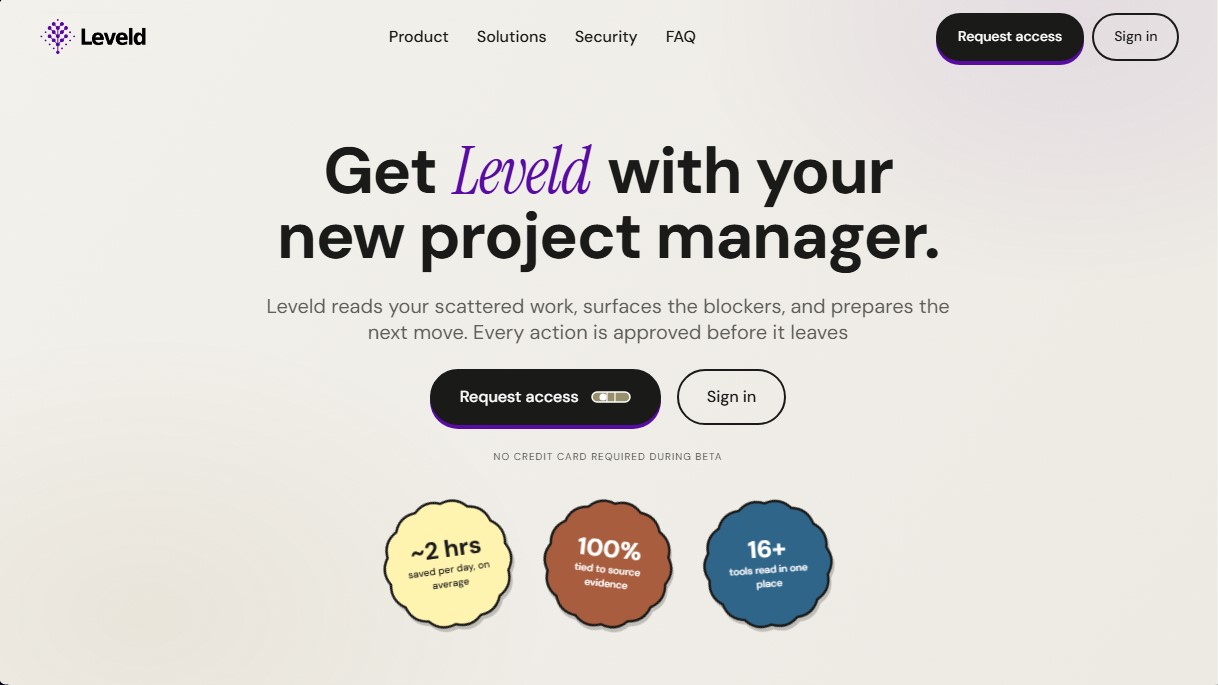
Leveld is an AI-assisted project management tool designed to centralize and structure workflows scattered across multiple communication platforms. Its primary function is to act as an intelligent control system that analyzes emails, chats, meeting transcripts, and documents to extract critical information and transform it into actionable tasks. This application is specifically geared toward professionals who manage high volumes of data, such as project managers, founders, product leads, and consultants who need to maintain control over their deliverables without getting lost in endless Gmail, Slack, or Zoom threads.
Leveld's technology is based on processing "work signals" to identify bottlenecks, decisions, and commitments. Unlike generic assistants, this solution utilizes a responsible AI approach where every recommendation is 100% linked to a specific source of evidence. The operational workflow consists of five stages: data ingestion from multiple tools, identification of key points requiring attention, drafting, human approval, and continuous learning based on user preferences. The system does not autonomously send messages; instead, it prepares actions for the user to review on their computer, ensuring that final control always remains in human hands.
Key capabilities and practical benefits include:
- Action and Follow-up Identification: It detects promises and pending tasks within conversations and converts them into reviewable next steps to track responsibilities (owner chase).
- Decision Logging: It automatically captures agreements reached in meetings or chat threads, preventing outcomes from being buried in the history.
- Risk and Bottleneck Detection: It alerts users to upcoming deadlines, unassigned tasks, or potential scope risks before they turn into real problems.
- Smart Draft Generation: It prepares responses, reminders, and meeting summaries based on actual context, ready to be edited or approved.
- Full Traceability: Every generated item includes a direct link to the original source (email, document, or Fireflies or Otter transcript), allowing for instant information verification.
Using Leveld optimizes business productivity by reducing the administrative burden of manually recording every project update. By integrating various sources into a single dashboard, the tool offers a clear view of what has occurred and what needs to happen next. Regarding security, user data is protected, is not used to train global AI models, and privacy is strictly maintained within the authorized work environment. It is a robust solution for transforming the chaos of fragmented information into a structured and efficient work record.
Leveld features and use cases
How to use Leveld
Leveld FAQ
What is Leveld, and how can it help me manage my daily workflow?
Leveld is a tool that analyzes work scattered across your emails and meetings to identify bottlenecks and draft the next steps that require your approval.
Does Leveld send messages or emails automatically?
No. The platform drafts responses and follow-up proposals, but nothing is sent without your manual review and prior approval.
Is my data used to train Leveld’s AI?
No. Your emails, chats, and transcripts are never used to train AI models and are kept private and secure.
What tools and apps can Leveld currently connect with?
During the beta phase, Leveld connects with Gmail. Support for Outlook, Slack, Zoom, and transcription tools like Otter or Fireflies is coming soon.
Does this platform replace my current project management tools?
No. Leveld is a complementary tool that extracts key information from your communication channels so you never lose track of a decision, action item, or risk.
How much does Leveld cost during the trial period?
Access is completely free during the beta phase, and no credit card is required to sign up and start using the tool.
Can I edit the responses and tasks prepared by the tool before approving them?
Yes. You have full control to modify the text, assignee, deadlines, or priority of any proposed action before confirming it.
Do I need technical skills to set up Leveld?
No. Just connect your standard communication tools, and the platform will automatically begin organizing your work and drafting tasks.
How does Leveld ensure the extracted information is accurate?
Every recommendation or task generated includes a direct reference to the original source—such as an email or transcript—so you can verify the evidence yourself.
Can I delete my data or disconnect my accounts at any time?
Yes. You can disconnect any information source whenever you like and request the complete deletion of your workspace and all associated data.
Leveld pricing and plans
Beta Version: Free
Full access to all platform features with no credit card required during the testing phase.
Analysis of the last 7 days of emails to organize your workflow.
Automatic identification of action items, decisions, risks, and blockers.
Draft replies, reminders, and meeting summaries ready for review.
Mandatory approval system: no actions or messages leave the tool without human validation.
Source traceability with cited evidence for every recommendation or task created.
Guaranteed privacy: user data is not used to train AI models.
Restrictions: Currently limited to Gmail (Outlook, Slack, and Zoom coming soon); requires prior access request.
Commercial Plan: See official website
Leveld has confirmed it will introduce a per-seat pricing model once the open beta period ends.
Leveld Screenshots
Leveld alternatives



StellarFirm
AI agents for founders to plan, build, and launch apps or websites. Automate technical and management tasks under your direct supervision and approval.

PropellaDocs
Automate business proposals and technical documents for IT consultants with AI. Create professional drafts and solution designs in minutes from notes or emails.