
Share
Build no-code AI agents to automate tasks across 1,500+ apps. Delegate sales, support, and operations with total control and human oversight.
What is DeskFerry?
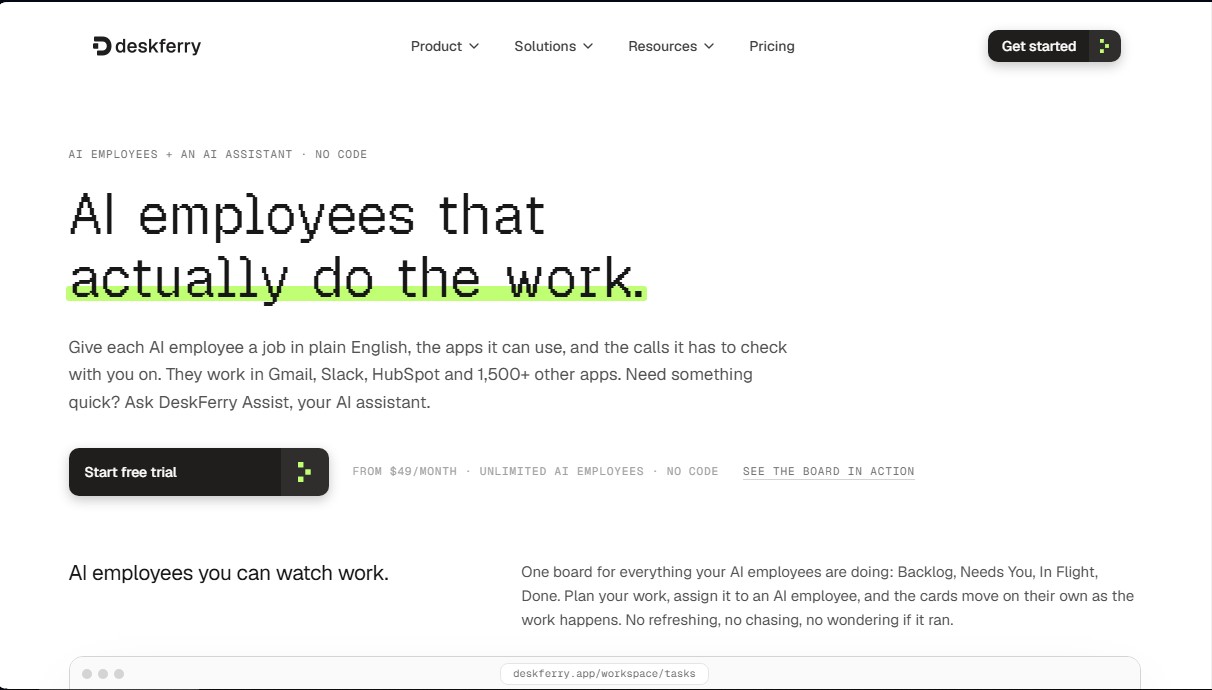
DeskFerry is an intelligent automation platform designed to deploy AI employees that execute complex tasks autonomously across more than 1,500 applications. Unlike conventional integration tools based on fixed rules, this solution utilizes AI agents capable of reasoning and acting directly within environments such as HubSpot, Slack, Gmail, Salesforce, or Notion. Its no-code architecture allows users to configure digital specialists by describing their functions in natural language, eliminating the need for programming or managing complex API keys.
The tool’s operation is centralized in an operational dashboard that enables real-time workflow monitoring. Tasks move through various stages: from the Backlog to completion in the Done state, passing through a critical phase called Needs You. In this phase, any action involving sending communications, incurring expenses, or modifying important records is paused pending human validation from the virtual desktop. This approach ensures absolute control over automated processes, preventing errors in sensitive executions.
DeskFerry’s technology is powered by today’s most advanced language models, allowing users to switch between OpenAI’s GPT, Anthropic’s Claude, Google’s Gemini, or xAI’s Grok depending on the specific goal of each process. The platform distinguishes between two types of assistance:
- DeskFerry Assist: A general-purpose assistant designed to handle quick tasks, draft emails, or manage calendars via chat.
- AI Employees: Specialized agents with persistent memory, custom skills, and access to proprietary knowledge bases, such as PDF documents, URLs, or internal databases.
From a practical standpoint, the tool facilitates lead qualification, tech support triage, unpaid invoice follow-ups, and data report generation. Users can define event triggers or schedule periodic executions to maintain operations without constant intervention. Additionally, its native Slack integration allows users to summon agents in any channel via mentions, facilitating seamless collaboration between humans and machines in a unified workspace.
This solution is ideal for agile teams, founders, and operations managers who need to scale their production capacity without increasing physical headcount. DeskFerry provides a secure infrastructure where every interaction is recorded in a detailed activity history, offering transparency and allowing autonomous agents to learn from user preferences to optimize performance on future tasks. By centralizing business logic and tools in one place, it enables the computer to work proactively rather than serving as a simple tool for manual execution.
DeskFerry features and use cases
How to use DeskFerry
DeskFerry FAQ
What exactly is DeskFerry and how can it help my business?
DeskFerry is a no-code platform that lets you create AI employees to automate real-world tasks within your everyday work applications.
What tools and apps can DeskFerry connect with?
It integrates natively with over 1,500 tools, including Slack, HubSpot, Salesforce, Gmail, and Google Sheets, to take action directly within them.
Do I need to know how to code to set up an AI employee on DeskFerry?
No technical skills are required, as you can easily define your agents' tasks and goals using natural language.
How can I control the actions performed by DeskFerry agents?
You have a dashboard where you can monitor every step and configure the system to request your approval before sending emails or modifying important records.
What is the difference between DeskFerry Assist and specialized agents?
Assist is a general-purpose assistant for quick chat queries, while agents are specialists that execute complex workflows autonomously and on a schedule.
Does DeskFerry offer a trial period for new users?
The tool offers a seven-day free trial so you can explore all the features and set up your first automated processes.
Which language models does DeskFerry use to process tasks?
The platform allows you to choose from various advanced models like GPT, Claude, or Gemini based on the needs of each task, without having to manage external API keys.
Is my company's data handled securely on DeskFerry?
Security is a top priority; data is managed in isolated and encrypted environments to ensure that confidential information remains protected within your workspace.
DeskFerry pricing and plans
Free Trial
7-day free trial period.
Access to all features and unlimited agents to test the system.
Does not automatically convert to a paid plan after the trial ends.
Growth - 49 $/mo
Unlimited AI agents.
5,000 credit limit per month.
Personal workspace (non-shared).
Access to premium apps (including Salesforce and HubSpot).
Connect with over 1,500 apps.
Pro - 99 $/mo
Unlimited AI agents.
12,000 credit limit per month.
Shared workspace for teams.
Bulk action capabilities.
Larger knowledge base capacity.
Priority support.
Scale - 299 $/mo
Unlimited AI agents.
40,000 credit limit per month.
Multiple teams and separate workspaces.
Multi-client management (ideal for agencies).
Early access to new features.
DeskFerry Screenshots
DeskFerry alternatives

rabbit OS3
Agentic OS that automates tasks and manages files, connecting your computers with AI models to run workflows using natural language.



The Drive AI
AI assistant that automatically organizes, renames, and summarizes team files. Answers questions about content and automates your team’s cloud document management.