
Share
AI platform for creating documents, designing editable files, converting formats, and managing projects. Includes editing tools, compression, and a smart assistant.
What is Nexora?
Nexora is an all-in-one AI-powered workspace that centralizes the creation, transformation, and organization of professional files within a single interface. Through its bilingual assistant, Nexa AI, the platform allows users to manage complex tasks ranging from graphic design to business automation. This AI workspace is designed to work on both desktop and mobile devices, offering a seamless experience for students, entrepreneurs, and technical professionals seeking tangible, editable results.
The tool operates through specialized modules or interconnected workspaces. Users can interact with the intelligent assistant to plan projects, receive credit usage estimates, and execute actions across various areas. Nexora’s technology stands out for its ability to generate professional output files in formats such as layered PSDs, SVG vectors, PowerPoint presentations, and structured data documents in Excel or CSV.
Its core capabilities include the following features:
- Nexora Launchpad: Transforms an initial idea into a complete business launch kit or academic project, including ZIP file exports.
- Design and Multimedia: Creation of editable graphics, reconstruction of JPG/PNG images into professional files, and video and audio processing tools for transcriptions, summaries, and automatic subtitling.
- Document Management: Advanced file conversion tools, professional PDF compression, and smart OCR scanning to digitize text using a mobile camera.
- E-commerce and Catalogs: The Social Store module converts social media content into independent catalogs with WhatsApp order integration.
- Specialized Utilities: Includes functions for packaging design with precise calculations, travel planning, and technical gaming guides.
One of Nexora’s competitive advantages is its credit protection system, which ensures users are only charged when file processing is successful. Additionally, the platform guarantees data security through a secure file history and the ability to sync all work across different devices. By focusing on generating optimized and editable files, it positions itself as an advanced productivity solution for those who require more than just simple text responses, providing real execution tools for professional and creative environments in need of a multifunctional AI assistant.
Nexora features and use cases
How to use Nexora
Nexora FAQ
What is Nexora and what services does the platform provide?
Nexora is an AI-powered workspace that allows you to create documents, design editable files, convert formats, and manage projects—all in one place.
How does credit protection work on Nexora?
Your account credits are only deducted once a requested process is successfully completed, ensuring you never pay for failed results.
Can I use Nexora on different devices?
Yes, you can securely access all tools and your file history from both your computer and your smartphone.
What types of files can I create with the Nexa assistant?
The assistant allows you to generate and export a wide range of professional documents, including PPTX presentations, Word files, Excel spreadsheets, and PSD or SVG designs.
What is the purpose of the Nexora Launchpad section?
This section allows you to transform a simple idea into a comprehensive package—including a website, a business kit, or a study project—ready to download as a ZIP file.
Does Nexora offer specific tools for social media?
Yes, the platform includes a social store feature that converts approved content into a standalone web catalog, allowing for direct ordering via WhatsApp.
Can I retrieve files I have previously processed?
All documents and activity history are securely stored in your personal file center, so you can access them whenever you need.
What image editing tools are included in the platform?
Nexora supports everything from creating vectors and layered PSD designs to converting JPG files into professional, editable formats.
Nexora pricing and plans
Please refer to the official website for detailed information regarding Nexora’s pricing and plans. The platform features a section called the "Nexora Store" where plans and credit bundles are managed; however, specific pricing details are not included in the information provided.
The business model is based on a credit system with the following general terms:
Credit Protection: Credits are only deducted upon the successful completion of a task.
Access to Multiple Workspaces: Nexa AI, Launchpad, Social Store, document editing, vector design (SVG), layered design (PSD), and file conversion and compression.
Secure, Cross-Device File History.
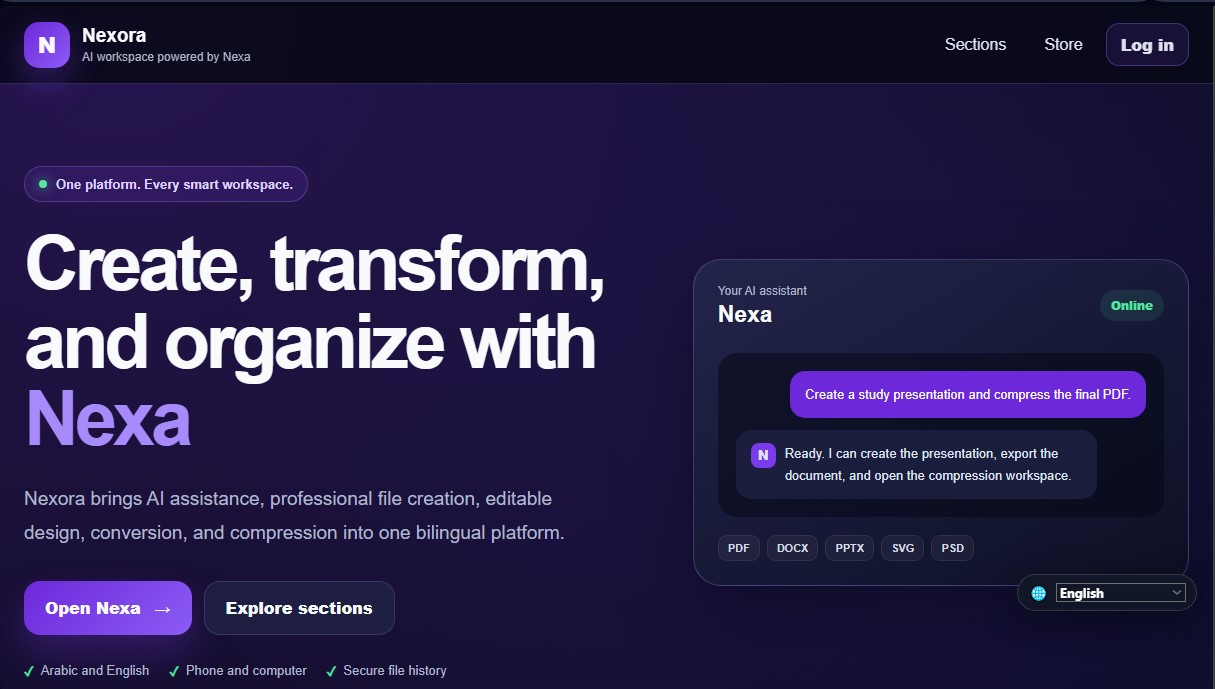
Nexora Screenshots
Nexora alternatives


rabbit OS3
Agentic OS that automates tasks and manages files, connecting your computers with AI models to run workflows using natural language.


inboxpilot
AI assistant that sorts emails and drafts automated replies in Gmail and Outlook based on your company’s documents and data.