

Share
Automatically organize and summarize links, videos, and photos. Extract key info like recipes or locations and search your files with AI.
What is Luckynote?
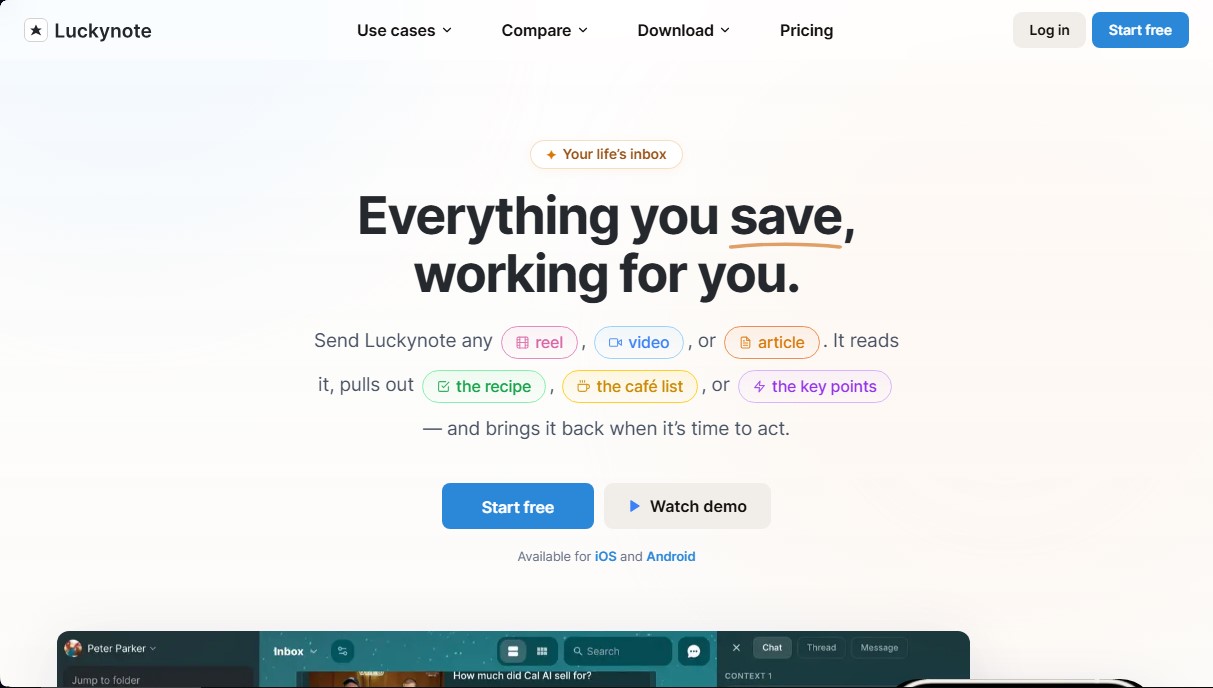
Luckynote is an advanced productivity app that acts as a smart inbox to centralize scattered information. Its core concept is based on the simplicity of messaging yourself, allowing you to instantly capture notes, links, files, and tasks. The tool uses artificial intelligence to process this content in the background, transforming unstructured input into useful, retrievable information without the user having to manually tag or organize every item at the moment it is saved.
The technology behind Luckynote utilizes Natural Language Processing (NLP) and Optical Character Recognition (OCR) models. This allows the app to analyze content from YouTube videos, Reels, or articles to generate automatic summaries with key points, eliminating the need to watch long-form content to extract the essentials. Additionally, it can intelligently identify and extract specific data, such as recipe ingredients and steps, or lists of cafes and locations mentioned in social media posts or text threads.
Key functional capabilities and practical benefits include:
- AI Semantic Search: Interact with all your saved information using natural language queries. You can ask for specific details, and the AI will locate the answer even if it is buried inside a screenshot or a PDF file.
- Voice-to-Text Transcription: Voice notes sent to the app are automatically transcribed, making them fully indexable and easy to reference in the future from your mobile device or computer.
- Smart Task Management: The system automatically detects dates and events in photos of flyers, receipts, or text messages to proactively schedule automatic reminders.
- Omnichannel Universal Capture: Easily send information by sharing content directly from WhatsApp, Telegram, browser extensions, or by directly uploading files and screenshots.
- Automated Organization: While it offers options for folders, tags, and Kanban-style views, its primary focus is saving time through automatic indexing, allowing users to focus on frictionless idea capture.
This tool is ideal for users looking to build a digital second brain, such as students, developers, marketing professionals, and content creators. Luckynote solves the problem of information fragmented across multiple apps, offering a secure environment with data encryption and cloud synchronization so that any saved resource is always available for immediate use.
Luckynote features and use cases
How to use Luckynote
Luckynote FAQ
What is Luckynote and what does it do?
It’s a smart inbox that lets you centralize everything you save—such as links, videos, or voice notes—so the tool can extract the key information for you.
How do I send content to Luckynote?
You can share items from apps like WhatsApp and Telegram, use the browser extension, or upload screenshots directly from your phone or computer.
Can Luckynote summarize YouTube videos or articles?
Yes, the tool analyzes the links you save to provide key takeaways or extracted recipes, saving you time by not having to read or watch the entire piece of content.
Can I search for text within a saved image?
Definitely. The system recognizes text within your screenshots and files, allowing you to find any piece of information through a quick keyword search.
What happens if I save a voice note in Luckynote?
The app automatically transcribes your voice messages, making the content readable and allowing you to find specific details within those recordings later on.
Do I need to organize everything into folders to find my stuff?
It’s not necessary. Our smart search allows you to find any item based on its content, though you can still use unlimited folders if you prefer a manual structure.
Does Luckynote offer a free version?
Yes, we offer a free plan that includes all core features, device syncing, and unlimited folders, with upgrade options available for more storage and advanced functionality.
Can I set reminders for saved tasks?
Yes, the tool automatically detects dates in your screenshots or text and lets you schedule reminders so you never miss an important task.
Luckynote pricing and plans
Personal
Price: 0 $ (Free forever)
Limited messages.
Limited AI usage.
Reminders.
Kanban view.
Smart filters and search.
Sync across all devices.
Cloud backup and encryption.
Unlimited folders and subfolders.
100 MB storage space.
10 MB file upload limit.
Plus
Price: 7,99 $ per month (or 59,99 $ per year)
Unlimited messages.
10x AI usage.
AI summaries and voice message transcription.
Smart bookmarks and AI image tagging.
Text recognition in images (OCR).
Integrations and plugins.
Kanban view and reminders.
Smart filters and search.
Sync across all devices and encrypted backup.
Unlimited folders and subfolders.
20 GB storage space.
1 GB file upload limit.
Luckynote Screenshots
Luckynote alternatives

OpenWhispr
OpenWhispr is open-source voice dictation for Mac, Windows and Linux: transcribe locally or in the cloud, type into any app and take meeting notes without a bot.


Assindo iOS
AI agent that makes and answers calls, manages social media, and organizes tasks. It searches the web, books appointments, and automates your daily schedule—all serverless.


mindmap.io
Create mind maps where each node is an AI chat. Branch ideas while maintaining context, summarize content, and organize information on an infinite canvas.

BlaBlaScribe
Transcribe audio and video to text, generate subtitles, and translate into 50 languages. Includes speaker detection, AI summaries, and exports in SRT, VTT, or TXT formats.