Assindo iOS
Share
AI agent that makes and answers calls, manages social media, and organizes tasks. It searches the web, books appointments, and automates your daily schedule—all serverless.
What is Assindo iOS?
Assindo defines itself as an autonomous AI agent designed to execute real-world tasks directly, eliminating the need for complex technical configurations. Unlike other assistants that are limited exclusively to the digital environment, this tool can make phone calls, manage calendars, and post on social media, functioning as a 24/7 personal assistant from your mobile device or computer browser.
Assindo’s operation is based on frontier AI models managed entirely in the cloud, allowing users to delegate processes without needing to install servers, Docker, or manually manage API keys. One of its most notable technological innovations is its integration with Claude via the MCP (Model Context Protocol). This feature allows users to provide instructions in natural language through the Claude chat so the agent can perform external actions, such as calling a business to check availability or making a technical reservation.
Among its primary productivity and automation-oriented capabilities, the following stand out:
- Automated call management: The tool can screen incoming calls, answer on the user's behalf, and take detailed messages. For outbound calls, it has the ability to navigate automated phone menus and manage wait times until connected to a human operator.
- Research and web search: It performs information searches, locates local businesses, and extracts specific data to deliver concise results.
- Social media automation: It allows for drafting, reviewing, and publishing content on platforms like Twitter and LinkedIn natively.
- Task scheduling and reminders: Users can plan future actions, such as requesting the intelligent agent to handle a phone call or publish a post at a specific date and time.
This artificial intelligence application is especially useful for professionals, freelancers, and users who need to optimize their time by delegating administrative and bureaucratic tasks. Assindo transforms voice or text instructions into executable actions, turning the results of these efforts into completed tasks or follow-up items within its interface. As an out-of-the-box AI productivity solution, it requires no advanced technical knowledge, making it easy for anyone to have an agent that interacts with both the physical and digital worlds autonomously. The system keeps the user informed at all times via push notifications once tasks are successfully completed.
Assindo iOS features and use cases
How to use Assindo iOS
Assindo iOS FAQ
What are the main features of the Assindo iOS app?
Assindo manages phone calls, performs web searches, posts to social media, and autonomously schedules complex tasks to save you time.
Do I need to set up a server to use Assindo?
No. Unlike other AI agents, Assindo doesn't require servers, Docker, or any technical knowledge because it runs directly from the cloud.
How does Assindo iOS help manage my incoming calls?
The tool answers calls for you, filters them to avoid unnecessary interruptions, and takes messages, converting the information into actionable tasks.
Can Assindo make outbound calls to book a doctor's appointment?
Yes, the assistant can call any business, navigate phone menus, and wait on hold until it completes the task you requested.
How does Assindo integrate with the Claude platform?
You can add Assindo as a custom connector in Claude to make phone calls directly from the chat and receive the results within the conversation.
Which social media platforms are compatible with the Assindo iOS assistant?
The assistant can draft and publish content to your Twitter and LinkedIn accounts automatically after you review it in the chat.
Does Assindo offer a free trial for new users?
Yes, annual plans include a seven-day free trial so you can test all of the AI assistant's capabilities.
How does Assindo iOS handle tasks scheduled for the future?
You can ask the assistant to schedule specific actions, such as making a call or publishing a post, for a specific day and time next week.
Assindo iOS pricing and plans
Personal Plan
Price: $9.99 per month or $99.99 per year (includes a 7-day free trial on the annual plan).
- 45 inbound call minutes per month.
- 20 outbound call minutes per month.
- 20 tasks per month.
- 300 messages per month.
- Community support.
- Includes dedicated AI server, call automation, social media posting, web search, and task scheduling.
Professional Plan
Price: $24.99 per month or $249.99 per year (includes a 7-day free trial).
- 120 inbound call minutes per month.
- 60 outbound call minutes per month.
- 75 tasks per month.
- 1,000 messages per month.
- Email support.
- Includes all standard features, code execution, and workflows.
Business Plan
Price: $59.99 per month or $599.99 per year (includes a 7-day free trial).
- 300 inbound call minutes per month.
- 150 outbound call minutes per month.
- 250 tasks per month.
- 3,000 messages per month.
- Priority support.
Enterprise Plan
Price: Contact Sales.
- Unlimited messages, call minutes, and scheduled tasks.
- Custom tool integrations.
- API access.
- Dedicated support.
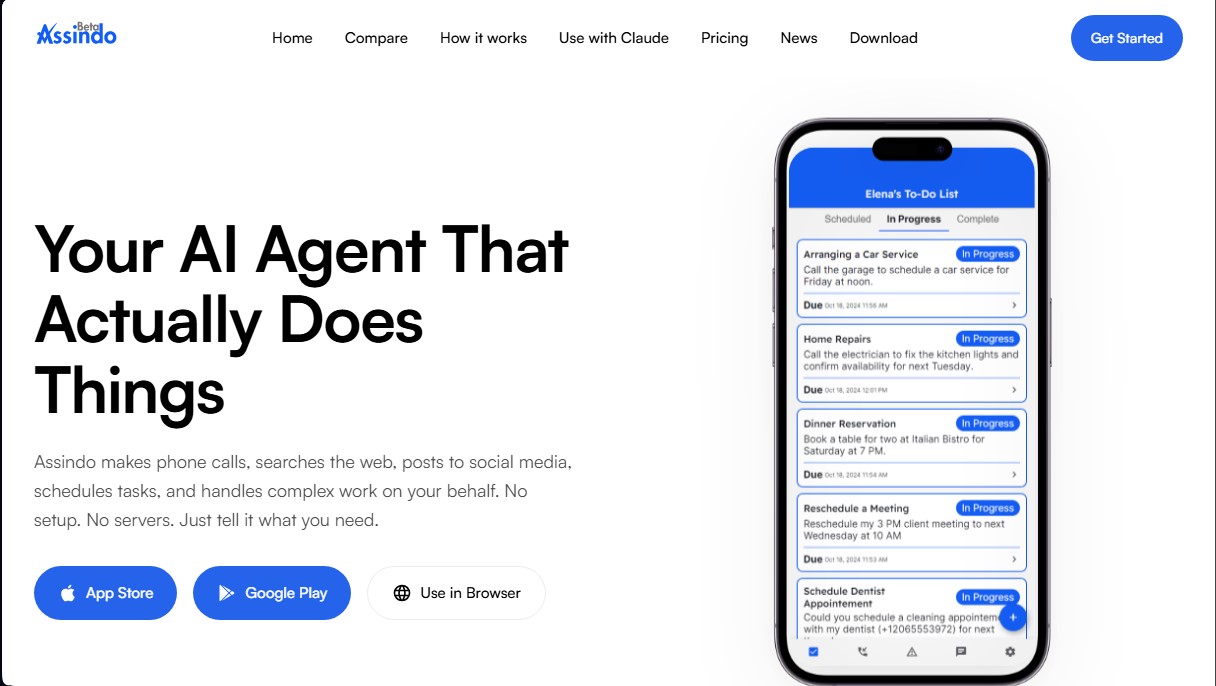
Assindo iOS Screenshots
Assindo iOS alternatives

rabbit OS3
Agentic OS that automates tasks and manages files, connecting your computers with AI models to run workflows using natural language.



The Drive AI
AI assistant that automatically organizes, renames, and summarizes team files. Answers questions about content and automates your team’s cloud document management.